



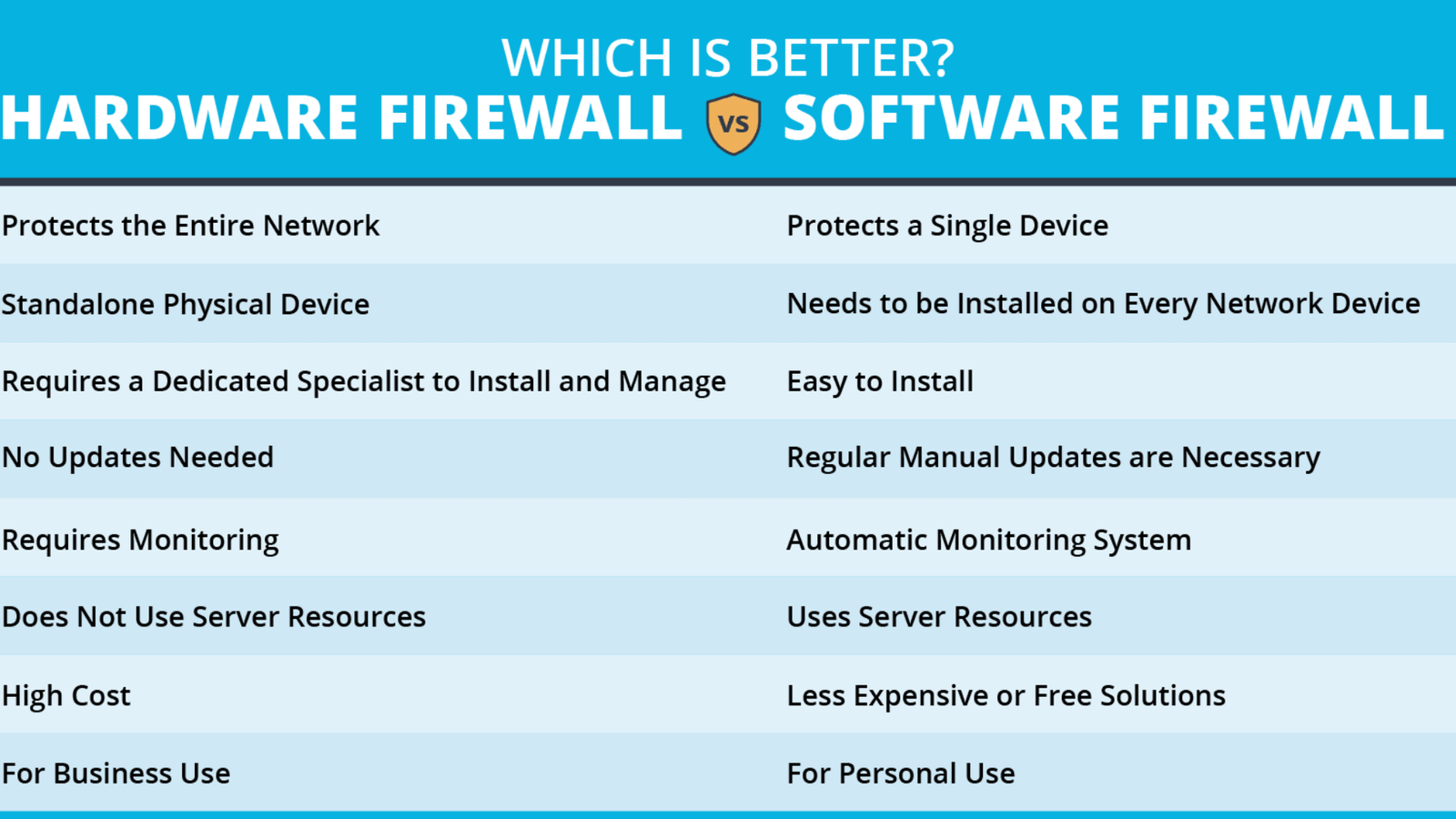
Every network — whether it is a home setup with five devices or a corporate infrastructure with thousands of endpoints — needs a firewall. But when you start researching firewall options, you quickly encounter a fundamental choice: hardware firewall versus software firewall. Both protect your network from unauthorized access and malicious traffic, but they work differently, deploy differently, and serve different purposes.
What Is a Hardware Firewall?
A hardware firewall is a dedicated physical device that sits between your internet connection and your internal network. It inspects all incoming and outgoing traffic at the network level before that traffic reaches any device on your network. The hardware firewall operates independently of any individual computer or server — it runs its own operating system, its own processor, and its own memory dedicated entirely to traffic inspection and access control.
Hardware firewalls typically offer advanced capabilities including deep packet inspection, VLAN segmentation, VPN server functionality, intrusion detection and prevention systems, bandwidth management, and detailed traffic logging. These capabilities make them the preferred choice for businesses, enterprise environments, and serious homelab setups where network-wide security and visibility are priorities.
What Is a Software Firewall?
A software firewall is a program that runs on an individual device — a computer, server, or virtual machine — and controls the network traffic flowing into and out of that specific device. Unlike a hardware firewall that protects the entire network, a software firewall protects only the device it runs on.
Software firewalls operate at the application layer as well as the network layer, giving them visibility into which specific program on your device is generating or receiving traffic. This per-application control is something hardware firewalls cannot provide at the endpoint level, making software firewalls an essential complement to hardware network protection even in environments that already deploy dedicated firewall appliances.
Key Differences Between Hardware and Software Firewalls
Understanding the practical differences between hardware and software firewalls helps clarify when and why you deploy each type.
Protection Scope: A hardware firewall protects your entire network from a single device. A software firewall protects only the specific machine it runs on. A laptop that leaves your home network loses the protection of your hardware firewall the moment it connects to a public Wi-Fi network — but its software firewall continues protecting it regardless of which network it joins.
Performance Impact: Hardware firewalls process network traffic on dedicated silicon without consuming any resources on your computers or servers. Software firewalls run on the same processor and memory as the device they protect, which introduces a small but measurable performance overhead — particularly on older or resource-constrained systems.
Visibility and Control: Software firewalls see application-level traffic and can block or allow individual programs from accessing the network. Hardware firewalls see network-level traffic — IP addresses, ports, and protocols — but generally cannot identify which specific application on a device behind them generated a particular connection without additional software agents.
Deployment Complexity: Hardware firewalls require physical installation, network reconfiguration, and ongoing management through a dedicated interface. Software firewalls install like any other application and begin functioning immediately with minimal configuration on most operating systems.
Cost: Software firewalls range from completely free — Windows Defender Firewall costs nothing — to moderately priced commercial products. Hardware firewalls require physical hardware investment ranging from affordable mini PCs running open source firmware to expensive enterprise appliances costing thousands of dollars.
How to Set Up a Hardware Firewall
Setting up a hardware firewall involves several key steps that apply whether you use a commercial appliance or an open source solution like pfSense or OPNsense on dedicated hardware.
First, position the hardware firewall between your modem or ISP connection and your internal network switch. Connect the WAN port of the firewall to your modem and the LAN port to your internal network switch or directly to your main router if you run a layered configuration.
Second, access the firewall’s web management interface through a browser on a connected device. Most platforms use a setup wizard that guides you through initial WAN connection configuration, LAN IP addressing, and basic firewall rule creation.
Finally, enable logging and set up regular firmware updates. Firewall logs reveal attack attempts, unusual traffic patterns, and misconfigured applications. Regular firmware updates patch security vulnerabilities in the firewall itself — an unpatched firewall is a security liability regardless of how well you configure its rules.
How to Set Up a Software Firewall
Setting up a software firewall correctly requires more attention than most users apply to the default installation.
On Windows, open Windows Security, navigate to Firewall and Network Protection, and verify that the firewall is active on all three network profiles — Domain, Private, and Public. Review the list of applications with allowed access and remove any entries for applications you no longer use or do not recognize.
For any software firewall platform, pay particular attention to outbound traffic rules. Most default software firewall configurations focus heavily on blocking unsolicited inbound connections but allow all outbound traffic freely. Restricting outbound connections to known legitimate applications closes the path that malware uses to phone home to command-and-control servers after gaining access to a device.
When to Use a Hardware Firewall
Deploy a hardware firewall when you need to protect an entire network from a single centralized security point. Any environment with multiple devices — a home network, a small business, a homelab, or a branch office — benefits from a hardware firewall that enforces consistent security policy across every connected device simultaneously.
Hardware firewalls are essential when you run servers, IoT devices, or smart home equipment that cannot install their own security software. They provide the network-level visibility and control that individual device-based software firewalls simply cannot deliver at scale.
When to Use a Software Firewall
Deploy a software firewall on every device regardless of whether your network already has a hardware firewall in place. Software firewalls provide defense-in-depth — a second layer of protection that remains active even when a device leaves the protected network perimeter.
Laptops, remote workers, and mobile devices particularly need software firewalls because they regularly connect to untrusted networks where no hardware firewall stands between them and potential threats. A software firewall on a traveling laptop continues enforcing protection on hotel Wi-Fi, airport networks, and coffee shop connections where no trusted hardware perimeter exists.
Hardware vs Software Firewall: Which One Do You Need?
The honest answer is that most environments need both. A hardware firewall protects your network perimeter and every device behind it simultaneously. A software firewall protects each individual device from threats that originate on the same network or that bypass the perimeter through encrypted traffic, compromised devices, or direct physical connections.
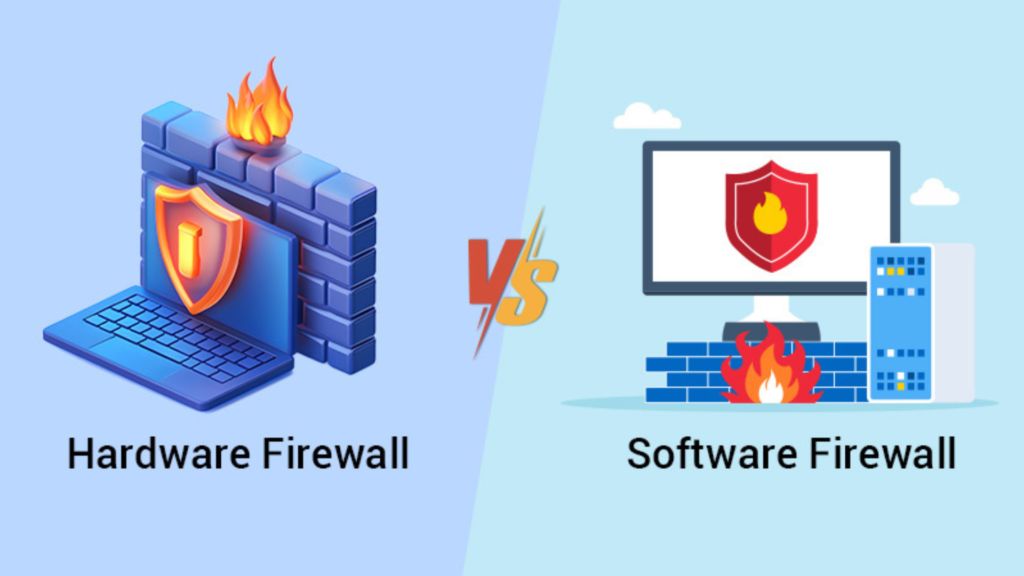
Together, hardware and software firewalls create a layered security architecture where a threat that bypasses one layer still encounters another. Security professionals call this defense-in-depth, and it remains the most effective approach to network security at any scale — from a single-person homelab to a multinational enterprise.
Conclusion
Hardware firewalls and software firewalls serve complementary roles in a complete network security strategy. Hardware firewalls protect your entire network at the perimeter level with deep inspection, centralized control, and network-wide coverage that requires no configuration on individual devices. Software firewalls protect individual devices at the application level with per-program traffic control that remains active regardless of which network the device connects to.

