




Selection of the correct networking equipment seems critical today in our hyper-connected world so the efficiency and security of the network are protected. Be it a home office, sba, or large-scale enterprises; understanding the purpose of key equipment such as routers, switches, firewalls, and access points will save you time and money and prevent you from lots of nuisance. With this guide, we can help you come to a strong decision by figuring out the roles played by different devices and the best match in your case.
1. Routers: The Gateway of Your Network
Every network has to have a router, which is the primary support that binds it, making possible the connection of the internal network to the public network (the internet). A router manages data traffic, allocates and assigns IP addresses, and offers a minimal measure of security.

Key Features to Look for in a Router:
- Wi-Fi 6 or Wi-Fi 6E: Choose from the newer Wi-Fi standards, enhancing speed and delivering better performance.
- Speed and Bandwidth: For better internet speed, make sure the router accessories are compatible with your internet connection speed.
- Ports: Ensure availability of Ethernet ports for wired connections.
- Safety: WPA3 encryption, VPN support, and parental lockages increase network security.
Best For:
- Internet and basic security required home users
- A small business that needs minimal routing capabilities.
Pro Tip: Consider mesh routers if you need to extend Wi-Fi coverage across large or multi-story spaces.
2. Switches: Expanding Wired Connections
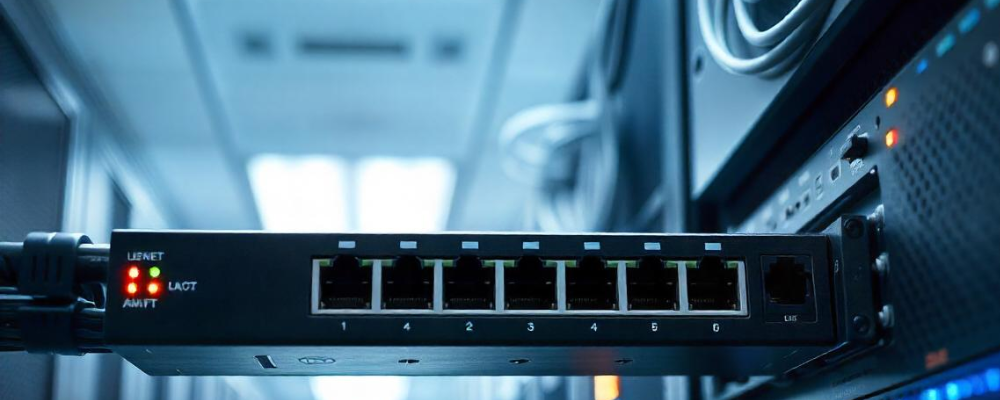
Switches are fundamental in the establishment of any robust wired network, making communication channels within a specific LAN line up for multiple devices.
Types of Switches:
- Unmanaged Switches are typically understood as plug and play devices that are best suited for household use or in small office settings.
- Managed Switches, on the other hand, generally come with more complex interconnected systems, like VLANs, QoS, and port monitoring, that may benefit companies.
Key Features to Consider:
- Number of ports: Pick a switch with caps adequately covering present and future devices.
- Speed: Look for gigabit Ethernet for quick data transfer.
- PoE (Power over Ethernet): Essential for powering devices like IP cameras or access points.
Best For:
- Offices require a good-wired connection.
- Enterprises manage extensive networks.
3. Firewalls: Your Network’s Security Guard
A firewall is of immense importance for the proper safeguarding of networks against any cyber threat through the filtering of the traffic on the network.

Hardware vs. Software Firewalls:
- Hardware Firewalls: It is often the case that standalone devices are integrated with routers to deliver network security with high performance.
- Software Firewalls: Installed with personal devices, best used for personal use.
Key Features to Look For:
- DPI (Deep Packet Inspection): Inspect data for harmful content.
- IDPS (Intrusion Detection and Prevention Systems): Identify and block possible threats.
- VPN Service: Brings remote users to the network in a secure environment.
Best For:
- Businesses involved in handling sensitive data.
- Home users concerned about cybersecurity.
Pro Tip: Consider Unified Threat Management (UTM) devices for all-in-one firewall solutions.
4. Access Points: Extending Wireless Coverage
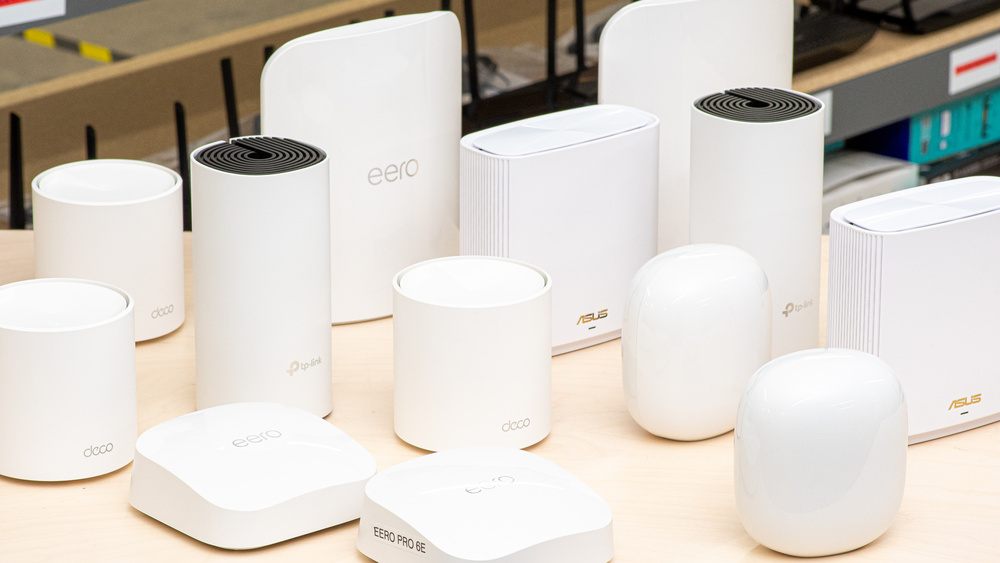
Without access points (APs), there will be no Wi-Fi network, so setting up a decent Wi-Fi network environment with access points (APs) is necessary.
Key Features to Look For:
- Wi-Fi standards: While looking for routers, one has to go with Wi-Fi 6 or 6E.
- Power over Ethernet support: This saves on deployment costs for this AP.
- Coverage area: Choose the APs based on the size of the area to be covered.
Best For:
- One can be anxious about knowing the real signal strength at his or her home.
- Sometimes blockages in signals could have an effect on the Wi-Fi coverage within the house. Here are some wonders about the best WiFi extenders to choose from.
Pro Tip: Use multiple APs with a controller for better management in enterprise settings.
5. How to Choose the Right Equipment for Your Network
Step 1: Assess Your Needs
Identify the purpose of your network:
- Do you need basic internet access?
- Are you managing multiple users or devices?
- Do you require advanced security?
Step 2: Consider Scalability
Think about future growth. Will you need additional devices or bandwidth in the future?
Step 3: Budget Wisely
Invest in equipment that balances cost with functionality. Avoid overpaying for features you don’t need.
Step 4: Prioritize Compatibility
Ensure all devices work well together to avoid compatibility issues.
Comparison Table: Router vs. Switch vs. Firewall vs. Access Point
| Feature | Router | Switch | Firewall | Access Point |
| Primary Function | Connects networks and manages internet traffic | Connects devices in a wired network | Protects network from cyber threats | Extends Wi-Fi coverage |
| Best For | Homes, small businesses | Offices, large enterprises | Businesses, security-conscious users | Large homes, scalable Wi-Fi setups |
| Key Features | Wi-Fi standards, speed, security | Number of ports, PoE support, Gigabit Ethernet | DPI, IDPS, VPN support | Wi-Fi 6, PoE, coverage area |
| Setup Complexity | Easy to moderate | Easy to advanced | Moderate to advanced | Easy to moderate |
| Cost | Moderate | Low to high | Moderate to high | Moderate |
Final Thoughts
When picking the appropriate networking hardware, such as routers, switches, firewalls, and access points, other factors should be seriously taken into account, As soon as one has established what is genuinely needed, considering that information will lead a person to find devices that would be right for themselves. Then it is possible to configure the operation for swift and secure network access that satisfies a person’s immediate residence or business concerns.
Keywords for Optimization:
- “Best router for home use”
- “Unmanaged vs. managed switches”
- “Top firewall solutions for small business”
- “Access points for better Wi-Fi”
- “Wi-Fi 6 routers”
- “Power over Ethernet switches”
- “Networking equipment for businesses”
By carefully selecting your networking equipment, you’re investing in the foundation of a smooth digital experience. Happy networking!


Clear and concise. This helped me make a better decision on upgrading my home and office network equipment.
Really helpful guide! I’ve been confused about when to use a router versus a switch, and this article cleared it up perfectly.
This guide is so complete and easy to understand. Great work!
Great breakdown! The firewall vs access point section was particularly useful for understanding network security.
good job
Excellent primer on network equipment selection — the router versus switch versus firewall distinction is something even many IT professionals get fuzzy on. For network engineers documenting infrastructure decisions, Speech Text has been useful for transcribing vendor briefings and technical discussions into clear written specifications.
Very practical framing for the router-vs-switch decision tree. The point about access points being underinvested relative to core switching gear is something a lot of small office setups get backwards — they buy a capable switch but cut corners on wireless coverage and then blame the internet connection for what’s actually a last-hop problem.
Clear breakdown of the router versus switch versus access point decision tree. The point about managed versus unmanaged switches being overkill for small home networks is accurate — most users end up paying for features they never configure. The Wi-Fi 6E adoption timeline section is especially useful for planning infrastructure purchases.
Practical framework for choosing between routers, switches, firewalls, and access points — the decision tree based on use-case scale is especially useful for SMBs without dedicated IT staff. Layer 3 switching capabilities at the edge are usually worth the upfront cost for most growing networks.
Very practical guide to networking equipment selection. The router vs. switch vs. access point distinction trips up a lot of small business owners who just see it all as ‘networking stuff.’ Your explanation of when to use managed vs unmanaged switches is especially useful — the cost difference is significant and many businesses over-provision when unmanaged is perfectly adequate for their needs.
Excellent technical breakdown. The comparison highlights exactly the trade-offs practitioners need to understand — these decisions cascade through the entire workflow in ways that aren’t obvious at first.
Very practical guide for choosing networking gear — the router vs. switch vs. access point breakdown is something SMBs often get wrong when setting up their first proper network. The firewall section is especially relevant given how much ransomware targets misconfigured perimeter devices. One tip I’d add: when comparing specs, real-world throughput under load matters far more than the theoretical maximums printed on the box.
Really useful decision framework — the point that most home and small-office problems are solved by a proper access point rather than a bigger router is one people learn the hard way. Separating firewall duties from switching duties is also correct. Good, practical guide.
The side-by-side framing is helpful because most small business owners conflate switches and routers, then overspend on the wrong device. Making the point that a firewall is a distinct function rather than a feature of a good router is worth repeating. A short section on when a mesh access point setup beats a single consumer router would be useful.
The router-versus-firewall confusion is the one that leads to the most wasted money in small offices — a consumer router doing NAT is not a firewall in any meaningful sense. Explaining switches as the layer that just moves traffic without inspecting it is a good way to put it. Useful, clear breakdown.
Framing the choice as role-first — what each device is for — before listing features is the right way to teach this, since most buyers start from a model number instead. The firewall-versus-router distinction is where small businesses usually get it wrong. A simple decision flow for a small office would make it immediately actionable.