


Gaming and Content creation are both resource-intensive activities, but with the right setup, you can easily achieve both without breaking the bank. If you’re looking to build a budget gaming PC that can handle modern titles and also help you run a YouTube channel, it’s important to balance performance, efficiency, and cost.
In this article, we’ll explore the best budget-friendly components for a gaming PC that can handle multitasking, gaming at 1080p (and some 1440p), and running video editing software for YouTube content creation. Let’s dive in!
1. CPU: AMD Ryzen 5 5600X

Key Features:
- 6 Cores / 12 Threads
- Base Clock: 3.7 GHz, Boost Clock: 4.6 GHz
- Great performance for both gaming and content creation
- Highly efficient architecture
Why This CPU?
The AMD Ryzen 5 5600X is an excellent budget option for gamers and content creators alike. It has 6 cores and 12 threads, making it capable of handling multitasking (like gaming, streaming, and video editing) with ease. It offers superior gaming performance, with higher frame rates in most titles, and can run programs like Adobe Premiere Pro, DaVinci Resolve, or OBS Studio without bottlenecking.
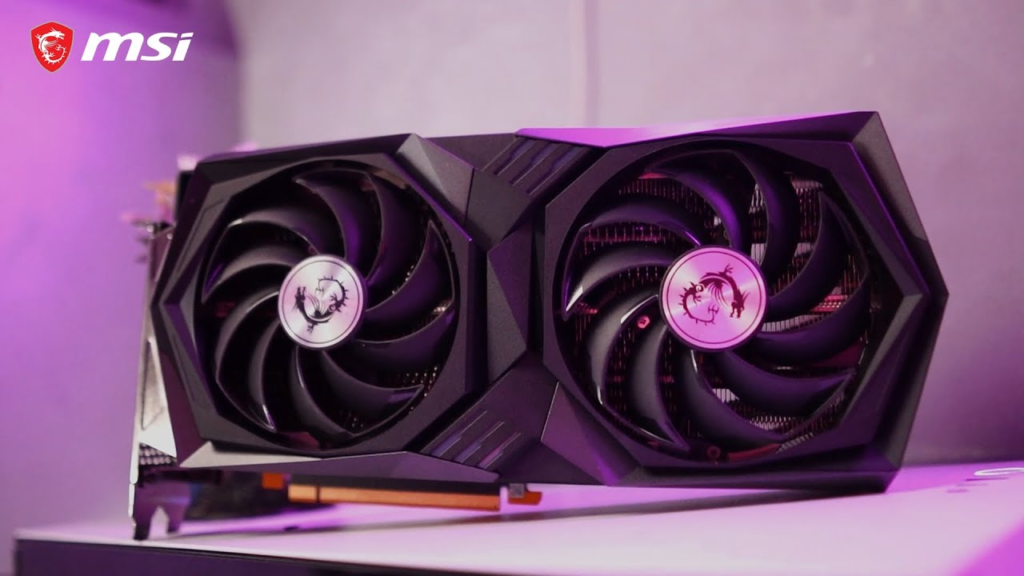
2. GPU: NVIDIA GeForce RTX 3060
Key Features:
- 12GB GDDR6 VRAM
- DLSS & Ray Tracing Support
- Supports 1080p and 1440p gaming
- Great for video editing acceleration (CUDA cores)
Why This GPU?
The RTX 3060 offers fantastic performance for its price point. It is a solid choice for gaming at 1080p and 1440p, offering high frame rates even with the most demanding titles. Additionally, the card’s CUDA cores can speed up video editing tasks, making it an excellent option for YouTubers who need faster rendering times for 4K or 1080p video editing.
If you’re considering streaming as well, the hardware encoding on the RTX 3060 will allow you to stream with minimal performance impact.
3. Motherboard: MSI B550-A PRO

Key Features:
- ATX form factor
- Supports PCIe 4.0
- Dual M.2 slots and 6 SATA ports
- Reliable build quality for a budget price
Why This Motherboard?
The MSI B550-A PRO motherboard is a solid choice for anyone looking to build a budget gaming PC with future-proofing in mind. With support for PCIe 4.0 (for future GPUs and NVMe storage), the B550-A PRO ensures you won’t have to upgrade your motherboard for several years. It also provides enough I/O and expansion slots to connect all your gaming peripherals, storage, and external devices for streaming and video production.
4. RAM: Corsair Vengeance LPX 16GB (2x8GB) DDR4 3200MHz
Key Features:

- 16GB capacity
- 3200MHz speed
- Low-profile heat spreader
- Reliable and durable performance
Why This RAM?
For gaming and content creation, 16GB of RAM is the sweet spot. It’s sufficient for modern gaming, multitasking, and video editing. Corsair Vengeance LPX is a great budget option with good performance at an affordable price point. The 3200MHz speed offers solid memory bandwidth, and the low-profile heat spreader ensures that the RAM won’t interfere with larger CPU coolers.
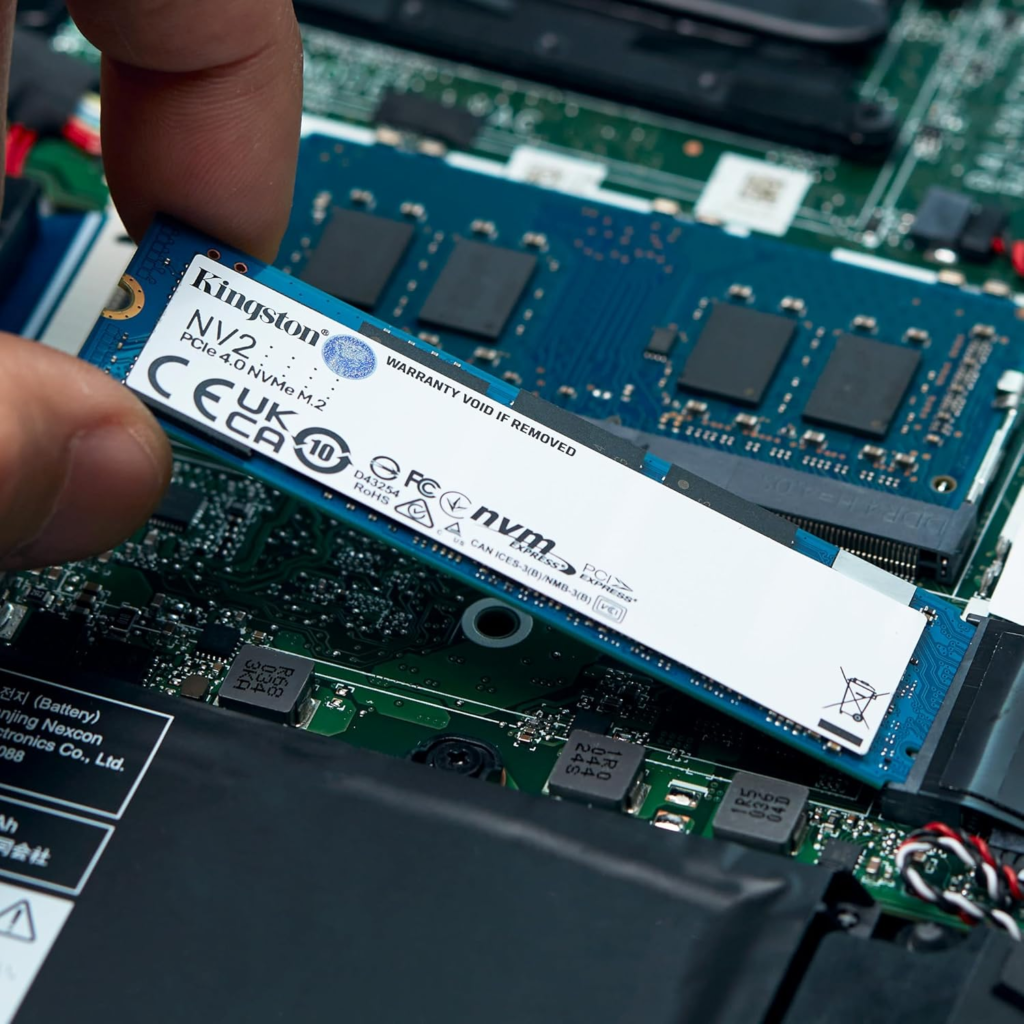
5. Storage: Kingston NV2 1TB NVMe SSD
Key Features:
- 1TB capacity
- NVMe PCIe Gen 3.0 interface
- Sequential Read/Write Speed up to 3500/2800 MB/s
Why This Storage?
For gaming and video editing, fast storage is essential. The Kingston NV2 offers great value with its 1TB capacity and NVMe speed. The SSD will dramatically reduce loading times for games and video editing software, and the fast read/write speeds make it ideal for handling large video files, rendering, and exporting. With 1TB, you’ll have plenty of space to store both games and YouTube videos.
If you need more storage for raw video footage or games, consider adding a secondary SATA SSD or a larger HDD for archival storage.
6. Power Supply: EVGA 600 W1, 80+ WHITE 600W
Key Features:
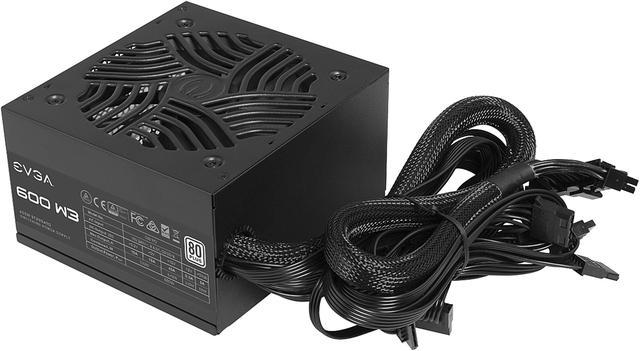
- 600W power output
- 80+ White efficiency
- Reliable and affordable for entry-level builds
Why This Power Supply?
The EVGA 600W1 offers enough power to handle the CPU, GPU, and peripherals without overpaying for unnecessary features. While not the most efficient power supply on the market, it is reliable, budget-friendly, and perfect for a gaming PC that won’t require extreme power consumption.
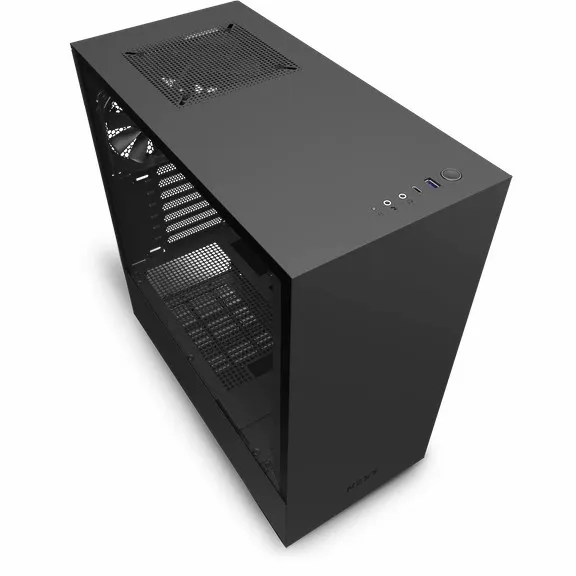
7. Case: NZXT H510
Key Features:
- Mid-Tower ATX case
- Minimalistic design
- Good airflow and cable management
- Tempered glass side panel
Why This Case?
The NZXT H510 is a sleek and affordable ATX case with good airflow and cable management options. It has ample space for all your components, easy-to-route cables, and excellent build quality. The tempered glass side panel allows you to showcase your build while keeping everything neat and organized. Plus, the H510 is compact, making it ideal for smaller spaces.
8. Cooling: Cooler Master Hyper 212 EVO

Key Features:
- Reliable cooling performance
- 4 heat pipes
- Quiet operation
- Compatible with most Intel and AMD sockets
Why This Cooling Solution?
For the Ryzen 5 5600X, the Cooler Master Hyper 212 EVO is more than sufficient to keep temperatures in check during gaming and video editing sessions. It’s quiet, efficient, and widely regarded as one of the best budget CPU coolers available.
9. Operating System: Windows 10 Home
Key Features:
- Easy-to-use interface
- Wide compatibility with software and games
- Regular updates from Microsoft
Why Windows 10 Home?
While there are free operating system options like Linux, Windows 10 Home is the go-to choice for gamers and content creators. It supports all gaming platforms (Steam, Epic Games Store, etc.) and is compatible with all video editing software, such as Adobe Premiere Pro, DaVinci Resolve, and OBS Studio. Windows also provides better driver support for GPUs and peripherals, making it the most stable choice for gaming and productivity.
Total Estimated Build Cost
- CPU: AMD Ryzen 5 5600X – ~$288
- GPU: NVIDIA GeForce RTX 3060 – ~$370
- Motherboard: MSI B550-A PRO – ~$276
- RAM: Corsair Vengeance LPX 16GB (2x8GB) DDR4 3200MHz – ~$63
- Storage: Kingston NV2 1TB NVMe SSD – ~$55
- Power Supply: EVGA 600 W1, 80+ WHITE 600W – ~$35
- Case: NZXT H510 – ~$70
- Cooling: Cooler Master Hyper 212 EVO – ~$35
- Operating System: Windows 10 Home – ~$100
Conclusion
Building a gaming PC that can also support your YouTube channel doesn’t need to cost thousands of dollars. With this budget build, you’ll get a system capable of running modern games at 1080p and 1440p, handle multitasking for streaming, and efficiently process video editing for YouTube. The components listed provide a good balance of gaming and content creation performance, ensuring that you’re ready for everything from gaming to producing high-quality videos for your channel.
With this build, you’re investing in a system that can grow with you, allowing you to upgrade parts over time as your channel and gaming needs expand.


As someone planning to start a gaming YouTube channel, this article was exactly what I needed. Clear, detailed, and practical!
긴장된 몸이 부드럽게 풀어지며 마음까지 따뜻해졌던 부산여성전용마사지.
The moment I left 여성전용 마사지,
I already wanted to return.
This post helped me upgrade from an old Dell Inspiron to something that can finally run modern games and handle my YouTube edits. I especially liked how you gave alternative options for each part. That flexibility really helped when I compared prices. You should definitely do more content like this—maybe with peripherals next time!
This guide is super helpful. I liked that you explained which components matter most for gaming and video editing. Perfect for beginners like me.
I’ve been on a budget for a while, but this article proved that you don’t need to spend $2K to get a good gaming setup. I followed your suggestions and built a rig that runs Fortnite, Warzone, and even lets me stream on Twitch. Super impressed! Thanks for being so detailed and honest with your picks.
The recommendations here are solid! I especially appreciate how you balanced performance with affordability—it feels realistic, not overhyped.
I just finished reading this guide, and I’m seriously impressed! The way you broke down the specs and explained why each part matters was super clear. I’ve been looking for a gaming PC that can handle multiple games and stream to YouTube without lag, and your suggestions are spot-on. The budget-friendly options are exactly what I needed. Keep up the amazing work—this kind of content saves people like me hours of research!
Thanks for the recommendation! This budget gaming PC is perfect for streaming and editing YouTube videos. Totally worth every penny.
Incredible write-up! I’ve been trying to help my younger brother build a starter PC for both gaming and YouTube content, and your blog made our decision so much easier. It’s rare to find content that explains technical specs in simple terms while still offering genuine recommendations that don’t break the bank.
The detailed comparison between integrated vs dedicated graphics was very insightful. Also, your reminder to prioritize airflow and a good PSU was spot-on. We ended up following your advice and found a build under $800 that runs GTA V, Apex Legends, and handles 1080p video editing like a champ. Thank you for such an honest and helpful post!
Brilliant article! I’ve been searching for a budget gaming PC that can also handle streaming, and your suggestions tick all the right boxes.
모든 것이 느리게 흐르는 듯한 부산토닥이의 여유.
I bought this setup after reading your blog and I’m beyond impressed! It runs all my games smoothly and handles video editing like a champ.
I love how you included both AMD and Intel options. It shows you considered different preferences while still keeping the budget in mind.
I’ve been searching for a budget gaming PC that can handle both gaming and streaming for months, and your guide was exactly what I needed. The way you broke down the specs for multitasking between multiple games and YouTube content creation was spot-on. I especially liked how you explained the importance of a good CPU and GPU combo without overspending. I actually built my setup using your recommendations, and I’m able to run Apex Legends while recording videos for my channel without any lag. Thanks for making a guide that’s easy to follow and realistic for people who don’t have a massive budget.
This PC runs all my favorite games smoothly—even while recording for YouTube. Amazing performance for the price!
오랜 시간 앉아있느라 굳은 어깨가 강남여성전용마사지 덕분에 부드럽게
풀렸어요. 감탄이 절로 나왔어요.
This setup guide is exactly what I needed! I’ve been juggling game streaming and video editing on a tight budget—this PC build strikes the perfect balance. Appreciate the GPU and cooling suggestions too.
I’ve been searching all over for a reliable budget gaming PC guide, and this post was exactly what I needed. I’m a small YouTuber just starting out, and I wanted something that could handle recording, editing, and streaming without breaking the bank. The breakdown of components and performance tips were super helpful, especially the recommendation for GPU and RAM balance. I’ve already added a few of the suggested parts to my Amazon wishlist. Thanks for making this easy to understand for someone who’s not super tech-savvy!
I’ve read dozens of PC build guides, but this one hit the sweet spot for me! I’m based in Michigan and just started building my YouTube gaming channel. I needed a powerful but affordable PC that can record Call of Duty gameplay in high quality while multitasking with OBS and video editing software like DaVinci Resolve.
Your suggestion to go with at least 16GB RAM and a dedicated SSD for editing projects was a game-changer. Most guides overlook the content creator side of things, but you didn’t. That balance of gaming and production performance is exactly what most aspiring streamers and YouTubers need. Keep posting more content like this—it’s refreshing and practical!
This article was a lifesaver! I’ve been struggling to figure out how to build a gaming PC that could also handle YouTube editing, but your recommendations make it so simple. The performance-to-price ratio you highlighted is unbeatable. I love that you included future upgrade tips too—it shows you really care about long-term value. Definitely bookmarking your site for future tech advice!
강남호빠 is the
perfect place to unwind after a busy day.
Wow, this blog post was exactly what I needed! I’ve been looking for a budget gaming PC that can handle games like Fortnite, Valorant, and Minecraft—while also letting me record and edit YouTube videos without lag. Your breakdown of CPU and GPU options was super helpful, especially the suggestion to go with the Ryzen 5 5600G paired with a GTX 1660 Super.
What I appreciated most was how you balanced performance and affordability. A lot of “budget” builds online still cost $1,200+, which just isn’t realistic for many of us starting out. The part where you mentioned streaming + video editing performance really made this guide feel complete. Thanks again for making this easy to understand for people like me who aren’t tech experts but want to grow a gaming channel.
Your writing makes tech so much easier to understand. The part about GPUs and streaming performance was very insightful. Definitely subscribing for more posts.
Honestly, I didn’t think it was possible to build a budget PC capable of gaming and running YouTube at the same time. Your breakdown proved me wrong. Thanks!
Honestly didn’t expect such performance at this price point. Your guide helped me a lot—my YouTube uploads are now faster and better quality!
After reading your blog, I went for this PC and it’s exceeded my expectations. Smooth gameplay and easy editing—perfect for my content needs!
The professionalism at 토닥이 truly impressed me.
This is not just self-care—it’s a necessity. 인천여성전용마사지.
Your post gave me the confidence to buy my first gaming/editing PC on a budget, and I couldn’t be happier. Great choice for new creators!
This build is everything you said it would be. Reliable, fast, and budget-friendly. I finally started my YouTube channel and it’s going great!
Appreciate the honest review! This PC runs all my favorite games on high settings and handles DaVinci Resolve really well too.
Thanks for breaking it down so clearly. I got this PC setup and now I game and record at 1080p without any issues. Super smooth performance!
Following your blog’s recommendation was the best thing I did this year. Affordable, powerful, and perfect for my gaming channel!
I was struggling with slow rendering times until I upgraded to this budget build. Works perfectly for gaming and content creation. Great advice!
This PC has been a game-changer. I can now game, stream, and edit without lag. Your blog post really helped me make the right decision!
Honestly impressed with how much performance you can get without breaking the bank. I’ve been running Apex Legends and editing my YouTube videos side by side—no lag at all!
Really enjoyed this article! Your point about balancing GPU and CPU for both gaming and content‐creation (like YouTube video editing) was spot on. Especially in the budget segment where 16GB vs 32GB RAM can make a big difference when you’re gaming and recording simultaneously.