



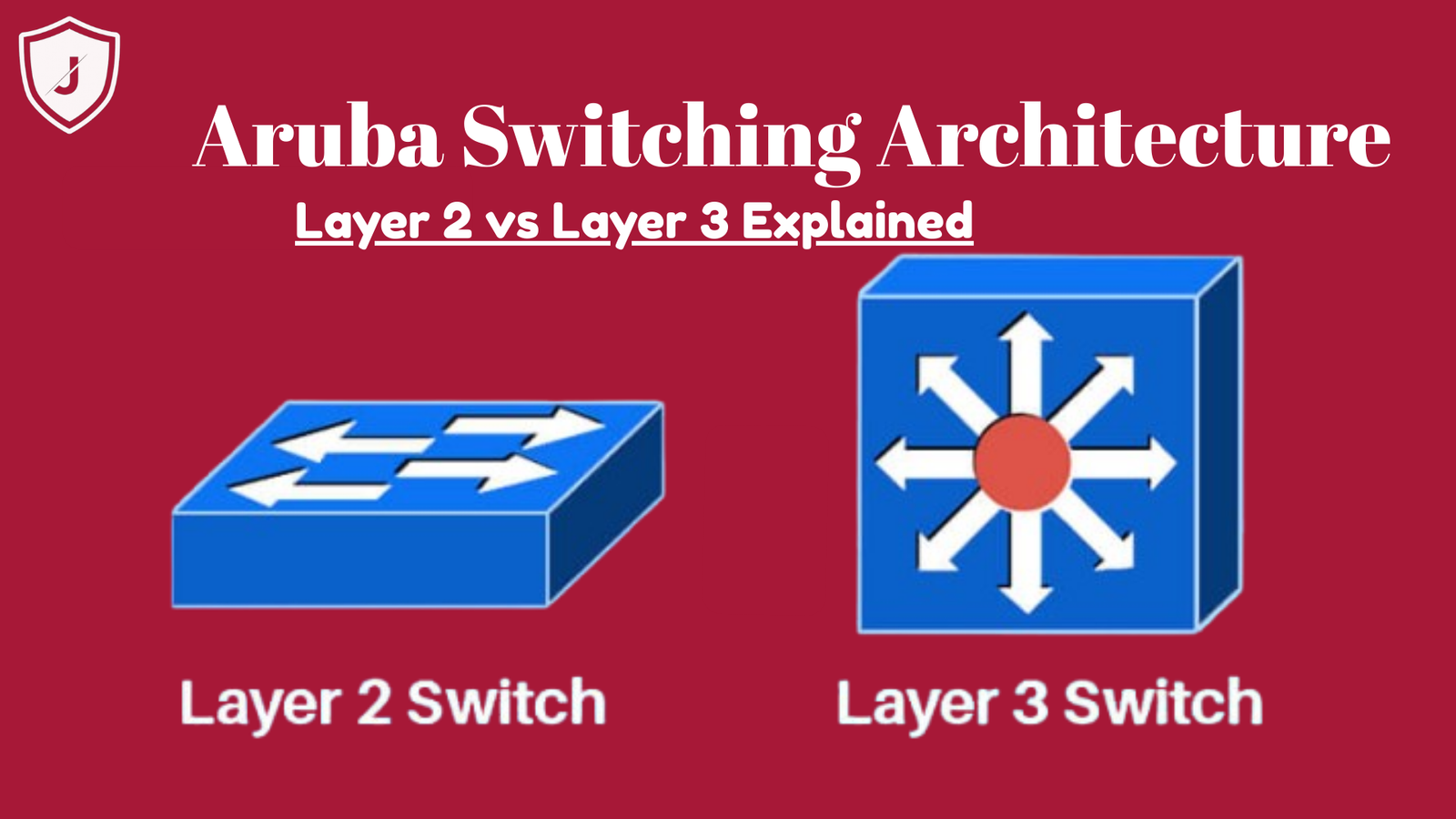
In today’s fast paced digital world, network performance & security are essential. Therefore, understanding Aruba Layer 2 and Layer 3 switching architecture becomes crucial for IT professionals & business network planners alike. In this guide, we simplify complex network concepts, & explain everything you need to know about Aruba switching architecture. Moreover, we use simple sentences that make this blog easy to read & understand.
Introduction to Aruba Switching Technology
Aruba, a leader in enterprise networking, provides powerful switching solution that help businesses scale securely & reliably. First, Aruba’s switching architecture is designed to handle Layer 2 (L2) & Layer 3 (L3) operations, & it does so with efficiency & speed. Secondly, these switches are ideal for campus networks, data centers, & branch offices. With Jazz Cyber Shield insights, you will understand how Aruba’s switching boosts performance while reducing complexity.
In this article, we will explore Layer 2 & Layer 3 architecture, explain differences, & show how they help create resilient networks.
What Is Layer 2 Switching?
Layer 2 switching works at Data Link Layer of OSI model. In simple terms, L2 switching uses MAC addresses to forward data within same network. Because of this, it helps devices communicate fast without complex routing decisions. Layer 2 switches create efficient paths for traffic & reduce network congestion.
Aruba Layer 2 switches support features such as:

- VLAN segmentation
- MAC address learning
- Spanning Tree Protocol ( STP)
- Link Aggregation Control Protocol (LACP )
Furthermore, Aruba’s L2 switching deliver the high throughput & secure segmentation for device & user on same local network. Most importantly, Aruba switches can dynamically handle traffic, which keeps your network stable & secure.
In addition, the Aruba L2 architecture works well for both small offices & large enterprise campus networks. Therefore, it brings flexibility & performance without a complex setup.
Understanding Layer 3 Switching
Layer 3 switching is more advanced than Layer 2. It works at the Network Layer, & specifically handles IP routing between different networks. Thus, Layer 3 switches combine high speed switching with routing capabilities.
Aruba Layer 3 switches provide:
- Inter VLAN routing
- Dynamic routing protocols (like OSPF and BGP)
- Policy based routing
- Advanced traffic control
Because they route IP packets between VLANs, Aruba L3 switches reduce dependency on separate routers. Likewise, they improve performance by handling routing in hardware.
Moreover, L3 switching supports redundancy feature such as VRRP (Virtual Router Redundancy Protocol), which enhances uptime & reliability. In short, Aruba Layer 3 architecture provides agile routing, faster traffic paths & better network segmentation for large enterprise networks.
Layer 2 vs Layer 3 Switching – Key Differences
To build a strong network, you must know differences between L2 & L3 switching. Here are key contrasts:
| Feature | Layer 2 Switching | Layer 3 Switching |
|---|---|---|
| OSI Layer | Data Link Layer | Network Layer |
| Forwarding | Based on MAC addresses | Based on IP addresses |
| Routing | No | Yes |
| VLAN Routing | Requires separate router | Built-in |
| Best for | Local traffic inside VLAN | Traffic between VLANs |
Thus, L2 is best for simple switching inside same network, while L3 is powerful for routing & complex network segmentation. In addition, Aruba’s hybrid switches can operate L2 & L3 functions simultaneously, offering great flexibility.
How Aruba Switching Architecture Works
Aruba switches use modular and scalable design that supports both L2 & L3 capabilities. Moreover, Aruba’s architecture supports secure access policies, automation & network visibility.
Here’s how it works:
- Network Edge Access – At edge, devices connect to Aruba switches. These switches handle VLAN assignments & apply security policies. Also, they tag traffic based on user roles.
- Aggregation and Distribution – Aruba switches then forward traffic toward distribution switches. These devices combine multiple links & provide redundancy.
- Core Routing and L3 Switching – In core network, Aruba L3 switches perform IP routing between VLANs & external networks. Furthermore, dynamic routing keeps performance high & prevents packet loss.
With this approach, Aruba switching ensures smooth traffic flow & manageable control across entire network.
Benefits of Aruba Layer 2 and Layer 3 Switching Architecture
Aruba’s switching architecture brings several benefits:
1. Enhanced Network Performance
Aruba L2 switch reduces traffic congestion, when L3 switches route traffic efficiently across subnets. Because of, your network will perform faster & more reliably.
2. Scalability
Whether manage dozens or thousands of endpoint, Aruba switches scale easier. Also, can deploy additional switches with out disrupting network performance.
3. Security Built-In
Aruba switch support secure accesses feature such as 802.1X authentication, ACLs (Access Control Lists) & dynamic segmentation. Moreover, with Jazz Cyber Shield recommendations, you enforce endpoint policies that prevent unauthorized access.
4. Simplified Management
Aruba provides centralized management tools that help administrators control & update switches from single dashboard. In addition, Aruba’s intuitive interfaces make configuration straightforward.
Key Aruba Switching Features You Should Know
Aruba switches come with as many powerful feature:
- VLAN Support Divide your network into logical segments to improve security & performance.
- Dynamic Routing Use protocols such as OSPF & BGP for scalable routing.
- Quality of Service (QoS) Prioritize critical traffic such as VoIP or video streams.
- Redundancy Use feature such as STP & VRRP to prevent downtime.
- High Availability Aruba’s design ensures consistent uptime even during failure.
Therefore, those feature make the Aruba switches ideal for modern enterprise networks.
Best Practices for Deploying Aruba Switching
To get the most from Aruba switching architecture, follow these best practices:
1. Plan Your VLANs
Design VLANs carefully bases on department, device, & security needs. Because VLAN reduce broadcast traffic, improve performance.
2. Use L3 Routing in the Distribution/Core Layer
If network include multiple VLAN, use Layer 3 routing to avoid bottleneck. Moreover, enable dynamic routing protocols as needed.
3. Implement Security Policies
Always enforce access controls & network segmentations. Use Aruba security feature to restrict unauthorized access & protect sensitive data.
4. Regular Monitoring
Monitor traffic patterns & switch performance. Tools such as Aruba’s centralized management help identify issue before they become serious.
Real-World Use Cases
Aruba Layer 2 & Layer 3 switching fits many types of deployments:
- Enterprise Campuses – Ideal for corporate networks with multiple departments & VLANs.
- Education Networks – Handles thousands of users while segmenting students & faculty traffic.
- Retail Locations – Enables secure guest Wi Fi & internal point of sale systems.
- Data Centers – Delivers high throughput & resilient network paths.
With Aruba’s advanced hardware & scalable design, these use cases become efficient, secure & manageable.
Why Choose Aruba for Your Network?
Choosing Aruba means selecting future ready network solution. Aruba switches deliver fast data speeds, secure access controls & robust traffic management. Furthermore, Aruba’s ecosystem integrates seamlessly with Wi-Fi access points, controllers & security platforms.
When partner with Jazz Cyber Shield, you get extra guidance on deploying Aruba architectures right way. In addition, our team helps optimize networks while ensuring compliance & performance.
Frequently Asked Questions (FAQs)
Q1: What is the difference between Layer 2 and Layer 3 switching in Aruba networks?
Answer: Layer 2 switching works with MAC addresses & keeps traffic within a local VLAN. Layer 3 switching routes traffic between VLANs using IP addresses & supports dynamic routing.
Q2: Can Aruba switches operate both Layer 2 and Layer 3 functions?
Answer: Yes. Many Aruba switches support hybrid functionality, allowing L2 switching & L3 routing based on configuration.
Q3: Is Aruba switching good for large enterprise networks?
Answer: Absolutely. Aruba switches scale well and support advanced features such as dynamic routing, segmentation & security controls, making them ideal for enterprise environments.
Q4: How do I secure my Aruba network?
Answer: Use features such as 802.1X authentication, ACLs, dynamic segmentation & regular monitoring. In addition, follow best practices recommended by Jazz Cyber Shield.
Q5: What routing protocols do Aruba Layer 3 switches support?
Answer: Aruba switches support protocols such as OSPF & BGP, enabling dynamic routing in large networks.
Conclusion
In summary, Aruba Layer 2 and Layer 3 switching architecture offers robust performance, scalable design & strong security. Whether you are managing small office or global enterprise, Aruba switches deliver flexibility, speed & reliability.
For expert advice on network design or Aruba deployment, trust Jazz Cyber Shield to guide your team. With right architecture in place, your network can become faster, safer & more efficient than ever before.

