



In 2026, WhatsApp remains one of the most popular messaging apps in the world, yet hackers and scammers are targeting accounts more than ever. Cybercriminals now use advanced techniques to steal codes and impersonate contacts and access personal data.
Understanding WhatsApp security protection against hackers and scammers remains essential for current times. The guide provides WhatsApp account protection instructions which users can follow to implement WhatsApp security features that protect their online presence.
Why WhatsApp Security Matters
First of all, WhatsApp contains a lot of personal data, from private messages to media and even business conversations. Hackers attempt to exploit accounts because they want to commit financial fraud and identity theft and make privacy violations. Your WhatsApp safety settings require 2026 attention because their neglect will lead to account loss and sensitive information exposure. Scammers use your identity to deceive your contacts which creates a more dangerous situation. The establishment of proactive measures secures WhatsApp protection against scams that will occur in 2026 and stops unauthorized system access.
Phishing links and fake verification messages exist as prevalent security threats according to real-world evidence. The need to learn methods for stopping WhatsApp hackers has become necessary. Your personal life and professional life both receive protection through the implementation of WhatsApp privacy best practices.
WhatsApp’s New Security Features in 2026
WhatsApp has released multiple advanced security features which protect user accounts from takeover attempts and safeguard users against scams. The following elements represent the key components of the system.
1. WhatsApp Strict Security Mode
The new WhatsApp strict security mode blocks messages and media from unknown numbers. The system prevents calls from people who are not in your contact list. The system restricts access to your profile status and About information to selected users. These settings reduce the chances of falling victim to phishing or scam attempts.
The user can activate the block unknown WhatsApp messages feature through the path Settings Privacy Advanced Strict Account Settings.
2. End-to-End Encryption
All WhatsApp chats and calls are protected with end-to-end encryption. The system guarantees that only you and the recipient can read messages and access media files. The system prevents WhatsApp from accessing your data. It presents a strong protection method which secures your WhatsApp account from unauthorized access.
3. Passkey Protection for Chat Backups
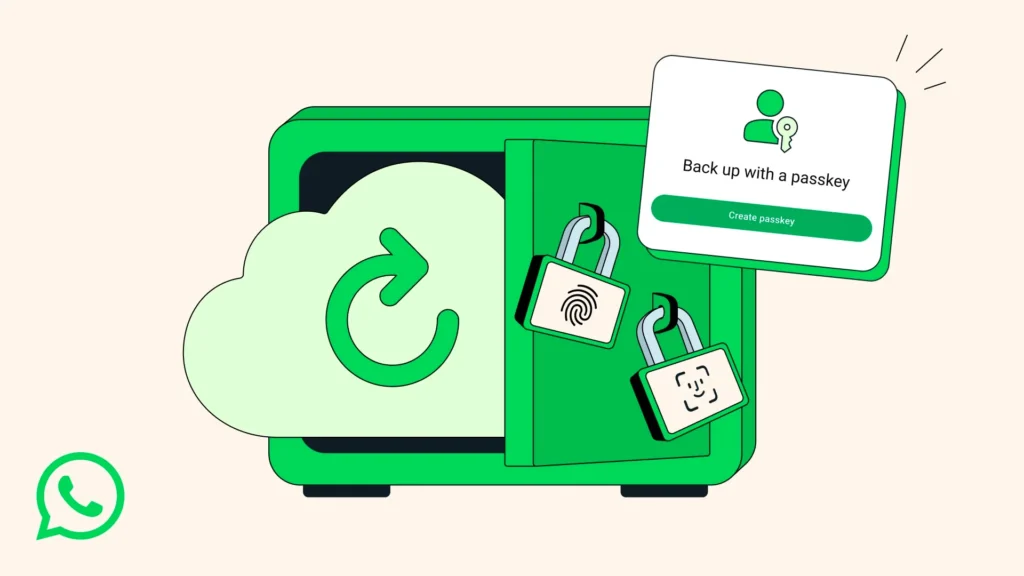
WhatsApp now lets you secure backups with passkeys which include Face ID and fingerprint and your phone PIN. This security method provides better protection than standard password use. The system enables you to protect your WhatsApp account against scams and prevent hackers from accessing your saved messages by using passkey protection.
4. WhatsApp Two-Step Verification Guide
The two-step verification process requires users to enter a personal identification number which makes it more challenging for hackers to use the account. Scammers who obtain your SMS code still need your PIN to access your account. You can also add a recovery email in case you forget your PIN. The WhatsApp two step verification guide must be followed to stop unauthorized users from accessing your account.
5. Scam Alerts & Safety Overview
WhatsApp now warns users about suspicious links and unknown group invites. The alerts help you understand their purpose while safeguarding your WhatsApp account from phishing link protection risks. Users who follow safety alerts will protect their WhatsApp accounts from takeover while their WhatsApp account remains safe from hacker attacks.
Step-by-Step Guide: Securing Your WhatsApp Account
To maximize WhatsApp account protection, follow these steps:
- You should enable WhatsApp strict security mode because it prevents unknown users from sending you messages and making phone calls.
- The WhatsApp two step verification guide provides instructions for activating two-step verification.
- You should monitor your connected devices and delete any devices that you do not recognize.
- The system uses message-blocking to prevent unknown users from contacting you through WhatsApp which helps you to protect yourself from phishing attacks.
- Users should evaluate their privacy settings to restrict profile access to their contacts.
Users need to install the newest updates because advanced WhatsApp security features require these updates. The updates will fix security weaknesses which helps to lower the chances of hacking incidents.
Common WhatsApp Scams & How to Avoid Them
1. OTP & PIN Phishing
Scammers send fake messages asking for verification codes or PINs. People should never disclose their OTPs and two-step verification PINs to other individuals.
2. Fake Link Scams
Links promising prizes, jobs, or urgent updates can carry malware. Users should only click on links that come from their trusted contacts. The implementation of WhatsApp phishing link protection stops all potential infections from occurring.
3. Group Invite Scams
Scammers use unknown groups to deceive users into participating in their deceptive activities. Users should evaluate safety warnings before they join any platform.
4. Suspicious Media Files
Hackers can hide malware inside pictures and videos. The system requires users to avoid downloading files which come from contacts they do not know.
Extra Tips to Stay Safe
To improve WhatsApp scam defense system for the year 2026:
- Maintain current WhatsApp version to receive all available security updates.
- Do not share personal information or verification codes.
- People should not access WhatsApp through devices which other people can use.
- People should learn about phishing and scams through education from their friends and family members.
- People should perform WhatsApp security checklist assessments at regular time intervals.
Your account security increases through these minor actions which help you safeguard your personal data.
Conclusion
The advanced security features of WhatsApp in 2026 provide users with protection against hacker and scammer attacks. You can achieve account security through WhatsApp strict security mode two-step verification and the implementation of WhatsApp privacy best practices. You should take these steps immediately because they will help you protect WhatsApp from scammers while you keep your online privacy.
5 FAQs About WhatsApp Security 2026
1. Can hackers bypass WhatsApp end-to-end encryption?
No, your messages remain protected through end-to-end encryption, but hackers can access your account through phishing attacks and code theft. The complete protection of your system requires the implementation of advanced WhatsApp security features.
2. What is WhatsApp strict security mode?
It blocks unknown messages and calls, limits profile visibility, and helps prevent scammers from contacting you. The feature provides WhatsApp users with account security protection for their accounts.
3. How do I backup my chats safely?
The system uses passkey protection through Face ID fingerprint or PIN to create secure access. The system strengthens WhatsApp scam protection 2026 through this security measure which stops unauthorized people from entering the system.
4. Why should I enable two-step verification?
It adds a PIN that hackers cannot guess. Even if they have your SMS code, they cannot log in without it. Following the WhatsApp two step verification guide is essential to prevent account takeover.

