




Most people think about routers when they think about home or business networking — but the network switch is equally important and far less understood. A network switch sits at the heart of any wired network, connecting multiple devices together and managing the flow of data between them with precision and speed that wireless connections simply cannot match. Whether you run a home office with a handful of wired devices or manage a business network with dozens of computers, servers, and IP cameras, adding a network switch to your infrastructure delivers immediate, tangible benefits.
What Is a Network Switch?
A network switch is a hardware device that connects multiple devices on the same local area network and directs data traffic between them intelligently. Unlike a basic hub that broadcasts all data to every connected port, a switch learns the MAC address of each connected device and forwards data only to the specific port where the destination device lives.
Network switches come in two primary categories. Unmanaged switches operate automatically without any configuration — you plug them in and they work immediately, making them ideal for simple home setups where ease of use matters more than advanced control. Managed switches offer full configuration access, including VLAN support, port monitoring, traffic prioritization, and security controls, making them the preferred choice for business environments and advanced home networks that require granular network management.
Dramatically Faster Wired Network Speeds
The most immediate benefit of adding a network switch to your home or business network is faster wired data transfer between connected devices. Modern gigabit ethernet switches deliver 1 Gbps throughput on every port simultaneously — far exceeding the practical speeds of most Wi-Fi connections in real-world environments with walls, interference, and competing devices.
For businesses that transfer large files between computers and servers regularly — design studios moving video projects, accounting firms syncing financial databases, medical practices handling imaging files — a gigabit switch delivers full-speed transfers that complete in seconds rather than minutes. For home users, a switch enables fast local network streaming, instant NAS file access, and smooth communication between home servers and client devices without depending on Wi-Fi bandwidth.
More Wired Device Connections Than Your Router Provides
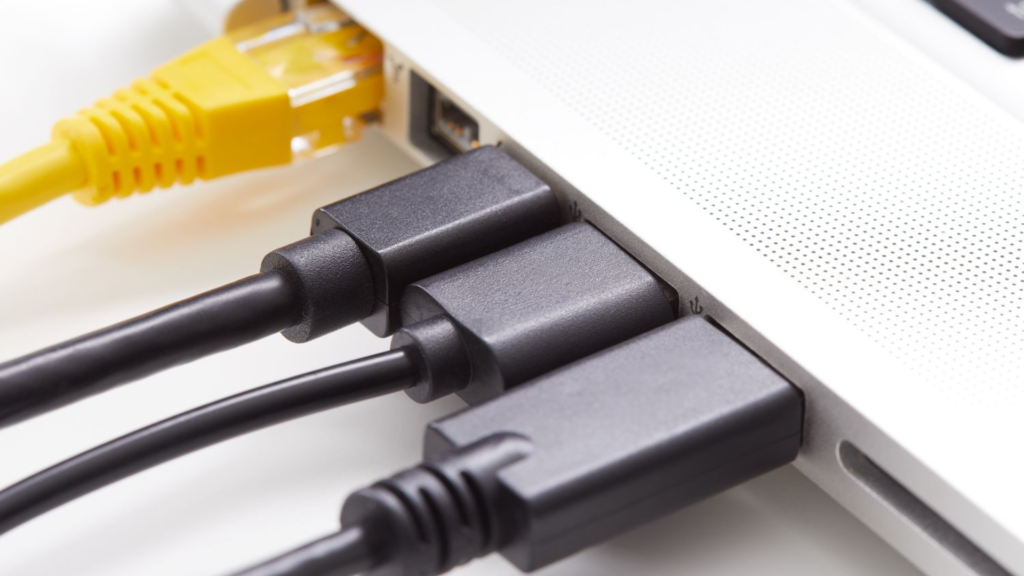
Home routers typically provide four LAN ports. Business routers and firewalls offer slightly more. When your network grows beyond these built-in ports — which happens quickly in any serious home or business setup — a network switch expands your wired connection capacity immediately and cost-effectively.
A single network switch adds eight, sixteen, twenty-four, or forty-eight wired ports to your network through a single uplink connection to your router. This expansion costs far less than purchasing a larger router and delivers the same full-speed wired connectivity on every added port.
Improved Network Reliability and Stability
Wired ethernet connections through a network switch deliver dramatically more reliable network performance than Wi-Fi in environments where consistent connectivity matters. Wi-Fi signals suffer from interference, signal degradation through walls and floors, channel congestion from neighboring networks, and performance variability caused by the shared wireless medium.
A network switch eliminates all of these variables for the devices connected to it. Each wired device receives a dedicated full-duplex connection that does not compete with other devices for bandwidth at the physical layer. This reliability benefit is critical for business application.
Network Segmentation Through VLANs
Managed network switches enable VLAN — Virtual Local Area Network — configuration that divides a single physical network infrastructure into multiple isolated logical networks. This capability delivers significant security and performance benefits in both home and business environments.
In a business setting, VLAN segmentation allows you to isolate corporate workstations, guest Wi-Fi users, VoIP phones, IP security cameras, and servers onto separate network segments. Devices on different VLANs cannot communicate with each other unless your firewall explicitly permits it. This isolation contains the damage of any single compromised device, prevents lateral movement across the network, and limits sensitive data exposure — the same security architecture that enterprise IT teams use at scale.
Power Over Ethernet for Wireless Access Points and IP Cameras
Many modern network switches support Power over Ethernet — PoE — which delivers both data and electrical power through a standard ethernet cable to connected devices. This capability eliminates the need for separate power supplies and power outlets for every wireless access point, IP camera, VoIP phone, and IoT sensor on your network.
A PoE switch powers your entire wireless access point infrastructure, IP camera system, and VoIP phone deployment through the same ethernet cables that carry their data connections. This simplifies installation dramatically — you position access points and cameras wherever your network coverage and security requirements dictate, without locating them near power outlets or running additional electrical wiring.
Traffic Prioritization Through Quality of Service
Managed network switches support Quality of Service — QoS — configuration that prioritizes specific types of network traffic over others. This capability ensures that time-sensitive applications like VoIP calls, video conferencing, and live streaming always receive the bandwidth and low latency they require, even when the network handles heavy background traffic simultaneously.
In a business environment, QoS configuration on a managed switch ensures that a large file transfer between servers does not degrade the quality of simultaneous VoIP calls across the office. Video conferencing platforms receive priority bandwidth allocation that keeps calls clear while other users download large files or sync cloud storage in the background.
Enhanced Network Monitoring and Visibility
Managed switches provide detailed visibility into everything happening on your network through port statistics, traffic monitoring, SNMP integration, and syslog reporting. Network administrators use this visibility to identify bandwidth-heavy devices, detect unusual traffic patterns that indicate security incidents, troubleshoot connectivity problems, and plan capacity upgrades before performance degradation affects users.
Home network enthusiasts and homelab users gain the same visibility advantage — identifying which smart home devices generate unexpected outbound traffic, monitoring server bandwidth utilization, and troubleshooting wired connection issues with precision that unmanaged switches cannot provide.
Scalability for Growing Networks
Network switches make expanding your network infrastructure straightforward and cost-effective. Adding more devices to a switched network requires only plugging them into available ports or adding another switch when current capacity fills. This incremental scalability means you invest in network infrastructure proportionally as your needs grow rather than replacing your entire network architecture when device count increases.
Businesses that start with an eight-port switch can add a twenty-four-port switch as staff numbers grow, link the two switches together through uplink ports, and maintain a single managed network environment without disrupting existing connections. The same principle applies to home networks that expand with new smart home devices, additional computers, or homelab hardware additions.
Conclusion
Network switches deliver benefits that improve every dimension of home and business networking — faster wired speeds, expanded connection capacity, superior reliability, VLAN security segmentation, PoE device powering, QoS traffic prioritization, detailed monitoring visibility, and straightforward scalability. Whether you deploy a simple unmanaged switch to expand your home router’s port count or implement a fully managed switch with VLAN and QoS configuration for your business network, the investment pays for itself quickly through improved performance, better security, and reduced network management overhead.

