



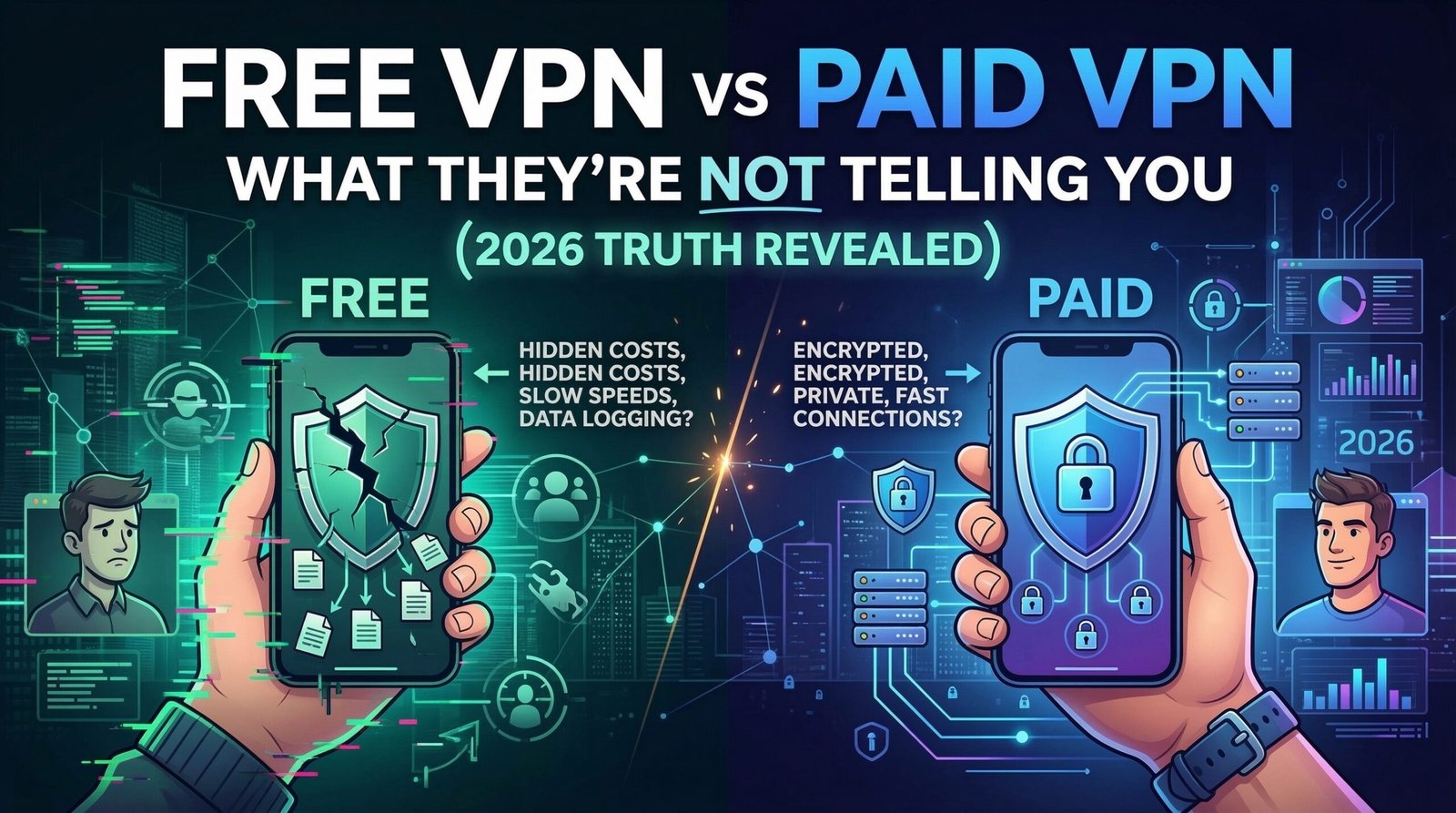
Introduction: The VPN Industry’s Dirty Little Secret
Every day, millions of people download free VPNs thinking they’re getting a great deal — full online privacy, zero cost, no strings attached. But here is the uncomfortable truth the VPN industry does not want you to know: if you’re not paying for the product, YOU are the product.
In this in-depth guide, we are pulling back the curtain on the free VPN vs paid VPN debate. We will expose the hidden dangers lurking behind those “100% Free” badges, explain what you are actually giving up, and help you decide whether a paid VPN is truly worth it in 2026.
Whether you are a casual browser, a remote worker, or a security-conscious user, this is the most important VPN article you will read all year.
Quick Answer: Free VPNs are almost never truly free. Most collect and sell your data, throttle your speeds, and offer weak encryption. Paid VPNs, by contrast, offer genuine no-log policies, faster speeds, and real privacy protection.
Table of Contents
- What Is a VPN and Why Does It Matter in 2026?
- How Free VPNs Really Make Money
- The Hidden Dangers of Free VPNs
- What Paid VPNs Actually Deliver
- Free VPN vs Paid VPN: Full Comparison Table
- When Is It Okay to Use a Free VPN?
- Red Flags to Watch for in Free VPN Apps
- How to Choose the Best Paid VPN in 2026
- Related Security Guides on Jazz Cyber Shield
- Final Verdict: Which One Should You Choose?
- Frequently Asked Questions
1. What Is a VPN and Why Does It Matter in 2026?
A Virtual Private Network (VPN) creates an encrypted tunnel between your device and the internet. It masks your real IP address, prevents your Internet Service Provider (ISP) from tracking your online activity, and allows you to appear as if you are browsing from a completely different country or location.
In 2026, VPNs are more essential than ever for several reasons:
Cybercrime is surging. Hackers constantly target users on public Wi-Fi networks at airports, cafes, hotels, and coworking spaces. Without a VPN, your passwords, emails, and banking details are exposed.
Data tracking is rampant. Advertisers, corporations, data brokers, and even governments are collecting your browsing data around the clock. Your online habits are a product being bought and sold without your consent.
Geo-restrictions are tightening. Streaming platforms, corporate firewalls, and government censorship are increasingly blocking content based on your location. A VPN lets you bypass these blocks.
Remote work is now standard. Employees accessing company systems from home need encrypted, secure connections to protect sensitive business data.
The question is not whether you need a VPN — it is which kind you should trust with your most sensitive information.
2. How Free VPNs Really Make Money
Here is the question nobody asks when downloading a free VPN: How does this company pay its bills?
Running a VPN service costs serious money. Servers in dozens of countries, bandwidth, encryption infrastructure, support staff, maintenance — none of this is cheap. A free VPN with millions of users is not a charity. It is a business. And if they are not charging you, they are monetizing something else entirely.
Here are the three primary ways free VPNs actually make money:
Selling Your Browsing Data
This is the biggest and most common method. Many free VPN providers quietly log your browsing history, IP addresses, search queries, timestamps, and even login credentials — then sell that data to advertising networks, third-party analytics companies, and data brokers.
A widely cited analysis of free VPN apps found that the majority contained embedded tracking libraries in their code. These are not security bugs — they are intentional business features designed to harvest your data.
Injecting Ads Into Your Traffic
Some free VPNs inject advertisements directly into the websites you visit — including websites that normally show no ads at all. Your browsing experience is hijacked to generate ad revenue for the VPN provider.
Selling Your Bandwidth
Certain free VPN apps use your device’s idle internet connection as part of a peer-to-peer network that paying customers rent. This means your IP address and bandwidth could be used to route traffic from complete strangers — including potentially illegal activity — without your knowledge.
3. The Hidden Dangers of Free VPNs
Beyond selling your data, free VPNs come loaded with security risks that most users never discover until serious damage is already done.
Weak or Non-Existent Encryption
Many free VPNs rely on outdated encryption protocols like PPTP (Point-to-Point Tunneling Protocol), which security agencies cracked years ago. A truly secure VPN must use AES-256 encryption paired with modern protocols such as WireGuard, OpenVPN, or IKEv2. Free VPNs rarely meet this standard.
DNS Leaks
A DNS leak happens when your device sends DNS requests outside the encrypted VPN tunnel, accidentally exposing your real browsing activity to your ISP or anyone monitoring your network. Independent tests consistently show that free VPNs frequently fail basic DNS leak checks.
Malware Distribution
Research has found that a significant percentage of free VPN apps available on Android contain embedded malware. The very app you downloaded to protect yourself could be silently infecting your device, stealing data, or turning your phone into part of a botnet.
No Kill Switch
A kill switch is a safety feature that immediately cuts your internet connection if the VPN drops unexpectedly — preventing your real IP and activity from being accidentally exposed. This is a critical privacy feature that free VPNs almost universally skip.
Fake “No-Log” Policies
Numerous free VPN providers loudly advertise “no-log” policies but have been repeatedly caught logging extensive user data. In one well-documented case, a VPN provider claiming zero logs suffered a data breach that exposed millions of users’ browsing histories, email addresses, and plain-text passwords.
Shared and Blacklisted IP Addresses
Free VPNs cram thousands of users onto the same IP address pools. If any user on your shared IP sends spam, commits fraud, or engages in illegal activity, that IP address gets blacklisted — meaning you get blocked from banking websites, streaming services, email platforms, and more.
4. What Paid VPNs Actually Deliver
Now let us examine what a quality paid VPN actually provides in return for that modest monthly fee.
Independently Verified No-Log Policies
Reputable paid VPNs undergo regular independent third-party security audits to verify their no-log claims. Some providers have proven their policies in real legal situations — when subpoenaed by law enforcement, they had zero user data to hand over because none was ever collected.
Military-Grade AES-256 Encryption
Every major paid VPN uses AES-256 encryption — the same standard used by governments and militaries worldwide. Combined with modern protocols like WireGuard (fastest), OpenVPN (most compatible), and IKEv2 (best for mobile), your data becomes completely unreadable to anyone who intercepts it.
DNS and IP Leak Protection
Quality paid VPNs operate their own private DNS servers with built-in leak protection. Your real IP address is never accidentally exposed, even during connection drops, protocol switches, or network changes.
Automatic Kill Switch
A hardware-level kill switch instantly cuts all internet traffic if your VPN connection drops for any reason. This is non-negotiable for real privacy protection and is a standard feature in every major paid VPN.
Fast, Unlimited Speeds
Free VPNs heavily throttle speeds to manage their free user base. Paid VPNs provide access to thousands of high-speed servers worldwide with absolutely no bandwidth caps — ideal for 4K streaming, gaming, video calls, and large file transfers.
Multi-Device Coverage
Most paid VPN subscriptions cover 5 to 10 simultaneous device connections under a single affordable subscription. Protect your phone, laptop, tablet, smart TV, and home router all at once.
Obfuscation Technology
For users in countries with heavy internet censorship, paid VPNs offer obfuscated servers that disguise VPN traffic as regular HTTPS traffic — making it nearly impossible for government firewalls to detect or block your VPN connection.
5. Free VPN vs Paid VPN: Full Comparison Table
| Feature | Free VPN | Paid VPN |
|---|---|---|
| Monthly Cost | $0 (with hidden costs) | $3 – $10/month |
| Data Privacy | Often sold to advertisers | Verified no-log policies |
| Encryption Standard | Weak (PPTP or none) | AES-256 (military-grade) |
| Connection Speed | Throttled, very slow | High-speed, unlimited |
| Bandwidth Limit | 500MB – 10GB/month | Unlimited |
| Server Locations | 5 – 50 servers | 1,000 – 10,000+ servers |
| Kill Switch | Almost never included | Standard on all plans |
| DNS Leak Protection | Frequently missing | Built-in and tested |
| Malware Risk | High | Negligible (audited code) |
| Simultaneous Devices | 1 – 2 devices | 5 – 10 devices |
| Customer Support | None or automated bots | 24/7 live human support |
| Obfuscation Servers | Not available | Available on premium plans |
| Independent Audits | None | Regularly published audits |
| Streaming Access | Usually blocked | Works with Netflix, etc. |
| Ad Injection Risk | High | None |
The table above makes the choice clear. In every category that matters for real privacy, security, and performance, paid VPNs are decisively superior.
6. When Is It Okay to Use a Free VPN?
We are not here to be absolutist. There are a small number of situations where a free VPN tier is acceptable:
Testing before buying. Some paid VPN providers such as ProtonVPN and Windscribe offer genuinely limited free tiers as a gateway to their premium service. These are safe because the business model is subscription conversion, not data harvesting.
Light, occasional browsing. If you occasionally need to access a geo-blocked YouTube video and you are not transmitting any sensitive personal data, the risk profile is lower.
Trusted brands only. If you must use a free option, stick exclusively to free tiers offered by established, audited companies with published privacy policies. Never download obscure free VPN apps from unknown developers.
What you should NEVER do on a free VPN:
- Online banking or financial transactions of any kind
- Logging into work systems, corporate email, or company portals
- Accessing medical records, legal documents, or sensitive personal files
- Any situation where your real identity and privacy genuinely matter
7. Red Flags to Watch for in Free VPN Apps
Before installing any VPN — free or paid — check for these serious warning signs:
No clear privacy policy or vague language. If the privacy policy does not explicitly state what data is collected, how long it is kept, and who it is shared with, do not install the app.
Excessive device permission requests. A VPN app asking for access to your contacts, camera, microphone, or call logs is a major red flag. A VPN only needs network access to function.
Unknown or untransparent parent company. Many shady free VPNs are secretly owned by data companies operating under misleading names. Research who actually owns the product.
No published security audits. Reputable VPNs publish results from independent audits publicly. If you cannot find any audit documentation, assume the worst.
Unusually high app ratings with very few real reviews. Fake review manipulation is extremely common in the free VPN market. Look for detailed, verified reviews on trusted tech publications instead.
Headquartered in a surveillance alliance country without independent audits. Countries in the 5/9/14 Eyes intelligence-sharing alliances can legally compel VPN companies to hand over user data.
8. How to Choose the Best Paid VPN in 2026
When selecting a paid VPN, evaluate each provider across these key criteria:
Privacy-Friendly Legal Jurisdiction
Choose a VPN based in a country with strong privacy laws and no mandatory data retention requirements — such as Panama (NordVPN), British Virgin Islands (ExpressVPN), or Switzerland (ProtonVPN). These countries are outside mass surveillance treaty obligations.
Independently Audited No-Log Policy
Only trust VPNs that have published results from independent, third-party security audits — not just their own marketing claims.
Modern Protocol Support
Your VPN should offer WireGuard for speed, OpenVPN for maximum compatibility, and obfuscated server options if you are in a restricted or censored region.
Speed and Global Server Coverage
Look for a provider with at least 1,000+ servers across multiple continents. Use free trials or money-back guarantee periods to test real-world speeds before committing.
Fair Pricing
Quality VPNs typically cost $2.99 to $9.99 per month on annual plans. Avoid lifetime subscription deals — VPN companies offering these rarely remain financially stable long-term.
Best Paid VPN Recommendations for 2026
- NordVPN — Best overall. Audited, extremely fast, feature-rich, based in Panama.
- ExpressVPN — Best for streaming and speed. Lightway protocol is exceptional.
- ProtonVPN — Best for privacy purists. Swiss-based, fully open-source, free tier available.
- Mullvad — Best for anonymity. No email required to sign up, accepts cash payments.
- Surfshark — Best value. Unlimited device connections on a single affordable plan.
9. Related Security Guides on Jazz Cyber Shield
Protecting your digital life goes beyond choosing the right VPN. Explore these related cybersecurity articles on Jazz Cyber Shield Blog to build a complete security strategy:
🔒 Your Home Router Is Spying on You — Here’s How to Stop It
Most people never think about their home router as a security threat — but it is one of the most overlooked vulnerabilities in your entire network. Learn exactly what data your router collects and the step-by-step fixes to lock it down. 👉 Read: Your Home Router Is Spying on You — Here’s How to Stop It (2026 Guide)
🌐 Stop Server Logging: How Decentralized VPNs Secure Your Web3 Identity
Traditional VPNs still rely on centralized servers that can be seized, hacked, or forced to log your data. Discover how next-generation decentralized VPNs (dVPNs) are eliminating the single point of failure and offering a fundamentally safer approach to online privacy. 👉 Read: Stop Server Logging — How Decentralized VPNs Secure Your Web3 Identity
🛡️ Cloud-Native Security with Palo Alto SASE (2026 Guide)
If you are managing a business network or remote workforce, SASE (Secure Access Service Edge) is the next evolution beyond VPNs. This guide covers how Palo Alto’s cloud-native SASE framework delivers zero-trust security at scale. 👉 Read: Cloud-Native Security with Palo Alto SASE Guide 2026
⚡ Goodbye Latency: How Edge Infrastructure Is Revolutionizing Internet Speed
VPN speed concerns are real — but edge infrastructure is changing the game. Understand how modern edge computing reduces latency, improves VPN performance, and is reshaping the entire internet experience. 👉 Read: Goodbye Latency — How Edge Infrastructure is Revolutionizing Internet Speed
🔗 Browse All Cybersecurity & Technology Articles
Stay ahead of every threat with the full library of networking, cybersecurity, hardware, and tech guides published daily on Jazz Cyber Shield. 👉 Explore: Technology & Security Articles
10. Final Verdict: Free VPN vs Paid VPN
Let us be direct about this.
If your online privacy, security, and personal data matter to you — and they absolutely should — a paid VPN is the only rational choice in 2026.
Free VPNs are a gamble with enormous downside risk. In exchange for saving a few dollars a month, you risk your browsing history being packaged and sold to data brokers, your device being silently infected with malware, your passwords being intercepted, and your supposed “privacy” being a complete illusion.
Paid VPNs are not perfect, but the leading providers genuinely deliver on their core promise: a private, encrypted, high-speed connection that does not monetize your data or sell you out.
The math is straightforward. A quality paid VPN costs less than a single cup of coffee per month. Your personal data — your location history, browsing habits, financial activity, login credentials — is worth far, far more than that.
Make your choice accordingly.
11. Frequently Asked Questions (FAQ)
Is it safe to use a free VPN in 2026?
Most free VPNs are not safe. The majority log user data, inject advertising into your traffic, contain malware, or sell your internet bandwidth to third parties. The only safe free options are the limited free tiers offered by audited providers like ProtonVPN and Windscribe, where the business model is subscription conversion rather than data harvesting.
Can a free VPN steal my passwords?
Yes. Malicious free VPN apps have been documented intercepting and logging user login credentials. Always check independent, professional security reviews on trusted tech publications before installing any VPN application.
What is the safest free VPN in 2026?
ProtonVPN’s free tier is the safest option currently available. It is based in Switzerland, has undergone independent security audits, uses AES-256 encryption, and maintains a genuine no-log policy. However, free tier speeds are limited and server selection is restricted.
How much does a quality paid VPN cost?
Most reputable paid VPNs cost between $2.99 and $9.99 per month on annual subscription plans. Two-year plans are often even more affordable. NordVPN and Surfshark regularly offer deals under $3 per month for multi-year commitments.
Does using a VPN slow down my internet?
A good paid VPN using a modern protocol like WireGuard will reduce your connection speed by only 5 to 15 percent. Free VPNs, by contrast, can slash speeds by 50 to 90 percent due to deliberate throttling and severely overcrowded shared servers.
Can I use a VPN to access Netflix and streaming services?
Yes, but free VPNs are almost universally detected and blocked by Netflix, Disney+, BBC iPlayer, and other major streaming platforms. Premium paid VPNs like ExpressVPN and NordVPN actively maintain and rotate server IP addresses specifically to bypass these geo-blocks.
What is the difference between a VPN and a decentralized VPN (dVPN)?
A traditional VPN routes your traffic through a company’s centralized servers, which creates a potential point of failure — those servers can be seized, hacked, or compelled to log data by authorities. A decentralized VPN (dVPN) distributes traffic across a peer-to-peer blockchain network with no single point of control. For a deeper dive, read our guide on Decentralized VPNs and Web3 Identity Protection here on Jazz Cyber Shield.
Is my home router a security risk even if I use a VPN?
Yes. A VPN protects your traffic in transit, but your home router itself can be compromised, configured to log activity, or exploited as an entry point into your network. We cover this in full detail in our guide Your Home Router Is Spying on You — Here’s How to Stop It.
Published by Jazz Cyber Shield — Your Trusted Source for Cybersecurity, Networking, and Technology.

