



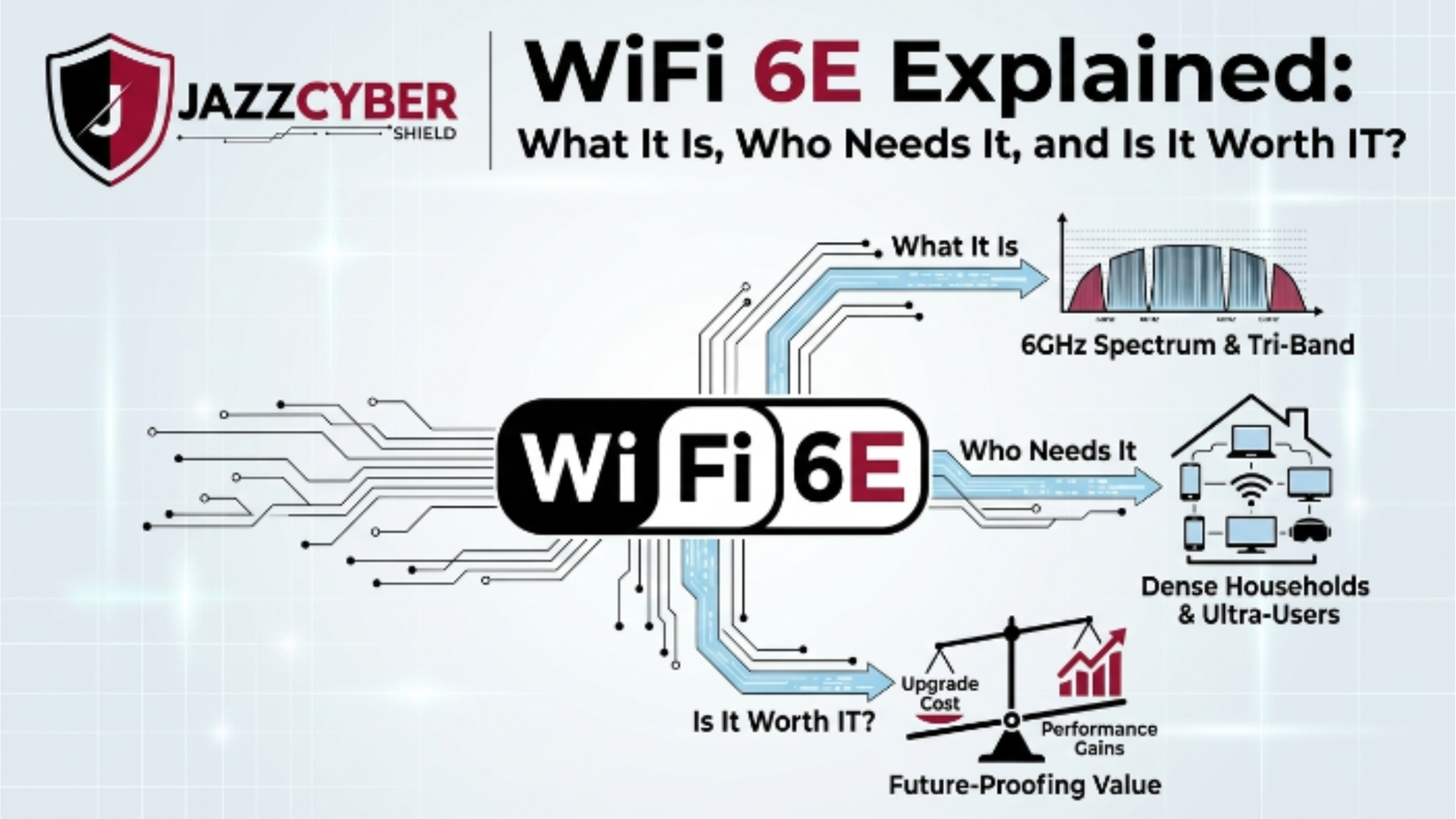
Your Network Is Struggling — and WiFi 6E Might Be the Fix You’ve Been Ignoring
Most businesses are running wireless networks that were designed for a world that no longer exists. WiFi 6E changes that — but only if you actually need it.
Your conference room video call drops. The warehouse scanner lags. The open-plan office crawls to a halt at 9am when everyone logs in at once. You’ve upgraded the router. You’ve rebooted everything. Nothing sticks.
Here’s what’s actually happening: your wireless spectrum is congested. Every device in the building is fighting for space on the same crowded 2.4GHz and 5GHz bands — bands that have been packed tighter every year since smartphones became standard issue.
WiFi 6E doesn’t just upgrade your speeds. It opens a completely new lane of spectrum — the 6GHz band — that virtually no legacy device can touch. That means less interference, lower latency, and a network that actually performs at the speeds your hardware is capable of.
But WiFi 6E isn’t the right answer for everyone. This guide breaks down exactly what it is, who genuinely needs it, and whether the upgrade cost makes sense for your situation.
Table of Contents
The Scale of WiFi Congestion in 2026
Wireless congestion isn’t a minor annoyance anymore. It’s a business performance problem with a dollar figure attached.
The average US office now operates over 10 connected devices per employee. Factor in IoT sensors, security cameras, smart HVAC, and BYO devices, and most corporate wireless environments are running at 3–5x the device density they were designed for. The global number of connected devices crossed 17 billion in 2025 and continues climbing.
The 5GHz band — which most “modern” routers rely on — offers 25 non-overlapping channels. WiFi 6E’s 6GHz band adds 59 additional non-overlapping 80MHz channels, or 29 at 160MHz. That’s not a marginal improvement. That’s a structural shift.
⚠️ ALERT: The FCC opened the 6GHz band for unlicensed WiFi use in 2020 — but most businesses are still running access points that can’t touch it. Every year you delay is another year your competitors operate on a less congested, faster network.
What WiFi 6E Actually Is — And How It Works
WiFi 6E is not a new wireless standard. It’s an extension of WiFi 6 (802.11ax) that adds access to the 6GHz frequency band — a portion of spectrum that was previously restricted from general wireless use.
Here’s the architecture in plain terms:
WIFI FREQUENCY BANDS — THEN VS NOW
─────────────────────────────────────────────────
WiFi 5 (802.11ac)
  └── 5GHz only
      └── ~25 non-overlapping channels

WiFi 6 (802.11ax)
  ├── 2.4GHz
  └── 5GHz
      └── Same spectrum, better efficiency

WiFi 6E (802.11ax + 6GHz)
  ├── 2.4GHz
  ├── 5GHz
  └── 6GHz ← NEW LANE
      └── 59 additional 80MHz channels
          29 additional 160MHz channels
          1.2GHz of fresh, uncongested spectrum
─────────────────────────────────────────────────
The 6GHz band delivers theoretical speeds up to 9.6 Gbps — the same peak as WiFi 6 — but in spectrum where zero legacy devices operate. No interference from your neighbor’s router. No competition with decade-old printers and IoT sensors that never got firmware updates. Clean, fast, and purpose-built for modern high-density environments.
WiFi 6E also carries over WiFi 6’s core efficiency features: OFDMA (Orthogonal Frequency Division Multiple Access) for simultaneous multi-device data delivery, BSS Coloring to reduce co-channel interference, and Target Wake Time (TWT) to dramatically extend battery life on connected IoT and mobile devices.
🔴 WARNING: The 6GHz band has shorter range than 5GHz due to higher frequency physics. Walls and obstacles attenuate the signal more aggressively. If you deploy WiFi 6E access points without accounting for this, you’ll have blazing fast coverage in some zones and dead spots in others. Proper site surveys are non-negotiable.
WiFi 6E vs. WiFi 6 vs. WiFi 5: The Real Differences
Stop letting marketing blur the lines. Here’s the honest comparison:
| Feature | WiFi 5 (802.11ac) | WiFi 6 (802.11ax) | WiFi 6E (802.11ax + 6GHz) |
|---|---|---|---|
| Frequency Bands | 5GHz | 2.4 + 5GHz | 2.4 + 5 + 6GHz |
| Max Theoretical Speed | 3.5 Gbps | 9.6 Gbps | 9.6 Gbps |
| 6GHz Access | ❌ No | ❌ No | ✅ Yes |
| Channel Width | Up to 80MHz | Up to 160MHz | Up to 160MHz |
| OFDMA | ❌ No | ✅ Yes | ✅ Yes |
| MU-MIMO Streams | 4 downlink | 8 up/down | 8 up/down |
| Target Wake Time | ❌ No | ✅ Yes | ✅ Yes |
| BSS Coloring | ❌ No | ✅ Yes | ✅ Yes |
| Legacy Device Support | ✅ Full | ✅ Full | ✅ Full (on 2.4/5GHz) |
| Best For | Home, light SMB | Dense offices, SMB | High-density enterprise, AV, AR/VR |
The key takeaway: WiFi 6E doesn’t replace WiFi 6’s backward compatibility. Your older devices still connect on 2.4GHz and 5GHz as normal. The 6GHz band is an exclusive fast lane reserved for newer, 6E-capable clients.
⚠️ ALERT: As of 2026, WiFi 6E client devices have hit mainstream adoption. Most new laptops, smartphones, and tablets ship with 6E-capable radios. If your workforce is running hardware purchased in the last 18 months, they’re likely 6E-ready — and your network is the bottleneck.
If you’re upgrading your wireless infrastructure, browse the full range of enterprise-grade access points at Jazz Cyber Shield — including WiFi 6E-capable units from top-tier brands.
Who Actually Needs WiFi 6E Right Now
Not every organization needs WiFi 6E today. But several environments absolutely do:
High-Density Office Environments More than 50 concurrent users per access point? Dense open-plan offices with video conferencing on every desk? WiFi 6E’s additional spectrum eliminates the contention that causes call drops and lag spikes.
Healthcare Facilities Patient monitoring systems, electronic health record terminals, mobile nursing carts, and visitor WiFi all competing for spectrum. WiFi 6E isolates critical clinical traffic on the 6GHz band, away from general-use devices.
Education Campuses Lecture halls, student unions, and dormitories pack hundreds of devices into tight spaces. 6GHz gives IT teams dedicated, high-throughput capacity for academic applications without throttling student streaming.
Warehouses and Logistics Centers Modern warehouses run barcode scanners, autonomous mobile robots, real-time inventory systems, and video surveillance simultaneously. WiFi 6E supports the low-latency, high-device-count requirements that older WiFi generations simply can’t handle cleanly.
AR/VR and Creative Environments Augmented reality headsets, video production workflows, and real-time 3D rendering push bandwidth demands that 5GHz simply can’t satisfy consistently. WiFi 6E’s 160MHz channels deliver the throughput these applications demand.
Retail and Hospitality POS systems, inventory management, customer WiFi, and back-office operations running simultaneously on a single wireless infrastructure. Spectrum segmentation via 6GHz keeps business-critical systems isolated.
Where WiFi 6E Falls Short
Honesty matters here. WiFi 6E has real limitations you need to plan around.
Range is shorter. The 6GHz band attenuates faster than 5GHz through walls, ceilings, and building materials. You’ll need more access points — or better-placed ones — to achieve equivalent coverage. For large campuses or buildings with thick concrete construction, your AP count and placement plan needs revision before deployment.
Client device requirements. Only 6E-capable devices benefit from the 6GHz band. Legacy hardware — which in most SMB environments still makes up 30–50% of the device fleet — connects on 2.4GHz and 5GHz as always. You don’t see degradation, but you also don’t see the 6GHz benefit on those devices.
Hardware cost is higher. Tri-band 6E access points carry a premium over dual-band WiFi 6 units. For small offices with low device density and minimal congestion, the ROI case is weak. WiFi 6 handles those environments cleanly at lower cost.
Outdoor use limitations. The FCC permits standard power (SP) operation for indoor WiFi 6E use. Outdoor deployments require very low power (VLP) or AFC (Automated Frequency Coordination) approval — adding complexity to campus and outdoor venue deployments.
For environments where network security is the primary concern alongside performance, pairing your WiFi 6E infrastructure with a next-gen firewall is essential. Explore the full firewall product range at Jazz Cyber Shield for options from Fortinet, SonicWall, and WatchGuard that integrate cleanly with modern wireless architectures.
Security Considerations for WiFi 6E Networks
WiFi 6E mandates WPA3 on the 6GHz band. This is not optional — it’s baked into the 6E specification. That’s actually a meaningful security upgrade.
WPA3 eliminates several vulnerabilities present in WPA2, including KRACK (Key Reinstallation Attacks) and dictionary-based offline password cracking. The Simultaneous Authentication of Equals (SAE) handshake replaces the older PSK exchange, making brute-force attacks dramatically harder.
But WPA3 on the access point doesn’t automatically secure your network. The broader security posture still depends on:
- Network segmentation — isolating IoT, guest, and corporate traffic into separate VLANs. See our guide on setting up VLANs for your network for the fundamentals.
- Firewall enforcement — WiFi 6E increases throughput, which means more traffic to inspect. Your firewall needs to scale accordingly.
- Access point firmware hygiene — 6E hardware is newer, meaning the vulnerability surface is still being discovered. Vendor firmware updates are more critical than ever.
- Rogue AP detection — the 6GHz band is new territory. Rogue access point detection systems may not yet cover 6GHz in older WIPS (Wireless Intrusion Prevention Systems).
Understanding the security differences between encryption standards matters too. If you haven’t reviewed WPA2 vs WPA3 differences, that’s required reading before any 6E deployment.
The Microsoft Security blog provides additional guidance on enterprise wireless security posture that’s worth reviewing alongside any 6E infrastructure project.
WiFi 6E Hardware: What to Look For
Not all WiFi 6E access points are built equal. Here’s what to evaluate:
Tri-band vs. dual-band 6E True WiFi 6E access points are tri-band: 2.4GHz + 5GHz + 6GHz. Some vendors market “6E-ready” hardware that’s actually dual-band with 6GHz capability only in certain SKUs. Read the spec sheet, not the marketing headline.
Radio chain configuration Look for 4×4 or 8×8 MIMO on the 6GHz radio for enterprise deployments. 2×2 configurations exist but limit throughput in high-density environments.
PoE requirements WiFi 6E tri-band APs draw more power than older units. Many require PoE++ (802.3bt, up to 90W) rather than standard PoE+ (30W). Verify your switch PoE budget before purchasing. Upgrading your network switches may be part of the 6E deployment cost.
Management platform Cloud-managed vs. on-premise controller. For multi-site deployments, cloud management from vendors like HPE Aruba, Cisco, or Fortinet simplifies configuration and firmware management significantly.
Security feature set WPA3 is baseline. Look for integrated WIPS/WIDS, client isolation, SSID segmentation, and RADIUS/802.1X support for enterprise authentication.
How to Upgrade to WiFi 6E
Follow this sequence to avoid the mistakes most IT teams make on 6E rollouts:
- Audit your current client device fleet. Identify what percentage of your devices are 6E-capable. This determines your immediate ROI on 6GHz spectrum access.
- Conduct a wireless site survey. Map your existing coverage and identify dead zones, high-interference areas, and structural obstacles. Plan 6E AP placement accounting for shorter 6GHz range. Don’t skip this step.
- Assess your PoE switch capacity. Calculate the power budget required for your planned AP count. Upgrade switches as needed — HPE Aruba switches and Cisco options support the PoE++ demands of modern 6E hardware.
- Choose your management architecture. Cloud-managed for multi-site flexibility. On-prem controller for environments with strict data sovereignty requirements. Decide before purchasing access points.
- Configure network segmentation. Create separate SSIDs for 6GHz (high-performance clients), 5GHz (standard devices), and 2.4GHz (legacy/IoT). Apply VLAN isolation between segments.
- Enable WPA3 on all SSIDs where client compatibility allows. WPA3 is mandatory on 6GHz — enforce it on 5GHz networks too where device support permits.
- Validate with a post-deployment survey. Measure actual throughput, coverage, and client roaming behavior before declaring the project complete. Real-world performance rarely matches theoretical spec without tuning.
- Update your firewall and IDS/IPS rules. More bandwidth means more traffic volume. Ensure your security stack scales with the new wireless capacity. Review your router and firewall settings — our router settings guide covers the critical configurations most teams miss.
CISA’s network security guidance provides a useful framework for securing any new network infrastructure deployment.
Quick Reference Checklist
PRE-DEPLOYMENT
[ ] Audited client device fleet for 6E compatibility
[ ] Completed wireless site survey
[ ] Verified PoE++ switch capacity for planned AP count
[ ] Selected management platform (cloud vs. on-prem controller)
[ ] Confirmed firewall can handle increased traffic volume
[ ] Reviewed WPA3 compatibility across device fleet

CONFIGURATION
[ ] Created separate SSIDs for 6GHz, 5GHz, and 2.4GHz
[ ] Enabled VLAN segmentation for IoT, guest, and corporate traffic
[ ] Enforced WPA3 on 6GHz band (mandatory per 6E spec)
[ ] Configured 802.1X / RADIUS authentication for corporate SSID
[ ] Enabled WIPS/WIDS on all radios including 6GHz
[ ] Set band steering rules to push capable clients to 6GHz

POST-DEPLOYMENT
[ ] Ran post-deployment RF survey to validate coverage
[ ] Tested throughput on 6GHz from multiple client devices
[ ] Verified client roaming behavior between APs
[ ] Confirmed firewall and IDS/IPS rules updated for new traffic volume
[ ] Documented AP placement, channel assignments, and power levels
[ ] Scheduled firmware update review cycle (quarterly minimum)
Frequently Asked Questions
Q: Do I need to replace all my devices to use WiFi 6E?
A: No. WiFi 6E access points are fully backward compatible. Older devices connect on 2.4GHz and 5GHz exactly as before. Only 6E-capable client devices access the 6GHz band — but they do so automatically when the AP is configured correctly.
Q: Is WiFi 6E the same as WiFi 7?
A: No. WiFi 6E extends WiFi 6 into the 6GHz band. WiFi 7 (802.11be) is a separate, newer standard that supports Multi-Link Operation (MLO), wider 320MHz channels, and higher throughput across all bands. WiFi 7 hardware is entering the market in 2025–2026, but WiFi 6E remains the enterprise deployment standard for most organizations right now.
Q: Does WiFi 6E require WPA3?
A: Yes — specifically on the 6GHz band. The WiFi Alliance requires WPA3 for any device operating on 6GHz as part of the WiFi 6E certification. On 2.4GHz and 5GHz radios within the same access point, WPA2 is still permitted for backward compatibility.
Q: How many more access points will I need for a WiFi 6E deployment?
A: It depends on your building materials and floor plan. As a general rule, plan for 15–20% more 6GHz-focused AP placement compared to your 5GHz coverage plan, particularly in environments with concrete, brick, or metal-rich construction. A proper RF site survey will give you an accurate number.
Q: Is WiFi 6E worth it for a small business with 20 employees?
A: Probably not yet — unless you’re running video production, VR, or other high-throughput workloads. For a 20-person office with standard productivity applications, WiFi 6 delivers excellent performance at lower hardware cost. Revisit WiFi 6E when your client devices naturally cycle to 6E-capable hardware over the next 1–2 years.
Conclusion
WiFi 6E is a genuine leap forward — not marketing hype. The addition of 6GHz spectrum solves a real, structural problem that no amount of router reboots or channel changes can fix: congestion in bands that have been saturated for a decade.
For high-density offices, healthcare facilities, warehouses, campuses, and AV-heavy environments, WiFi 6E delivers measurable improvements in throughput, latency, and reliability. The mandatory WPA3 requirement on 6GHz is a meaningful security upgrade that comes built into the standard.
For smaller, lower-density environments, WiFi 6 remains the smarter economic choice today. The 6E premium makes sense when your client fleet is ready and your use case actually stresses the spectrum.
Whatever your timeline, the shift to WiFi 6E is inevitable. Planning it now — rather than reacting to congestion crises later — is how smart IT teams stay ahead. Start with the access points built for enterprise WiFi 6E deployments at Jazz Cyber Shield.
Related Reading
- VLAN Setup for Your Network in 2026
- Router Settings You Must Change Right Now
- WPA2 vs WPA3: What’s the Real Difference?
- The Hidden Danger of Public WiFi in 2026
- Why Small Businesses Close After a Cyberattack

