



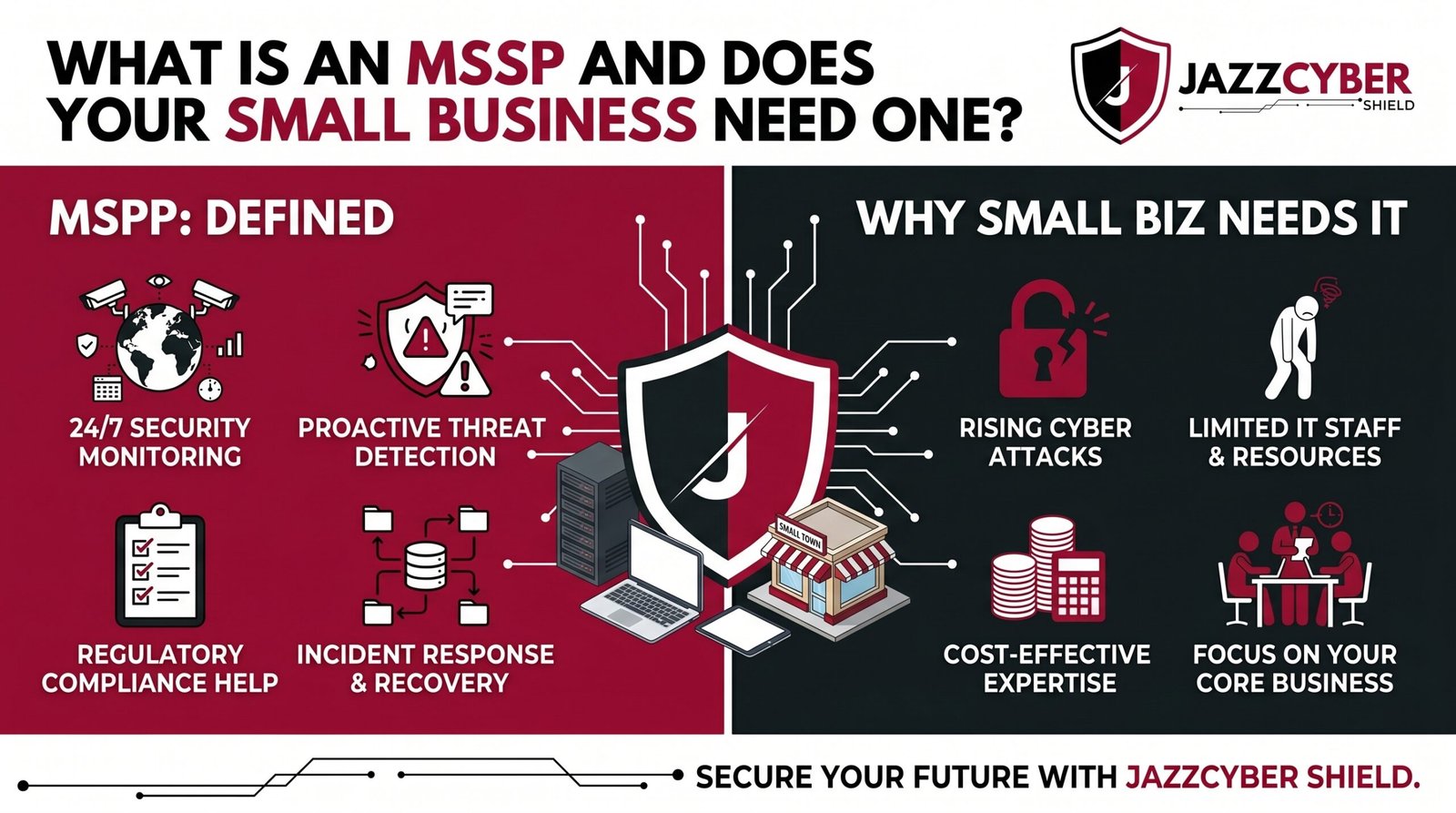
Most Small Businesses Are One Attack Away From Closing — An MSSP Might Be the Only Thing Standing Between You and That
In 2026, MSSP (Managed Security Service Provider) is the term every small business owner needs to understand — before an attacker forces them to learn it the hard way.
You run a 15-person accounting firm in Dallas. You have one IT guy who also fixes the printers. Your cybersecurity “strategy” is a $60/year antivirus subscription and hope. Then one Tuesday morning, your files are encrypted. Your client data is gone. A ransom note sits on every screen.
This is not a hypothetical. This happens to thousands of small businesses every year across the US. The ones that survive usually had one thing in common — they had professional security monitoring watching their systems 24/7. The ones that didn’t? Many never reopened.
That’s what an MSSP does. And the question isn’t whether you can afford one. It’s whether you can afford not to have one.
Table of Contents
The Scale of MSSP Demand and Cyber Threats in 2026
Small businesses are not small targets. Attackers love them precisely because they have real data, real money, and almost no defenses.
The numbers back this up hard. According to the FBI’s 2023 Internet Crime Report, small and mid-size businesses accounted for the majority of ransomware victims — and average losses per incident now exceed $200,000 when you factor in downtime, recovery, and reputational damage. Most small businesses carry less than $50,000 in liquid reserves. Do the math.
The global market is projected to hit $65 billion by 2026. That growth isn’t driven by enterprise clients — they already have internal security teams. It’s driven by small and medium businesses finally realizing they can’t fight this alone.
⚠️ ALERT: The CISA Small Business Cybersecurity Guide (opens in new tab) explicitly recommends that businesses without dedicated security staff consider managed security services. If the federal government is telling you this, it’s time to listen.
The threat landscape in 2026 is not the same as 2020. AI-generated phishing. Automated vulnerability scanning. Ransomware-as-a-service kits that any criminal can rent for $200 a month. Your one IT generalist cannot keep up. An MSSP can.
What Is an MSSP? The Clear Definition Small Businesses Need
An MSSP — Managed Security Service Provider — is a company you hire to monitor, manage, and respond to cybersecurity threats on your behalf. Think of it as outsourcing your entire security department to a team of specialists who watch your systems around the clock.
Here’s how the relationship works:
YOUR BUSINESS
      |
      | (your network traffic, logs, alerts)
      |
  [MSSP Security Operations Center — 24/7/365]
      |
      ├── Threat Monitoring
      ├── Incident Detection
      ├── Vulnerability Management
      ├── Firewall & Device Management
      ├── Compliance Reporting
      └── Incident Response
You keep running your business. They keep watching for threats. When something happens — and eventually something always happens — they respond before it becomes a catastrophe.
An MSSP is not the same as your IT support company. Your IT company fixes computers and sets up printers. An specifically focuses on security. Some IT companies offer services as an add-on, but that’s different from a dedicated security provider with a full Security Operations Center (SOC).
🔴 WARNING: Many small businesses assume their IT support company is also handling their cybersecurity. Most are not. Ask yours directly: “Do you provide 24/7 security monitoring and incident response?” If the answer is vague, you have a gap.
For a deeper look at why unmonitored networks are so dangerous, read our article on why small businesses close after a cyberattack.
What Services Does an MSSP Actually Provide?
This varies by provider, but a full-service typically covers all of the following:
Core Services:
- 24/7 Security Monitoring — Continuous watching of your network, endpoints, and cloud environments for suspicious activity
- SIEM Management — Security Information and Event Management; correlates logs from all your devices to spot patterns humans would miss
- Firewall Management — Configuration, patching, and rule management for your network firewall
- Intrusion Detection and Prevention — Alerts and blocks when attackers attempt to penetrate your network
- Endpoint Detection and Response (EDR) — Monitors every laptop and workstation for malicious behavior
- Vulnerability Scanning — Regular scans to find weaknesses before attackers do
- Patch Management — Ensures your systems stay updated and hardened
Advanced Services (premium tiers):
- Incident Response — Active containment and recovery when a breach occurs
- Compliance Management — SOC 2, HIPAA, PCI-DSS reporting
- Phishing Simulation and Employee Training
- Dark Web Monitoring — Alerts if your credentials appear in breach databases
- Cloud Security Monitoring — AWS, Azure, Microsoft 365 environments
⚠️ ALERT: Not all MSSPs offer the same scope. Some only monitor; they don’t respond. Others charge extra for incident response. Read the contract carefully. “We will alert you” is very different from “We will stop the attack.”
Does Your Small Business Actually Need an MSSP?
Honest answer: most small businesses do. But let’s be specific about when an goes from “good idea” to “non-negotiable.”
You almost certainly need an if:
- You handle sensitive customer data — medical records, financial information, legal documents, payment cards
- You operate in a regulated industry — healthcare (HIPAA), finance (PCI-DSS), government contracts (CMMC)
- You have remote employees connecting to company systems from home networks
- You’ve already experienced a breach, ransomware attack, or phishing incident
- You have no dedicated IT security staff — only a generalist IT person or outsourced IT support
- Your business would not survive 2-3 weeks of downtime
You might be able to wait if:
- You have fewer than 5 employees with minimal sensitive data
- You have an internal IT security team already
- You’ve already implemented a strong layered security stack and are actively monitoring it yourself
The Verizon Data Breach Investigations Report (opens in new tab) has documented for years that small businesses are disproportionately targeted specifically because attackers know their defenses are weak. An MSSP closes that gap directly.
MSSP vs MDR vs In-House Security: Which One Wins?
These three options confuse a lot of business owners. Here’s the clean breakdown:
| Factor | MSSP | MDR | In-House SOC |
|---|---|---|---|
| Full name | Managed Security Service Provider | Managed Detection & Response | Internal Security Team |
| Primary focus | Broad security management | Threat detection + active response | Full control, custom policies |
| Best for | SMBs needing full outsourced security | Mid-size businesses needing fast response | Enterprise with $500K+ security budget |
| Typical cost | $1,500–$6,000/month | $3,000–$15,000/month | $300,000+/year in salaries alone |
| Response capability | Monitor + alert (varies by contract) | Active threat hunting + containment | Full custom response |
| Setup time | 2–4 weeks | 2–6 weeks | 6–18 months |
| Staff required | None on your end | Minimal internal liaison | Full security team |
For most small businesses under 100 employees, MSSP is the practical choice. MDR is powerful but priced for mid-market. In-house is out of reach financially for any business under $10M in revenue.
How to Choose the Right MSSP for Your Business
Not all are equal. Some are excellent. Some will take your monthly fee and do very little until something goes wrong — and then bill you extra for the response.
Ask these questions before signing any contract:
- Do you have a 24/7 SOC or do you outsource monitoring? — Some resell another company’s monitoring. You want to know who’s actually watching.
- What is your mean time to detect (MTTD) and mean time to respond (MTTR)? — Industry standard is under 1 hour for detection. If they can’t answer this, walk away.
- Is incident response included or billed separately? — Get this in writing.
- What industries do you specialize in? — An MSSP experienced with healthcare businesses understands HIPAA. A generalist may not.
- What happens when you detect a breach? — Walk me through the exact process, step by step.
- What hardware and platforms do you support? — Make sure they work with your existing firewall and endpoint tools.
- What are your contract terms? — Month-to-month vs annual. Exit clauses. SLA guarantees.
The NIST Cybersecurity Framework (opens in new tab) provides a solid baseline for evaluating what security controls any should cover. Use it as your checklist during vendor evaluation.
What Hardware Works With an MSSP Setup?
An MSSP can only monitor what it can see. The hardware you run directly determines the quality of visibility your MSSP has into your network.
Firewalls are the most critical piece. A business-grade next-generation firewall (NGFW) generates the logs, traffic data, and alerts that your SOC monitors in real time. Consumer-grade routers generate almost nothing useful. This is why hardware matters.
MSSPs most commonly integrate with:
- Fortinet FortiGate — Industry-leading logging and SIEM integration
- SonicWall — Excellent SMB-focused threat intelligence feeds
- WatchGuard — Strong cloud management and MSP/MSSP partner ecosystem
- Cisco — Enterprise standard, widely supported across all platforms
If you’re building or upgrading your network infrastructure to work with an browse our full range of enterprise firewalls — including Fortinet, SonicWall, and WatchGuard models that are MSSP-ready out of the box.
For managed network switches that give your MSSP full traffic visibility across your LAN, check out our Cisco networking solutions — trusted by IT teams and across the US.
How to Get Started With an MSSP
Follow these steps in order. Don’t skip ahead.
- Audit what you have — Document every device, every application, every user account. You can’t secure what you don’t know exists.
- Define your biggest risks — What data would destroy your business if it leaked? What systems can’t go down? Start there.
- Set a budget — Realistic MSSP contracts for small businesses start around $1,500/month. Factor this into your operating costs like insurance.
- Shortlist 3 MSSPs — Get proposals from at least three providers. Compare scope, response SLAs, and contract terms side by side.
- Check references — Ask for two or three current clients in your industry. Call them. Ask what happened during an actual incident.
- Negotiate the contract — Focus on: incident response included vs billed separately, SLA guarantees, exit terms, and scope of monitoring.
- Onboard properly — Give your full visibility. Install their agents on all endpoints. Connect your firewall. Set up log forwarding. A half-deployed MSSP is still half-blind.
- Test them — Six months in, run a tabletop exercise or simulated phishing attack. See how they respond. Hold them to their SLAs.
Quick Reference Checklist
MSSP EVALUATION AND ONBOARDING CHECKLIST

BEFORE YOU SIGN
[ ] Confirmed MSSP has 24/7 in-house SOC (not outsourced)
[ ] Received MTTD and MTTR numbers in writing
[ ] Incident response confirmed as INCLUDED in contract
[ ] SLA penalties for missed response times documented
[ ] References checked — spoke to at least 2 current clients
[ ] Contract reviewed for auto-renewal and exit clauses
[ ] Confirmed supports your firewall brand and model

TECHNICAL ONBOARDING
[ ] All endpoints enrolled with MSSP agent/EDR
[ ] Firewall log forwarding configured and tested
[ ] Cloud environments (M365, AWS, etc.) connected
[ ] SIEM receiving logs from all critical systems
[ ] Admin credentials shared securely via vault (not email)
[ ] Network diagram provided to MSSP SOC team

ONGOING OPERATIONS
[ ] Monthly reporting reviewed with MSSP account manager
[ ] Quarterly vulnerability scan results actioned
[ ] Incident response plan tested (tabletop exercise)
[ ] Employee phishing simulations running
[ ] Contract SLAs audited against actual performance
[ ] Hardware and software inventory kept current
Frequently Asked Questions
Q: How much does an MSSP cost for a small business?
A: Entry-level contracts for small businesses (under 50 users) typically run $1,500 to $4,000 per month depending on scope. That covers 24/7 monitoring, firewall management, and basic incident response. More advanced services — full MDR, compliance reporting, dark web monitoring — push that higher. Compare this to the average cost of a ransomware recovery: $200,000+. The math is straightforward.
Q: Can an MSSP replace my IT support company?
A: No — and you don’t want it to. Your IT support company handles day-to-day operations: setting up computers, managing software, fixing problems. An MSSP focuses exclusively on security: monitoring threats, detecting intrusions, responding to incidents. You need both. Some IT companies offer services as a bundle, which can simplify vendor management — but verify the security scope is real, not just a checkbox.
Q: What’s the difference between an MSSP and an MDR?
A: An MSSP provides broad managed security services — monitoring, firewall management, compliance, vulnerability scanning. MDR (Managed Detection and Response) is more focused on active threat hunting and rapid incident response. MDR is typically faster and more aggressive in its response capability, but also more expensive. Most small businesses start with an MSSP and graduate to MDR as their security maturity grows.
Q: Do I need to replace my hardware to work with an MSSP?
A: Not necessarily — but your existing hardware needs to support proper logging and integration. Consumer-grade routers and unmanaged switches give MSSPs almost nothing to work with. If you’re running business-grade firewalls like Fortinet, SonicWall, or WatchGuard, you’re likely already in good shape. Your MSSP should assess your current infrastructure during the sales process and flag any gaps.
Q: What if my MSSP misses an attack?
A: This is why SLAs and contract terms matter so much. Your contract should specify response time guarantees and what compensation or remediation the MSSP provides if they fail to meet them. No MSSP can guarantee zero breaches — but they should guarantee detection and response times. If an MSSP won’t commit to measurable SLAs in writing, that’s a red flag.
Conclusion
An MSSP isn’t a luxury. For most small businesses in 2026, it’s the only realistic way to get professional-grade security coverage without hiring a $400,000 internal security team.
The threat is real. Attackers are not slowing down. They’re getting faster, smarter, and more automated. Your one IT generalist — no matter how talented — cannot monitor your network 24 hours a day, seven days a week, while also keeping the printers running and the Wi-Fi working.
Find a reputable MSSP. Get the right hardware in place to give them full visibility. And stop hoping that nothing bad happens — because hope is not a security strategy.
Related Reading
- Why Small Businesses Close After a Cyberattack
- Hidden Dangers of Public Wi-Fi in 2026
- How Hackers Break Into Security Cameras
- Router Settings You Must Change Right Now
- How to Set Up VLANs for Your Home Network in 2026

