



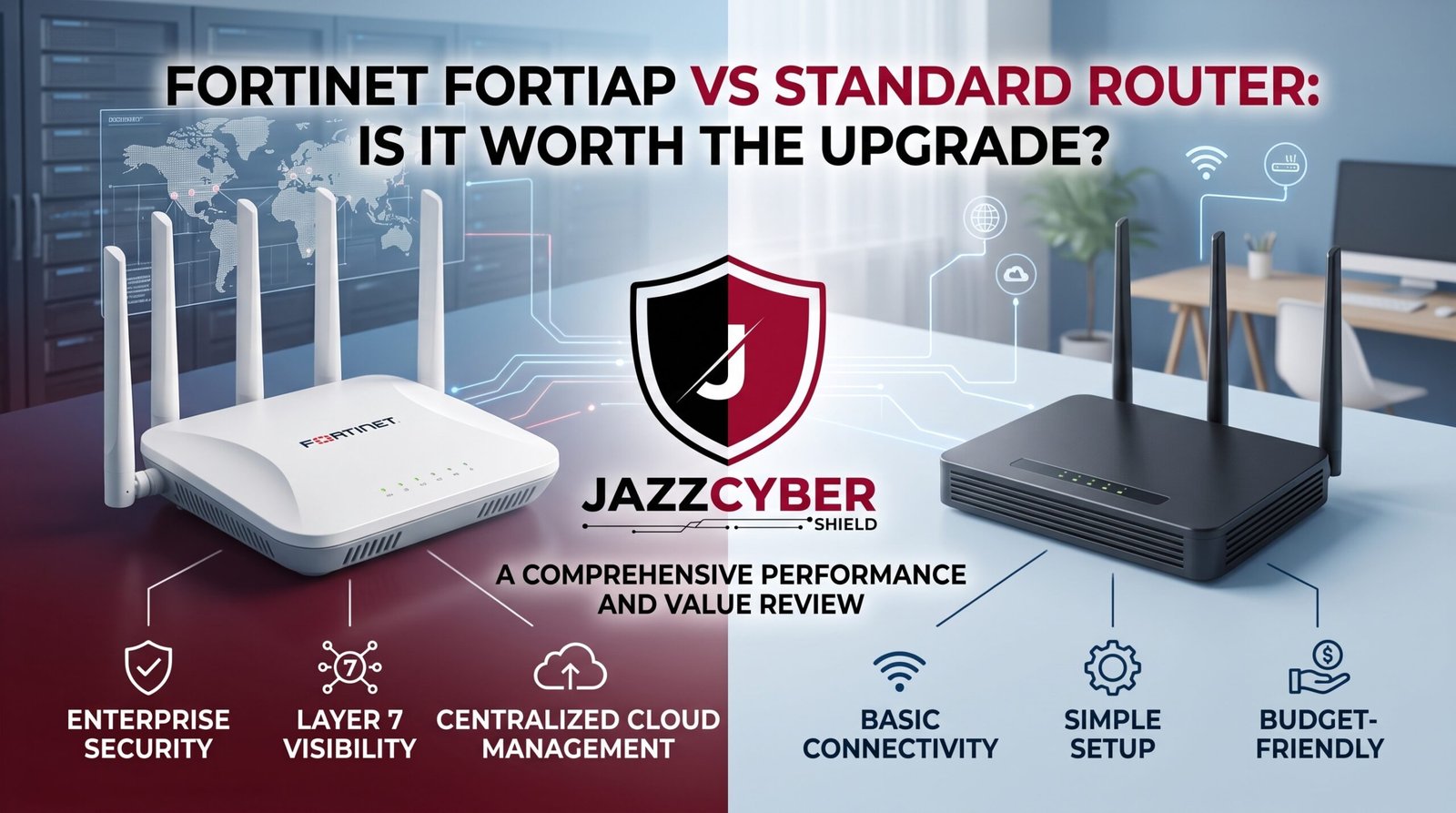
Your Office Router Is Failing You — Here’s the Proof
If you’re still running your business on a standard consumer router, the Fortinet FortiAP comparison you’re about to read will likely change how you think about your wireless infrastructure.
A marketing agency in Austin had 23 employees on one consumer-grade router. Constant drops during video calls. Dead zones in the conference room. Security logs? There weren’t any. And when a client notified them that their email had been compromised — the trail led back to an attacker who’d quietly sat on their open guest network for six weeks.
The IT consultant they finally called said the same thing these consultants always say: “A consumer router was never designed for this.” He was right. A standard router is built to connect a household to the internet. A Fortinet FortiAP is built to give businesses centralized control, security enforcement, and visibility across every wireless connection on their network.
Those are fundamentally different tools. This guide breaks down exactly where they differ — and whether the upgrade is worth it for your specific situation.
Table of Contents
Why Wireless Infrastructure Matters More Than Ever in 2026
Wireless isn’t secondary to your network anymore. For most businesses, it is the network.
The average office worker relies on WiFi for video conferencing, cloud applications, VoIP calls, and file access simultaneously. A weak or unsecured wireless infrastructure doesn’t just slow people down — it creates security gaps that attackers actively probe for.
Compromised wireless networks are a documented entry point for corporate data breaches, lateral movement by ransomware, and prolonged undetected access by threat actors. The Austin agency story isn’t unusual — it’s a predictable outcome of using consumer hardware in a business environment.
⚠️ ALERT: CISA has specifically flagged inadequately secured wireless access points as a persistent vulnerability in small and mid-sized business environments. Consumer-grade routers lack centralized security management, VLAN enforcement, and the logging necessary to detect or investigate wireless-based intrusions. Read CISA’s wireless security guidance (opens in new tab)
The wireless access point market has matured significantly. Business-grade options like the Fortinet FortiAP now deliver enterprise security features at price points that make the consumer-router comparison less about cost and more about whether you understand what you’re actually giving up.
What Is the Fortinet FortiAP and How Does It Work?
The Fortinet FortiAP is an enterprise-grade wireless access point designed to operate as part of Fortinet’s Security Fabric ecosystem. Unlike a standard consumer router that handles routing, WiFi, and basic firewall functions all in one box, a FortiAP is a dedicated wireless access point — it handles WiFi only, and it does that job with capabilities no consumer router can match.
The Key Architecture Difference
A standard consumer router is a standalone device. Everything it does — DHCP, NAT, WiFi, basic firewall — happens inside one box without external visibility or central management.
Fortinet FortiAP works in conjunction with a FortiGate firewall. The FortiAP handles wireless radio functions while the FortiGate enforces security policies, inspects traffic, and provides centralized logging across every connected device. The two work together as a unified security platform.
STANDARD ROUTER ARCHITECTURE
━━━━━━━━━━━━━━━━━━━━━━━━━━━━━━━━━━━━━━━━━
Internet → [Consumer Router: WiFi + Firewall + DHCP]
                        │
              All devices connect equally
              No segmentation enforced
              No centralized visibility
━━━━━━━━━━━━━━━━━━━━━━━━━━━━━━━━━━━━━━━━━

FORTINET FORTIAP ARCHITECTURE
━━━━━━━━━━━━━━━━━━━━━━━━━━━━━━━━━━━━━━━━━
Internet → [FortiGate Firewall: Security + Inspection]
                        │
              [FortiAP: Dedicated Wireless]
                        │
        ┌───────────────┼───────────────┐
    Corp VLAN      Guest VLAN      IoT VLAN
  (Full access)  (Internet only) (Isolated)
  Fully logged    Fully logged    Fully logged
━━━━━━━━━━━━━━━━━━━━━━━━━━━━━━━━━━━━━━━━━
This architectural difference is the root of why the Fortinet FortiAP comparison to a standard router matters so much. You’re not comparing two versions of the same thing — you’re comparing fundamentally different approaches to wireless infrastructure.
🔴 WARNING: Many businesses assume their consumer router provides adequate security because it has a built-in firewall. Consumer router “firewalls” are basic NAT devices — they block unsolicited inbound connections but do almost nothing to inspect or control outbound traffic, identify threats on the network, or enforce policies between connected devices. Read NIST’s network security framework (opens in new tab)
Fortinet FortiAP vs Standard Router: The Core Differences
Here’s the honest, practical breakdown of every meaningful difference in the Fortinet FortiAP vs standard router comparison.
| Feature | Standard Consumer Router | Fortinet FortiAP |
|---|---|---|
| Wireless radio hardware | Consumer-grade | Enterprise-grade |
| Security enforcement | Basic NAT only | FortiGate integration |
| VLAN / network segmentation | Limited or none | Full VLAN enforcement |
| Centralized management | None | FortiCloud / FortiManager |
| Wireless threat detection | None | Rogue AP detection, WIDS |
| Traffic inspection | None | Full DPI via FortiGate |
| Guest network isolation | Basic | Fully enforced, logged |
| Scalability (multi-AP) | Poor | Seamless, centrally managed |
| Firmware security updates | Consumer lifecycle | Enterprise lifecycle |
| Coverage area per unit | ~1,500-2,500 sq ft | ~2,500-5,000 sq ft |
| Concurrent clients | 20-50 typical | 50-200+ depending on model |
The coverage and client numbers reveal a practical reality that catches many small businesses off guard: by the time you add enough consumer routers or WiFi extenders to cover a real office, you’ve spent comparable money to a Fortinet FortiAP installation — and you still have none of the security or management capabilities.
Security Comparison: Where FortiAP Leaves Consumer Routers Behind
This is the most important section in any Fortinet FortiAP vs standard router discussion for a business context.
Wireless Intrusion Detection System (WIDS)
Fortinet FortiAP includes wireless intrusion detection that monitors the RF environment for rogue access points, unauthorized clients attempting to connect, evil twin attacks (fake WiFi networks mimicking yours), and deauthentication attacks. A standard consumer router has no awareness of any of these threats.
Rogue Access Point Detection
If someone plugs an unauthorized wireless device into your network — a personal hotspot, a compromised device, or a deliberately planted attack tool — FortiAP detects and alerts on it. Consumer routers are blind to this entirely.
Traffic Inspection Through FortiGate Integration
Every device connecting through a Fortinet FortiAP has its traffic inspected by the paired FortiGate firewall — deep packet inspection, SSL inspection, and threat intelligence feeds all apply to wireless traffic the same way they apply to wired connections. Devices connecting through a consumer router receive no such inspection.
VLAN Enforcement at the Wireless Level
FortiAP enforces proper VLAN segmentation wirelessly. A guest connecting to your guest SSID truly cannot reach devices on your corporate network. An IoT device on a dedicated SSID stays isolated from your server. Consumer routers provide basic guest networks that frequently have configuration gaps allowing cross-network access.
⚠️ ALERT: Verizon’s Data Breach Investigations Report has documented cases where attackers gained initial access through inadequately isolated guest wireless networks, then moved laterally to corporate systems because the “guest” network wasn’t actually enforcing proper segmentation. What the router called a guest network and what it actually enforced were two different things. Read the full Verizon DBIR (opens in new tab)
For businesses ready to deploy Fortinet FortiAP as part of a proper security infrastructure, browse our Fortinet product collection — including FortiAP models sized for small offices through multi-floor enterprise environments, all designed to work seamlessly with FortiGate firewalls.
Performance and Coverage Compared
Security aside, the Fortinet FortiAP vs standard router comparison also shows meaningful performance differences that affect day-to-day work.
Radio Hardware Quality
Consumer routers use radio hardware designed to hit a price point for household use — typically 20-50 simultaneous clients under real-world conditions. Fortinet FortiAP units use enterprise-grade radio hardware with higher client density support, better interference management, and more sophisticated antenna designs for consistent coverage in environments with interference from neighboring networks.
Multi-AP Roaming
In a standard router setup, adding WiFi coverage typically means adding extenders or mesh nodes — each of which creates handoff friction as devices move between coverage areas. Fortinet FortiAP deployments use controller-based roaming, meaning a device moving through an office stays connected seamlessly as it transitions between access points without dropping connections.
Band Steering and Load Balancing
Enterprise access points like FortiAP actively manage which band (2.4GHz vs 5GHz vs 6GHz) each client uses based on signal quality and load — ensuring clients use the fastest available connection rather than defaulting to whichever band their device randomly selected. Consumer routers handle this inconsistently or not at all.
Real-World Client Density
A conference room with 20 people on video calls simultaneously is the scenario that exposes consumer router limitations fastest. FortiAP models handle high-density scenarios that cause consumer routers to degrade or drop connections entirely.
| Performance Factor | Consumer Router | Fortinet FortiAP |
|---|---|---|
| Realistic concurrent clients | 20-50 | 50-200+ |
| Multi-AP seamless roaming | No | Yes |
| Band steering | Inconsistent | Automatic |
| High-density scenarios | Degrades | Designed for it |
| Coverage per unit (typical) | ~2,000 sq ft | ~3,500-5,000 sq ft |
Management and Visibility
For businesses with more than a handful of employees, management visibility becomes a daily operational issue, not just a feature on a spec sheet.
Centralized Management With FortiCloud
A Fortinet FortiAP deployment managed through FortiCloud gives administrators a single dashboard showing every access point, every connected client, signal strength maps, bandwidth usage by device, and security events — all from a browser or mobile app. Managing five consumer routers from five different admin interfaces, none of which talk to each other, is a real problem businesses underestimate until they’re in it.
Client Visibility and Control
FortiAP management shows you exactly what every wireless client is doing — traffic by application, bandwidth consumption, connection history, and security events. A consumer router’s management interface typically shows you a device name list and almost nothing else.
Configuration Consistency at Scale
Pushing a security policy change, SSID update, or firmware upgrade across ten Fortinet FortiAP units takes minutes from a central console. Doing the same across ten consumer routers requires logging into ten separate admin interfaces individually.
Logging and Forensics
When something goes wrong on a business network — a breach, a policy violation, a performance investigation — log data is how you figure out what happened. FortiAP generates detailed, exportable logs of wireless events, client connections, and security incidents. Consumer routers generate minimal logs that typically overwrite themselves within hours and provide almost no forensic value.
Our full guide on VLAN setup for networks in 2026 covers how proper network segmentation — which FortiAP enforces at the wireless level — protects your business even when individual devices get compromised.
Who Actually Needs a Fortinet FortiAP?
The Fortinet FortiAP vs standard router conversation doesn’t end with “FortiAP is better” — it ends with “is FortiAP right for you specifically?”
You probably need Fortinet FortiAP if:
- You have 10 or more employees regularly using WiFi
- You handle any sensitive data: customer information, financial records, health data
- You’re in a regulated industry (healthcare, finance, legal)
- You have a dedicated conference room or high-density WiFi usage area
- You’ve already deployed or are planning to deploy a FortiGate firewall
- You work with a managed service provider who already manages Fortinet equipment
- You have multiple office areas or floors that need consistent wireless coverage
- You need separate, truly isolated networks for employees, guests, and IoT devices
A standard router may still be sufficient if:
- You’re a solo operator or two-person operation with basic internet needs
- You work primarily from home with no employees or clients on-site
- You have no sensitive data on your network and handle nothing regulated
- Budget is the absolute primary constraint and security is secondary
The honest answer for most businesses with more than five employees: you’ve already outgrown what a consumer router can reliably and securely provide.
For businesses evaluating their full wireless access point options beyond Fortinet, our access points collection includes business-grade options from multiple manufacturers — including HPE Aruba and Cisco — for comparison.
How to Decide: Step-by-Step
Work through this process to make the Fortinet FortiAP vs standard router decision for your specific situation:
- Count your wireless clients accurately — Not just employees but phones, tablets, IoT devices, and any visitor devices. If you regularly exceed 20 concurrent wireless clients, a consumer router is already struggling.
- Assess your data sensitivity — Do you store or transmit customer data, financial information, health records, or proprietary business data on devices connected to your network? If yes, you need business-grade security.
- Audit your current wireless problems — Drops during calls, dead zones, slowdowns during busy periods, or inability to see who’s connected are all symptoms of infrastructure that’s already failing for your needs.
- Check whether you already have a FortiGate — If you’re running FortiGate at your perimeter, adding Fortinet FortiAP units gives you the Security Fabric integration that makes both devices significantly more valuable together.
- Map your coverage requirements — Measure your office square footage and identify high-density areas like conference rooms. One or two FortiAP units often replace three or four consumer router/extender combinations while delivering better performance and centralized control.
- Get a total cost comparison — Compare the cost of proper consumer router coverage (router plus extenders plus ongoing management time) against FortiAP hardware plus FortiCloud subscription. The gap is often smaller than businesses expect.
- Consider your growth timeline — A FortiAP deployment scales cleanly as you add employees or office space; a consumer router setup requires rethinking from scratch at every growth stage.
- Consult your IT support or MSP — If you have a managed service provider, ask whether they already support Fortinet deployments; their existing expertise may make the decision straightforward.
Quick Reference Checklist
Use this to assess where you stand in the Fortinet FortiAP vs standard router decision.
FORTIAP VS STANDARD ROUTER — DECISION CHECKLIST
━━━━━━━━━━━━━━━━━━━━━━━━━━━━━━━━━━━━━━━━━━━━━━━━━

SIGNALS YOU'VE OUTGROWN A CONSUMER ROUTER
[ ] 10+ employees regularly on WiFi
[ ] Conference room WiFi regularly struggles
[ ] Dead zones exist in parts of your office
[ ] Drops occur during video calls or cloud app use
[ ] You can't see who's connected or what they're doing
[ ] Guest network isolation is unverified
[ ] No wireless security logs exist
[ ] Multiple extenders already added — still not enough

FORTINET FORTIAP READINESS
[ ] FortiGate firewall already deployed (ideal pairing)
[ ] Managed service provider familiar with Fortinet
[ ] Business handles regulated or sensitive data
[ ] Multiple office areas or floors need coverage
[ ] Budget includes hardware + FortiCloud subscription
[ ] Professional installation and configuration planned

IF STAYING WITH CONSUMER ROUTER (MINIMUM STEPS)
[ ] Router firmware updated to latest version
[ ] Admin default password changed
[ ] Guest network created and properly isolated
[ ] Router scheduled for replacement if 5+ years old
[ ] Router settings reviewed per security best practices

━━━━━━━━━━━━━━━━━━━━━━━━━━━━━━━━━━━━━━━━━━━━━━━━━
Frequently Asked Questions
Q: Does a Fortinet FortiAP work without a FortiGate firewall?
A: Technically yes — FortiAP can operate in standalone mode without a FortiGate controller. However, it loses the vast majority of its security value in standalone mode. The deep packet inspection, threat intelligence integration, VLAN enforcement, and centralized security logging that make FortiAP worth deploying all depend on the FortiGate integration. Deploying a Fortinet FortiAP without a FortiGate firewall is like buying a high-end security camera and never connecting it to a recorder — the hardware is there but the functionality that justifies it isn’t.
Q: How many FortiAP units does a typical small business office need?
A: This depends on office layout, construction materials, and client density, but a rough guideline is one FortiAP unit per 2,500-4,000 square feet of open office space, with additional units for high-density areas like conference rooms or reception areas. A 5,000 square foot single-floor office typically needs two to three units positioned strategically, replacing what might otherwise be five or six consumer devices cobbled together.
Q: What does a Fortinet FortiAP cost compared to a consumer router?
A: Entry-level FortiAP models typically run $200-400 for the hardware, plus a FortiCloud subscription of roughly $50-100 per unit per year. Compare this to a quality consumer router ($150-300) plus the mesh extenders most offices end up adding ($100-200 each), and the total cost gap narrows considerably — especially when you factor in the professional installation time that the Fortinet FortiAP pays back through better reliability and centralized management.
Q: Can I use Fortinet FortiAP in a home office?
A: You can, but it’s generally not the right tool for the job unless you’re running legitimate business operations from home with employees or clients connecting to your network, or you’ve already deployed a FortiGate for your home office setup. For purely personal use or a solo freelancer, the investment and complexity of a Fortinet FortiAP deployment typically isn’t justified.
Q: Is the Fortinet FortiAP difficult to set up?
A: Initial deployment requires more configuration than plugging in a consumer router, particularly if you’re configuring VLANs, SSIDs, and FortiGate integration properly. Most small businesses benefit from professional installation for the initial setup — typically a one-time cost of $200-500 depending on complexity. Once deployed, day-to-day management through FortiCloud is straightforward, and the initial configuration investment pays for itself in reduced troubleshooting and support time over the device’s lifetime.
Conclusion
The Fortinet FortiAP vs standard router comparison isn’t really a close call for any business with more than a handful of employees or any sensitivity in the data on their network. Consumer routers were designed for households. Fortinet FortiAP was designed for businesses that need security enforcement, client visibility, and reliable performance under real workloads.
The Austin marketing agency didn’t just have a performance problem. They had an undetected attacker on their network for six weeks because their consumer router couldn’t log, couldn’t segment, and couldn’t alert them to anything. A Fortinet FortiAP deployment — properly configured with a FortiGate firewall — would have flagged that intrusion within minutes of it happening.
That’s the real answer to “is it worth the upgrade?” For any business that handles data that matters, the upgrade isn’t a luxury — it’s what appropriate infrastructure looks like. Browse our Fortinet collection to find the right FortiAP model for your office size and see exactly how it pairs with FortiGate for a complete wireless security solution.
Related Reading
- Router Settings You Must Change Right Now
- VLAN for Home Network 2026: Complete Setup Guide
- WPA2 vs WPA3: What’s the Real Difference?
- The Hidden Danger of Public WiFi in 2026
- Why Small Businesses Close After a Cyberattack

