



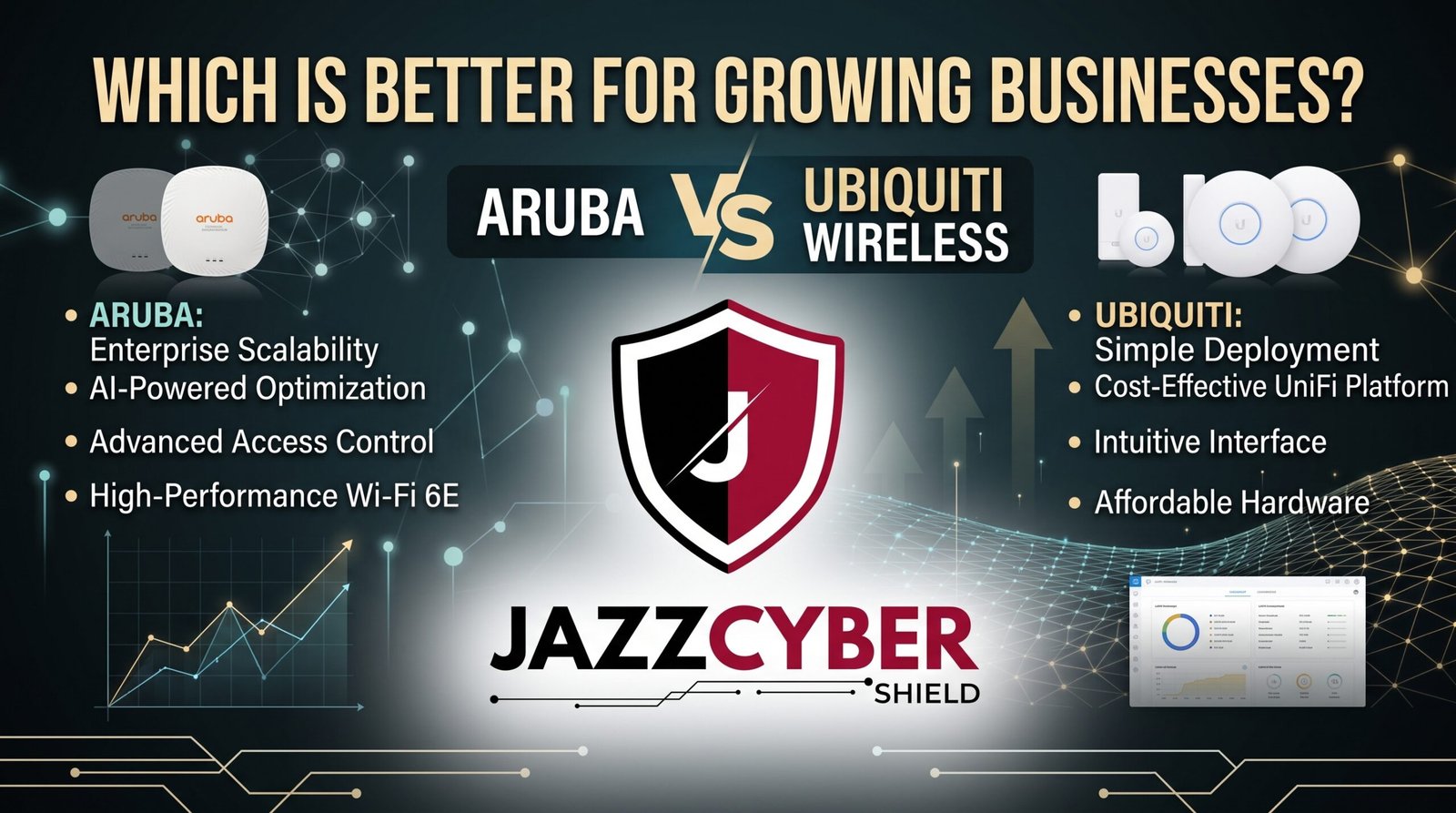
The Wireless Decision That Will Define Your Next 5 Years
The Aruba vs Ubiquiti debate is one of the most searched wireless comparisons in the business networking world — and for good reason. Both are genuinely strong platforms. Choosing wrong is expensive to undo.
A healthcare clinic in Nashville went all-in on Ubiquiti three years ago. Eighteen access points across two floors, self-managed through the UniFi controller. It worked beautifully — right up until they hired an IT director who flagged that their HIPAA wireless logging requirements weren’t actually being met. Ripping out the infrastructure and starting over cost them $28,000 and a weekend of downtime.
A real estate brokerage in Seattle made the opposite move. They chose Aruba, spent more upfront, and three years later added four new offices across the Pacific Northwest — each one provisioned and managed from the same cloud dashboard in under two hours. Their IT manager called it the best infrastructure decision they’d ever made.
Same product category. Completely different outcomes. Because Aruba vs Ubiquiti isn’t really a question about which brand is “better” — it’s about which platform matches where your business is going.
This guide gives you the honest comparison you need to make that call correctly the first time.
Table of Contents
Why Wireless Platform Choice Matters More in 2026
WiFi infrastructure decisions used to be relatively reversible. They’re not anymore.
Modern businesses build their operations around cloud applications, video conferencing, and mobile workflows that depend entirely on wireless connectivity. The access point infrastructure you choose today becomes deeply embedded in your IT operations — your VLANs, your security policies, your management workflows, and eventually your compliance documentation.
Switching platforms after a full deployment means replacing hardware, reconfiguring network segments, retraining your IT team or MSP, and potentially losing historical logging data. The Nashville healthcare clinic story isn’t unusual — it’s the predictable outcome of choosing a platform without understanding where your compliance requirements would eventually take you.
⚠️ ALERT: CISA has specifically identified inadequate wireless security logging as a persistent gap in small and mid-sized business environments. Both Aruba and Ubiquiti can provide appropriate security controls — but only if the platform is configured correctly for your specific compliance and security requirements from day one. Read CISA’s wireless security guidance (opens in new tab)
The Aruba vs Ubiquiti decision, made correctly the first time, is a five-year infrastructure investment that scales with your business. Made incorrectly, it’s a cost center that eventually forces a painful rebuild.
Aruba vs Ubiquiti: Quick Overview
Before the detailed comparison, here’s where Aruba and Ubiquiti actually stand as platforms in 2026.
HPE Aruba is an enterprise networking brand owned by Hewlett Packard Enterprise. It targets enterprise and mid-market customers with a full portfolio of access points, switches, gateways, and a cloud management platform (Aruba Central). Aruba is widely deployed in hospitals, retail chains, universities, and enterprise offices where compliance, security, and centralized management are requirements rather than nice-to-haves.
Ubiquiti UniFi is a self-managed networking platform that has built an enormous following among technically capable small businesses, IT professionals, and managed service providers who value its price-to-performance ratio and the flexibility of its self-hosted or cloud controller model. UniFi isn’t a consumer brand — it’s a prosumer-to-SMB platform that punches well above its price point on hardware.
ARUBA VS UBIQUITI — POSITIONING OVERVIEW 2026
━━━━━━━━━━━━━━━━━━━━━━━━━━━━━━━━━━━━━━━━━━━━━━━━━━
DIMENSION          │ HPE ARUBA          │ UBIQUITI UNIFI
━━━━━━━━━━━━━━━━━━━━━━━━━━━━━━━━━━━━━━━━━━━━━━━━━━
Market positioning  │ Enterprise/Mid-mkt │ SMB/Prosumer
Hardware cost        │ Higher             │ Lower
Subscription model   │ Required (Aruba Central) │ Optional (UniFi Cloud)
Vendor support       │ Paid enterprise    │ Community + limited paid
Compliance readiness │ Strong             │ Varies by config
Security certifications │ Extensive       │ Growing
Scalability ceiling  │ Very high          │ High for SMB
Management depth     │ Very deep          │ Deep for the price
━━━━━━━━━━━━━━━━━━━━━━━━━━━━━━━━━━━━━━━━━━━━━━━━━━
Neither column is universally superior. The Aruba vs Ubiquiti decision hinges on your scale, your compliance requirements, your in-house technical capability, and how much you value vendor-backed support when things go wrong.
🔴 WARNING: Ubiquiti’s community-driven support model is a genuine strength for technically capable administrators — and a genuine weakness for businesses that need guaranteed response times from a vendor during an outage. Aruba’s paid support tiers guarantee response. Ubiquiti’s free support is community forums. Know which one you actually need before you buy. Read NIST’s network security framework (opens in new tab)
Pricing: Aruba vs Ubiquiti by Deployment Size
Pricing is usually the first question in any Aruba vs Ubiquiti comparison, and it’s where the two platforms show their clearest surface-level difference.
Entry-Level: Small Office (1-3 APs)
| Platform | Access Point Hardware | Management Cost |
|---|---|---|
| Aruba AP-22 | ~$300-400 per unit | Aruba Central subscription required |
| Ubiquiti U6 Lite | ~$100-130 per unit | Free self-hosted / $29/site/year cloud |
At this tier, the cost gap is stark. A 3-AP Ubiquiti deployment costs roughly $300-400 in hardware with minimal ongoing management cost. A comparable Aruba deployment runs $900-1,200 in hardware plus subscription fees. For a small business with a technical person on staff and no compliance requirements, this gap is hard to justify.
Mid-Market: Growing Business (5-15 APs)
| Platform | Per-AP Hardware | Annual Management | 3-Year TCO (10 APs) |
|---|---|---|---|
| Aruba AP-635 | ~$500-700 | ~$200-400/site/year | ~$7,000-10,000 |
| Ubiquiti U6 Pro | ~$180-220 | ~$0-350/year | ~$2,000-3,500 |
The gap remains significant at this tier, but the comparison shifts when you factor in what each platform delivers for that price difference — particularly around support, compliance logging, and the cloud management capabilities that Aruba Central provides as standard.
Enterprise-Level: 20+ APs, Multi-Site
This is where the Aruba vs Ubiquiti comparison shifts most dramatically. Aruba’s centralized management, enterprise support SLAs, and compliance capabilities become genuine operational necessities rather than premium features. Ubiquiti’s platform scales reasonably well technically, but the support model and compliance tooling don’t match what regulated industries require at this scale.
For exact current pricing on HPE Aruba hardware, browse our HPE Aruba switches and access points collection for available models with up-to-date pricing — and compare against our full access points collection for a complete market view.
Security and Compliance Compared
This is the most consequential category in the Aruba vs Ubiquiti comparison for any business operating in a regulated industry or managing sensitive data.
HPE Aruba Security Capabilities
Aruba’s security stack is genuinely enterprise-grade. Aruba Central provides detailed wireless security logging, role-based access control at the wireless level, dynamic segmentation (where individual device traffic policies follow the device regardless of which AP it connects to), and built-in AI-powered threat detection through Aruba’s UEBA (User and Entity Behavior Analytics) capabilities.
For healthcare organizations (HIPAA), financial services firms, and government contractors, Aruba has the compliance certifications, audit logging capabilities, and vendor documentation that compliance officers expect.
Ubiquiti UniFi Security Capabilities
Ubiquiti’s security capabilities are strong for the price point. UniFi provides proper VLAN segmentation, client isolation, guest network controls, and detailed client logging — the fundamentals that most businesses actually need day to day.
What Ubiquiti lacks compared to Aruba is the enterprise-grade compliance documentation, the AI-powered behavioral analytics, and the dynamic segmentation features that follow devices as they roam between access points. For most small businesses without strict compliance requirements, these gaps don’t matter. For regulated industries, they can be disqualifying.
| Security Feature | HPE Aruba | Ubiquiti UniFi |
|---|---|---|
| VLAN segmentation | ✅ Full | ✅ Full |
| Guest network isolation | ✅ Full | ✅ Full |
| Client logging / audit trails | ✅ Enterprise-grade | ✅ Good for SMB |
| Dynamic user segmentation | ✅ Yes (ClearPass) | ❌ No |
| AI threat detection | ✅ UEBA | ❌ No |
| Rogue AP detection | ✅ Yes | ✅ Yes |
| HIPAA/PCI compliance support | ✅ Strong | ⚠️ Partial |
| Security certifications | ✅ Extensive | ⚠️ Limited |
⚠️ ALERT: Verizon’s Data Breach Investigations Report has documented wireless-based intrusions where inadequate client isolation and logging prevented organizations from detecting or investigating breaches for weeks. In the Aruba vs Ubiquiti comparison, logging capability isn’t just a compliance checkbox — it’s what gives you the forensic visibility to know when something has gone wrong and what happened. Read the full Verizon DBIR (opens in new tab)
Management, Scalability, and Support
Beyond initial deployment, how you live with a wireless platform day-to-day determines whether it was the right choice.
Aruba Central — Cloud Management
Aruba Central is a subscription-based cloud management platform that provides centralized visibility and control across every Aruba access point, switch, and gateway in your network — across all locations. Configuration changes, firmware updates, SSID management, client troubleshooting, and security alerting all happen from a single dashboard.
For multi-site businesses, Aruba Central is genuinely transformative. Provisioning a new branch office takes hours rather than days when the policies are templated and pushed from a central console. The Seattle real estate brokerage story — four new offices provisioned in under two hours each — is exactly what Aruba Central is designed for.
UniFi — Self-Hosted or Cloud Controller
Ubiquiti’s management model gives you a choice: self-host the UniFi Network Application on your own hardware (free), or use Ubiquiti’s cloud hosting (UniFi Cloud, paid). The interface is genuinely excellent for its price point — clean, intuitive, and capable.
The management limitation shows at scale. Managing 50 access points across ten locations from UniFi works, but it requires more manual effort than Aruba Central’s policy-driven automation provides. And for businesses that need guaranteed vendor support during an outage, UniFi’s community forum support model creates real operational risk.
Vendor Support: The Biggest Real-World Difference
When a critical wireless outage happens — and eventually one will — the support model determines your recovery timeline.
Aruba offers paid enterprise support with guaranteed response times (4-hour hardware replacement with ProCare, 24/7 technical support). Ubiquiti offers community forums and a ticket system with no guaranteed response time on free tiers.
For a business where wireless connectivity is operationally critical, this difference matters enormously and is often underweighted in the initial Aruba vs Ubiquiti purchase decision.
Performance and Coverage Compared
Both platforms use quality radio hardware and support the current WiFi 6 (802.11ax) and WiFi 6E standards. The performance gap between Aruba and Ubiquiti at comparable price tiers is smaller than many expect.
WiFi 6 and 6E Support
Both Aruba and Ubiquiti offer WiFi 6 and WiFi 6E models across their respective product lines. Aruba’s higher-end models include tri-band WiFi 6E with 6GHz support; Ubiquiti’s U6 Enterprise model delivers comparable WiFi 6E specs at a significantly lower price point than Aruba’s equivalent tier.
High-Density Environments
Aruba has a documented edge in high-density deployment scenarios — stadiums, large conference centers, dense office environments — where its client steering and load balancing algorithms have been optimized through years of enterprise deployments. For typical small and mid-sized business environments, both platforms perform comparably.
Seamless Roaming
Both platforms support 802.11r (fast BSS transition) for seamless roaming between access points. Aruba’s dynamic segmentation adds the benefit of maintaining consistent security policies as users roam — a feature Ubiquiti doesn’t replicate.
| Performance Factor | HPE Aruba | Ubiquiti UniFi |
|---|---|---|
| WiFi 6 support | ✅ Yes | ✅ Yes |
| WiFi 6E support | ✅ Yes (higher tiers) | ✅ Yes (U6 Enterprise) |
| Seamless roaming | ✅ Yes | ✅ Yes |
| High-density optimization | ✅ Industry-leading | ✅ Strong for price |
| Coverage per AP (typical) | ~3,000-5,000 sq ft | ~2,500-4,000 sq ft |
The honest performance verdict: Ubiquiti’s hardware punches significantly above its price point. In a straight hardware-to-hardware comparison at similar spend levels, Ubiquiti often delivers more radio hardware per dollar. Aruba’s premium buys management capabilities, compliance features, and vendor support — not necessarily more raw WiFi performance.
Which Platform Wins for Specific Business Types {#business-types}
The Aruba vs Ubiquiti answer changes depending on what kind of business you’re running and where you’re going.
Healthcare, Legal, and Financial Services
Aruba wins clearly here. HIPAA, PCI-DSS, and similar compliance frameworks require audit logging, documented security controls, and vendor support relationships that Aruba’s enterprise stack delivers and Ubiquiti’s doesn’t fully match. The Nashville healthcare clinic story is exactly the scenario this category aims to prevent.
Retail with Multiple Locations
Aruba’s advantage in centralized multi-site management through Aruba Central becomes a genuine operational differentiator for retail chains. The Seattle real estate brokerage scaled efficiently specifically because Aruba Central made new site provisioning fast and consistent. Ubiquiti can scale to multiple sites, but the management overhead grows more linearly.
Technology Companies and Startups with In-House IT
Ubiquiti is genuinely compelling here. Technically capable IT staff can extract significant value from Ubiquiti’s platform at a fraction of Aruba’s cost, deploying enterprise-class features (VLANs, client isolation, detailed logging) that serve their needs well. The community forum support model is also less of a liability for teams with the technical depth to self-diagnose most issues.
Professional Services: Law Firms, Accounting, Consulting
This depends heavily on your compliance posture. If you handle client data under legal professional privilege or financial regulations, Aruba’s compliance documentation and support model are worth the premium. Smaller firms with basic security needs and a capable IT person or MSP can do well with Ubiquiti.
Growing Businesses Expecting Rapid Expansion
If you’re adding locations, Aruba’s centralized management scales more gracefully. If you’re growing within a single site, both platforms handle it comparably. Our full network switches collection includes compatible switching infrastructure for both platforms to complete your wired/wireless setup.
Hidden Costs in Both Platforms
Neither Aruba vs Ubiquiti comparison is complete without understanding the costs that don’t appear in the initial hardware quote.
Aruba Hidden Costs
- Aruba Central subscription is required for cloud management — budget for this ongoing cost from day one
- Support tier selection matters significantly; entry-level support may not meet your actual SLA needs
- Professional installation is typically more expensive due to Aruba’s more complex configuration requirements
- Hardware refresh — Aruba’s longer enterprise support lifecycle partially offsets higher upfront hardware cost over a 5-7 year window
Ubiquiti Hidden Costs
- Self-hosting the controller requires a dedicated machine or Ubiquiti’s Cloud Key hardware if you want persistent management
- IT time for self-management — Ubiquiti requires more hands-on management time than Aruba Central’s policy automation provides
- No guaranteed support means potential downtime cost when issues require vendor escalation that community forums can’t resolve
- Compliance gaps that surface later — as the Nashville clinic discovered — can cost far more to fix than the initial hardware savings provided
How to Choose: Step-by-Step
Work through this process to settle the Aruba vs Ubiquiti decision for your specific situation:
- Identify your compliance requirements first — If you operate under HIPAA, PCI-DSS, or similar frameworks, check whether your specific requirements are fully met by each platform before anything else.
- Count your current and 3-year projected access points — If you expect more than 20 APs across multiple locations, Aruba’s management model pays for itself through operational efficiency.
- Honestly assess your in-house technical capability — Ubiquiti requires more technical engagement for setup and maintenance. Aruba Central reduces ongoing management burden significantly.
- Evaluate your support requirements — If wireless downtime has direct revenue impact or patient safety implications, guaranteed vendor support tiers matter and point toward Aruba.
- Get total cost of ownership quotes — Include hardware, subscriptions, professional installation, and projected ongoing management time for both options.
- Check your existing MSP’s platform expertise — If your managed service provider already specializes in one platform, their existing expertise often outweighs marginal feature differences.
- Consider the switching cost — Factor in what it would cost to migrate platforms in 3-5 years if your needs evolve beyond your initial choice.
- Trial the management interface — Both platforms offer demo environments. Hands-on time with Aruba Central versus UniFi’s controller reveals management fit better than any comparison article.
- Plan for professional configuration — Budget this for either platform; properly configured Ubiquiti consistently outperforms a misconfigured Aruba deployment.
- Make the decision and commit — Both platforms are solid. The biggest risk is extended indecision while your business operates on inadequate infrastructure.
Quick Reference Checklist
Use this to structure your Aruba vs Ubiquiti evaluation.
ARUBA VS UBIQUITI DECISION CHECKLIST
━━━━━━━━━━━━━━━━━━━━━━━━━━━━━━━━━━━━━━━━━━━━━━━━━

CHOOSE ARUBA IF:
[ ] Regulated industry (HIPAA, PCI, government)
[ ] 3-year plan includes 3+ locations
[ ] Need guaranteed vendor support SLA
[ ] No in-house IT or limited technical staff
[ ] Already using HPE infrastructure elsewhere
[ ] Compliance audits require vendor-documented controls

CHOOSE UBIQUITI IF:
[ ] Budget is primary constraint
[ ] Technical IT staff on hand (in-house or MSP)
[ ] Single site or simple multi-site deployment
[ ] No strict compliance logging requirements
[ ] MSP already specializes in UniFi deployments
[ ] Self-managed environment is acceptable

EVALUATE BOTH BEFORE DECIDING:
[ ] Total cost of ownership calculated (3-year)
[ ] Professional installation cost included
[ ] Subscription / controller cost factored in
[ ] Management interface trialed hands-on
[ ] MSP / IT support preference confirmed
[ ] Compliance requirements documented and verified

━━━━━━━━━━━━━━━━━━━━━━━━━━━━━━━━━━━━━━━━━━━━━━━━━
Frequently Asked Questions
Q: Is Ubiquiti really enterprise-grade, or is it prosumer equipment?
A: Ubiquiti occupies a genuine middle ground — it’s not consumer gear, but it’s not fully enterprise either. The hardware quality and feature set are legitimately impressive for the price, and many technically capable businesses run Ubiquiti across substantial deployments successfully. What Ubiquiti lacks compared to true enterprise platforms like Aruba is the vendor support model, compliance certification depth, and dynamic segmentation features that regulated industries require. For the right environment — technically capable team, no strict compliance requirements, cost-sensitive — Ubiquiti is excellent. The label “prosumer” isn’t meant as an insult; it describes exactly where it sits in the market accurately.
Q: Can Ubiquiti meet HIPAA wireless requirements?
A: Potentially, but it requires careful configuration and documentation that goes beyond default settings. Ubiquiti doesn’t provide the same level of vendor-supported compliance documentation that Aruba does, which means your compliance officer needs to be confident that your specific UniFi configuration meets each applicable requirement. Some healthcare organizations run Ubiquiti successfully under HIPAA with appropriate configuration; others have discovered gaps at audit time. If you’re in healthcare, get a compliance review of your planned Ubiquiti configuration before committing — the Nashville clinic story is exactly what that review is designed to prevent.
Q: Does Aruba work with non-Aruba switches and firewalls?
A: Yes — Aruba access points work in standard wireless AP mode with any infrastructure. The full value of Aruba’s platform (dynamic segmentation, integrated threat detection, unified management) is maximized when paired with other Aruba or HPE infrastructure, but Aruba APs function with third-party switches and firewalls in any standard network environment.
Q: How does Ubiquiti’s free management model actually work?
A: Ubiquiti’s UniFi Network Application can be self-hosted on any machine — a small server, a Raspberry Pi, a NAS device, or Ubiquiti’s own Cloud Key hardware — at no ongoing cost. Alternatively, Ubiquiti offers cloud hosting through their paid UniFi Cloud service. The self-hosted model is genuinely zero ongoing cost for management software, which is one of Ubiquiti’s most compelling advantages. The trade-off is that the application needs to run on hardware you maintain, and the management data stays on infrastructure you’re responsible for backing up.
Q: What happens to Ubiquiti deployments if the company has problems or discontinues products?
A: This is a legitimate long-term concern that deserves honest acknowledgment. Ubiquiti is a publicly traded company with an established track record, but it doesn’t carry the enterprise vendor backing of HPE behind Aruba. Ubiquiti hardware that reaches end-of-life may receive shorter software support windows than Aruba’s enterprise commitments. For businesses making 5-7 year infrastructure commitments, Aruba’s HPE ownership provides a more predictable long-term vendor relationship. For businesses with shorter refresh cycles or more flexibility, this concern carries less weight.
Conclusion
The Aruba vs Ubiquiti comparison doesn’t produce a single universal winner — it produces a framework for making the right call based on where your business is and where it’s going. Ubiquiti delivers extraordinary value for technically capable teams without strict compliance requirements. Aruba delivers enterprise-grade management, support, and compliance capabilities for businesses that have genuinely outgrown what a prosumer platform can provide.
The Nashville healthcare clinic and the Seattle real estate brokerage both made rational decisions with the information they had. The Nashville clinic’s mistake was not understanding their compliance requirements fully before choosing a platform. The Seattle brokerage’s success came from correctly anticipating their growth trajectory and choosing accordingly.
Make that assessment honestly for your own situation — and make it before the infrastructure purchase, not after. Browse our HPE Aruba collection and our full access points collection to compare specific models and find the right wireless foundation for where your business is actually going.
Related Reading
- Fortinet FortiAP vs Standard Router: Is It Worth the Upgrade?
- VLAN for Home Network 2026: Complete Setup Guide
- WPA2 vs WPA3: What’s the Real Difference?
- The Hidden Danger of Public WiFi in 2026
- Why Small Businesses Close After a Cyberattack

