



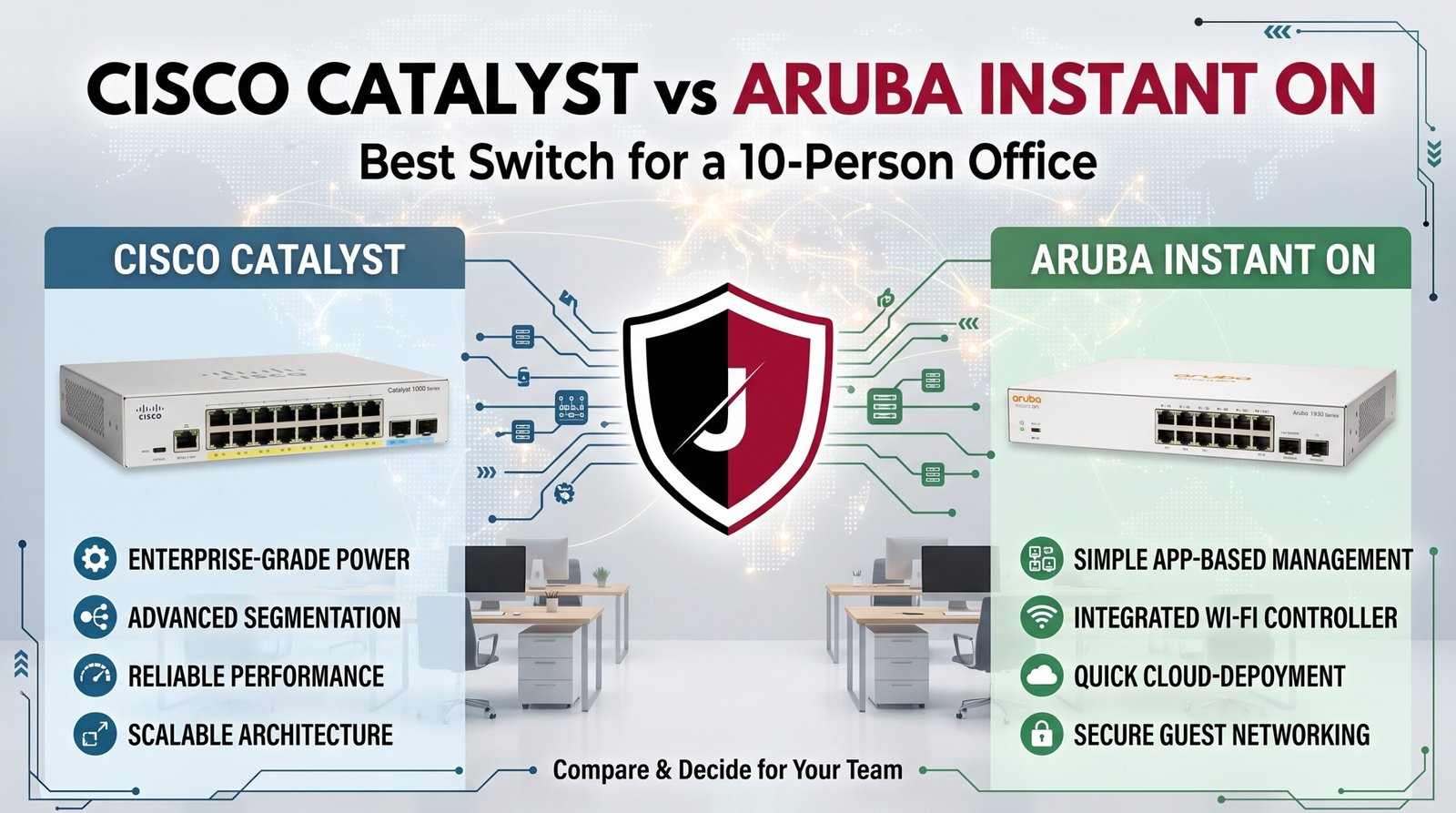
Two Great Brands, One Wrong Choice — Don’t Make It Without Reading This
The Cisco Catalyst vs Aruba debate trips up every small office buyer who actually wants the right answer instead of the most popular one.
You need a managed switch for a 10-person office. You’ve already narrowed it to two names everyone in IT respects: Cisco and Aruba. Now you’re staring at product pages with overlapping specs, different management platforms, and price gaps that don’t obviously explain themselves.
The Cisco Catalyst vs Aruba Instant On matchup isn’t actually that complicated once you understand what each platform was built to do. Cisco Catalyst was born in enterprise data centers. Aruba Instant On was built specifically for exactly your use case — a small, lightly-staffed office that needs professional gear without a full-time IT team to run it.
This guide breaks down every real difference — management, performance, VLAN support, PoE, price, and support — so you can make the call with confidence and stop second-guessing.
Table of Contents
The Scale of Small Office Switch Decisions in 2026
The managed switch market for small businesses is growing fast as more offices ditch unmanaged consumer gear and invest in infrastructure that actually gives them traffic control, VLAN segmentation, and PoE for wireless access points and IP phones.
For offices under 20 people, the decision almost always comes down to Cisco or Aruba — two brands that dominate the managed switch space with proven hardware but very different management experiences.
⚠️ ALERT: According to CISA’s small business network guidance (opens in new tab), unmanaged switches remain one of the biggest security blind spots in small offices — no VLAN support means zero traffic separation between staff workstations, guest devices, and critical systems.
Cisco Catalyst vs Aruba Instant On: What Each Platform Is Actually Built For
This is the distinction most comparison articles skip. Cisco Catalyst wasn’t designed for a 10-person office — it was designed for enterprise campuses with dedicated network engineers. Aruba Instant On was purpose-built for small and medium businesses where the “IT team” is often one part-time person or a managed service provider checking in remotely.
CISCO CATALYST
Purpose:     Enterprise campus / large deployments
Management:  Cisco IOS CLI + WebUI (complex)
Ideal user:  Experienced network admin
Strength:    Deep feature set, advanced routing

ARUBA INSTANT ON
Purpose:     Small & medium business
Management:  App + cloud portal (simple)
Ideal user:  Non-specialist owner/SMB IT
Strength:    Fast setup, clean UX, good value
Neither is better in absolute terms. The right choice depends on whether your office has someone who speaks Cisco IOS — or whether you need something a non-network engineer can troubleshoot at 8pm on a Friday.
🔴 WARNING: Buying Cisco Catalyst for a 10-person office without a qualified administrator is one of the most common small-business networking mistakes. Complex CLI-based management means misconfigurations that silently break VLANs or expose internal traffic go undetected for months.
Management Interface: Where the Two Platforms Diverge Most
Aruba Instant On’s management app is genuinely one of the cleanest in the business. You configure VLANs, PoE port priorities, port schedules, and traffic analytics from a mobile app or web portal in minutes. No CLI, no command syntax, no staring at a terminal.
Cisco Catalyst uses IOS-based CLI as the primary tool. The WebUI helps, but if something breaks or you need to make a non-standard change, you’re going to the command line. For a 10-person office with no dedicated IT, that’s a significant operational cost.
⚠️ ALERT: NIST guidelines for small business network security (opens in new tab) consistently flag management complexity as a barrier to proper configuration — a switch that never gets properly configured because it’s too complex offers the same protection as one that’s never touched.
If you want to see current Aruba Instant On and Cisco options side by side, browse our HPE Aruba switch catalog alongside our Cisco networking lineup.
Cisco Catalyst vs Aruba Instant On: Port, PoE, and VLAN Comparison
Here’s how the two platforms stack up at the spec level for a typical 10-person office deployment:
| Feature | Cisco Catalyst (e.g. C1000-8P) | Aruba Instant On (e.g. 1930 8G) |
|---|---|---|
| Port Count | 8-48 | 8-48 |
| PoE Support | Yes (PoE+) | Yes (PoE+) |
| Total PoE Budget | Up to 67W (8P model) | Up to 65W (8G PoE model) |
| VLAN Support | Yes — CLI-configured | Yes — App/portal configured |
| Layer 3 Routing | Some models | Select models |
| Management | IOS CLI + limited WebUI | Full app + cloud portal |
| Stacking | Yes (higher models) | Yes (1960 series) |
| Warranty | Limited Lifetime | Limited Lifetime |
| Starting Price (8-port PoE) | ~$350-$500 | ~$200-$350 |
For a 10-person office, both platforms cover the fundamentals. The real difference is that PoE budget gap at the entry-level and, more significantly, the management platform attached to each.
Performance Under Real Office Load
A 10-person office running VoIP phones, laptops, a NAS, two access points, and a couple of IP cameras puts very modest demand on any managed switch. Both Cisco Catalyst and Aruba Instant On handle that load comfortably at the 1Gbps copper port level.
Where real differences appear is in QoS configuration. Cisco Catalyst gives you extremely granular Quality of Service controls — useful if you’re running a multi-site VoIP deployment or video conferencing systems with strict latency requirements. Aruba Instant On’s QoS is simpler, profile-based, and easier to apply correctly without training.
For most 10-person offices: Aruba Instant On’s QoS is more than enough and far more likely to be configured correctly.
Price vs Value: The Honest Breakdown
Entry-level Aruba Instant On PoE switches run roughly $200-$350 for an 8-port model. Comparable Cisco Catalyst models sit $100-$200 higher at entry, and enterprise-tier Catalyst models can run multiples of that.
The hidden cost in the Cisco Catalyst vs Aruba Instant On calculation is support time. Aruba Instant On’s app-based management means faster setup, faster troubleshooting, and fewer calls to an IT consultant. Over 12 months, the management time savings for a small office often more than offset any hardware price difference.
Security Features for a 10-Person Office
Both platforms support the security features a 10-person office actually needs: VLAN segmentation, port-based access control (802.1X), storm control, and MAC address filtering.
Cisco Catalyst adds more advanced security features like Dynamic ARP Inspection, IP Source Guard, and DHCP Snooping — all valuable in environments with higher threat profiles or compliance requirements (healthcare, legal, financial services). Aruba Instant On supports core versions of these but in a streamlined form.
If your office handles regulated data or has specific compliance requirements, Cisco Catalyst’s deeper security feature set may justify the complexity. For a standard professional services or retail office, Aruba Instant On covers all the bases.
Browse our full network switches catalog if you want to compare current models and pricing across both brands before deciding.
How to Make the Right Call for Your Office
- If you have no dedicated IT admin — choose Aruba Instant On. The app-based management means you won’t leave VLANs misconfigured for months.
- If you have a managed service provider — ask which platform they’re most comfortable supporting; both are common, but their preference matters.
- If you need PoE for 4+ devices — check per-port PoE budgets carefully; both platforms have models that cover a fully loaded small office.
- If you’re in a regulated industry — Cisco Catalyst’s advanced security features (Dynamic ARP Inspection, DHCP Snooping) may be worth the extra complexity.
- If you’re scaling past 20 people in the next two years — Cisco Catalyst’s stacking capability and enterprise ecosystem make long-term expansion easier.
- If budget matters and simplicity wins — Aruba Instant On is the honest answer for a standard 10-person office.
Quick Reference Checklist
[ ] Counted total PoE devices (phones, APs, cameras) before choosing model
[ ] Confirmed IT admin availability for chosen platform
[ ] Checked VLAN requirements against management interface complexity
[ ] Compared per-port PoE budget against actual device draw
[ ] Verified compliance requirements (healthcare, legal, PCI)
[ ] Confirmed MSP preference if using outside IT support
[ ] Left 20% PoE headroom for future device additions
Frequently Asked Questions
Q: Is Aruba Instant On really good enough for a professional office, or is it a step down from Cisco? A: It’s not a step down — it’s a different target. Aruba Instant On is purpose-built for small business environments and performs reliably at that scale. Cisco Catalyst is built for enterprise scale and adds management complexity that small offices rarely need.
Q: Can I mix Cisco Catalyst and Aruba switches on the same network? A: Technically yes — they’re standards-based devices. But management becomes more complex since you’re juggling two completely different platforms and UIs.
Q: Do both switches support VLANs for guest Wi-Fi separation? A: Yes, both support 802.1Q VLANs. Aruba Instant On makes the configuration significantly easier through its app; Cisco Catalyst requires CLI or WebUI configuration.
Q: Which switch is better for VoIP phones in a 10-person office? A: Both handle it well. Aruba Instant On’s simplified QoS profiles are actually easier to apply correctly for VoIP — which matters more than the feature depth if you don’t have a network engineer on staff.
Q: Is the Cisco Catalyst vs Aruba Instant On choice permanent? A: No. Both platforms are standards-based, so migrating to the other later is entirely feasible. Buy the one that matches your current admin capability, not the one you might grow into.
Conclusion
The Cisco Catalyst vs Aruba Instant On decision comes down to one honest question: do you have someone who can configure and maintain enterprise-grade network hardware, or do you need something that runs cleanly without constant expert attention?
For most 10-person offices, Aruba Instant On wins on simplicity, app management, and value. For offices in regulated industries or with complex VoIP and security requirements, Cisco Catalyst earns its premium.
Either way, get off the unmanaged switch. A managed switch with proper VLANs is the single biggest upgrade a small office network can make — and both options here deliver it.
Related Reading
- VLAN for Home Network 2026
- Router Settings You Must Change
- WPA2 vs WPA3: The Real Difference
- Why Small Businesses Close After a Cyberattack
- The Hidden Danger of Public Wi-Fi in 2026

