



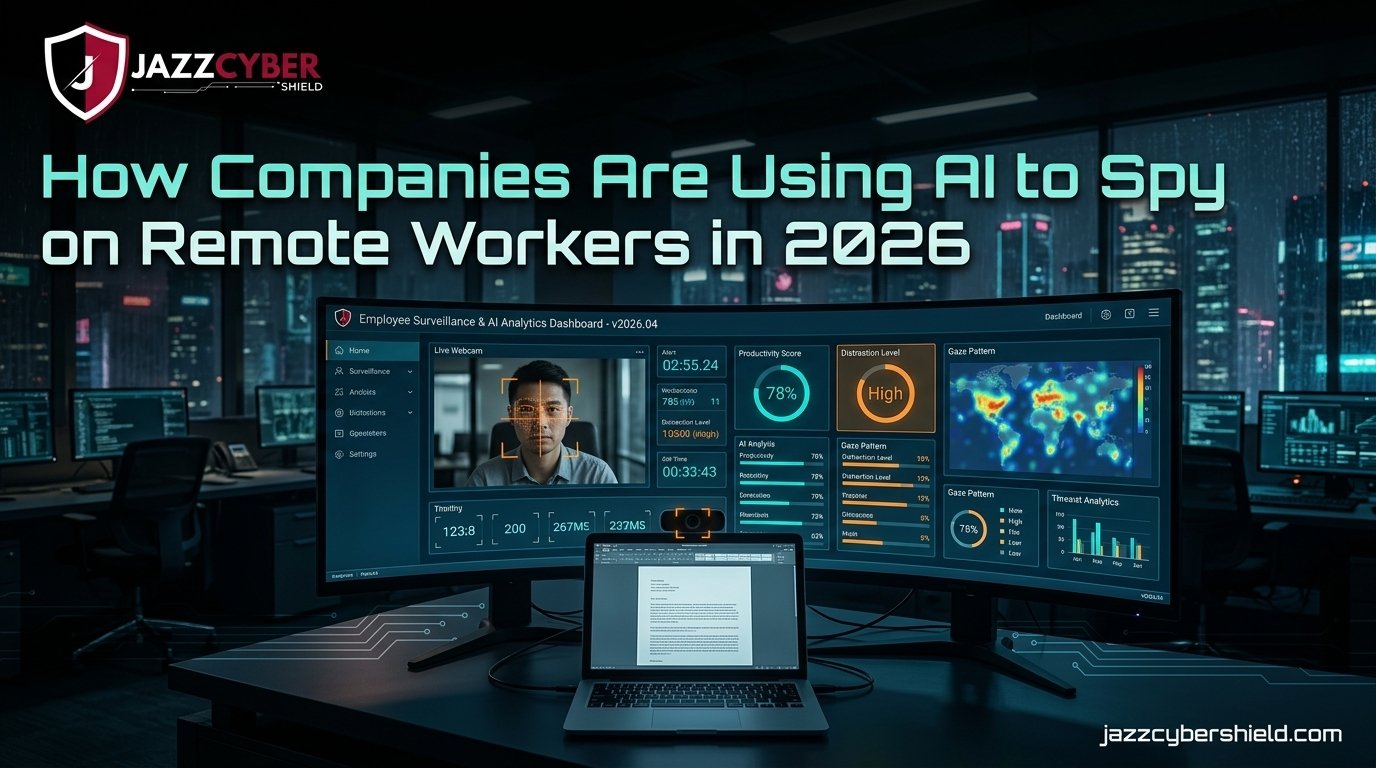
In 2026, AI remote worker monitoring has evolved from simple screen captures to full behavioral surveillance — and most employees have no idea.
Your boss isn’t just checking if you’re online. AI-powered tools are now analyzing your keystrokes, tracking your eye movements, scoring your “productivity,” and even flagging your emotional state during video calls. This isn’t science fiction. This is your Monday morning.
Remote work changed everything in 2020. By 2026, it also quietly handed employers a surveillance toolkit that would have seemed dystopian just five years ago. If you work from home — or manage people who do — you need to understand what’s actually being collected, how it’s being used, and what you can do about it.
Let’s get into it.
Table of Contents
The Scale of AI Remote Worker Monitoring in 2026
This isn’t a fringe trend. It’s mainstream.
A 2025 Gartner report found that 70% of large US employers now use some form of employee monitoring software — up from just 30% in 2019. The pandemic normalized remote work. The return-to-office wars that followed normalized surveillance as a response.
The global employee monitoring software market hit $7.8 billion in 2025 and is projected to reach $15.7 billion by 2030. That’s not a niche product segment. That’s an industry.
⚠️ ALERT: According to research by the Electronic Frontier Foundation, most employees have never been clearly told what monitoring tools their employer uses — even in states with mandatory disclosure laws.
The shift isn’t just about tracking hours anymore. AI remote worker monitoring now includes behavioral analysis, sentiment detection, communication pattern mapping, and real-time productivity scoring. The tools have become sophisticated enough to flag “suspicious” activity before a manager even reviews it.
And the kicker? Most employee handbooks mention “monitoring” in a single vague paragraph — usually buried on page 14.
How AI Remote Worker Monitoring Actually Works
Understanding the technology helps you understand the threat.
Traditional monitoring was blunt: screenshot every 5 minutes, log websites visited, record hours logged in. That was version 1.0. What companies are running in 2026 is version 5.0.
Modern AI monitoring layers multiple data streams and runs them through machine learning models trained to detect “low productivity,” “disengagement,” or “flight risk” behaviors.
┌─────────────────────────────────────────────────┐
│         AI REMOTE WORKER MONITORING STACK        │
├─────────────────────────────────────────────────┤
│  INPUT LAYER                                    │
│  ├── Keystroke logging                          │
│  ├── Mouse movement patterns                    │
│  ├── Screen recording (continuous or triggered) │
│  ├── Webcam activity (eye tracking, face pos.)  │
│  ├── Application usage + time                   │
│  ├── Email/Slack/Teams metadata                 │
│  └── Calendar + meeting attendance              │
├─────────────────────────────────────────────────┤
│  AI PROCESSING LAYER                            │
│  ├── Behavioral baseline modeling               │
│  ├── Anomaly detection algorithms               │
│  ├── Sentiment analysis (communications)        │
│  ├── "Productivity" scoring engine              │
│  └── Predictive risk flagging                   │
├─────────────────────────────────────────────────┤
│  OUTPUT LAYER                                   │
│  ├── Manager dashboards (real-time)             │
│  ├── HR alert notifications                     │
│  ├── Automated performance flags                │
│  └── Termination recommendation reports         │
└─────────────────────────────────────────────────┘
The AI doesn’t just collect — it interprets. It compares your behavior against a “normal” baseline it builds from your own history and from aggregate patterns across thousands of workers.
Step away from your keyboard for 20 minutes? Flagged. Open YouTube for 8 minutes during your lunch break? Logged. Your email response time drops 40% on Fridays? That’s in your behavioral file.
🔴 WARNING: Many AI monitoring platforms use “always-on” webcam analysis that doesn’t require a separate camera app to be open. It can run silently through browser permissions or bundled software installed on company devices.
The Tools Companies Are Deploying Right Now
You should know the names. These aren’t secret products.
| Tool | Key Features | Used By |
|---|---|---|
| Teramind | Keystroke logging, screen recording, behavior analytics, insider threat detection | Enterprise, financial services |
| Hubstaff | GPS tracking, screenshots, activity levels, time tracking | SMBs, remote-first teams |
| Veriato | Email/chat monitoring, AI behavior scoring, DLP | Corporate, legal, healthcare |
| ActivTrak | Productivity analytics, app usage, “wellness” scoring | Mid-market, HR departments |
| Microsoft Viva Insights | Meeting analytics, collaboration patterns, “focus time” | Microsoft 365 shops |
| Aware | Real-time Slack/Teams sentiment analysis, risk flagging | Large enterprises |
Microsoft Viva Insights deserves special attention. Because it’s bundled directly into Microsoft 365, millions of employees are being analyzed through a tool they never knowingly installed. It monitors communication patterns, meeting participation, and “after-hours collaboration” — all feeding into a productivity dashboard their manager can access.
If your company uses Microsoft 365, there’s a high probability this is already running on your account.
Your network is also a surveillance layer. Tools monitoring DNS queries, bandwidth usage, and application traffic give IT departments visibility into every website you visit — even in a browser that’s not managed. If you’re using a company VPN on a personal device, that traffic is visible to your employer.
For businesses serious about network security and segmentation, enterprise-grade firewalls are the first layer of real network visibility — and the same technology that protects against external attackers is used internally to monitor what endpoints are doing.
What Data Is Actually Being Collected
This is the part most people underestimate.
It’s not just “they can see your screen.” The data collection in 2026 goes significantly deeper, and it’s being stored for longer periods than most employees would find comfortable.
Communication content and metadata: Most platforms separate “metadata” (who you contacted, when, how often) from “content” (what you actually said). But AI tools increasingly analyze both. Sentiment analysis on your Slack messages can score whether you seem “disengaged,” “frustrated,” or “enthusiastic” — and that score goes into your permanent behavioral record.
Biometric and behavioral data: Eye-tracking software can tell if you’re looking at your screen or away. Some webcam monitoring tools measure micro-expressions during video calls to detect stress or deception. Keystroke dynamics — the timing and pressure of how you type — can uniquely identify you and detect emotional states.
Location data: Even remote workers are tracked. Mobile device management (MDM) software logs GPS coordinates when company apps are open on personal phones. VPN connections timestamp your connection location. Calendar integrations flag when you’re “away” versus when you claimed to be working.
⚠️ ALERT: Under current US federal law, employers have broad rights to monitor activity on company-owned devices and networks. There is no comprehensive federal employee privacy law equivalent to GDPR. Your state matters — California, Connecticut, Delaware, and New York have the strongest protections.
The retention problem: Behavioral data collected today may be used months or years later in performance reviews, termination decisions, or legal proceedings. Many employees don’t know that a productivity score from six months ago influenced why they weren’t promoted.
Is This Legal? What US and Global Laws Say
Here’s the uncomfortable truth: in most of the US, most of this is legal.
The Electronic Communications Privacy Act (ECPA) allows employers to monitor communications on company-owned systems. The Computer Fraud and Abuse Act doesn’t restrict employers from accessing systems they own. Most states follow an “at-will” employment model that gives employers broad discretion.
Where the law gets more protective:
- California (CCPA + Labor Code Section 980) — employers cannot demand access to personal social media and must provide notice of electronic monitoring
- Connecticut (PA 98-142) — requires prior written notice before monitoring electronic transmissions
- New York (Civil Rights Law § 52-c, effective 2022) — requires employers to notify employees before monitoring email, internet, and telephone communications
- Delaware — requires written notice of computer monitoring
International picture:
Workers in the EU have significantly stronger protections under GDPR. Employers must demonstrate a legitimate purpose, use proportional methods, and inform employees clearly. Several GDPR enforcement actions have resulted in major fines against companies using invasive monitoring tools.
For current federal guidance on workplace privacy, the NIST Privacy Framework (opens in new tab) provides the most up-to-date federal standards for handling employee data. CISA also publishes insider threat guidance (opens in new tab) that covers the employer perspective.
The legal landscape is shifting. But until federal privacy legislation catches up, most US remote workers are working with limited protection.
How to Tell If Your Employer Is Monitoring You
You may already be monitored. Here’s how to look for signs.
Check your installed software: On a company device, look through your installed applications. Names like Teramind, Hubstaff, ActivTrak, DeskTime, Veriato, or WorkPuls are obvious. But monitoring tools are often white-labeled or bundled under generic names like “Company Security Agent” or “IT Management Suite.”
Review your employment contract and handbook: Look for any section on “monitoring,” “electronic communications,” “network security,” or “acceptable use.” If your company is doing this correctly (legally), they’ve disclosed it somewhere. Vague language that says “the company may monitor systems” is still disclosure.
Check browser extensions and app permissions: If you’re required to use a company browser profile or install specific extensions, those can track browsing behavior across all sites. Review what permissions those extensions have requested.
Watch your network traffic: On a company device, you can’t easily hide from network-level monitoring. On a personal device connected to a company VPN, assume all traffic is visible. Using a personal hotspot for personal activities is the cleanest separation.
Ask HR directly: In states with mandatory disclosure (NY, CT, DE, and others), your employer is legally required to tell you what’s being monitored. You can ask HR or your legal department for the monitoring policy in writing.
Protecting the network layer matters for businesses too. Segmenting corporate traffic from personal traffic with the right network switches and firewall policies is how IT departments build compliant, auditable monitoring setups — without creating legal liability.
How to Protect Your Privacy Without Getting Fired
You have more options than you think. The key is working within your rights, not around your employer.
- Separate your devices. Never use a company device for personal activities. Never use personal accounts on a company device. This is the single most important boundary you can draw.
- Use a personal hotspot for personal browsing. When you want to browse personally during a break, use your phone’s cellular data — not your home WiFi that may be monitored through a company VPN.
- Read your employment agreement. Know exactly what you agreed to. Some monitoring clauses are opt-in. Some are buried. Knowing what you signed is step one.
- Understand your state’s disclosure rights. If you’re in New York, Connecticut, Delaware, or California, you have legal rights to know what monitoring is in place. Use them.
- Use personal email for personal communication. Never use company Slack, email, or Teams for personal matters. Those communications are company property.
- Document your actual work output. If you’re being scored by AI productivity tools, your best defense is a documented record of completed deliverables. Output-based evidence is more defensible than activity-based scores.
- Talk to your IT or HR department. Ask for the acceptable use policy and the monitoring policy in writing. Legitimate employers should have these readily available. If they don’t — that tells you something.
- Consult an employment attorney if you’re in a sensitive situation. If you’ve been disciplined based on monitoring data you weren’t told about, an employment attorney can evaluate whether disclosure laws were violated.
For deeper reading on network-level privacy and what your home network reveals, see our guide on VLAN segmentation for home networks — especially relevant if you’re routing work and personal traffic over the same connection.
Also relevant: the router settings you must change to lock down your home network before connecting any company device to it.
Quick Reference Checklist
REMOTE WORKER PRIVACY CHECKLIST — 2026

DEVICE SEPARATION
[ ] Company device used ONLY for work activities
[ ] Personal device NEVER connected to company VPN for personal browsing
[ ] Personal hotspot used for personal browsing during work hours

KNOW YOUR RIGHTS
[ ] Employment contract reviewed for monitoring clauses
[ ] Company acceptable use policy obtained in writing
[ ] State-specific disclosure laws checked (NY, CA, CT, DE)
[ ] HR contacted for monitoring policy documentation

ACCOUNT HYGIENE
[ ] Personal email NOT used on company devices
[ ] Personal social media NOT accessed from work accounts
[ ] Company Slack/Teams NOT used for personal conversations
[ ] Browser profiles separated (personal vs. work)

NETWORK SECURITY
[ ] Home router firmware updated
[ ] WPA3 encryption enabled if available
[ ] Work and personal devices on separate VLANs if possible
[ ] Company VPN disconnected when not working

DOCUMENTATION
[ ] Work outputs logged and documented regularly
[ ] Project completions tracked with timestamps
[ ] Communications with manager archived appropriately
Frequently Asked Questions
Q: Can my employer monitor me on my personal laptop if I’m working from home? A: Generally, no — unless you’ve installed company software (MDM, VPN clients, or monitoring agents) on that device. Once you install company software, you’ve given them visibility into that device. Some companies require this as a condition of employment. Read your IT onboarding documentation carefully.
Q: Is AI remote worker monitoring the same as traditional employee monitoring? A: No — and the difference matters. Traditional monitoring was largely passive: logs you could review after the fact. AI remote worker monitoring is active and predictive. It scores your behavior in real time, flags anomalies automatically, and can trigger HR alerts without a human ever reviewing the underlying data. The AI becomes the decision-maker.
Q: Does working for a small company mean less monitoring? A: Not necessarily. Small businesses increasingly use affordable SaaS monitoring tools. In some cases, small company monitoring is less regulated than enterprise monitoring because there’s no formal HR compliance function checking whether disclosure requirements are met.
Q: What should I do if I think I was disciplined based on AI monitoring data I wasn’t told about? A: In states with mandatory disclosure laws, you may have legal recourse. Document everything — the discipline, the timeline, and any communications about it. Consult an employment attorney. The IBM Security report on data privacy and employee rights (opens in new tab) also outlines relevant frameworks for assessing whether your employer’s practices meet basic transparency standards.
Q: Can AI monitoring tools see my personal files on a company device? A: Yes, most enterprise monitoring software has access to the full filesystem of a company-managed device. This includes personal files you’ve saved locally. This is another reason to keep company devices strictly for work — never store personal documents, photos, or files on a company machine.
Conclusion
AI remote worker monitoring in 2026 is not a future risk. It’s a current reality for tens of millions of US workers. The tools are sophisticated, the data collection is deep, and the legal protections in most US states are still catching up.
The good news: you’re not powerless. Clear device boundaries, knowledge of your state’s disclosure laws, documented work output, and a frank conversation with HR can all materially reduce your exposure.
Understanding the technology is the first step. You can’t protect yourself from something you don’t know is happening.
The companies deploying these tools will tell you it’s about productivity and security. Sometimes it is. But the same tools that catch the employee slacking off also catch the whistleblower, the union organizer, and the person quietly job-searching after a bad performance review.
Know what’s running on your machine. Know your rights. And build your privacy habits before you need them.
Related Reading
- Hidden Dangers of Public WiFi in 2026 — What happens to your work traffic on untrusted networks
- VLAN Segmentation for Your Home Network — Keep work and personal traffic isolated
- Router Settings You Must Change Right Now — Lock down your home network before connecting work devices
- WPA2 vs WPA3: What’s the Real Difference? — Encryption basics every remote worker should understand
- Why Small Businesses Close After a Cyberattack — The downstream risk of inadequate network controls

