



Last updated: October 4, 2026
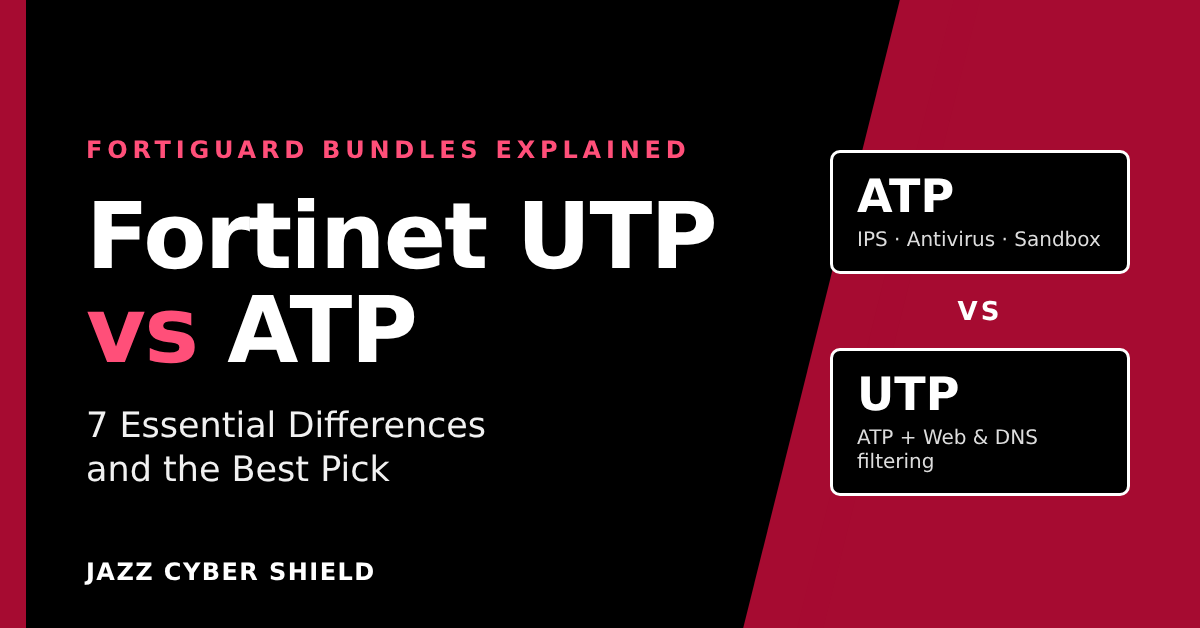
Fortinet UTP vs ATP comes down to web security. Both FortiGuard bundles include IPS, antivirus, cloud sandboxing, application control and FortiCare Premium support. Unified Threat Protection (UTP) adds URL filtering, DNS filtering, video filtering and anti-botnet/C2 protection. Advanced Threat Protection (ATP) leaves those out, so it only suits sites that already filter web traffic somewhere else.
Jazz Cyber Shield is a US-based reseller of networking and cybersecurity hardware, and the bundle line is the part of a FortiGate quote that is easiest to get wrong. This guide to Fortinet UTP vs ATP links every factual claim to Fortinet’s own documentation, so you can check it yourself.
Key takeaways
- The Fortinet UTP vs ATP gap is four services: URL filtering, DNS filtering, video filtering and anti-botnet/C2.
- Both bundles include IPS, antivirus, FortiSandbox SaaS, application control, inline CASB and FortiCare Premium support.
- On a quote, SKU code 928 means ATP, 950 means UTP and 809 means Enterprise.
- If a UTP licence lapses, category web filtering drops all web traffic by default.
- On 2 GB RAM models such as the FortiGate 40F and 60F, video filtering and inline CASB are not supported from FortiOS 7.4.4.
Table of contents
- Fortinet UTP vs ATP: what is the actual difference?
- What are the 7 differences that matter?
- Which bundle should your office choose?
- What happens when a FortiGuard bundle expires?
- Does the bundle change which FortiGate you should buy?
- How do you read Fortinet bundle SKUs on a quote?
- What mistakes do buyers make with FortiGuard bundles?
- How do you choose a bundle in 5 steps?
- Fortinet UTP vs ATP: frequently asked questions
- Where can you get a FortiGate with the right bundle?
Fortinet UTP vs ATP: What Is the Actual Difference?
UTP is ATP plus web and DNS security. Fortinet’s own ordering guide calls ATP “a powerful first line of defense” and positions UTP as the bundle “for essential web/network defense”.
Fortinet currently sells three FortiGuard bundles for FortiGate firewalls: Advanced Threat Protection, Unified Threat Protection and Enterprise Protection. Each tier contains the one below it. The table shows what Fortinet lists in each bundle on its FortiGuard security bundles page.
| FortiGuard service | ATP | UTP | Enterprise |
|---|---|---|---|
| Intrusion prevention (IPS) | Yes | Yes | Yes |
| Antivirus | Yes | Yes | Yes |
| FortiSandbox SaaS (cloud sandbox) | Yes | Yes | Yes |
| Application control | Yes | Yes | Yes |
| Inline CASB | Yes | Yes | Yes |
| URL filtering | No | Yes | Yes |
| DNS filtering | No | Yes | Yes |
| Video filtering | No | Yes | Yes |
| Anti-botnet and C2 service | No | Yes | Yes |
| Data loss prevention (DLP) | No | No | Yes |
| AI-based inline malware prevention | No | No | Yes |
| IoT detection and vulnerability correlation | No | No | Yes |
| Attack surface monitoring and risk scoring | No | No | Yes |
Source: Fortinet’s bundles page and ordering guide, checked October 4, 2026.
What does the ATP bundle include?
ATP covers threats that arrive as network attacks or files. Fortinet lists its contents as “IPS, antivirus, FortiSandbox SaaS, application control, and inline CASB”, and says it protects “your core network and file-based threats”.
Fortinet is equally clear about what ATP leaves out: URL and DNS filtering, anti-botnet, DLP, inline malware prevention, IoT security and attack surface monitoring. An ATP-only FortiGate inspects traffic for exploits and malware, but it does not control which websites staff can reach.
What does the UTP bundle add?
UTP adds the web layer. Fortinet describes it as “everything in ATP” plus URL and DNS filtering, video filtering, and anti-botnet/C2 communication services. Its stated purpose is to “protect against the rising tide of web-based threats, intrusions, and malware”.
That is why the Fortinet UTP vs ATP question is really a question about web filtering. If the firewall is your only control over where users browse, UTP is the bundle that provides it.
Where does Enterprise Protection fit?
Enterprise Protection sits above UTP. It adds DLP, attack surface monitoring and risk scoring, AI-based inline malware prevention, and IoT detection and vulnerability correlation.
Fortinet’s next-generation firewall ordering guide recommends the Enterprise bundle. That is the vendor’s view. For most small offices the realistic decision is still Fortinet UTP vs ATP, with Enterprise considered when data-loss rules or unmanaged IoT devices are a specific concern.
What Are the 7 Differences That Matter?
Four differences are services you gain with UTP, and three are practical: how each bundle is sold, how it behaves at expiry, and what runs on a small FortiGate. Together they settle most Fortinet UTP vs ATP decisions.
1. URL filtering
UTP includes FortiGuard URL filtering; ATP does not. This is the category-based control that blocks groups of sites, such as malicious or phishing content. It is the largest single item in the Fortinet UTP vs ATP gap.
2. DNS filtering
UTP includes DNS filtering; ATP does not. DNS filtering checks the domain a device is trying to resolve before a connection is made. For offices with guest Wi-Fi or unmanaged devices, this alone can decide Fortinet UTP vs ATP.
3. Video filtering
UTP includes video filtering; ATP does not. This matters mainly to schools and libraries. There is a model caveat, covered in difference 7.
4. Anti-botnet and C2 protection
UTP includes Fortinet’s anti-botnet and command-and-control (C2) communication service; ATP does not. Fortinet groups it with web and DNS security. It targets the moment an infected device tries to reach its controller.
5. How each bundle is sold
In Fortinet’s ordering guides, the hardware-plus-bundle SKUs shown are UTP and Enterprise, while ATP appears as a service bundle SKU. An ATP quote may therefore list the appliance and the subscription as separate lines.
This affects price comparisons. When you weigh Fortinet UTP vs ATP on cost, make sure both quotes cover the same hardware, the same term and the same support level.
6. What happens on expiry day
Expiry is where Fortinet UTP vs ATP differ most in day-to-day risk. ATP services go stale quietly, while a lapsed UTP licence can stop web browsing. Fortinet’s guidance says that when the web filter licence expires, “by default, all web traffic is dropped”.
7. What runs on a 2 GB RAM FortiGate
Some bundle features do not run on entry-level hardware. From FortiOS 7.4.4, Fortinet removed proxy-related features from FortiGate and FortiWiFi 40F, 60E, 60F, 80E and 90E series models with 2 GB of RAM. The list includes Video Filter and Inline CASB.
So on a FortiGate 40F or 60F running current firmware, video filtering is not available. URL filtering, DNS filtering and anti-botnet remain the reasons to choose UTP on those models.
Which Bundle Should Your Office Choose?
The short Fortinet UTP vs ATP rule: choose UTP if the FortiGate is the only thing controlling web access, and choose ATP only if another product already does that job. The table maps common situations to a starting point.
| Your situation | Start with | Reason |
|---|---|---|
| Single office where the FortiGate is the only edge security control | UTP | Nothing else provides URL and DNS filtering. |
| Company with a cloud web or DNS security service on every device | ATP | Web filtering is already handled elsewhere. |
| Internal firewall between VLANs or in front of servers | ATP | IPS and malware inspection matter more than web categories. |
| Business with data-handling rules or many unmanaged IoT devices | Enterprise | DLP and IoT detection are only in Enterprise. |
Fortinet UTP vs ATP for a 20-person office
For a typical 20-person office, UTP is the safer pick. Small offices rarely run a separate secure web gateway, so the firewall is the only place web policy can live.
In that setup, ATP would inspect downloads and block exploits. It would not block a phishing site by category, because Fortinet lists “critical web/DNS security” among the things ATP does not include.
If you are still choosing hardware, our FortiGate buying guide for 2026 compares the models, and the Fortinet firewalls category shows the current range.
When is ATP the right call?
ATP makes sense when web filtering is already solved. Three situations are common:
- A cloud security service runs on every endpoint. URL filtering on the firewall would duplicate it.
- The FortiGate is not at the internet edge. A firewall in front of a server VLAN sees little web browsing.
- The alternative is no subscription at all. ATP keeps IPS and antivirus signatures current.
Be honest about the first case. A filtering agent on company laptops does nothing for guest devices, cameras or the smart TV in the meeting room. If those share the network, the Fortinet UTP vs ATP balance tips back toward UTP.
What Happens When a FortiGuard Bundle Expires?
The firewall keeps running, but protection goes stale and web filtering can block browsing. Fortinet documents the behavior service by service in its technical tip on FortiGate behavior when FortiGuard licenses are expired.
| Service | Bundle | Behavior after expiry (per Fortinet) |
|---|---|---|
| Antivirus and IPS | Both | The engines stay functional, but new signatures are not downloaded. |
| Application control | Both | The engine stays functional, but new application definitions are not downloaded. |
| Web (URL) filtering | UTP only | Category filtering stops and, by default, all web traffic is dropped. Static URL filters keep working. |
| DNS filtering | UTP only | Online category lookups stop. Static domain filters keep working. |
The web filtering row is the one that surprises people. A UTP customer who misses a renewal can find that browsing stops for every policy using category-based web filtering.
Fortinet notes one setting that changes this. If allowing website requests when a rating error occurs is enabled, web traffic passes through without filtering instead of being dropped.
A second consequence applies to both bundles. According to Fortinet’s technical tip on firmware upgrade licensing, from FortiOS 7.4.2 an active licence is needed to upgrade firmware.
The lesson for any Fortinet UTP vs ATP buyer is simple: put the renewal date in a calendar the day the unit is registered.
Does the Bundle Change Which FortiGate You Should Buy?
The Fortinet UTP vs ATP choice does not change the hardware, but it changes which throughput figure you should size against. The more inspection you turn on, the lower the usable speed.
Firewall throughput is the raw figure with no inspection. Threat Protection throughput is the figure with security inspection running, and it is the one to compare with your internet speed. Fortinet’s next-generation firewall ordering guide shows how large the gap is.
| Model | Firewall throughput | Threat Protection throughput |
|---|---|---|
| FortiGate 50G | 5 Gbps | 1.1 Gbps |
| FortiGate 70G | 10 Gbps | 1.3 Gbps |
| FortiGate 90G | 28 Gbps | 2.2 Gbps |
Source: Fortinet NGFW/Perimeter Firewalls ordering guide, reference PFW-OG-R29-20260828.
Two sizing rules follow from this:
- Size on Threat Protection throughput. A FortiGate 70G is a 10 Gbps firewall on paper and a 1.3 Gbps firewall once inspection is enabled. Match the lower number to your internet circuit.
- Check feature support on the exact model. Fortinet’s ordering guide footnotes state that Inline CASB is not available on the 40F, 60E, 60F, 80E and 90E series from FortiOS 7.4.4, and not available on the FortiGate 30G and 50G series in any build.
Inline CASB is listed in both bundles, so this does not change the Fortinet UTP vs ATP comparison. It does show that the bundle list and the model’s capabilities are separate things to verify.
Fortinet explains the change in its note on proxy-related features no longer supported on 2 GB RAM models. If you are comparing brands at this size, our SonicWall vs FortiGate comparison covers the alternatives.
How Do You Read Fortinet Bundle SKUs on a Quote?
On a Fortinet UTP vs ATP quote, the three-digit code in the middle of the SKU tells you the bundle: 928 is ATP, 950 is UTP and 809 is Enterprise. Fortinet’s FortiGuard bundles ordering guide uses the FortiGate 60F as its worked example.
| What it is | Example SKU | Code |
|---|---|---|
| Hardware plus UTP bundle | FG-60F-BDL-950-DD | 950 |
| Hardware plus Enterprise bundle | FG-60F-BDL-809-DD | 809 |
| UTP service bundle | FC-10-0060F-950-02-DD | 950 |
| ATP service bundle | FC-10-0060F-928-02-DD | 928 |
| Enterprise service bundle | FC-10-0060F-809-02-DD | 809 |
Source: Fortinet ordering guide, reference FGD-OG-R24-20260504. SKUs are shown exactly as Fortinet prints them.
Two things are worth knowing when you read a quote:
- “BDL” means hardware and subscription together. An
FG-SKU containing BDL is the appliance plus the bundle. AnFC-10-SKU is the subscription on its own. - Services also exist à la carte. The same guide lists separate SKUs for IPS, advanced malware protection and web security. Compare the combined cost with UTP before buying them separately.
Reading the code is the fastest way to check a quote. If you asked about Fortinet UTP vs ATP and the SKU contains 809, you have been quoted Enterprise.
What Mistakes Do Buyers Make With FortiGuard Bundles?
Most Fortinet UTP vs ATP mistakes come from buying on price alone, or from assuming the bundle name describes everything inside it. These are the five to avoid.
- Choosing ATP without a web filtering plan. ATP is a sound bundle, but it has no URL or DNS filtering.
- Assuming UTP includes everything. DLP, inline malware prevention, IoT detection and attack surface monitoring are Enterprise-only. Confirm anti-spam and OT security on your quote as well.
- Buying hardware only. An unlicensed FortiGate gets no new signatures, and from FortiOS 7.4.2 it cannot be upgraded to newer firmware.
- Sizing on firewall throughput. The headline number assumes no inspection. Both bundles turn inspection on.
- Comparing unlike quotes. A fair Fortinet UTP vs ATP price comparison uses the same model, term and support tier on both sides.
How Do You Choose a Bundle in 5 Steps?
To settle Fortinet UTP vs ATP for your own network, work from what you need to block, confirm the model can do it, then compare like-for-like quotes.
- List what must be controlled. Website categories, DNS for guest devices, video, or a data-handling rule.
- Check what you already own. If a cloud service covers only company laptops, treat web filtering as still needed.
- Map needs to a bundle. Web or DNS filtering points to UTP. DLP or IoT detection points to Enterprise. Neither points to ATP.
- Confirm the model supports it. Check the exact model and firmware, and size on Threat Protection throughput.
- Request matching quotes. Ask for the same hardware and term with each bundle, so the price gap is visible in one line.
When you are ready to compare hardware, browse the FortiGate firewalls at Jazz Cyber Shield, or see the wider business firewall range if you are still deciding on a brand.
Fortinet UTP vs ATP: Frequently Asked Questions
Is UTP better than ATP?
In the Fortinet UTP vs ATP comparison, UTP is the larger bundle. It contains everything in ATP plus URL filtering, DNS filtering, video filtering and anti-botnet/C2 services. It is the better choice when the FortiGate is your only web security control.
Does the Fortinet ATP bundle include web filtering?
No. Fortinet lists URL filtering and DNS filtering among the services that are not included in ATP. You would need the UTP bundle, the Enterprise bundle or a separate web security subscription to get FortiGuard category filtering.
Does UTP include DLP or IoT detection?
No. Fortinet lists DLP, AI-based inline malware prevention, IoT detection and attack surface monitoring as not included in UTP. Those services are part of the Enterprise Protection bundle.
What support comes with UTP and ATP?
Both include FortiCare Premium technical support, which Fortinet describes as available 24x7x365. FortiCare Elite is an optional upgrade that Fortinet lists with a 15-minute response target for critical issues, compared with one hour on Premium. Support is the same on both sides of the Fortinet UTP vs ATP comparison.
Can I move from ATP to UTP later?
Fortinet’s ordering guide lists web security as a separate à la carte service. It also describes co-term quotations that align the end dates of new and existing subscriptions. Ask your reseller for a co-term quote so everything expires on the same day.
Will a FortiGate still work if the bundle expires?
The antivirus, IPS and application control engines keep running, but they stop receiving new signatures. Category web filtering drops web traffic by default unless you allow requests when a rating error occurs. From FortiOS 7.4.2, firmware upgrades also require an active licence.
Where Can You Get a FortiGate With the Right Bundle?
For most small and mid-sized offices, the Fortinet UTP vs ATP decision ends with UTP, because web and DNS filtering are too important to leave uncovered.
ATP remains a sensible choice for internal firewalls, and Enterprise is the answer when DLP or IoT visibility is a stated requirement.
Ready to compare models? Browse the full range of Fortinet FortiGate firewalls at Jazz Cyber Shield.
Planning a multi-site rollout, a refresh or a bulk order? Contact Jazz Cyber Shield for a project quote and ask for Fortinet UTP vs ATP pricing side by side on the same hardware and term.
Sources
- Fortinet: FortiGuard AI-powered Security Bundles for FortiGate
- Fortinet: FortiGate Subscriptions and FortiGuard Bundles ordering guide
- Fortinet: NGFW/Perimeter Firewalls ordering guide
- Fortinet Community: FortiGate behavior when FortiGuard licenses are expired
- Fortinet Community: The FortiGate license is needed for firmware upgrade
- Fortinet Docs: Proxy-related features no longer supported on 2 GB RAM models

