



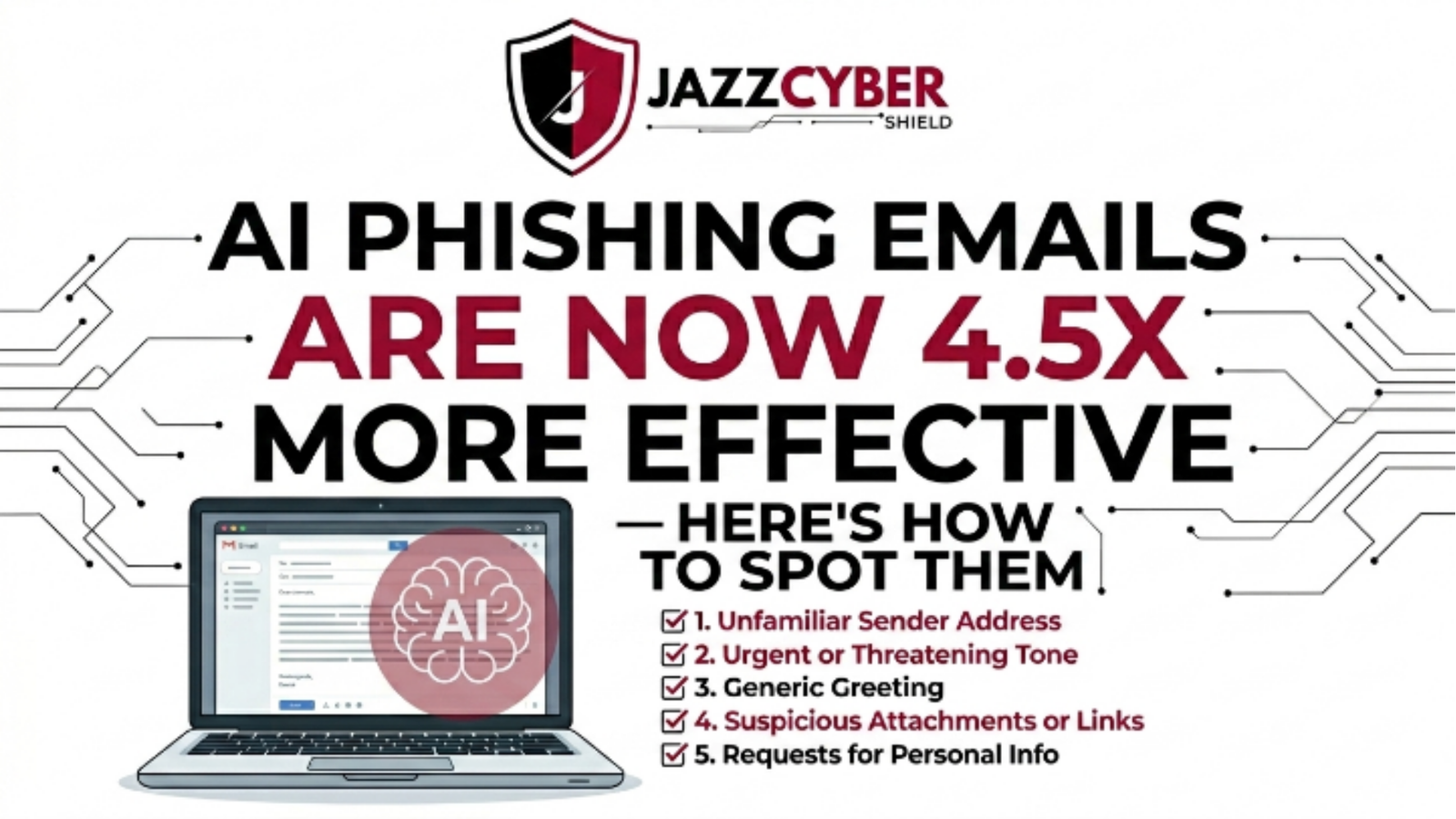
AI phishing emails effectiveness has exploded to a terrifying new benchmark in 2026. Research published by Hoxhunt confirms that AI-generated phishing attacks now outperform human-written lures by 4.5 times in click-through and credential-harvest rates — even against security-trained employees. US businesses lost over $2.9 billion to phishing-related fraud in 2024 alone, according to the FBI’s Internet Crime Complaint Center (IC3). Consequently, every IT professional and business owner in the United States urgently needs to understand how these attacks work, what makes them so dangerously convincing, and — most importantly — exactly how to stop them.
Table of Contents
1. Why AI Phishing Emails Are So Much More Dangerous in 2026
Traditional phishing emails were easy to spot — broken English, generic greetings, obvious urgency triggers, and mismatched sender domains. Furthermore, basic email filters caught most of them before they ever reached an inbox. That era is over.
Today’s AI-generated phishing attacks leverage large language models (LLMs) to craft messages that are grammatically flawless, contextually accurate, emotionally intelligent, and precisely tailored to the recipient’s role, industry, and even recent online activity. Moreover, threat actors now automate the entire attack chain — from OSINT reconnaissance on LinkedIn and company websites to personalized spear-phishing at scale — in minutes, not days.
According to Slashnext’s 2025 State of Phishing Report, AI-powered phishing volumes increased by 1,265% since the public release of advanced LLMs. Additionally, AI attacks now bypass traditional Secure Email Gateways (SEGs) at a 71% higher rate than conventional phishing attempts because they avoid the keyword patterns, grammar red flags, and structural signatures that legacy filters rely on.
2. How AI-Generated Phishing Attacks Actually Work
Understanding the attack pipeline helps you build smarter defenses. Specifically, modern AI-powered phishing campaigns operate in four distinct phases:
Phase 1: Automated OSINT Reconnaissance
The attacker feeds a target’s name, company, job title, and public digital footprint into an AI system. Consequently, the model scrapes LinkedIn profiles, press releases, company blogs, SEC filings, and social media to build a detailed psychological profile — identifying the target’s relationships, recent projects, vendor relationships, and communication style.
Phase 2: Hyper-Personalized Email Generation
The AI then drafts a phishing email that references real, verifiable details — a recent company announcement, a named colleague, a vendor the company actually uses, or a regulation the target must comply with. Additionally, the model adjusts tone, formality, and urgency calibration based on the target’s seniority and communication patterns scraped from public sources.
Phase 3: Domain Spoofing & Infrastructure Deployment
Alongside the email content, attackers deploy lookalike domains (e.g., microsof-t.com or paypal-secure-us.com) registered through privacy-shielded registrars, often using bulletproof hosting outside US jurisdiction.
Phase 4: Multi-Vector Follow-Up
After the initial email, the same AI system sends coordinated follow-ups via SMS (smishing), WhatsApp, or even AI-generated voice calls (vishing) — all referencing the same fake context, making the deception feel multi-dimensional and credible. Consequently, even skeptical employees can be worn down by the consistency and persistence of the campaign.
3. The 10 Warning Signs of an AI Phishing Email
Despite their sophistication, AI phishing emails still carry detectable signals. Additionally, training your team to recognize these patterns provides your strongest human-layer defense:
1. Unusual Sender Domain Proximity The sender address looks almost right — support@microsoft-helpdesk.com instead of support@microsoft.com. Specifically, look at the domain after the @ symbol, not just the display name.
2. Hyper-Specific Personal Details That Feel Off-Context The email references your name, job title, or a recent company event accurately — but the request doesn’t logically connect to that context. Attackers mine public data but often misjudge the emotional or operational relevance.
3. Urgency Paired With Secrecy Legitimate corporate communications rarely ask you to act immediately while keeping the action confidential from colleagues. This combination — especially around wire transfers, credential resets, or vendor payments — is a definitive red flag.
4. Requests That Bypass Normal Processes The email asks you to complete a sensitive task (payment approval, password change, document signing) through an unusual channel or link rather than your company’s established system. Furthermore, it often frames the bypass as time-sensitive.
5. Perfect Grammar From an Unusual Sender Ironically, flawless grammar and polished writing from a sender you’ve never emailed before is now itself a warning sign. Traditional phishing had grammar errors; AI phishing does not.
6. Slightly Off Brand Styling Logos may be slightly stretched, colors marginally wrong, or footer text subtly different from genuine brand communications. Consequently, always compare suspicious emails visually against known-good examples from the same sender.
7. Embedded Links That Don’t Match Hover Text Hover over every link before clicking. Additionally, use a URL reputation checker like VirusTotal to analyze suspicious links without visiting them.
8. Attachment File Types That Don’t Fit the Context A .html attachment from your “bank,” a .iso file from “IT support,” or a macro-enabled .xlsm from an “invoicing system” are all classic delivery mechanisms that AI campaigns still rely on. Moreover, the filenames are now AI-generated to appear mundane and legitimate.
9. Requests for Multifactor Authentication Codes No legitimate service will ever ask you to read back or forward an MFA code via email. Additionally, real-time phishing kits now proxy MFA challenges in seconds, meaning that if you share a code, the attacker uses it before you close the email.
10. Calendar Invite or Shared Document Lures AI campaigns increasingly deliver payloads through Google Calendar invites, fake Dropbox share notifications, or counterfeit SharePoint links — platforms your email filters inherently trust. Therefore, apply the same scrutiny to collaboration-platform notifications as to direct emails.
4. Technical Comparison: Traditional vs. AI-Generated Phishing
| Attack Characteristic | Traditional Phishing | AI-Generated Phishing |
|---|---|---|
| Grammar & Spelling | Poor — frequent errors | Flawless — indistinguishable from legitimate |
| Personalization Level | Generic (Dear Customer) | Hyper-specific (name, role, recent context) |
| Volume per Campaign | Mass blast (millions) | Targeted micro-campaigns (dozens to thousands) |
| OSINT Integration | None or basic | Deep — LinkedIn, SEC filings, social media |
| Domain Spoofing | Simple lookalikes | AI-generated typosquats + valid SSL certificates |
| Bypass Rate vs SEG | 30–45% bypass | 70–85% bypass |
| Multi-Vector Follow-Up | Email only | Email + SMS + voice + social media |
| Time to Deploy | Hours to days | Minutes (fully automated) |
| Success Rate vs Trained Users | ~5–8% | ~22–35% (4.5x increase) |
| Detection by Legacy Filters | Moderate | Very low |
| Cost for Attacker | Low | Near-zero (LLM APIs are cheap) |
5. Deepfake Email Scams: The Next-Level Threat
Deepfake email scams represent the most alarming evolution in AI cyber attacks targeting US organizations in 2026. Furthermore, they combine AI-generated text with synthetic voice and video to create layered deceptions that bypass both technical and human verification.
The most dangerous variant — the AI-powered Business Email Compromise (BEC) — works like this: An attacker clones the voice of a C-suite executive using publicly available audio (earnings calls, conference recordings, YouTube interviews) and sends a phishing email that simultaneously places a spoofed phone call using that voice. Consequently, the target receives a written request and a verbal confirmation that appear to come from the same person at the same moment — and the cognitive dissonance that normally triggers skepticism simply dissolves.
The FBI’s IC3 reports that BEC attacks cost US organizations $2.77 billion in 2023 alone, and AI-enhanced BEC is accelerating that figure sharply in 2025 and 2026. Additionally, the CISA’s 2026 Cybersecurity Advisory explicitly identifies AI-augmented social engineering as one of the top three threats to US critical infrastructure operators.
Key deepfake email indicators to train your team on:
- Executive “emergency” requests for wire transfers or gift card purchases
- Requests to bypass the normal CFO verification process
- Audio or video confirmations that come through unusual channels (WhatsApp, personal email)
- Any financial request that arrives late Friday or immediately before a US federal holiday
6. Phishing Prevention Tips for US IT Teams and Business Owners
Defending against AI phishing emails requires a layered, multi-disciplinary approach. Specifically, no single tool or training program stops a well-executed AI campaign alone.
Technical Controls
- Deploy DMARC, DKIM, and SPF on all company domains — configured to
p=reject, not justp=none. The CISA has issued specific guidance on mandatory email authentication for US federal agencies and contractors under BOD 18-01. - Implement AI-based email security solutions (Microsoft Defender for Office 365 Plan 2, Proofpoint, or Mimecast) that use behavioral AI to detect anomalous sender patterns, not just signature-based rules. Furthermore, ensure your solution provides URL rewriting and time-of-click analysis to catch delayed payload activation.
- Sandbox every attachment before delivery using an isolated detonation environment that executes the file and analyzes its behavior — regardless of file type.
- Enable MFA on all accounts using phishing-resistant methods: FIDO2 hardware security keys or certificate-based authentication. Notably, SMS and TOTP codes are susceptible to real-time proxy attacks; hardware keys are not.
Human Controls
- Run monthly AI phishing simulations using platforms like KnowBe4 or Proofpoint Security Awareness Training — and specifically include AI-personalized lures, not just generic templates.
- Establish a one-click reporting button in your email client so employees can flag suspicious messages immediately without friction. Moreover, provide real-time feedback when an employee correctly identifies a simulated phish — positive reinforcement dramatically improves reporting culture.
- Create a verbal verification protocol for any financial transaction above a defined threshold. Specifically, require employees to confirm wire transfers, vendor payment changes, and credential resets via a known, pre-established phone number — never by replying to the requesting email.
For a complete inventory of free tools your security team can deploy immediately, see our detailed guide on best free network security tools for IT professionals in the USA — which covers email security scanning utilities alongside network-level defenses.
7. US Regulatory Requirements: What the Law Expects You to Do
US regulators are not waiting for businesses to catch up to the AI phishing threat on their own timeline. Consequently, non-compliance with these frameworks now carries direct financial and legal exposure:
FTC Safeguards Rule (16 CFR Part 314)
The FTC’s updated Safeguards Rule — which took full effect in 2023 for non-banking financial institutions — explicitly requires covered entities to implement email phishing controls as part of their written information security program. Additionally, it mandates annual penetration testing and security awareness training that covers social engineering attacks.
HIPAA Security Rule (45 CFR §164.308)
HIPAA’s administrative safeguards require covered entities to implement a security awareness and training program that includes training on malicious software and phishing. Furthermore, a successful phishing attack that results in ePHI exposure triggers mandatory breach notification to HHS and affected individuals within 60 days.
NIST SP 800-177r1 — Trustworthy Email
This NIST publication provides US federal agencies and contractors with detailed technical guidance on email authentication (SPF, DKIM, DMARC), anti-phishing controls, and incident response for email-borne threats. Moreover, CMMC 2.0 Level 2 practice AT.L2-3.2.2 explicitly requires organizations to train users on recognizing and reporting social engineering attempts.
SEC Cybersecurity Disclosure Rule (2023)
The SEC now requires public companies to disclose material cybersecurity incidents — including successful phishing attacks that result in unauthorized access — within four business days of determining materiality. Consequently, a missed phishing email is no longer just an IT problem; it’s a board-level disclosure event.
8. How to Build a Phishing-Resistant Security Culture
Technology alone cannot stop AI phishing emails. Additionally, the most effective defense combines technical controls with a deeply embedded human security culture that makes every employee an active threat sensor.
Make Reporting Psychologically Safe
Employees who fear punishment for clicking a phishing link will hide it — and that silence is catastrophic. Specifically, establish a no-blame reporting culture where the act of clicking and then reporting is celebrated as responsible behavior, not punished as a failure.
Use Metrics That Drive Behavior Change
Track your phishing susceptibility rate (percentage of employees who click simulated phishes), your reporting rate (percentage who report them), and your dwell time (how long between click and IT notification). Furthermore, publish these metrics organization-wide — transparency creates collective accountability and healthy competitive pressure between departments.
Tailor Training to Role-Based Risk
Finance employees, executives, HR staff, and IT administrators face dramatically different phishing scenarios. Consequently, generic “spot the phish” training misses the specific attack patterns each group encounters. Build role-specific modules that present real AI phishing examples from each department’s actual threat landscape.
Run Red Team Exercises Quarterly
Beyond automated simulations, commission quarterly red team exercises where an ethical hacking team attempts a full AI-powered spear-phishing campaign against your executive team. Moreover, debrief the entire organization on results — even when the red team wins. Transparency about how attackers actually breached your defenses (even in a simulation) creates far more durable awareness than abstract training videos.
Our in-depth article on how agentic AI is rewriting cyberattacks in 2026 explains exactly how attackers now combine automated AI agents with phishing campaigns to compress attack timelines from weeks to seconds — essential reading for any US IT security team designing a 2026 defense strategy.
9. Hardware-Level Email Security Defenses That Actually Work
Software-based email security is necessary but not sufficient. Furthermore, hardware-level network defenses add a critical enforcement layer that blocks phishing infrastructure before malicious content ever reaches your email server or endpoint.
Next-Generation Firewalls (NGFWs) With SSL Inspection
Modern AI phishing attacks deliver payloads over encrypted HTTPS connections — specifically because legacy firewalls cannot inspect encrypted traffic and wave it through by default. An NGFW with full SSL/TLS inspection decrypts, analyzes, and re-encrypts outbound and inbound HTTPS traffic, catching malicious payloads that bypass email-layer defenses.
Fortinet’s FortiGate and SonicWall’s TZ and NSsp series both deliver NGFW capabilities with integrated AI-powered threat intelligence feeds that update in real time. Additionally, their DNS filtering features block known phishing domain infrastructure at the DNS resolution level — before a browser or email client ever contacts the malicious server.
🛡️ Upgrade Your Perimeter Defense: Jazz Cyber Shield stocks enterprise-grade Fortinet and SonicWall firewalls — authorized US reseller, ships fast from St. Petersburg, FL. Pair your email security software with hardware-enforced DNS filtering and SSL inspection to stop AI phishing payloads at the network edge.
Managed Network Switches With VLAN Segmentation
Even if a phishing attack successfully installs malware, proper VLAN segmentation limits blast radius dramatically. Specifically, segment your finance systems, HR databases, and executive workstations onto isolated VLANs that require explicit firewall policy approval to communicate across boundaries.
🔌 Shop Enterprise Network Switches: Cisco and HPE Aruba managed switches available at Jazz Cyber Shield support 802.1Q VLAN segmentation, port security, and DHCP snooping — critical controls for limiting lateral movement after a phishing compromise.
FAQ
Q1: Why is AI phishing more dangerous than traditional scams?
AI makes phishing dangerous by using your public data to write perfect, personalized emails. Unlike old scams, these have no typos and use a tone that matches your real coworkers. Because AI can generate thousands of unique versions in seconds, it easily slips past standard spam filters.
Q2: How can I spot a phishing email written by AI?
Since the grammar is perfect, focus on the intent. Be wary of “urgent” requests that ask you to ignore company rules or send money. Always check if the sender’s address looks strange, and if a request feels odd, verify it by calling the person or messaging them on a different app.
Q3: Which US laws require anti-phishing security?
Key regulations include the FTC Safeguards Rule and HIPAA, which mandate security training and multi-factor authentication. Public companies must also follow SEC rules to report major breaches within four days. Failing to have these defenses can result in massive fines or lost business contracts.
Q4: Does MFA still block AI phishing attacks?
Standard MFA like text codes can now be intercepted by AI in real time. To stay safe in 2026, use phishing-resistant MFA like FIDO2 security keys or Passkeys. These are much stronger because they physically link your login to the real website, making it impossible for a fake site to steal your access.
Q5: What should I do if I click a suspicious link?
Immediately turn off your WiFi or unplug your internet cable to stop data theft. Tell your IT team or security lead right away so they can protect the network. Finally, use a different, clean device to update passwords for any accounts that might be at risk.
10. Conclusion
The 4.5x improvement in AI phishing emails effectiveness is not a trend that will plateau — it will continue accelerating as LLMs become cheaper, faster, and more contextually aware. Consequently, US IT professionals and business owners cannot defend against 2026 threats with 2022 tools, training, or mindsets.
Organizations that survive modern threats use layered security tools, promote a strong reporting culture, and continuously test defenses with realistic AI-driven attack simulations instead of basic phishing tests.
Furthermore, US regulatory frameworks — FTC Safeguards, HIPAA, NIST, and the SEC Disclosure Rule — now mandate precisely these controls. Compliance is no longer separate from security; they point to the same solution set.
Start with your email authentication configuration today. Deploy DMARC at p=reject, enable FIDO2 MFA on every privileged account, and run your first AI-personalized phishing simulation this quarter. Additionally, back your software stack with hardware-enforced network controls — because when an AI phishing email gets through your inbox filters, your firewall and switch infrastructure must serve as the final line of defense.
The attackers are running AI. Your defenses need to run faster.

