



Last updated: October 8, 2026
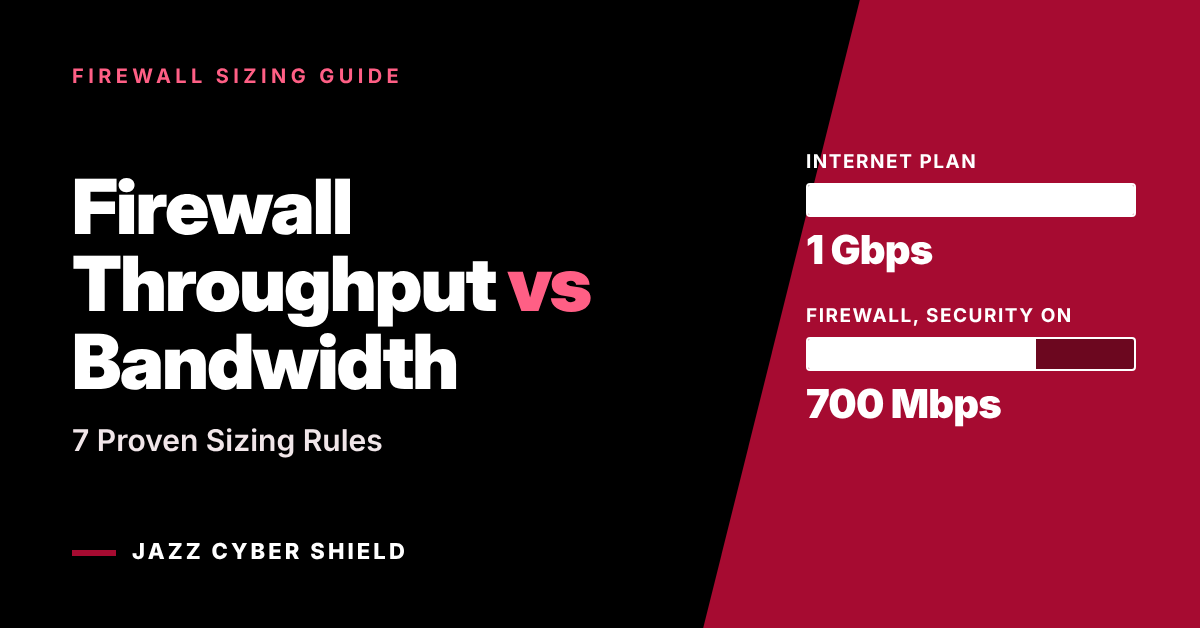
Quick answer: In the firewall throughput vs bandwidth question, bandwidth is the speed your internet provider sells you, and firewall throughput is how fast the firewall can inspect that traffic. Size the firewall so its security-on figure (threat protection, threat prevention or UTM throughput) meets or exceeds your ISP plan, not the much larger headline number.
Key takeaways
- The firewall throughput vs bandwidth rule: match the security-on figure to your ISP plan.
- Fortinet lists the FortiGate 60F at 10 Gbps firewall throughput but 700 Mbps Threat Protection throughput.
- The row to size with is Threat Protection (Fortinet), Threat Prevention (SonicWall) or UTM full scan (WatchGuard).
- HTTPS inspection lowers the figure again: 630 Mbps on the FortiGate 60F.
- Port speed is a hard ceiling: a gigabit WAN port cannot pass a 2 Gbps plan.
Table of contents
- Firewall throughput vs bandwidth: what is the difference?
- Why does a 10 Gbps firewall slow down a 1 Gbps internet line?
- Which throughput number on the datasheet should you trust?
- How big is the firewall throughput vs bandwidth gap on real models?
- 7 proven firewall throughput vs bandwidth sizing rules
- Which firewall fits a 300 Mbps, 1 Gbps or 2 Gbps line?
- How much does HTTPS inspection reduce firewall throughput?
- How do you test throughput after installation?
- Frequently asked questions
- Where can you get a right-sized firewall?
A firewall datasheet can show 10 Gbps on its first line, and the office behind it can still top out well below its 1 Gbps fiber plan. Nothing is broken. The buyer sized against the wrong row of the table. This firewall throughput vs bandwidth guide comes from Jazz Cyber Shield, a US-based reseller of networking and cybersecurity hardware.
Every figure below comes from the published specifications of Fortinet, SonicWall and WatchGuard, linked at the end. Where we add our own arithmetic or a rule of thumb, we say so. If you already know your internet speed, skip to the seven rules, then browse our business firewalls.
Firewall Throughput vs Bandwidth: What Is the Difference?
Bandwidth is the capacity of the internet line you pay for. Firewall throughput is the capacity of the appliance that inspects everything crossing that line. They are two separate limits, and your users feel whichever one is lower.
What is bandwidth?
Bandwidth is the maximum data rate your internet service provider (ISP) delivers, stated as download and upload speeds. A 500/500 fiber plan gives up to 500 Mbps each way. It is set by contract, so it is the fixed side of the equation.
What is firewall throughput?
Firewall throughput is the rate at which the appliance can process traffic. SonicWall defines the basic version as “the rate at which a stateful packet inspection (SPI) firewall can process and inspect network traffic” while it tracks the state of each connection.
The catch is that throughput is not one number. The rate falls as you enable deeper inspection.
Why is firewall throughput vs bandwidth not a like-for-like comparison?
Because bandwidth is a single figure and throughput is a family of figures. The first number on a datasheet is a best-case lab result, not a real-world limit.
A fair firewall throughput vs bandwidth comparison uses the row that matches how you will actually run the device: intrusion prevention on, application control on, malware scanning on and logging on.
Why Does a 10 Gbps Firewall Slow Down a 1 Gbps Internet Line?
Because the 10 Gbps figure is measured with basic stateful filtering only. With security services on, the same hardware inspects far less traffic each second.
The FortiGate 60F is a clear example. Fortinet’s product matrix lists its firewall throughput as 10 Gbps for 1518-byte and 512-byte UDP packets and 6 Gbps for 64-byte packets. The same document lists these figures for the same unit:
- IPS throughput: 1.4 Gbps
- NGFW throughput: 1 Gbps
- Threat Protection throughput: 700 Mbps
- SSL inspection throughput: 630 Mbps
Put that unit on a 1 Gbps fiber line with full protection enabled and the firewall, not the ISP, becomes the ceiling at roughly 700 Mbps. Fortinet adds that all performance values are “up to” and vary with system configuration.
Each service adds work for every packet:
- Stateful firewall: checks addresses, ports and connection state.
- Intrusion prevention (IPS): matches traffic against attack signatures.
- Application control: identifies the application inside the traffic.
- Malware protection: scans files and URLs for malicious content.
- HTTPS inspection: decrypts, inspects and re-encrypts each session.
This ladder is the heart of the firewall throughput vs bandwidth problem. The headline number sits on step one; a protected office runs on step four or five.
Which Throughput Number on the Datasheet Should You Trust?
Trust the number measured with security services switched on. In any firewall throughput vs bandwidth check it is the only row that reflects how the device will run, and each manufacturer gives it a different name.
| Manufacturer | Headline row (do not size with it) | Row to size with | What the manufacturer says is switched on |
|---|---|---|---|
| Fortinet | Firewall Throughput (1518/512/64 byte UDP) | Threat Protection Throughput | Firewall, IPS, application control and malware protection, with logging |
| SonicWall | Firewall Inspection Throughput | Threat Prevention Throughput | IPS, anti-virus, anti-spyware and application control |
| WatchGuard | Firewall throughput | UTM throughput (full scan) | The row its sizing tool matches to your link speed |
Firewall throughput vs bandwidth cheat sheet: size with the third column, whatever the brand.
How does Fortinet label it?
Fortinet calls it Threat Protection throughput, measured with firewall, IPS, application control and malware protection enabled, using Enterprise Mix traffic, with logging on.
A Fortinet staff technical tip explains that Enterprise Mix combines applications with different packet sizes and “closely resembles that used by NSS testing”. See our Fortinet FortiGate firewalls for current models, and our Fortinet UTP vs ATP bundle guide for which licence unlocks which service.
How does SonicWall label it?
SonicWall calls it Threat Prevention throughput: the packet rate with services such as intrusion prevention, anti-virus, anti-spyware and application control turned on.
A SonicWall product management post adds that there is “no one set standard for evaluation” and recommends judging a firewall with all security services enabled. Our SonicWall TZ firewalls page lists the models, and our SonicWall TZ270 vs TZ370 comparison goes deeper on the two smallest.
How does WatchGuard label it?
WatchGuard calls it UTM throughput and marks it “full scan”. Its Firebox sizing tool asks for the number of users (10 to 10,000), the link speed (200 to 36,000 Mbps) and your VPN connections.
The tool states its logic plainly: the Firebox is chosen so that “UTM throughput covers your link”. That is the firewall throughput vs bandwidth rule in a single sentence. Current tabletop models are in our WatchGuard Firebox firewalls category.
How Big Is the Firewall Throughput vs Bandwidth Gap on Real Models?
On current desktop firewalls, the security-on figure is between roughly 7% and 50% of the headline figure. The table below uses each manufacturer’s published numbers; the percentage column is our own arithmetic.
| Model | Headline firewall throughput | Security-on throughput | Security-on as a share of headline |
|---|---|---|---|
| Fortinet FortiGate 40F | 5 Gbps | 600 Mbps (Threat Protection) | 12% |
| Fortinet FortiGate 60F | 10 Gbps | 700 Mbps (Threat Protection) | 7% |
| Fortinet FortiGate 70G | 10 Gbps | 1.3 Gbps (Threat Protection) | 13% |
| Fortinet FortiGate 90G | 28 Gbps | 2.2 Gbps (Threat Protection) | 8% |
| SonicWall TZ270 | 2 Gbps | 750 Mbps (Threat Prevention) | 37.5% |
| SonicWall TZ370 | 3 Gbps | 1 Gbps (Threat Prevention) | 33% |
| SonicWall TZ470 | 3.5 Gbps | 1.5 Gbps (Threat Prevention) | 43% |
| SonicWall TZ570 | 4 Gbps | 2 Gbps (Threat Prevention) | 50% |
| SonicWall TZ670 | 5 Gbps | 2.5 Gbps (Threat Prevention) | 50% |
| WatchGuard Firebox T185 | 7.90 Gbps | 1.83 Gbps (UTM full scan) | 23% |
Fortinet headline figures are for 1518-byte UDP packets. All sources are linked below.
Three cautions before you read too much into this firewall throughput vs bandwidth table:
- Do not compare across brands. Each vendor tests with its own traffic and method.
- A low percentage is not a weakness. Fortinet’s headline figures are very high, so its ratio looks steep.
- Shop with the security-on column. Line it up against your ISP plan and your budget.
7 Proven Firewall Throughput vs Bandwidth Sizing Rules
Use these seven rules in order. They turn the firewall throughput vs bandwidth question into a checklist you can finish with an ISP bill and a datasheet.
Rule 1: Start the firewall throughput vs bandwidth check with the security-on number
Ignore the first line of the performance table. Find Threat Protection (Fortinet), Threat Prevention (SonicWall) or UTM full scan (WatchGuard), and write that figure next to your ISP download speed.
Rule 2: Meet your ISP plan, then add headroom
The security-on figure should at least equal the faster direction of your plan. Our rule of thumb as a reseller is to add 20% to 30% on top, because published values are best-case and internet plans keep getting faster.
In firewall throughput vs bandwidth terms, a 500 Mbps plan points to 600 to 650 Mbps of security-on throughput or more.
Rule 3: Count every internet link
With two ISP links in active load balancing, add the plans together. With a primary link and a standby failover link, size to the faster of the two.
Rule 4: Decide on HTTPS inspection before you buy
If you plan to decrypt encrypted traffic, size to the SSL inspection figure instead. On the FortiGate 60F that is 630 Mbps rather than 700 Mbps. On the FortiGate 40F it is 310 Mbps rather than 600 Mbps.
Rule 5: Check VPN throughput separately
Tunnels have their own row. Fortinet lists 6.5 Gbps of IPsec VPN throughput for the FortiGate 60F, tested with 512-byte packets and AES256-SHA256. SonicWall lists 750 Mbps for the TZ270, and WatchGuard lists up to 2.20 Gbps for the Firebox T185. If a branch sends all traffic through a tunnel, this is the limit that matters.
Rule 6: Match the port speed to the plan
Port speed is the part of firewall throughput vs bandwidth planning that sits in a different table. A gigabit WAN port cannot carry a 2 Gbps plan, however fast the processor behind it is.
SonicWall states that the TZ670, TZ570 and TZ470 support 10/5/2.5G interfaces, while the TZ370 and TZ270 support gigabit interfaces. WatchGuard’s Firebox T145 has one 2.5 GbE port, four 1 GbE ports and one SFP+ port that supports 10 Gbps. Fortinet lists the FortiGate 90G with two 10 GE shared port pairs.
The switch behind the firewall needs matching uplinks, so check our multi-gigabit network switches at the same time.
Rule 7: Check sessions, then compare within one brand
Throughput is speed; concurrent sessions are capacity. Fortinet lists 700,000 concurrent sessions for the FortiGate 60F and 1.5 million for the 70F. SonicWall lists 750,000 maximum connections for the TZ270 and 1.5 million for the TZ670.
A busy office can run out of sessions before throughput. Once both fit, compare models inside one brand first, where the test method is the same.
Which Firewall Fits a 300 Mbps, 1 Gbps or 2 Gbps Line?
A 300 Mbps line suits an entry model, a 1 Gbps line needs a mid-range desktop unit, and a 2 Gbps line also needs multi-gigabit ports. Here is the firewall throughput vs bandwidth math for each, built from published figures rather than customer cases.
Example 1: 300 Mbps cable, 12 people
Target with headroom: about 360 to 390 Mbps. The FortiGate 40F (600 Mbps Threat Protection) and the SonicWall TZ270 (750 Mbps Threat Prevention) both clear it comfortably.
With HTTPS inspection on, the 40F’s 310 Mbps SSL inspection figure leaves no margin. For full decryption, the FortiGate 60F at 630 Mbps is the safer choice.
Example 2: 1 Gbps fiber, 40 people
Target with headroom: 1.2 to 1.3 Gbps. The FortiGate 60F (700 Mbps) falls short, and the SonicWall TZ370 (1 Gbps) matches the line exactly with nothing spare.
Models that clear the target include the FortiGate 70G (1.3 Gbps), the SonicWall TZ470 (1.5 Gbps) and the WatchGuard Firebox T185 (1.83 Gbps UTM full scan). Our FortiGate 60F vs SonicWall TZ370 comparison covers the tier just below.
There is an honest exception. A 40-person office rarely pulls a full gigabit at once, so a 700 Mbps firewall on a 1 Gbps line still works; it caps peak speed at about 700 Mbps. That is a fair firewall throughput vs bandwidth trade-off when it is a decision, not a surprise.
Example 3: 2 Gbps fiber, 120 people
Target with headroom: 2.4 to 2.6 Gbps. The SonicWall TZ570 (2 Gbps) only matches the line, and the FortiGate 90G (2.2 Gbps) covers it with a slim margin. The SonicWall TZ670 (2.5 Gbps) and the FortiGate 120G (2.8 Gbps) clear the target.
At this speed the firewall throughput vs bandwidth check is only half the job. You also need a 2.5 GbE, 5 GbE or 10 GbE WAN port, a matching ISP handoff and a switch uplink faster than one gigabit.
How Much Does HTTPS Inspection Reduce Firewall Throughput?
HTTPS inspection usually lowers throughput again, and the drop depends on the model. The firewall has to decrypt, inspect and re-encrypt each session.
Fortinet publishes a separate SSL inspection row. Its matrix lists 310 Mbps for the FortiGate 40F, 630 Mbps for the 60F and 715 Mbps for the 80F, and notes that the values use an average of HTTPS sessions of different cipher suites.
SonicWall publishes a connection limit too. Its knowledge base lists the maximum connections on which each Gen 7 TZ can perform DPI-SSL inspection:
- TZ270: 25,000 connections
- TZ370: 30,000 connections
- TZ470: 35,000 connections
- TZ570: 50,000 connections
- TZ670: 75,000 connections
If your security policy calls for decryption, treat the HTTPS figure as your real firewall throughput vs bandwidth number and size to it from the start.
How Do You Test Throughput After Installation?
Test on a wired device with the security services enabled, then compare the result with your ISP plan and the datasheet. A quick firewall throughput vs bandwidth test takes five steps:
- Record a baseline. Note the measured speed at the ISP handoff before the firewall goes in.
- Use a wired computer. Wi-Fi adds its own limits and hides the real result.
- Apply the production policy. Keep IPS, application control and malware scanning on.
- Watch the firewall dashboard. If the CPU sits near its limit during the test, the firewall is the bottleneck.
- Read the result. A speed near the ISP baseline means the line is the limit. A speed near the security-on figure means the firewall is.
A speed test is a rough check; SonicWall’s guidance is to confirm requirements with load testing. If switching a security service off is the only way to reach your plan speed, you have made the classic firewall throughput vs bandwidth mistake: the firewall is undersized.
Frequently Asked Questions
Should firewall throughput be higher than my internet bandwidth?
Yes, but only the right figure counts. The security-on figure, such as Threat Protection, Threat Prevention or UTM full scan, should meet or exceed your ISP plan. The headline figure almost always exceeds your bandwidth, and that tells you very little.
Why is my internet slower after installing a firewall?
The usual cause is a firewall throughput vs bandwidth mismatch: the security-on throughput is lower than your ISP plan. Fortinet lists the FortiGate 60F at 700 Mbps of Threat Protection throughput, so it cannot deliver a full 1 Gbps with every service enabled.
What is threat protection throughput?
It is Fortinet’s name for throughput measured with firewall, IPS, application control and malware protection enabled, using Enterprise Mix traffic with logging on. SonicWall’s Threat Prevention and WatchGuard’s UTM full scan figures play the same role.
Does firewall throughput vs bandwidth matter for upload as well as download?
Yes. The firewall inspects traffic in both directions, so the same limit applies to uploads. On symmetrical fiber, heavy uploads and downloads can happen together.
What is a good firewall throughput vs bandwidth ratio?
Aim for security-on throughput of at least 100% of your ISP plan. Our rule of thumb is 120% to 130% when the budget allows. If you plan to decrypt HTTPS traffic, apply the same ratio to the SSL inspection figure.
Can I compare throughput numbers between Fortinet, SonicWall and WatchGuard?
Only loosely. Each manufacturer uses its own test traffic and method, and SonicWall itself notes there is no one set standard for evaluation. Compare models within a brand first, then weigh features and price across brands.
Where Can You Get a Right-Sized Firewall?
Jazz Cyber Shield sells desktop and rack firewalls from Fortinet, SonicWall and WatchGuard. Start with the full firewalls category, choose a brand, and line up each model’s security-on figure against your ISP plan using the seven firewall throughput vs bandwidth rules above.
Need help with a bulk or project order? Send us your ISP speeds, user count and VPN needs, and request a quote. We will work through the firewall throughput vs bandwidth math with you and suggest models that fit, including the licence bundle each one needs. Browse network security firewalls at Jazz Cyber Shield to get started.
Sources
Every firewall throughput vs bandwidth figure in this article comes from these manufacturer pages:
- Fortinet product matrix (September 2026)
- Fortinet technical tip: FortiGate specifications using Enterprise Mix
- SonicWall TZ series specifications
- SonicWall blog: Why Firewall Throughput Numbers Don’t Tell the Whole Story
- SonicWall knowledge base: maximum DPI-SSL connections and TZ Gen 7 FAQ
- WatchGuard Firebox sizing tool
- WatchGuard: Firebox T185 announcement and Firebox T145 hardware guide

