



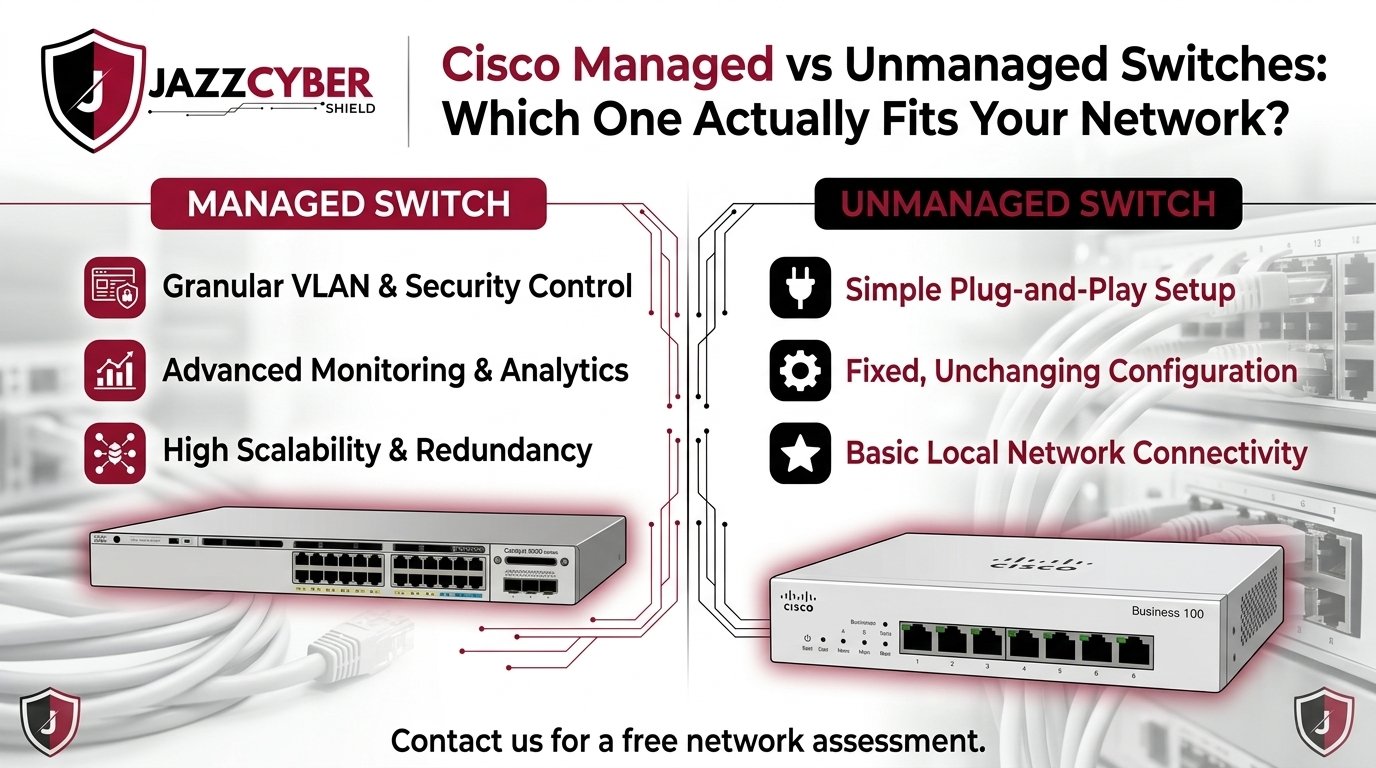
Your network went down for forty minutes last Tuesday and nobody could tell you why. The switch just sat there, blinking, giving you nothing — no logs, no alert, no way to isolate which port was flooding the network. That’s the moment most IT managers realize their $60 unmanaged switch was never built for a business that depends on its network to make money.
The Cisco managed vs unmanaged switch decision isn’t really about price. It’s about how much visibility and control your network needs — and at what point “plug and play” stops being good enough. This guide breaks down the real technical differences, shows you where each type belongs, and gives you a straight answer on which Cisco switch line fits your business in 2026.
What Is an Unmanaged Switch?
An unmanaged switch is a fixed-configuration device. You plug it in, connect your devices, and it forwards traffic — that’s the entire feature set. There’s no web interface, no CLI, no VLANs, no way to prioritize traffic or see what’s happening on each port.
Where unmanaged switches make sense:
- Home offices or single-room setups with fewer than 10 devices
- Temporary expansion of an existing switch (adding a few extra ports in a conference room)
- Environments with zero regulatory or security requirements
Where they fall short:
- No traffic visibility when something breaks
- No way to segment guest Wi-Fi from finance workstations
- No protection against a misbehaving or compromised device flooding the whole network
- Zero support for compliance frameworks like PCI-DSS or HIPAA
What Is a Managed Switch?
A managed switch gives you a control plane — a web dashboard, CLI, or cloud interface — that lets you configure, monitor, and secure every port individually. Cisco’s managed lines (Catalyst 1300/1200 series, Catalyst 9200 series, and the cloud-managed Meraki MS line) all build on this same principle: the switch becomes part of your security posture, not just your wiring.
Core managed switch capabilities:
- VLANs — segment voice, guest Wi-Fi, POS systems, and internal data onto isolated virtual networks
- Quality of Service (QoS) — prioritize VoIP and video conferencing traffic over routine file transfers
- Port security & 802.1X authentication — block unauthorized devices from joining the network
- Link Aggregation (LAG) — combine multiple physical links for redundancy and higher throughput
- SNMP monitoring & logging — see exactly which port, device, or MAC address is causing a problem
- Remote management — configure and troubleshoot switches across multiple sites from one dashboard
Cisco Managed vs Unmanaged Switches: Side-by-Side Comparison
| Feature | Unmanaged Switch | Cisco Managed Switch |
|---|---|---|
| Setup | Plug and play, zero config | Requires initial configuration |
| VLAN Support | None | Full VLAN tagging & segmentation |
| Security | None | Port security, 802.1X, ACLs |
| Traffic Prioritization (QoS) | None | Yes — voice/video prioritized |
| Remote Monitoring | No | Yes (Web UI, CLI, or cloud dashboard) |
| Redundancy (LAG/STP) | No | Yes |
| Typical Cost (8–24 port) | $30–$150 | $200–$1,200+ |
| Best For | Home office, temporary expansion | Growing SMBs, regulated industries, multi-site businesses |
| Compliance Ready (PCI-DSS/HIPAA) | No | Yes |
Cisco Switch Series Breakdown: Matching the Model to the Network
Not every “managed switch” needs the full enterprise feature set. Cisco splits its business-grade lineup into three practical tiers:
1. Cisco Business Unmanaged Series (CBS110)
Fixed-config, no license required, ideal for expanding an existing small network. PoE variants are available for powering access points or cameras without extra hardware.
2. Cisco Business Smart / Catalyst 1200 Series
A middle ground — basic VLANs, QoS, and a simplified web interface, without the full CLI complexity of enterprise gear. This is the sweet spot for businesses that outgrew plug-and-play but don’t have a dedicated network engineer on staff.
3. Cisco Catalyst 1300 / 9200 Series (Fully Managed)
Layer 3 static and dynamic routing, full 802.1X authentication, deep SNMP monitoring, and integration with Cisco Business Dashboard or Meraki cloud management. This is where compliance-driven and multi-site businesses land.
[LINK TO: Cisco Catalyst Managed Switches Category] — browse current in-stock Catalyst 1300 and 9200 series models.
Buying Factors Checklist: What to Confirm Before You Order
Before choosing between a managed and unmanaged switch, walk through this checklist:
- Port count — count every wired device today, multiply by 1.2, round up to the next standard size (8/16/24/48 ports)
- PoE budget — add up wattage needs for cameras, phones, and access points; confirm the switch’s total PoE budget covers it
- Compliance requirements — does your business handle card payments, health records, or client PII?
- VoIP or video conferencing usage — heavy real-time traffic almost always justifies QoS
- Number of physical locations — multi-site businesses benefit heavily from cloud-managed Meraki switches
- In-house IT capacity — CLI-managed Catalyst switches assume some networking knowledge; cloud dashboards lower that bar
Pros and Cons at a Glance
Unmanaged Switches
- ✅ Lowest upfront cost
- ✅ Zero configuration time
- ❌ No security or segmentation
- ❌ No troubleshooting visibility
- ❌ Cannot scale with the business
- ✅ Full network visibility and control
- ✅ Required for compliance frameworks
- ✅ Scales cleanly as the business grows
- ❌ Higher upfront investment
- ❌ Requires basic configuration knowledge (or a managed IT partner)
When Unmanaged Switches Become a Liability
The moment your business adds a VoIP phone system, hires staff who need data isolated by department, or starts processing card payments, an unmanaged switch stops being a cost-saving choice and becomes a compliance and security gap. PCI-DSS explicitly expects network segmentation between cardholder data environments and the rest of the network — something an unmanaged switch structurally cannot provide. At that stage, migrating to at least a smart-managed switch isn’t optional.
[LINK TO: Fortinet Firewalls] — pair your managed switch’s VLAN segmentation with a next-gen firewall for full perimeter and internal network protection.
Can You Mix Managed and Unmanaged Switches?
Yes, and many growing businesses do exactly this during a transition period — running a managed switch as the core/distribution layer and unmanaged switches at the edge for low-risk device expansion (a conference room, a break room). The key rule: never put a compliance-sensitive segment (POS terminals, HR systems) behind an unmanaged switch, even temporarily.
Frequently Asked Questions
What is the main difference between a managed and unmanaged switch? A managed switch gives you a configuration interface to create VLANs, set port security, prioritize traffic, and monitor the network. An unmanaged switch simply forwards traffic with no configuration options at all.
Is a managed switch worth the extra cost for a small business? For any business handling payment data, health records, VoIP traffic, or more than roughly 15–20 connected devices, yes. The cost of a single security incident or network outage typically outweighs the price difference within the first year.
Can I replace an unmanaged switch with a managed switch later without rewiring everything? In most cases, yes. Managed switches use the same standard Ethernet cabling, so the physical swap is straightforward. The work is in the initial configuration — VLANs, port assignments, and security policies — not the wiring.
Final Recommendation
If your network has fewer than 10 devices, no compliance requirements, and no dedicated IT support, an unmanaged switch still does the job. For everyone else — any business running VoIP, handling regulated data, or operating more than one location — a Cisco managed switch pays for itself in visibility, security, and uptime within the first serious incident it prevents.
Network Switches — compare current Cisco managed and unmanaged switch inventory and find the right port count and PoE budget for your network.
Related reading: Enterprise Firewalls: Top 7 Critical Picks for SMBs 2026 — pair your switch upgrade with the right perimeter defense.

