



The $4.2 Million Attack That Started With One Unpatched Router
Most small businesses think they can’t afford to protect their business from ransomware — but the truth is they can’t afford not to.
A flooring company in Nashville got hit on a Tuesday morning. Their entire system encrypted. 22 employees sitting idle. No customer orders. No job files. No QuickBooks. The ransom demand: $185,000 in Bitcoin within 48 hours. Their cyber insurance had lapsed. Their backups hadn’t been tested in eight months. They paid.
Then they found out the decryptor only recovered 70% of their data.
Total damage: $340,000 when you count the ransom, forensics, lost contracts, and three weeks of downtime. All of it traced back to a router running three-year-old firmware and an employee who clicked a phishing email.
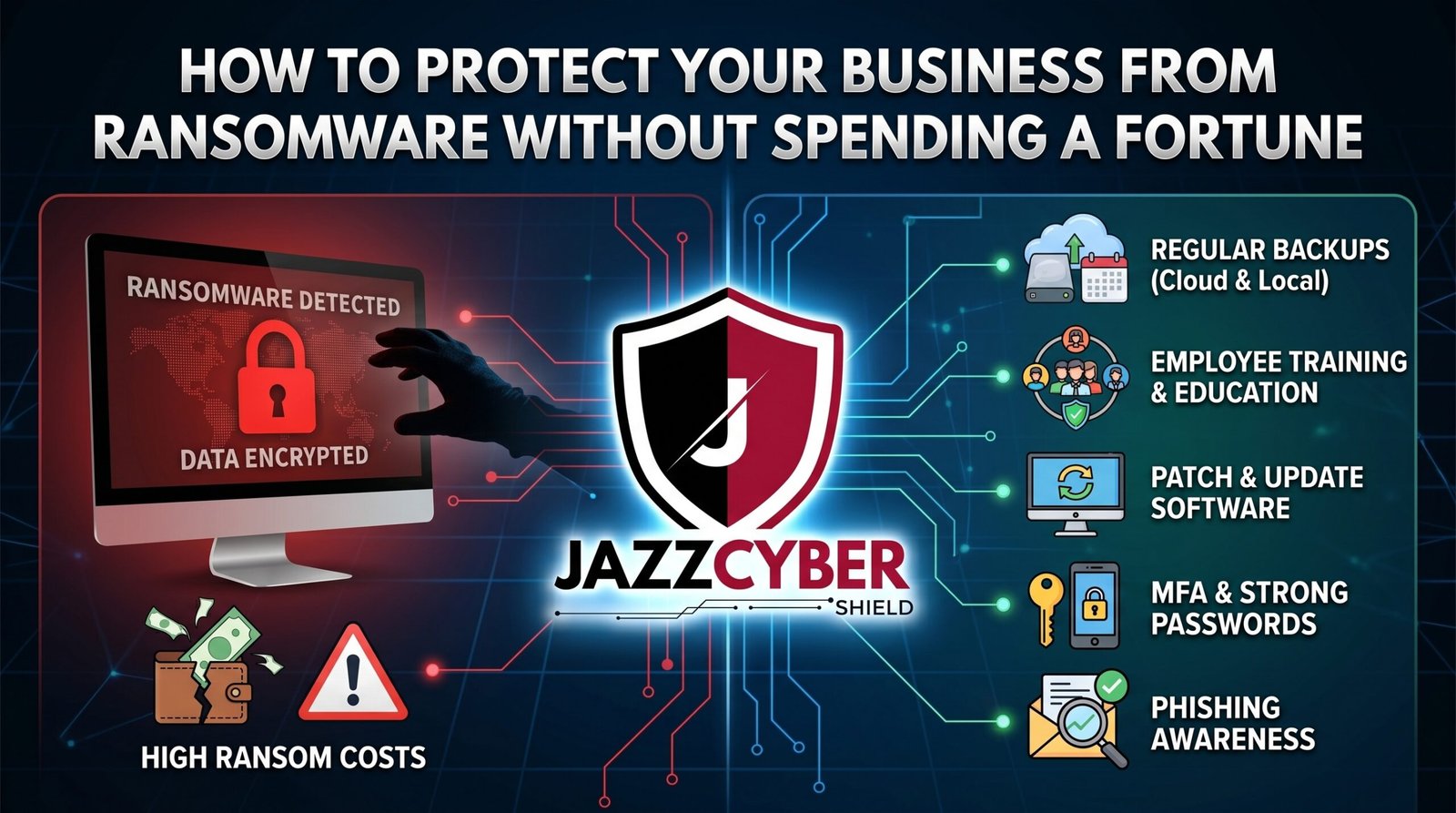
Here’s the thing nobody tells small business owners: you don’t need a $500,000 security budget to protect your business from ransomware. You need the right priorities, the right hardware, and a plan built before you need it.
This guide gives you exactly that.
Table of Contents
The Scale of Ransomware Against Businesses in 2026
Ransomware isn’t slowing down. It’s becoming more targeted, more efficient, and more ruthless.
The average ransom payment hit $2.73 million in 2025. Total global ransomware damages exceeded $30 billion. And 43% of all attacks targeted small and medium-sized businesses — not enterprises. SMBs are the sweet spot for ransomware gangs because the data is valuable but the defenses are weak.
The math is brutal. A business that suffers a ransomware attack faces:
- Average downtime: 21 days
- Average total recovery cost: $1.85 million (including downtime, remediation, legal, notification)
- Probability of a second attack within 12 months if the root cause isn’t fixed: 80%
⚠️ ALERT: CISA’s 2025 ransomware advisory confirmed that over 70% of ransomware victims in the US were small businesses with fewer than 500 employees. The agency specifically called out unpatched firewalls, exposed RDP ports, and absent MFA as the top three causes of successful ransomware entry. Read CISA’s ransomware guidance (opens in new tab)
The businesses that protect themselves from ransomware most effectively aren’t necessarily spending the most money. They’re spending it in the right places — and they built their defenses before they needed them.
Why Most Businesses Fail to Protect Against Ransomware
Before you can fix the problem, you need to understand why so many businesses get this wrong.
Myth #1: “We’re too small to be targeted.” Ransomware gangs use automated scanning tools. They don’t manually pick victims. They scan millions of IP addresses looking for exposed RDP ports, unpatched software, and weak passwords. Your size is irrelevant. Your vulnerabilities are not.
Myth #2: “We have antivirus, we’re covered.” Traditional antivirus catches known threats with known signatures. Modern ransomware — especially AI-generated polymorphic variants — rewrites its own code constantly. Signature-based tools miss it entirely. You need behavior-based detection, not just antivirus.
Myth #3: “Cybersecurity is too expensive.” This one kills businesses. The misconception that enterprise security requires enterprise budgets. The reality: the core controls that protect your business from ransomware cost far less than one week of ransomware downtime.
Myth #4: “Our IT guy handles it.” One person running the entire IT operation for a 50-person company cannot realistically maintain security, manage patches, monitor logs, respond to incidents, and train employees. This is a structural problem, not a personnel one.
🔴 WARNING: The Verizon 2024 Data Breach Investigations Report found that 74% of all breaches involved a human element — phishing, misuse of credentials, or social engineering. No technical control eliminates human risk. Training is not optional. Read the full Verizon DBIR (opens in new tab)
The 7 Layers That Protect Your Business From Ransomware
To protect your business from ransomware effectively, you need layers. Each layer catches what the previous one missed. Together they create a defense that no single ransomware campaign can punch through cleanly.
7-LAYER RANSOMWARE DEFENSE MODEL
━━━━━━━━━━━━━━━━━━━━━━━━━━━━━━━━━━━━━━━━━━━━━━━
LAYER 7 │ INCIDENT RESPONSE PLAN
         │ Who calls who, what gets isolated, when
─────────┼───────────────────────────────────────
LAYER 6 │ TESTED BACKUPS (3-2-1 Rule)
         │ Air-gapped, versioned, restored monthly
─────────┼───────────────────────────────────────
LAYER 5 │ EMPLOYEE TRAINING
         │ Phishing simulation, credential hygiene
─────────┼───────────────────────────────────────
LAYER 4 │ IDENTITY & ACCESS (MFA + PAM)
         │ Stolen credentials become useless
─────────┼───────────────────────────────────────
LAYER 3 │ ENDPOINT DETECTION & RESPONSE (EDR)
         │ Behavior-based — catches what AV misses
─────────┼───────────────────────────────────────
LAYER 2 │ NETWORK SEGMENTATION (VLANs)
         │ Contains spread if ransomware gets in
─────────┼───────────────────────────────────────
LAYER 1 │ NEXT-GEN FIREWALL + DNS FILTERING
         │ Blocks entry and C2 communication
━━━━━━━━━━━━━━━━━━━━━━━━━━━━━━━━━━━━━━━━━━━━━━━
         ATTACKER ↑ must defeat ALL 7 to win
Most businesses that get destroyed by ransomware had maybe two of these layers in place — and those two weren’t tested. The ones that recover quickly, or never get hit at all, run all seven.
The good news: you don’t build all seven at once. You build them in order, starting at Layer 1, and work your way up. Each layer you add dramatically reduces your risk.
Free and Low-Cost Tools That Actually Work
You don’t need to spend $100,000 to protect your business from ransomware. Here are the tools that deliver real protection without breaking the budget:
DNS Filtering — Free to Low Cost
Cloudflare Gateway (free tier available) blocks malicious domains at the DNS level. Before ransomware can communicate with its command-and-control servers, DNS filtering cuts the connection. No C2 contact means no encryption key delivery — ransomware stalls before it can complete the attack.
Microsoft Defender for Business — $3/user/month
Built into Microsoft 365 Business Premium, Defender for Business includes endpoint detection and response (EDR) capabilities. For small businesses already paying for Microsoft 365, this is one of the most cost-effective ways to get real behavior-based protection.
Malwarebytes for Teams — $4.50/device/month
Strong ransomware-specific detection, rollback capability, and centralized management. A practical option for businesses that want dedicated anti-ransomware protection without building a full security stack immediately.
Have I Been Pwned — Free
Check if your employees’ email addresses and credentials appear in known data breaches. Stolen credentials fuel ransomware attacks. Knowing which accounts are compromised lets you rotate passwords proactively, before attackers use them.
| Tool | Cost | What It Protects | Priority |
|---|---|---|---|
| Cloudflare Gateway DNS | Free | C2 blocking, malicious domains | HIGH |
| Microsoft Defender for Business | $3/user/mo | Endpoint EDR, behavior detection | HIGH |
| Malwarebytes for Teams | $4.50/device/mo | Ransomware-specific blocking | HIGH |
| Have I Been Pwned | Free | Credential exposure monitoring | MEDIUM |
| Veeam Community Edition | Free | Backup and recovery | CRITICAL |
| Bitwarden (Teams) | $3/user/mo | Password management | HIGH |
The Hardware That Makes Ransomware Protection Real
Free tools handle a lot. But software-only protection has a ceiling. The hardware you put at your network perimeter determines whether ransomware ever gets a foothold in the first place.
A next-gen firewall with deep packet inspection, intrusion prevention, and live threat intelligence is the single most impactful hardware investment for ransomware protection. It blocks:
- Phishing-delivered malware at the gateway
- Command-and-control traffic ransomware uses to receive encryption keys
- Lateral movement across your network
- Exfiltration of stolen data
Consumer routers don’t do any of this. A business-grade firewall does all of it, automatically, 24/7.
We carry enterprise-grade SonicWall firewalls that include Real-Time Deep Memory Inspection (RTDMI) — a technology specifically designed to catch ransomware behavior before encryption starts. SonicWall’s TZ series starts at a price point that makes it accessible for businesses of any size.
Managed Network Switches with VLAN Support
If ransomware lands on one machine, VLANs stop it from spreading to everything else. A managed switch enforces network segmentation at the hardware level — your servers, workstations, printers, and IoT devices each live in their own network segment. Our guide on VLAN setup for 2026 shows exactly how to implement this.
Here’s how the top firewall options compare for SMB ransomware protection:
| Firewall | Best For | Key Ransomware Feature | Starting Price |
|---|---|---|---|
| SonicWall TZ370 | SMB (up to 50 users) | RTDMI real-time memory inspection | ~$600 |
| WatchGuard Firebox T45 | SMB with MSP support | DNSWatch + TDR endpoint correlation | ~$700 |
| Fortinet FortiGate 40F | SMB to mid-market | FortiSandbox, AI threat feeds | ~$400 |
| Cisco Meraki MX67 | SMB cloud-managed | Auto VPN, AMP threat protection | ~$600 |
Every one of these costs less than two hours of ransomware downtime for a 20-person business. The math on hardware protection is overwhelming.
Backup Strategy: Your Last Line of Defense
Even if everything else fails — if ransomware gets through your firewall, bypasses your EDR, and encrypts your files — a proper backup strategy means you never pay the ransom.
This is the most important section in this entire guide.
The 3-2-1 Backup Rule
- 3 copies of your data
- 2 different storage media types (e.g., local NAS + cloud)
- 1 copy completely offline or air-gapped (ransomware can’t reach what it can’t touch)
What Most Businesses Get Wrong About Backups
They back up. They just never test the restore. A backup you’ve never restored from isn’t a backup — it’s a hope. Run a full restore drill every month. Time it. Know exactly how long it takes to get your systems back up.
They also don’t protect their backups from ransomware. If your backup software uses the same Windows credentials as everything else, ransomware can encrypt your backups too. Backup access needs completely separate credentials and, ideally, a separate authentication system.
⚠️ ALERT: IBM Security’s Cost of a Data Breach Report found that organizations with tested incident response plans and regular backup restoration drills reduced their total breach cost by an average of $1.49 million compared to organizations without those practices. Testing your backups isn’t optional — it’s where you find out if your protection actually works. Read IBM’s breach cost report (opens in new tab)
Backup Retention Matters
Modern ransomware sits inside your network for 8-21 days before triggering encryption. If your backup only keeps 7 days of history, your clean backup predates the infection — and restoring it puts you right back to a compromised state. Keep at minimum 30 days of versioned backups. 90 days is better.
Employee Training: The Human Firewall
Over 90% of ransomware attacks start with a phishing email. Someone on your team clicks. That click is the entry point for everything else that follows.
No amount of firewall hardware stops a determined phishing attack if your employees don’t recognize it. Training is not optional when you’re trying to protect your business from ransomware.
What Real Training Looks Like
Real training isn’t a 20-minute annual video that everyone clicks through while checking their phone. It’s:
- Monthly security awareness updates — short, specific, timely. “Here’s a phishing email that hit businesses in our industry this week. Here’s what gives it away.”
- Quarterly phishing simulations — send realistic fake phishing emails to your team. Track who clicks. Provide immediate, non-punitive coaching to those who do.
- Clear reporting culture — employees need to feel safe reporting “I think I clicked something bad.” Shame and punishment kill your security. Fast reporting saves you.
The Specific Things to Train On
- How to spot spoofed sender addresses
- Why to never enable macros in Office documents from email
- How to verify unusual requests (wire transfers, credential changes) via phone
- What a fake browser update looks like (SocGholish)
- Why MFA prompts that arrive unexpectedly are a red flag
Many businesses also miss the physical angle. If your employees connect to coffee shop WiFi on work laptops, they’re putting your business at risk. Read our breakdown on the hidden danger of public WiFi in 2026 for context on what that exposure actually looks like.
How to Protect Yourself: Step-by-Step Action Plan
Here’s the concrete action plan to protect your business from ransomware — prioritized by impact, not cost.
Week 1 — Stop the Bleeding
- Close RDP port 3389 to the internet immediately. If you need remote access, put it behind a VPN with MFA.
- Enable MFA on every cloud app, email account, and VPN. Today. This single step stops the majority of credential-based attacks.
- Audit your backups. Do they exist? Are they recent? Have you ever restored from them? If the answer to any of these is no — fix it this week.
Week 2 — Upgrade Your Perimeter
- Replace any consumer router acting as your business firewall with a business-grade next-gen firewall. SonicWall, WatchGuard, and Fortinet all have SMB options under $700.
- Enable DNS filtering. Cloudflare Gateway is free and takes 30 minutes to configure.
- Apply all outstanding patches to operating systems and business software. Set a recurring weekly patching window.
Week 3 — Harden the Inside
- Deploy EDR on every endpoint. Microsoft Defender for Business if you’re on M365, Malwarebytes for Teams otherwise.
- Implement VLANs to segment your network. Keep servers, workstations, and IoT on separate segments.
- Remove local administrator rights from standard user accounts. Ransomware needs admin privileges to encrypt effectively.
Week 4 — Build for the Long Term
- Run a phishing simulation with your team. Many tools offer free trials.
- Write your Incident Response Plan. One page is fine. Who calls who? What gets isolated? When do you call your cyber insurance?
- Review your cyber insurance policy. Know what it covers and what it excludes before you need it.
For routers and network settings that need immediate attention, our guide on router settings you must change walks through the exact configurations most businesses overlook.
For more comprehensive firewall protection across your whole network, browse our WatchGuard firewall collection — WatchGuard’s DNSWatch and Threat Detection & Response features are specifically built to protect businesses from ransomware at the network level.
Quick Reference Checklist
Run this monthly. This is how you protect your business from ransomware — consistently, not once.
RANSOMWARE PROTECTION CHECKLIST FOR BUSINESS
━━━━━━━━━━━━━━━━━━━━━━━━━━━━━━━━━━━━━━━━━━━━━━━━━

PERIMETER (DO THIS FIRST)
[ ] RDP port 3389 closed or VPN-only
[ ] Next-gen firewall deployed with active subscription
[ ] DNS filtering enabled (Cloudflare Gateway or equivalent)
[ ] IPS/IDS signatures updated this week
[ ] Unnecessary ports closed at network edge

IDENTITY & ACCESS
[ ] MFA enabled on all email accounts
[ ] MFA enabled on VPN and remote access
[ ] MFA enabled on cloud apps (M365, Google, etc.)
[ ] Admin accounts separate from daily-use accounts
[ ] Password manager deployed for all staff

ENDPOINT PROTECTION
[ ] EDR deployed on every device (not just antivirus)
[ ] All OS patches applied — no outstanding critical CVEs
[ ] All software patches current
[ ] Local admin rights removed from standard users
[ ] USB boot disabled on servers and critical workstations

NETWORK SEGMENTATION
[ ] VLANs configured for servers, workstations, IoT
[ ] Guest WiFi completely isolated from business network
[ ] Inter-VLAN firewall rules reviewed this month
[ ] Printers and smart devices on separate segment

BACKUPS
[ ] 3-2-1 backup rule in place and verified
[ ] Air-gapped or offline backup confirmed this month
[ ] 30-day minimum backup retention verified
[ ] Full restore test completed and timed this month
[ ] Backup credentials separate from network credentials

PEOPLE & PROCESS
[ ] Phishing simulation completed this quarter
[ ] Security awareness update sent to staff this month
[ ] Incident Response Plan documented and accessible
[ ] Cyber insurance policy reviewed — current and understood
[ ] Key contacts list ready: IT, insurance, FBI IC3

━━━━━━━━━━━━━━━━━━━━━━━━━━━━━━━━━━━━━━━━━━━━━━━━━
Frequently Asked Questions
Q: How much does it actually cost to protect a small business from ransomware?
A: For a 10-25 person business, a realistic budget looks like: $400-700 for a next-gen firewall (one-time hardware), $200-400/year for firewall threat intelligence subscription, $3-4.50/user/month for EDR, and $3/user/month for MFA (often bundled in Microsoft 365 Business Premium). Total for 20 users: roughly $3,000-5,000 per year. That’s less than 2% of what a single ransomware attack costs.
Q: Is a VPN enough to protect my business from ransomware?
A: No. A VPN encrypts traffic in transit but does nothing to protect against phishing, malicious email attachments, compromised websites, or malware already inside your network. VPN is one piece of access security — it doesn’t replace a firewall, EDR, backups, or employee training.
Q: What’s the single most important thing I can do right now?
A: Enable MFA on every account that allows it — especially email, VPN, and remote access. It’s free or near-free, it takes hours to implement, and it stops the majority of credential-based ransomware entry. If you do nothing else today, do this.
Q: Should I pay the ransom if we get hit?
A: The FBI recommends against paying. Here’s why: 19% of businesses that pay don’t get full data recovery. You fund the next attack. You go on a list of businesses willing to pay. And if the ransomware group is on an OFAC sanctions list, paying them exposes you to federal fines. The goal of this entire guide is to make paying a non-question — by having backups that make you immune to the leverage ransomware uses.
Q: How do I know if we already have ransomware or malware inside our network?
A: Common signs include unexplained slow systems, accounts locking out repeatedly, unusual outbound network traffic at odd hours, security software that stops responding, or files with strange extensions you didn’t create. If you have EDR deployed, it will alert on suspicious behavior. If you don’t, hire a security firm for a threat hunting engagement — it’s far cheaper than discovering the hard way.
Conclusion
Ransomware is not an abstract threat. It hits businesses like yours, in cities like yours, every single day. The companies that protect themselves from ransomware and recover quickly all have the same thing in common: they built the defense before they needed it.
You don’t need a million-dollar budget. You need MFA, a real firewall, tested backups, and a team that knows how to spot a phishing email. Those four things alone put you ahead of 80% of small businesses — and they cost a fraction of what one ransomware attack takes from you.
Start with your perimeter. If you’re running a consumer router or a firewall without an active threat subscription, that’s the gap attackers are looking for. Browse our complete firewall collection to find the right solution for your network size — and stop giving ransomware an open door into your business.
Related Reading
- Why Small Businesses Close After a Cyberattack
- Router Settings You Must Change Right Now
- VLAN for Home Network 2026: Complete Setup Guide
- The Hidden Danger of Public WiFi in 2026
- WPA2 vs WPA3: What’s the Real Difference?

