



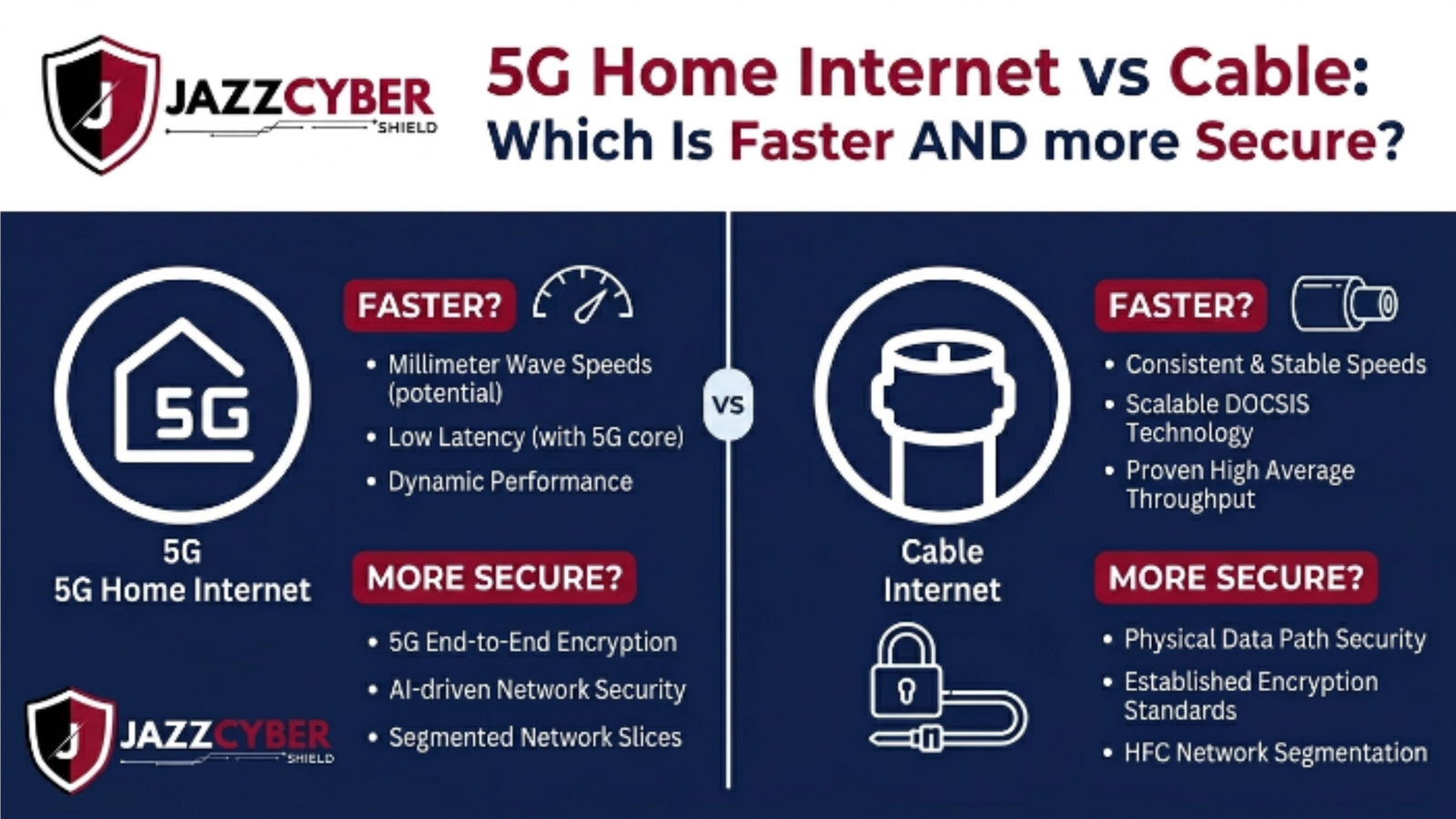
Your ISP Choice Affects More Than Just Your Netflix Buffer — It Affects Your Security
The 5G home internet vs cable debate is no longer just about speed — it’s about who controls your connection, how it’s protected, and what happens when something goes wrong.
T-Mobile and Verizon are plastering billboards across the country. “Ditch your cable company.” “Home internet for $50 a month.” It sounds simple. Plug in a gateway, get Wi-Fi, cancel Xfinity.
But a lot of people making this switch have no idea what they’re actually trading. 5G home internet and cable broadband aren’t just different technologies — they have meaningfully different security architectures, different reliability profiles, and different implications for anyone running a home office or small business off their connection.
This guide breaks down the 5G home internet vs cable comparison from every angle: speed, latency, reliability, security, and cost. No carrier spin. Just the real tradeoffs so you can make the right call for your situation.
Table of Contents
The State of Home Internet in 2026
The home internet market looks nothing like it did five years ago.
5G home internet — also called Fixed Wireless Access (FWA) — now reaches over 60 million US households. T-Mobile Home Internet and Verizon Home Internet together account for more than 10 million residential subscribers, with growth accelerating every quarter.
Cable still dominates. Comcast Xfinity, Charter Spectrum, and Cox collectively serve over 70 million US homes. But their grip is loosening as 5G becomes a legitimate alternative in more markets.
Fiber broadband is expanding too — Google Fiber, AT&T Fiber, and local providers are pushing into metro and suburban markets. But fiber still reaches less than 40% of US addresses. For the majority of Americans, the real choice today is cable vs 5G home internet.
⚠️ ALERT: CISA’s home network security guidance specifically flags residential broadband connections as a priority attack surface for remote workers and small business owners. The security architecture of your ISP connection — not just its speed — directly impacts your exposure to network-level threats. (opens in new tab)
The stakes aren’t just about streaming quality. If you work from home, run a home-based business, or have smart home devices, your internet connection is the gateway to everything you own digitally.
5G Home Internet vs Cable: How Each Technology Works
Understanding the architecture explains why security and performance differ.
5G HOME INTERNET vs CABLE — ARCHITECTURE
══════════════════════════════════════════════════════════
5G HOME INTERNET (Fixed Wireless Access)
  ┌─────────────────────────────────────────┐
  │  Cell Tower (5G mmWave or Sub-6GHz)    │
  │  ↓ wireless signal (over the air)      │
  │  5G Gateway at your home               │
  │  ↓ Wi-Fi / Ethernet to your devices    │
  └─────────────────────────────────────────┘
  • Shared spectrum with mobile users
  • Signal affected by distance, obstacles
  • Carrier manages the "last mile" wirelessly
  • IP address: CGNAT (shared, not public)

CABLE BROADBAND (HFC — Hybrid Fiber-Coax)
  ┌─────────────────────────────────────────┐
  │  Fiber node in your neighborhood       │
  │  ↓ coaxial cable to your home          │
  │  Cable modem at your home              │
  │  ↓ Router/Wi-Fi to your devices        │
  └─────────────────────────────────────────┘
  • Dedicated coax line to your home
  • Shared bandwidth at the neighborhood node
  • Physical connection, not affected by weather
  • IP address: Usually dynamic public IP
══════════════════════════════════════════════════════════
The key architectural difference: 5G delivers your connection over radio spectrum shared with mobile users in your area. Cable delivers it over a physical coaxial line that runs directly into your home from the street.
Both share infrastructure at some level — your cable “node” serves dozens of homes, just like a 5G tower serves many users. But the physical vs. wireless last-mile distinction has real implications for both security and reliability.
🔴 WARNING: Most 5G home internet gateways use Carrier-Grade NAT (CGNAT), which means you share a public IP address with hundreds of other users. This prevents inbound connections to your home network — which adds a layer of obscurity — but it also breaks services like VPNs, remote desktop, and self-hosted applications. Know this before you switch.
Speed and Latency: The Real Numbers
Marketing speeds are fiction. Here’s what real-world performance looks like in 2026.
Download speeds — real-world averages:
T-Mobile Home Internet users report median download speeds of 130–220 Mbps in good coverage areas. Peak speeds can hit 400–600 Mbps on 5G mmWave in dense urban areas. Weak coverage drops users to 30–80 Mbps — frustrating for video calls and file transfers.
Cable broadband (DOCSIS 3.1) delivers 300–800 Mbps reliably in most US markets. Comcast’s standard gigabit plan delivers 800–900 Mbps consistently. Upload speeds are where cable struggles — most plans offer asymmetric upload of 20–35 Mbps, which hurts remote workers who upload constantly.
Latency — the metric that actually affects your experience:
| Connection Type | Typical Latency | Gaming | Video Calls | VoIP |
|---|---|---|---|---|
| Cable (DOCSIS 3.1) | 10–25ms | Good | Excellent | Excellent |
| 5G Sub-6GHz | 20–40ms | Acceptable | Good | Good |
| 5G mmWave | 5–15ms | Excellent | Excellent | Excellent |
| Cable (during congestion) | 50–150ms | Poor | Degraded | Choppy |
| 5G (poor signal) | 60–120ms | Poor | Degraded | Choppy |
| Fiber (reference) | 5–10ms | Excellent | Excellent | Excellent |
The honest take: cable wins on consistency. 5G wins on speed ceiling in strong coverage zones, but the floor drops fast in weak signal areas. If you have strong 5G signal (confirmed, not just advertised), download speeds will satisfy almost any residential or home office use case.
⚠️ ALERT: 5G home internet performance is heavily dependent on your specific location, the tower’s load, and building penetration. T-Mobile and Verizon both offer 15-day trial periods — use them. Run hourly speed tests at different times of day before committing. Peak evening hours (7–10 PM) reveal congestion that daytime tests miss entirely.
5G Home Internet vs Cable: Security Compared
This is where the 5G home internet vs cable decision gets genuinely interesting — and where most comparison articles say almost nothing useful.
IP Address Architecture:
Cable gives most customers a dynamic public IP address. This means your home network is directly addressable on the internet. Your firewall and router are the first line of defense. Properly configured, this is fine. Poorly configured, it’s an open door.
5G home internet uses CGNAT by default. You get a private IP that lives behind the carrier’s NAT — your home isn’t directly reachable from the internet. This provides passive obscurity (attackers can’t easily port-scan your home IP directly) but isn’t a security feature — it’s a side effect of IP address scarcity.
Encryption in transit:
Your traffic between your home and your ISP isn’t encrypted on either cable or 5G by default. Your ISP can see your unencrypted traffic regardless of which technology you use. The solution is the same for both: use a VPN for sensitive traffic, and ensure all your applications use HTTPS.
5G does use stronger air interface encryption than older cellular standards (256-bit encryption vs LTE’s 128-bit), but this protects the radio link between your gateway and the tower — not your browsing traffic.
The shared gateway problem:
Most 5G home internet plans require you to use the carrier’s gateway device (T-Mobile’s Arcadyan, Nokia, or Sagemcom; Verizon’s ASK-NCQ2702S). These gateways have limited advanced security features — no IPS, no deep packet inspection, no content filtering. You’re entirely dependent on the carrier’s firmware update schedule for security patches.
Cable gives you more flexibility. You can use your own modem and router. You can put a business-grade firewall behind your cable modem and get real network security. For anyone who takes security seriously, that flexibility matters enormously. Browse our selection of business firewalls — a Fortinet, SonicWall, or WatchGuard firewall behind a cable modem delivers security that no carrier gateway can match.
Threat exposure differences:
NIST’s home network security guidelines emphasize router and gateway security as the primary residential attack surface. A well-configured cable setup with a separate router gives you full control. 5G’s locked gateways limit your options.
IBM’s security research confirms that home network compromise most frequently occurs through router vulnerabilities and default credentials — factors you control better on cable than on carrier-locked 5G gateways.
Reliability: Which One Keeps You Online
For home users, reliability is background noise. For remote workers and home-based businesses, an hour of downtime is lost revenue.
Cable reliability:
Cable broadband is a mature, physically connected infrastructure. Outages happen — typically from cut lines, node failures, or severe weather affecting above-ground infrastructure. But when cable is up, it’s consistently up. Most major cable providers report 99.9%+ uptime in normal conditions.
The Achilles heel is network congestion. Cable nodes serve neighborhoods. When everyone gets home at 6 PM and starts streaming 4K, shared bandwidth gets squeezed. DOCSIS 3.1 handles this much better than older standards, but congestion remains a real issue in dense areas.
5G home internet reliability:
Wireless by nature means weather-sensitive. Heavy rain, snow, and even dense foliage can degrade 5G signal — especially on mmWave frequencies, which have limited range and poor building penetration. Sub-6GHz 5G handles weather better but delivers lower peak speeds.
Network congestion on 5G follows mobile usage patterns — morning commute hours and evening peaks hit both mobile users and home internet customers simultaneously. Carriers deprioritize home internet subscribers during high-traffic periods. This is in the terms of service. It happens.
The verdict on reliability: For consistent, predictable performance on which you’d run a business — cable wins. 5G has improved dramatically but still carries weather and deprioritization risk that cable doesn’t.
Cost Comparison: What You Actually Pay
Let’s talk real numbers, not promotional rates.
| Plan Type | Provider Examples | Speed | Monthly Cost | Contract |
|---|---|---|---|---|
| 5G Home Internet | T-Mobile | 33–245 Mbps avg | $50–$60 | None |
| 5G Home Internet | Verizon | 50–300 Mbps avg | $60–$80 | None |
| Cable 300 Mbps | Xfinity, Spectrum | 300 Mbps | $50–$70 | None |
| Cable Gigabit | Xfinity, Spectrum | 800–900 Mbps | $70–$100 | None |
| Cable + Own Modem | Any cable ISP | Same speeds | Save $15–$20/mo | N/A |
| Fiber Gigabit | AT&T, Google | 1 Gbps | $65–$80 | None |
5G home internet’s pricing simplicity is genuinely attractive. No equipment rental fees, no promotional-rate games, no contracts. The $50–$60/month all-in price is hard to beat for casual residential use.
Cable gets expensive when you factor in modem rental ($15–$20/month) and the inevitable price creep after the promotional period. Buying your own cable modem ($80–$150 one-time) eliminates the rental fee and gives you router flexibility.
For security-conscious users adding their own router or firewall behind the modem — that equipment cost is a one-time investment that pays off over years of use. The ability to run your own enterprise-grade access points behind a cable connection is something 5G’s locked gateway architecture simply can’t match.
Who Should Choose 5G Home Internet?
5G home internet is the right call for a specific set of users.
Choose 5G home internet if:
- You live in a strong 5G coverage area (verified with a trial period, not just the carrier map)
- You’re a light to moderate internet user — streaming, browsing, video calls
- You’ve been overpaying for cable with no competition in your area
- You don’t host servers, VPNs, or services that need inbound connections
- You rent and can’t run new cable infrastructure
- You want no-contract flexibility
Stick with cable if:
- You work from home and reliability is non-negotiable
- You need upload speeds above 50 Mbps (cable DOCSIS 3.1+ delivers this; 5G FWA often doesn’t)
- You run VPN services, remote desktop, or self-hosted applications requiring inbound connections
- You want to use your own modem and router with full security control
- You have a home-based business where downtime costs real money
- You game competitively and need consistent sub-20ms latency
The security angle is particularly important for home office workers. Read about the hidden dangers of unsecured home networks to understand what’s at risk when your work-from-home setup lacks proper network controls.
How to Secure Either Connection Properly
Your ISP choice matters less than what you do with the connection. These steps apply regardless of whether you’re on 5G or cable.
- Replace or supplement the ISP gateway with your own hardware. On cable, buy your own modem and add a separate router or firewall. On 5G, you’re stuck with the carrier gateway — so add your own router in AP mode or use the gateway’s DMZ feature to pass traffic to your own firewall.
- Change default admin credentials immediately. Every router and gateway ships with default credentials that are publicly documented. Change both the username and password the day you set up any new device.
- Enable WPA3 on your Wi-Fi. If your gateway or router supports WPA3, use it. WPA2-AES is the minimum acceptable standard. Review the security implications in our WPA2 vs WPA3 comparison before you configure anything.
- Segment your network with VLANs. Keep work devices on a separate network from smart home gadgets, guest devices, and personal phones. This limits the blast radius if any one device gets compromised. Our VLAN setup guide for 2026 walks through the process step by step.
- Enable your firewall’s intrusion prevention features. Most consumer routers have basic IPS features buried in settings. Turn them on. If you’re running a business-grade firewall, make sure IPS signatures are current and active.
- Use a VPN for sensitive work traffic. Your ISP — cable or 5G — can see your unencrypted traffic. A VPN encrypts traffic end-to-end before it leaves your network. For remote workers accessing company resources, this is non-negotiable.
- Update firmware automatically. Router firmware vulnerabilities are among the most exploited attack vectors in residential networks. Enable auto-updates. If your device no longer receives firmware updates, it’s time to replace it.
- Check your router settings against a hardening checklist. Most residential routers ship with insecure defaults — UPnP enabled, remote management on, weak DNS settings. Review our complete guide to router settings you must change immediately and work through every item.
Quick Reference Checklist
5G HOME INTERNET vs CABLE — DECISION & SECURITY CHECKLIST 2026
══════════════════════════════════════════════════════════════════

BEFORE YOU CHOOSE
[ ] Confirmed 5G coverage at your address (carrier map + review sites)
[ ] Completed 5G trial period (14–15 days) with hourly speed tests
[ ] Checked peak-hour performance (7–10 PM weekdays)
[ ] Confirmed cable modem ownership vs. rental costs calculated
[ ] Assessed upload speed needs (video calls, cloud backups, VPN)
[ ] Confirmed whether inbound connections needed (VPN, self-hosted)

CHOOSE 5G HOME INTERNET IF:
[ ] Strong verified coverage (not just map coverage)
[ ] Primarily residential/light home office use
[ ] No inbound connection requirements
[ ] Price and no-contract flexibility are priorities
[ ] Cable is overpriced with no competition

CHOOSE CABLE IF:
[ ] Remote work / home business requiring reliability
[ ] Upload speeds above 50 Mbps needed
[ ] Full router/firewall control required
[ ] VPN server, RDP, or self-hosted services in use
[ ] Gaming requiring sub-20ms consistent latency

SECURITY — DO THESE REGARDLESS OF ISP
[ ] Default gateway admin credentials changed
[ ] Wi-Fi set to WPA3 (WPA2-AES minimum)
[ ] Guest network enabled and isolated
[ ] IoT devices on separate SSID/VLAN
[ ] Firmware auto-updates enabled
[ ] UPnP disabled
[ ] Remote management over internet disabled
[ ] DNS set to trusted resolver (1.1.1.1 or 8.8.8.8)
[ ] VPN in use for sensitive traffic
[ ] Router security audit run (Nmap or equivalent)
[ ] Security camera network isolated from main LAN

CABLE-SPECIFIC
[ ] Own modem purchased (eliminates $15-20/mo rental)
[ ] Separate business-grade router or firewall added
[ ] IPS/IDS features enabled on router

5G-SPECIFIC
[ ] CGNAT limitations understood (no inbound connections)
[ ] Gateway DMZ configured if using own router behind it
[ ] Carrier deprioritization policy reviewed and accepted
══════════════════════════════════════════════════════════════════
Frequently Asked Questions
Q: Is 5G home internet safe to use for remote work?
A: For light remote work — video calls, email, cloud apps — yes, 5G home internet handles it fine in good coverage areas. The security limitation is the locked carrier gateway, which gives you less control than a cable setup where you can install your own firewall. If your company requires a VPN, verify that VPN works over CGNAT before switching — some VPN configurations break behind carrier-grade NAT.
Q: Can I use my own router with 5G home internet?
A: Partially. T-Mobile and Verizon require their gateway device to connect to the 5G network. You can connect your own router to the carrier gateway in “bridge mode” or using the DMZ feature — this lets your router handle Wi-Fi and network management while the gateway handles the 5G connection. Not ideal, but workable for users who need their own router’s security features.
Q: Which is more vulnerable to hackers — 5G or cable?
A: Neither is inherently more secure. Both share the same fundamental vulnerability: the router or gateway sitting between your devices and the internet. CGNAT on 5G adds passive obscurity (attackers can’t directly reach your IP) but also limits your security options. Cable’s flexibility to run your own hardware — including proper firewalls — gives security-conscious users more control. In practice, how you configure either connection matters far more than which technology delivers it.
Q: Does 5G home internet have data caps?
A: Most 5G home internet plans from T-Mobile and Verizon are marketed as unlimited but include deprioritization clauses. During network congestion, home internet subscribers get bumped below mobile subscribers. This isn’t a hard cap — you won’t get cut off — but speeds can drop significantly during peak hours. Cable plans typically have soft caps (Xfinity’s 1.2 TB monthly threshold) with overage charges or upgrade options. Both require reading the fine print.
Q: Is cable internet going away because of 5G?
A: Not anytime soon. Cable infrastructure (especially post-DOCSIS 3.1 upgrades to DOCSIS 4.0) delivers multi-gigabit speeds that current 5G home internet can’t match consistently. The cable industry is actively upgrading infrastructure. 5G home internet is a meaningful competitor in markets with weak cable competition, but cable’s physical infrastructure advantage in throughput and reliability keeps it dominant for at least the next decade in most US markets.
Conclusion
The 5G home internet vs cable debate doesn’t have a universal winner. It has a right answer for your specific address, your specific use case, and your specific security requirements.
For most light residential users in strong 5G coverage areas, 5G home internet at $50–$60/month is genuinely compelling — simple, affordable, no contracts. For remote workers, home-based businesses, and anyone who cares about full network control, cable’s physical infrastructure, upload speed consistency, and hardware flexibility still hold clear advantages.
Security isn’t about which ISP you pick — it’s about what you do with the connection once it’s in your home. Proper router configuration, WPA3 encryption, network segmentation, and regular firmware updates matter far more than whether the signal arrives by coax or radio wave.
Whatever connection you run, the hardware sitting between that connection and your devices is where your security lives. Browse our full range of business firewalls and enterprise access points to build a home or office network that’s actually protected — regardless of your ISP.
Related Reading
- Router Settings You Must Change Right Now
- WPA2 vs WPA3: Which Encryption Does Your Network Need?
- VLAN Setup for Home and Business Networks in 2026
- The Hidden Dangers of Public WiFi in 2026
- Why Small Businesses Close After a Cyberattack

