



The Breach Didn’t Kill Them. What Came After Did.
Every week, another small business cyberattack makes the local news — and then disappears. What doesn’t make the news is what happens six months later.
A restaurant in Ohio. A dental practice in Texas. A three-person accounting firm in Florida. They all got hit. They all thought they’d recover. Most of them didn’t.
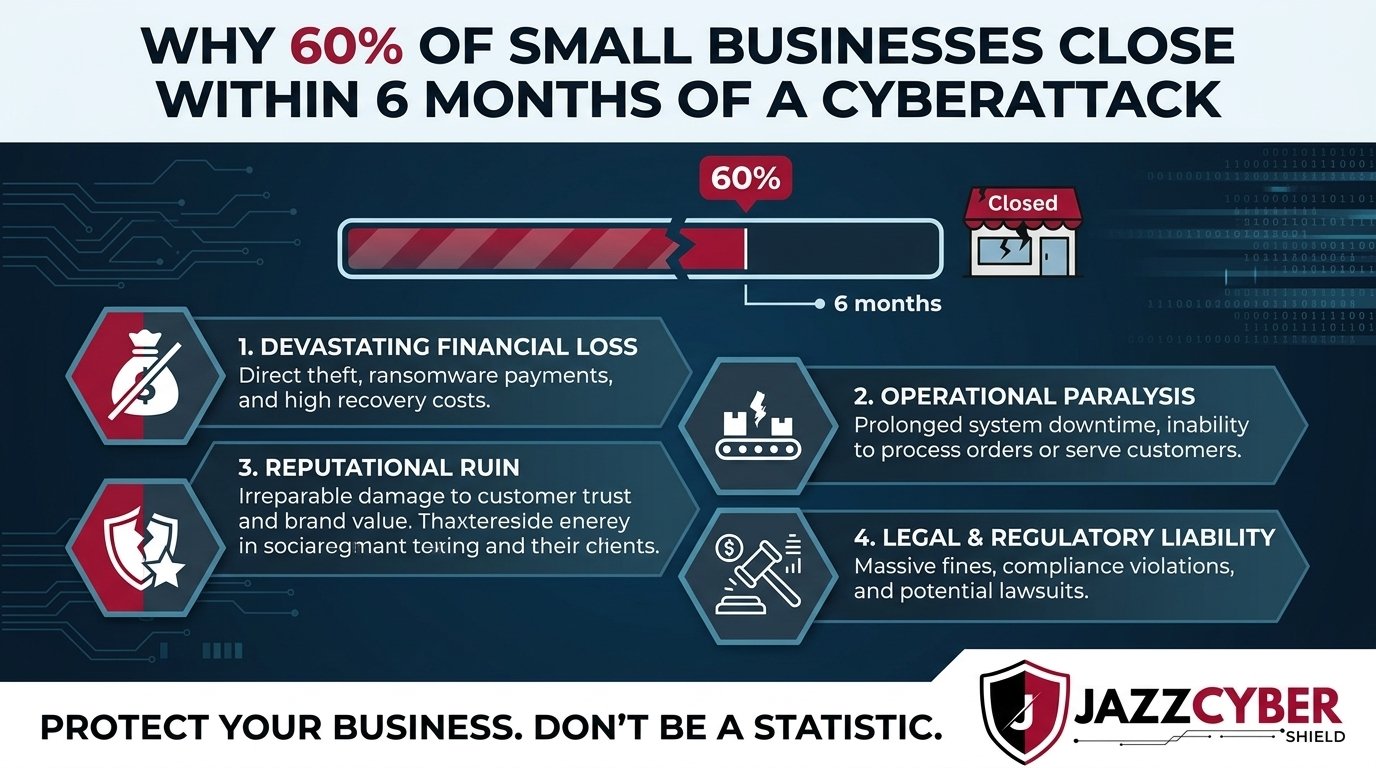
A cyberattack doesn’t just steal data. It triggers a financial chain reaction that most small businesses can’t survive — lost customers, legal fees, regulatory fines, weeks of downtime, and a reputation that never fully comes back. By the time owners realize the full damage, they’re already underwater.
This article breaks down exactly why small businesses close after a cyberattack — and what you can do right now to make sure yours isn’t next.
Table of Contents
The Scale of Small Business Cyberattacks in 2026
The numbers haven’t gotten better. They’ve gotten worse.
The Verizon Data Breach Investigations Report confirms that 43% of all cyberattacks target small businesses. Not enterprises. Not banks. Small businesses — the ones with five employees, one IT guy, and a firewall from 2018.
The 60% closure statistic comes from multiple sources, including the National Cybersecurity Alliance. Within six months of a significant breach, more than half of small businesses can’t keep the lights on. Not because the attack was sophisticated. Because the recovery cost more than the business could absorb.
The IBM Security Cost of a Data Breach Report puts the average breach cost at $4.45 million for 2023. For a Fortune 500 company, that’s a rounding error. For a 20-person business, it’s the end.
⚠️ ALERT: According to CISA, ransomware alone cost US small businesses over $350 million in 2023 — and that’s only the reported incidents. The real number is far higher. See the CISA Small Business Cybersecurity resources (opens in new tab) for the full picture.
A small business cyberattack isn’t a technical problem that gets fixed and forgotten. It’s a slow-motion business failure — unless you’re prepared.
Why a Small Business Cyberattack Is a Financial Death Spiral
Here’s what no one tells you before it happens.
The moment your systems go down, the clock starts. Every hour of downtime costs money — lost sales, idle employees, emergency IT calls. The average ransomware attack keeps a small business offline for 22 days. Twenty-two days. For most small businesses, that’s a quarter of a month’s revenue, gone.
Then the secondary costs hit. Customers find out. They leave. They post reviews. They warn their friends. Revenue drops aren’t just from the downtime — they’re from the reputational damage that lingers for months after.
Then come the lawyers.
SMALL BUSINESS CYBERATTACK: THE COST TIMELINE

Day 1-3:    Discovery, containment, emergency IT response
            Cost: $5,000–$50,000

Day 3-22:   Downtime, data recovery, system rebuild
            Cost: $10,000–$200,000

Week 3-8:   Legal fees, regulatory notifications, credit monitoring
            Cost: $15,000–$100,000+

Month 2-6:  Customer loss, reputation damage, lost contracts
            Cost: Impossible to fully quantify

Month 6+:   Regulatory fines (if HIPAA, PCI DSS, state laws violated)
            Cost: $100/record to $50,000/violation
🔴 WARNING: If your business handles credit card payments, medical records, or personal data for US customers, a breach triggers mandatory notification laws in all 50 states. Failure to notify on time adds another layer of fines on top of the breach itself. A small business cyberattack doesn’t just hurt you — it creates legal obligations you may not even know exist.
The businesses that survive do so because they contained the damage fast. The ones that close took too long to respond, had no backup systems, and faced costs they never saw coming.
The 7 Hidden Costs That Destroy Small Businesses After a Breach
Most business owners think about the ransom payment. That’s usually the smallest cost. Here’s what actually kills the business:
1. Emergency IT and Forensics ($10,000–$75,000) Forensic investigators don’t come cheap. You need them to understand what was taken, how the attacker got in, and whether they’re still in your systems. This isn’t optional — it’s required before you can safely rebuild.
2. System Rebuild and Data Recovery ($5,000–$150,000) Restoring encrypted or corrupted data from scratch takes time and specialists. If you didn’t have current, tested backups — and most small businesses don’t — you’re rebuilding from zero.
3. Legal Fees and Regulatory Compliance ($15,000–$100,000+) Every state has data breach notification laws. If you handle health data (HIPAA) or card payments (PCI DSS), federal regulations apply too. You’ll need attorneys from day one.
4. Regulatory Fines ($100 to $50,000 per violation) HIPAA fines alone range from $100 to $50,000 per violation — per record. A breach exposing 1,000 patient records isn’t just embarrassing. It’s potentially $50 million in maximum exposure.
5. Cyber Insurance Gaps (often $0 covered) Most small business owners assume their general liability policy covers cyberattacks. It doesn’t. Standalone cyber insurance exists — but if you didn’t have it before the attack, you’re paying everything out of pocket.
6. Lost Revenue and Customer Churn (months of impact) The IBM report found that businesses lose an average of $1.3 million in lost business after a breach — separate from recovery costs. Customers don’t come back. Contracts don’t renew.
7. Reputation Damage (years of impact) Search for your business name + “data breach” six months after an incident. That’s what new customers see. Rebuilding trust takes years. Some businesses never get there.
How Small Business Cyberattacks Actually Happen
Understanding the attack is the first step to stopping it.
Most people imagine a sophisticated hacker team running complex code. The reality is much more mundane — and much more preventable.
Phishing Emails (36% of breaches) An employee gets an email that looks like it’s from Microsoft, their bank, or the company CEO. They click a link. They enter credentials. The attacker has a username and password. That’s it. Game over.
Stolen or Weak Credentials (80%+ of breaches) This isn’t a separate attack — it’s the result of phishing, password reuse, or credentials found on the dark web after a previous breach. One username and password unlocks your entire network if you don’t have MFA enabled.
Ransomware (fastest-growing threat) Ransomware encrypts every file on your network and demands payment for the decryption key. Modern ransomware variants also steal data and threaten to publish it — a double extortion play that’s now standard.
Unpatched Software and Outdated Firmware Attackers actively scan for businesses running outdated routers, firewalls, and operating systems. Known vulnerabilities with public exploits get used within hours of disclosure. Your 2019 router running default firmware is a welcome mat.
Don’t let unpatched network hardware be the reason you join the 60%. Check your router settings right now — these are the changes that close the most common entry points.
The Industries Small Business Cyberattacks Hit Hardest
Not every industry carries the same risk. Here’s where attackers focus:
| Industry | Why Attackers Target It | Common Attack Type |
|---|---|---|
| Healthcare / Dental | HIPAA records = high ransom leverage | Ransomware, data theft |
| Legal / Accounting | Client financial data, privileged info | Phishing, credential theft |
| Retail / Restaurant | Payment card data (PCI DSS) | Point-of-sale malware |
| Construction / Real Estate | Large wire transfers, title fraud | BEC (business email compromise) |
| Manufacturing / Logistics | Operational disruption = fast payment | Ransomware |
| Tech / SaaS / Agencies | Client data, source code, credentials | Supply chain attacks |
If your business appears in this table, you’re a known, active target. Attackers have automated tools that specifically scan for businesses in high-value industries running outdated or misconfigured systems.
⚠️ ALERT: Business Email Compromise (BEC) — where an attacker impersonates a CEO or vendor to redirect wire transfers — cost US businesses over $2.9 billion in 2023 according to the FBI Internet Crime Report. This attack requires zero malware. Just a convincing email and an employee who doesn’t verify.
The good news: most small business cyberattacks exploit basic, fixable security gaps. Outdated hardware. No MFA. Flat networks with no segmentation. These aren’t sophisticated vulnerabilities — they’re ignored ones.
What Surviving Businesses Did Differently
Some businesses get hit and survive. Here’s what separated them from the ones that closed.
They had current, tested backups — offsite. The businesses that recovered fastest had their data backed up to an offsite or cloud location that the ransomware couldn’t reach. They restored systems in days, not weeks. They didn’t pay the ransom. They had options.
They had network segmentation. When the attacker got in through one workstation, they couldn’t move to the point-of-sale system, the server, or the accounting software. Each network zone was isolated. The breach radius stayed small.
They had an incident response plan. They knew who to call. They had insurance. They had legal counsel identified. They notified customers within the required window. They contained the PR damage.
They had next-generation firewall protection. Basic firewalls let traffic in and out. Next-generation firewalls inspect traffic, block known malware patterns, and alert on anomalous behavior — before the attack completes. Browse our firewall collection to find the right NGF for your business size.
They had MFA on everything. When the attacker got a valid username and password, MFA stopped them cold. No phone authentication code = no access. One control, massive impact.
The difference between a $50,000 recovery and a business closure was almost always preparation, not luck.
How to Protect Your Business Before the Attack Comes
You can’t prevent every small business cyberattack attempt. You can make your business too hard to be worth attacking — and limit the damage if one gets through.
- Enable MFA on every account. Email, remote access, accounting software, cloud storage. Do this today. It’s free on most platforms. It stops 99% of credential-based attacks.
- Deploy a next-generation firewall. Your basic ISP router is not a security device. An NGFW from Fortinet, SonicWall, or WatchGuard inspects traffic, blocks threats, and gives you visibility. SonicWall firewalls are specifically designed for SMB environments and priced accordingly.
- Segment your network. Keep guest Wi-Fi, employee devices, POS systems, and IoT devices on separate VLANs. A breach in one zone stays in one zone. Learn how VLANs protect your network with this step-by-step guide.
- Back up your data — and test the restore. 3-2-1 rule: three copies, two different media, one offsite. Test restores quarterly. Backups you’ve never tested are backups you can’t rely on.
- Patch everything. Router firmware. Firewall firmware. Windows updates. Software updates. Set a calendar reminder if you have to. Unpatched systems are the most common entry point for opportunistic attackers.
- Train your team. One employee clicking one phishing link undoes all the technical controls you put in place. Quarterly 30-minute phishing awareness training costs almost nothing. A breach costs everything.
- Get cyber insurance. If you don’t have it, get quotes this week. Policies that cover ransomware, legal fees, and business interruption exist specifically for small businesses.
- Create an incident response plan. Who do you call? What do you shut down first? Who handles customer notification? Write it down. Test it once a year. When the attack hits, you’ll be glad you did.
✅ Quick Reference Checklist
SMALL BUSINESS CYBERATTACK PREVENTION CHECKLIST

IMMEDIATE ACTIONS (Do This Week)
[ ] Enable MFA on email, remote access, and cloud apps
[ ] Change all default passwords on network devices
[ ] Verify offsite backups are running and recent
[ ] Check that firewall firmware is current
[ ] Confirm cyber insurance coverage exists

NETWORK SECURITY
[ ] Next-generation firewall deployed
[ ] Guest Wi-Fi isolated from internal network
[ ] POS systems on separate VLAN
[ ] IoT/security cameras on separate network segment
[ ] Wi-Fi running WPA3 encryption

ACCESS CONTROL
[ ] All ex-employee accounts deleted
[ ] Admin accounts separate from daily-use accounts
[ ] Principle of least privilege enforced
[ ] Password manager in use across all staff

BACKUP & RECOVERY
[ ] Backups running daily (minimum)
[ ] Offsite or cloud backup confirmed
[ ] Restore test completed in last 90 days
[ ] Recovery time objective (RTO) documented

TRAINING & RESPONSE
[ ] Staff phishing awareness training completed
[ ] Incident response plan documented
[ ] Legal and IT contacts identified
[ ] Breach notification process understood
[ ] Cyber insurance policy reviewed
Frequently Asked Questions
Q: Is the 60% closure statistic actually real? A: Yes — and it’s been cited across multiple sources including the National Cybersecurity Alliance, SCORE, and various cybersecurity industry reports over the past decade. The exact percentage varies by study (some show 43%, others 60%), but the directional truth is consistent: a significant portion of small businesses that experience a major breach close within 6–12 months. The causes are financial, not technical.
Q: What’s the most common way a small business cyberattack starts? A: Phishing — by a wide margin. An employee receives a convincing email, clicks a link, and enters credentials. From there, the attacker moves laterally through the network. MFA is the single most effective control against this attack vector.
Q: How long does it take to recover from a ransomware attack? A: Average recovery time for small businesses is 22 days of downtime, with full recovery (including customer trust and revenue normalization) taking six months to a year. Businesses with current, tested backups recover dramatically faster — sometimes in days.
Q: Do I need cyber insurance if I already have general liability? A: Yes. General liability policies almost universally exclude cyber incidents. Standalone cyber insurance covers breach response costs, legal fees, regulatory fines, ransom payments, and business interruption. It’s a separate policy and you need it separately.
Q: What should I do if I think we’ve already been breached? A: Disconnect affected systems from the network immediately — but don’t turn them off (you need them for forensics). Call a cybersecurity incident response firm. Contact your cyber insurance carrier. Don’t pay a ransom without legal advice. Notify your attorney. Time matters — most state breach notification laws require customer notification within 30–72 hours of discovery.
Conclusion
A small business cyberattack is not an IT problem. It’s an existential business problem. The technical breach is just the beginning — the financial cascade that follows is what actually closes the doors.
The businesses that survive are the ones that treated security as infrastructure before the attack, not as an emergency response after it. MFA. Segmented networks. Next-generation firewalls. Current backups. These aren’t luxury items — they’re the price of staying in business in 2026.
You built something worth protecting. Don’t hand it to an attacker because the firewall felt like an unnecessary expense. The threat is real. The cost is documented. The solutions exist and are affordable.
Start with your firewall. Start with MFA. Start today — before the attack comes to you.
Related Reading
- Zero Trust Security Explained for Small Business Owners (No Jargon)
- How Hackers Break Into Security Cameras — And How to Stop Them
- The Hidden Danger of Public Wi-Fi in 2026
- Router Settings You Must Change Right Now
- VLAN Setup: How Network Segmentation Protects Your Business

