



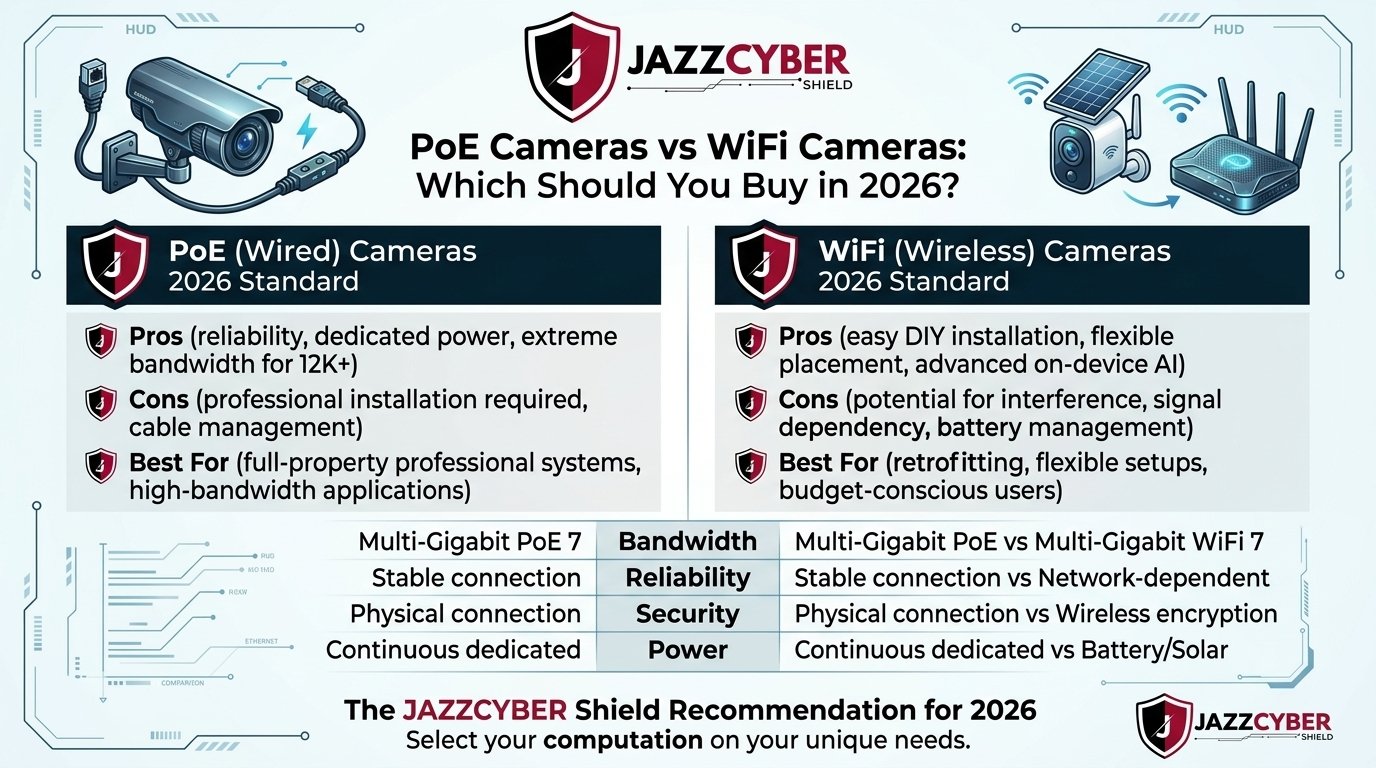
If you’re shopping for a security camera system in 2026, one of the biggest decisions you’ll face is choosing between PoE cameras (Power over Ethernet) and WiFi cameras. Both options have pros and cons — but the right choice depends entirely on your property, budget, and security goals. In this expert guide, we break down everything you need to know so you can make a confident, informed purchase.
For example, whether you’re a homeowner in California, a small business owner in Toronto, or managing a large commercial property anywhere in the USA or Canada, this comparison will help you choose the best security camera system for your needs in 2026.
What Are PoE Cameras? (Power over Ethernet)
PoE cameras (Power over Ethernet cameras) are wired IP security cameras that receive both data and electrical power through a single Ethernet (CAT5e or CAT6) cable. They connect to a PoE switch or PoE NVR (Network Video Recorder), making installation clean and centralized.
How PoE Cameras Work
A PoE camera connects to a PoE-enabled network switch via Ethernet cable. The switch delivers both internet connectivity and power (typically 15.4W for PoE or 30W for PoE+) over the same cable. The camera then streams HD or 4K video directly to an NVR or cloud server. This eliminates the need for separate power outlets near every camera location — a huge advantage in commercial deployments.
Looking for enterprise-grade PoE switches to power your camera system? Browse Cisco PoE Switches at Jazz Cyber Shield — including the popular Cisco 9300 48-Port PoE+ and Cisco Meraki MS120 models trusted by businesses across the USA and Canada.
Top Advantages of PoE Cameras
- Rock-solid reliability: Wired connection means zero signal interference, buffering, or dropped streams — even in buildings with thick concrete walls or metal infrastructure.
- Single-cable simplicity: One CAT6 cable handles both power and data, making installations cleaner and more professional.
- Longer distances: PoE supports cable runs up to 328 feet (100 meters) per IEEE 802.3 standard — ideal for large commercial properties, warehouses, and parking lots.
- Higher resolution support: PoE cameras regularly support 4K, 8MP, or even higher resolutions without bandwidth compression, since they’re not relying on congested WiFi channels.
- Superior cybersecurity: Physically isolated from your wireless network, PoE cameras are much harder to hack remotely. This is critical for businesses handling sensitive data.
- Centralized power management: One PoE switch or UPS (Uninterruptible Power Supply) protects your entire camera network during power outages.
- Scalability: Easily expand your system by adding more cameras to your PoE switch without reconfiguring your WiFi network.
Disadvantages of PoE Cameras
- Installation complexity: Running Ethernet cable through walls, ceilings, and attics requires tools, time, and sometimes a professional installer.
- Higher upfront cost: PoE cameras, switches, and NVRs tend to cost more than basic WiFi camera kits.
- Less flexible placement: Cameras must be within cable reach of the switch — though 100-meter runs cover most properties.
What Are WiFi Cameras? (Wireless Security Cameras)
WiFi cameras are wireless IP cameras that connect to your home or business network via a 2.4GHz or 5GHz WiFi signal. They still require a separate power source (wall outlet or battery), but eliminate the need for Ethernet cables entirely.
How WiFi Cameras Work
In addition, a WiFi security camera connects to your existing wireless router and streams video to a cloud server, local NVR, or SD card. Most modern WiFi cameras in 2026 support WiFi 6 (802.11ax) for faster speeds and reduced latency. Many also integrate with smart home platforms like Amazon Alexa, Google Home, and Apple HomeKit.
Top Advantages of WiFi Cameras
- Easy DIY installation: No cable running required. Mount the camera, connect to WiFi, and you’re recording within minutes.
- Flexible placement: Place cameras anywhere within WiFi range — no need to run cables through walls or ceilings.
- Lower upfront cost: Basic WiFi camera kits start at $30–$100 per camera, making them accessible for budget-conscious homeowners.
- Smart home integration: WiFi cameras typically offer better compatibility with Amazon Alexa, Google Assistant, Apple HomeKit, and other smart home ecosystems.
- Remote monitoring: Access live feeds from anywhere in the world via a smartphone app — a feature both PoE and WiFi cameras now offer, but WiFi makes setup simpler.
- Battery-powered options: Some WiFi cameras run on rechargeable batteries or solar panels, making them truly wireless with no power outlet needed.
Disadvantages of WiFi Cameras
- Signal interference: WiFi cameras compete with other devices on your network. Microwave ovens, neighboring networks, and thick walls can degrade signal quality.
- Bandwidth consumption: Multiple 4K WiFi cameras can quickly saturate a home network, causing buffering or dropped streams.
- Cybersecurity risks: WiFi cameras are more exposed to hacking, especially when using default passwords or unsecured networks. This is a growing concern in 2026.
- Power dependency: Wired WiFi cameras still need a power outlet nearby. Battery cameras require regular recharging.
- Less reliable in dead zones: Thick concrete, metal structures, or large distances from the router cause connectivity issues.
PoE Cameras vs WiFi Cameras: Side-by-Side Comparison (2026)
To summarize, here’s a quick comparison table to help you decide at a glance:
| Feature | PoE Cameras | WiFi Cameras |
|---|---|---|
| Connection Type | Wired (Ethernet) | Wireless (WiFi) |
| Power Source | PoE Switch (single cable) | Wall outlet or battery |
| Installation | Professional (cable runs) | DIY-friendly |
| Video Quality | Up to 4K/8MP+ | Up to 4K (WiFi 6) |
| Reliability | Excellent (no interference) | Good (weather/walls affect signal) |
| Cybersecurity | Very High | Moderate |
| Coverage Range | Up to 328 ft per cable | Depends on WiFi range |
| Scalability | Excellent | Limited by router/bandwidth |
| Smart Home Integration | Limited | Excellent |
| Upfront Cost | Higher | Lower |
| Best For | Businesses, Large Homes | Small Homes, Renters |
PoE vs WiFi Cameras: Which Is Better for Your Use Case?
Best for Home Security (USA & Canada)
However, for most residential homeowners in the USA and Canada, WiFi cameras offer the easiest and most cost-effective solution. If you’re renting, moving frequently, or just need a few cameras around your front door, driveway, and backyard, WiFi cameras from brands like Hikvision, Axis, or Ring are perfect.
However, if you own a larger home — particularly a house with a detached garage, large yard, or multi-story layout — a PoE system with an NVR will give you more reliable coverage and better video quality for long-term peace of mind.
Best for Small Business Security
Moreover, for small businesses — retail stores, restaurants, offices, clinics — PoE cameras are the clear winner. The reliability, scalability, and cybersecurity advantages of a wired PoE system far outweigh the higher upfront cost. A compromised WiFi camera at a business can expose your entire network to intrusion.
You can shop professional-grade security cameras for business — including Axis Communications and Hikvision PoE IP cameras — at Jazz Cyber Shield, an authorized reseller serving customers across the United States and Canada.
Best for Large Commercial Properties & Enterprises
Therefore, for warehouses, manufacturing facilities, hospitals, schools, and multi-building campuses, PoE IP cameras are the only viable option. Enterprise deployments need centralized power management, guaranteed uptime, 4K+ resolution, and the ability to scale to dozens or hundreds of cameras. WiFi simply cannot handle this at scale.
Best for Renters and Temporary Installations
On the other hand, if you’re renting an apartment, condo, or temporary office space, WiFi cameras are your best bet. You can install them without drilling or running cables, and take them with you when you move. Look for WiFi cameras with local SD card storage so you’re not dependent on cloud subscription fees.
Top PoE Camera Brands to Consider in 2026
If you decide to go with a PoE system, here are the most trusted brands available in the USA and Canadian markets:
- Axis Communications: The gold standard for enterprise IP cameras. Known for exceptional image quality, cybersecurity features, and NDAA compliance. Shop Axis Security Cameras at Jazz Cyber Shield.
- Hikvision: The world’s largest security camera manufacturer. Offers excellent value with 4K, AI-powered analytics, and deep integration with their Hik-Connect platform.
- Dahua: Strong competitor to Hikvision with AI-powered features, excellent low-light performance, and competitive pricing.
- Hanwha (Samsung Wisenet): Premium Korean-made cameras with exceptional build quality and cybersecurity certifications.
- Bosch Security Systems: Trusted by hospitals, airports, and government facilities for mission-critical surveillance.
Top WiFi Camera Brands to Consider in 2026
- Ring (Amazon): The most popular WiFi camera brand in North America. Ring cameras offer excellent app experience, Alexa integration, and neighborhood watch features.
- Arlo: Premium wire-free cameras with 4K resolution, color night vision, and 180-day battery life on select models.
- Google Nest Cam: Best for Google Home users. Excellent AI detection and seamless integration across Google’s smart home ecosystem.
- Wyze: Budget-friendly WiFi cameras with surprisingly good features. Great for homeowners on a tight budget.
- Eufy (Anker): Strong privacy-first WiFi cameras with local storage and no required cloud subscription.
Cybersecurity Warning: The Hidden Risk of Cheap WiFi Cameras in 2026
One critical concern that’s become even more pressing in 2026 is the cybersecurity risk of cheap, uncertified WiFi cameras. Several investigations — including reports from US government agencies — have found that certain budget IP cameras manufactured overseas transmit footage to unauthorized foreign servers without user consent.
As a result, this is why the NDAA (National Defense Authorization Act) in the USA explicitly bans certain camera brands from federal installations. For any business or government facility, we strongly recommend choosing NDAA-compliant cameras like those from Axis Communications, Hanwha, or Bosch.
To learn more about this critical issue, Cheap Security Cameras Are Sending Your Footage Overseas — Here’s Why
PoE Camera System Setup: What You Need
First of all, if you’re setting up a PoE camera system from scratch, here’s the complete equipment list:
- PoE IP Cameras — Choose cameras based on your resolution needs (2MP/4MP/8MP/4K) and environment (indoor/outdoor/vandal-proof).
- PoE Network Switch — A managed PoE+ switch like the Cisco 9300 PoE+ Switch or Cisco Meraki MS120 to power and connect all cameras.
- NVR (Network Video Recorder) — Records and stores footage from all your cameras. Choose an NVR with enough storage for 30-90 days of footage.
- CAT6 Ethernet Cable — Run cables from the switch to each camera location (max 100 meters per run).
- Hard Drive (HDD/SSD) — Internal storage for your NVR. Choose surveillance-grade HDDs for 24/7 operation.
- UPS (Uninterruptible Power Supply) — Protect your PoE switch and NVR from power outages.
- VMS Software (optional) — For advanced multi-site management, analytics, and remote access.
WiFi Camera System Setup: What You Need
- WiFi Security Cameras — Choose cameras compatible with your existing WiFi standard (WiFi 6 recommended in 2026).
- Strong WiFi Router — A WiFi 6 or WiFi 6E router to support multiple camera streams simultaneously.
- NVR or Cloud Storage — Either a local NVR for local storage or a cloud subscription for off-site backup.
- Power Outlets or Batteries — Plan your power source for each camera location.
- Smartphone App — Most WiFi cameras include an app for live viewing, alerts, and playback.
Cost Comparison: PoE vs WiFi Security Camera Systems
PoE Camera System Cost (4-Camera Setup)
- 4x PoE IP Cameras (4MP): $200–$600
- PoE Switch (8-port): $80–$300
- 4-channel NVR: $150–$400
- CAT6 Cable + connectors: $30–$100
- Installation labor (if professional): $200–$500
- Total: $660–$1,900 for a 4-camera system
WiFi Camera System Cost (4-Camera Setup)
- 4x WiFi Cameras: $120–$400
- Cloud storage subscription: $0–$20/month
- WiFi 6 Router (if upgrade needed): $100–$300
- Installation: $0 (DIY)
- Total: $120–$700 upfront (plus ongoing cloud fees)
Additionally, the verdict is clear: WiFi cameras are cheaper upfront, but PoE systems offer better long-term value for business use — with no recurring cloud fees when using a local NVR.
Indoor vs Outdoor Security Cameras: What’s the Difference?
In contrast to indoor cameras, whether you choose PoE or WiFi, you’ll need to decide between indoor and outdoor cameras. Outdoor cameras require an IP65 or IP67 weatherproof rating to withstand rain, dust, extreme heat, and freezing temperatures common across North American climates.
For a full breakdown, read our expert guide: Indoor vs Outdoor Security Cameras: Complete Buying Guide 2026
Do Security Cameras Actually Deter Crime?
One question we get asked constantly: do security cameras actually prevent crime? The research says yes — multiple studies show that visible security cameras reduce property crime by 13–51%, depending on placement, lighting, and signage. The key is proper installation and camera visibility.
For the data behind this: Do Security Cameras Actually Prevent Crime? The Real Data (2026)
Final Verdict: PoE Cameras vs WiFi Cameras — Which Should You Buy?
Here’s our simple recommendation based on your situation:
- Choose WiFi Cameras if: You’re a renter, have a small home, want easy DIY installation, need smart home integration, or have a tight budget.
- Choose PoE Cameras if: You own your property, run a business, need more than 4 cameras, require 4K+ resolution, prioritize cybersecurity, or need reliable 24/7 recording.
- Choose Both (Hybrid) if: You want the flexibility of WiFi cameras indoors combined with the reliability of PoE cameras outdoors.
Consequently, no matter which direction you choose, the most important factors are camera quality, proper placement, and cybersecurity. Avoid rock-bottom prices from unknown brands — your security footage is only valuable if it’s actually secure and accessible when you need it most.
Shop Trusted Security Cameras at Jazz Cyber Shield
In conclusion, Jazz Cyber Shield is your trusted source for professional PoE and IP security cameras from Axis Communications, Hikvision, and more — with fast shipping across the USA and Canada, competitive pricing, and expert support.
We also carry the PoE network switches and networking infrastructure you need to build a complete, enterprise-grade surveillance system. Whether you need a 4-camera home setup or a 64-camera commercial deployment, our team is here to help.
Visit Jazz Cyber Shield → and explore our full range of security cameras, PoE switches, NVRs, and complete surveillance systems.
FAQ
Yes. PoE cameras connected to a local NVR can record footage 24/7 without any internet connection. This makes them ideal for remote locations or businesses with unreliable internet connectivity.
For very small businesses (1–3 cameras), WiFi cameras can work. However, for any business with 4+ cameras, high-traffic areas, or sensitive data, a wired PoE system is strongly recommended for reliability and cybersecurity.
Standard PoE cameras support up to 100 meters (328 feet) per Ethernet cable run. For longer distances, you can use PoE extenders or fiber optic converters to extend coverage to 500+ meters.
Yes. Many modern NVRs support both wired PoE and wireless WiFi cameras simultaneously, allowing you to combine both technologies in a hybrid security system.
NDAA-compliant cameras include models from Axis Communications, Hanwha Techwin, Bosch, Pelco, and Vivotek. These are required for all US federal government installations and strongly recommended for businesses and schools.
For most outdoor applications, especially in commercial settings, yes. PoE outdoor cameras provide a consistent, uninterrupted signal regardless of distance from a router or weather conditions. They are also less susceptible to wireless hacking.
For home use, consider the Axis M3065-V 2MP Compact Dome Camera for indoor use or the Axis M2036-LE Network Camera for outdoor use. Both are available from Jazz Cyber Shield at jazzcybershield.com.

