



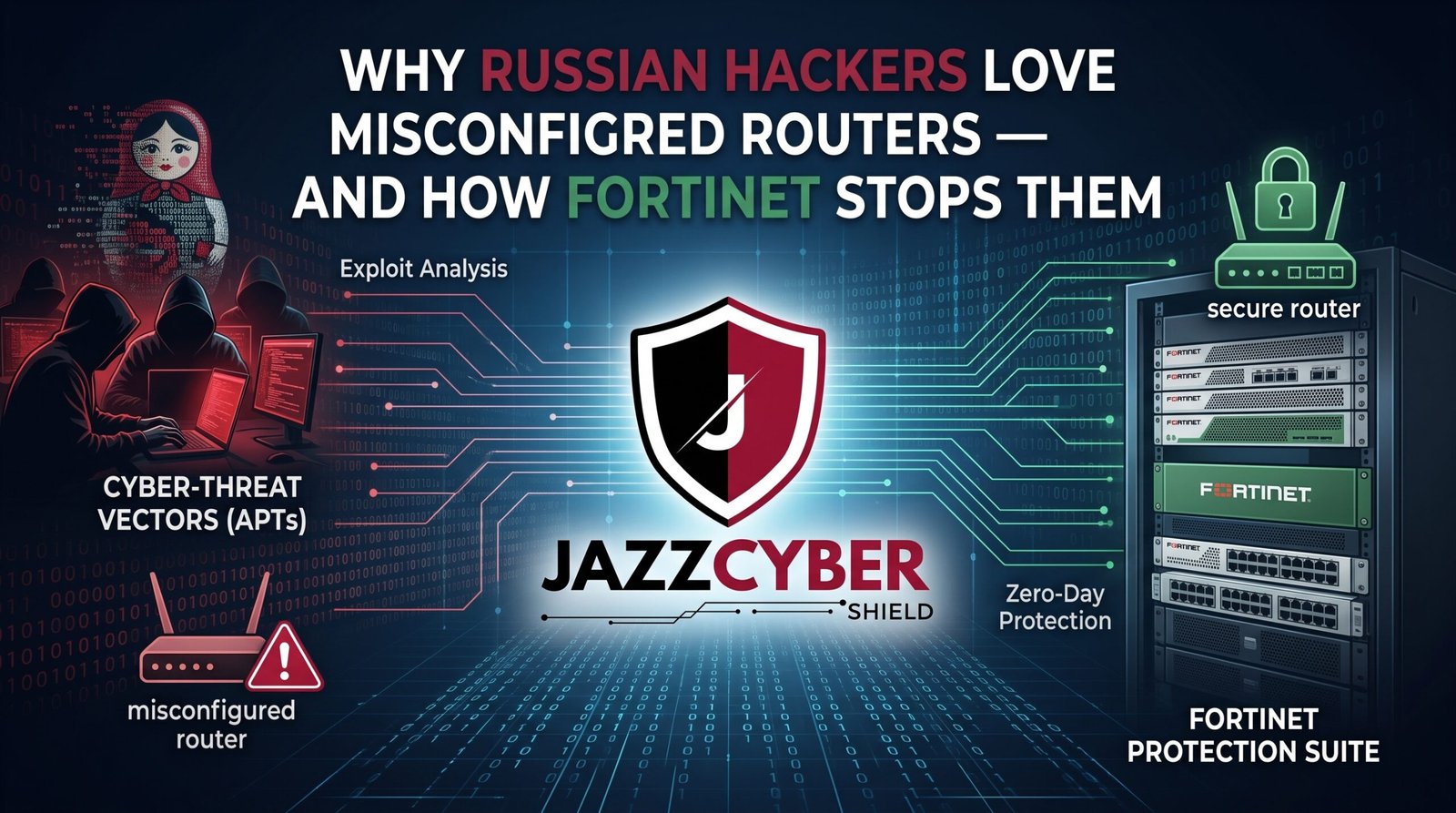
The Router Sitting Between You and a Nation-State Attack Is Probably Set Up Wrong
Misconfigured routers are the #1 entry point for state-sponsored Russian hacking groups targeting US businesses — and most organizations don’t realize their router is misconfigured until after the breach.
A manufacturing company in Michigan didn’t find out they’d been compromised until the FBI called them. A Russian-linked threat group known as Sandworm had been inside their network for four months. The initial entry point wasn’t a sophisticated zero-day. It was a router with remote management enabled, default credentials unchanged, and firmware that hadn’t been updated in two years.
Four months. The FBI call was the first they knew.
Russian state-sponsored hacking groups — Fancy Bear, Sandworm, Cozy Bear — don’t primarily hack through expensive zero-days. They scan the internet systematically for misconfigured routers and network devices that give them quiet, persistent access. The US, UK, Canada, and Australia are their primary targets. Small and mid-sized businesses are their preferred victims, because enterprise organizations have hardened their perimeters and SMBs haven’t.
Your router is probably misconfigured in at least one of the ways these groups exploit. This guide explains exactly what they look for, how Fortinet closes those gaps, and what you need to change today.
Table of Contents
The Scale of Router-Based Nation-State Attacks in 2026
Russian state-sponsored hacking isn’t limited to government targets. That misconception has cost hundreds of US businesses dearly.
The FBI and CISA have jointly documented campaigns by Russian APT groups specifically targeting small businesses, critical infrastructure operators, and local government networks across the US, UK, Canada, and Australia. The common thread in nearly every documented intrusion: misconfigured routers and network devices as the initial access vector.
These groups run automated scanning operations that probe millions of IP addresses continuously, looking for specific router misconfigurations: exposed management interfaces, default credentials, known vulnerabilities in specific firmware versions, and open ports that shouldn’t be open. When the scanner finds a match, a human operator follows up. By the time anyone notices, the attacker has been inside for weeks.
⚠️ ALERT: CISA and the FBI issued a joint advisory — AA23-335A — specifically warning that Russian state-sponsored APT actors have been “conducting large-scale scanning of internet-facing devices to find vulnerable routers, firewalls, and VPN concentrators.” The advisory listed specific router misconfigurations being exploited and named Fancy Bear (APT28) as one of the primary groups conducting these campaigns. Read CISA’s APT advisory (opens in new tab)
The scale is significant. In one documented campaign, Russian-linked actors compromised over 1,000 home and small business routers across the US to build a botnet used for further attacks on US government and critical infrastructure targets. The router owners had no idea their devices had been enrolled.
What Misconfigured Routers Actually Mean — The Specific Gaps
“Misconfigured router” sounds vague. It isn’t. There are specific, documented configuration gaps that Russian hacking groups specifically scan for and exploit.
MISCONFIGURED ROUTER — WHAT ATTACKERS SCAN FOR
━━━━━━━━━━━━━━━━━━━━━━━━━━━━━━━━━━━━━━━━━━━━━━━━━━
GAP                      │ WHAT IT ENABLES
━━━━━━━━━━━━━━━━━━━━━━━━━━━━━━━━━━━━━━━━━━━━━━━━━━
Default credentials       │ Immediate admin login, no cracking needed
Remote management on WAN  │ Admin interface accessible from internet
Outdated firmware         │ Known CVEs with public exploits available
Open Telnet (port 23)     │ Unencrypted remote access channel
UPnP enabled              │ Ports opened automatically, bypassing rules
WPS enabled               │ WiFi brute-force acceleration
SNMP with default strings │ Network info harvested without authentication
No logging                │ Attacker operates with zero visibility risk
━━━━━━━━━━━━━━━━━━━━━━━━━━━━━━━━━━━━━━━━━━━━━━━━━━
The most dangerous item on that list isn’t a technical vulnerability — it’s default credentials. Russian APT scanning tools maintain databases of default usernames and passwords for hundreds of router models. When they find an exposed management interface, they try the defaults first. If the owner never changed them, the scanner logs in immediately with full administrative access.
🔴 WARNING: NIST’s cybersecurity guidance specifically identifies default credential use on network devices as a critical control failure. The fact that this appears in documented Russian APT campaigns targeting US businesses in 2024 and 2025 confirms it remains a consistently successful attack technique — not because it’s sophisticated, but because so many routers are still running factory default credentials years after deployment. Read NIST’s network security framework (opens in new tab)
The second most exploited gap: remote management enabled on the WAN interface. A router’s admin panel accessible from the internet gives attackers a direct attack surface. Consumer misconfigured routers frequently enable this by default or have it enabled during ISP setup. Most owners never check.
How Russian Hacking Groups Exploit Misconfigured Routers
Understanding the actual attack sequence helps you understand why each hardening step matters.
Phase 1: Automated Scanning
Russian APT infrastructure runs continuous internet-wide scans looking for specific router signatures, open ports, and known firmware versions. Tools like Shodan and custom scanning frameworks map the attack surface across millions of IPs. This phase is fully automated and runs 24/7.
Phase 2: Credential Testing
Any device with a reachable management interface gets hit with automated credential testing — default username/password combinations for the specific router model, common weak passwords, and credentials from previous breach databases. This step succeeds against a significant percentage of found devices without any human involvement.
Phase 3: Persistent Access Establishment
Once inside a misconfigured router, the attacker establishes persistence — creating backdoor accounts, installing modified firmware in some cases, or configuring traffic forwarding rules that allow them to monitor or intercept network traffic. The goal is quiet, long-term access rather than immediate visible damage.
Phase 4: Network Reconnaissance
From the compromised router, the attacker maps the internal network — identifying servers, workstations, storage devices, and other valuable targets. The router’s privileged position means it sees all traffic flowing through it.
Phase 5: Lateral Movement or Data Exfiltration
Depending on the group’s objectives, they either move laterally to compromise internal systems, install keyloggers or remote access tools on workstations, or quietly exfiltrate data over extended periods while maintaining the appearance of normal network activity.
The Michigan manufacturing company’s four-month intrusion followed exactly this pattern. The initial router compromise was automated. The sustained network presence was deliberate. The data exfiltrated over four months included intellectual property that took years to develop.
How Fortinet Stops Misconfigured Router Attacks
Consumer misconfigured routers and basic business routers don’t stop these attacks because they lack the detection and enforcement capabilities the attack chain requires to be broken. Fortinet FortiGate addresses the specific weaknesses misconfigured routers expose.
Default Credential Enforcement
FortiGate requires administrators to change default credentials during initial setup — it doesn’t allow the device to operate in production with factory defaults. This closes the #1 entry point before the device even comes online.
Management Interface Lockdown
FortiGate’s management interface defaults to internal network access only. Remote management from the internet requires explicit administrator configuration and ideally a dedicated out-of-band management channel. The attack surface Russian groups scan for simply isn’t exposed by default.
Intrusion Prevention System (IPS)
FortiGate’s built-in IPS monitors traffic patterns for known attack signatures and behavioral anomalies. Reconnaissance scanning from inside the network — the kind of lateral movement that happens after a router is compromised — triggers IPS alerts. A consumer router has no equivalent capability.
FortiGuard Threat Intelligence
FortiGate receives continuous threat intelligence updates from FortiGuard Labs, which tracks Russian APT infrastructure, known malicious IP ranges, and active campaign indicators. Traffic to or from known APT infrastructure gets flagged and blocked automatically — including the command-and-control communications that compromised devices use to report back.
SSL Inspection
Russian APT groups encrypt their C2 communications to blend with normal HTTPS traffic. FortiGate’s SSL inspection decrypts and inspects encrypted outbound traffic, catching malicious communications that pass through undetected in environments without inspection capability.
If your business is still relying on a consumer router or an unmanaged device at the network edge, see what Fortinet FortiGate models are available for your network size at jazzcybershield.com/fortinet — FortiGate is the specific hardware that closes the gaps Russian APT groups systematically exploit.
Consumer Router vs Fortinet FortiGate: The Security Gap
The gap between what a consumer router offers and what Fortinet FortiGate provides is stark when mapped against the specific techniques Russian hacking groups use.
| Attack Technique | Consumer Router Defense | FortiGate Defense |
|---|---|---|
| Default credential scanning | None — no enforcement | ✅ Forced credential change |
| Management interface probing | Often exposed by default | ✅ Internal access only by default |
| Known firmware CVE exploitation | Slow/no patch cycle | ✅ Regular security updates |
| Botnet C2 communication | No detection | ✅ FortiGuard blocks known C2 |
| Internal reconnaissance | No visibility | ✅ IPS detects lateral scanning |
| Encrypted attack traffic | No inspection | ✅ SSL inspection built-in |
| Traffic logging for forensics | Minimal/none | ✅ Comprehensive logging |
| Credential stuffing on VPN | No protection | ✅ MFA + lockout policies |
The right column isn’t a list of premium features. It’s the baseline capability required to defend against documented nation-state attack techniques. Consumer misconfigured routers weren’t designed with these threats in mind. FortiGate was.
⚠️ ALERT: Verizon’s Data Breach Investigations Report has documented that network devices — routers, firewalls, and VPN concentrators — are the most common initial access vector in espionage-motivated breaches. Espionage is exactly what Russian state-sponsored groups targeting US businesses are conducting. The device at your network edge determines whether that access attempt succeeds or fails. Read the full Verizon DBIR (opens in new tab)
The Network Hardening Steps Nation-State Groups Hope You Skip
Beyond replacing hardware, specific configuration steps close the gaps that Russian APT scanning looks for. These work whether you’re running a consumer router, a business router, or a FortiGate.
Change Default Credentials — Everything
Every network device: router, switches, access points, cameras, NAS drives. Default credentials are in public databases. Change them to unique, strong passwords before any device goes online. Our guide on router settings you must change covers the full list for consumer devices.
Disable Remote Management From the Internet
Your router’s admin panel should not be reachable from outside your network. If you need remote access, do it through a VPN — not by exposing the management interface directly.
Update Firmware Within 72 Hours of Critical CVEs
Russian APT groups maintain databases of known CVEs for common network hardware. When a critical vulnerability gets published, scanning for unpatched devices begins within hours. A 72-hour patching SLA for critical vulnerabilities closes that window.
Disable Unused Protocols
Telnet, UPnP, WPS, SNMP with default community strings — disable every protocol you don’t actively use. Each represents an attack surface you’re unnecessarily maintaining.
Implement Network Segmentation
VLANs limit what an attacker can reach from a compromised router. Even if they get through the perimeter, proper segmentation prevents them from pivoting to your servers, backups, or financial systems. See our VLAN implementation guide for the practical steps.
Enable Logging and Review It
A router or firewall with logging disabled is security theater. You can’t detect what you can’t see. Enable comprehensive logging and review logs at least weekly for unusual connection attempts, new outbound destinations, or login failures.
How to Audit Your Router Right Now
Run through this audit on your current network device:
Check 1: Management Interface Exposure From outside your network (use a mobile hotspot), attempt to reach your router’s admin panel at your public IP address on ports 80, 443, 8080, and 8443. If you can reach it, remote management is exposed and needs to be disabled immediately.
Check 2: Default Credentials Attempt to log in to your router with the factory default username and password for your model (publicly documented on the manufacturer’s website). If it works, change these immediately.
Check 3: Firmware Version Log into your router and note the firmware version. Compare it against the manufacturer’s current release. If you’re more than one version behind, update immediately.
Check 4: Open Services In your router’s interface, review which services are enabled: Telnet, UPnP, WPS, SNMP, TR-069. Disable everything you don’t specifically need.
Check 5: Logging Status Check whether logging is enabled and where logs are being stored. If logging is off, enable it. If there’s nowhere to review logs, that’s a gap to address.
For businesses that have gone through this audit and realized their consumer or basic business router can’t close these gaps regardless of configuration, SonicWall firewalls offer another enterprise-grade option with IPS, threat intelligence, and proper management interface controls built in from day one.
How to Protect Yourself: Step-by-Step
- Change every default credential on every network device today — Router, switches, access points, cameras. This single step eliminates the #1 Russian APT entry point.
- Disable remote management from the internet — Log into your router and turn off WAN-side admin access. Use a VPN for remote administration.
- Update firmware on all network devices — Check manufacturer sites for current firmware. Apply any pending updates immediately.
- Disable Telnet, UPnP, WPS, and default SNMP — These are attack surfaces you’re maintaining for no operational benefit.
- Enable comprehensive logging — Turn on firewall and router logging. Review it weekly for anything unusual.
- Segment your network — Separate servers, workstations, cameras, and IoT devices onto different VLANs. Compromise of one segment doesn’t mean compromise of all.
- Deploy a next-generation firewall — If your current device lacks IPS, threat intelligence integration, and SSL inspection, you’re defending against 2026 threats with 2015 tools.
- Implement MFA on VPN and remote access — Credential stuffing against VPN endpoints is documented Russian APT technique. MFA eliminates credential-only access.
- Subscribe to CISA alerts — CISA publishes specific advisories when Russian APT groups are actively exploiting specific vulnerabilities. Being notified the same day a campaign starts is far better than finding out months later.
- Conduct a quarterly router and firewall audit — The attack surface changes as firmware vulnerabilities get disclosed. A quarterly audit catches new gaps before attackers find them first.
Quick Reference Checklist
MISCONFIGURED ROUTER HARDENING CHECKLIST
━━━━━━━━━━━━━━━━━━━━━━━━━━━━━━━━━━━━━━━━━━━━━━━

CREDENTIAL HARDENING (DO TODAY)
[ ] Default admin credentials changed on router
[ ] Default credentials changed on all switches
[ ] Default credentials changed on access points
[ ] Default credentials changed on cameras/IoT
[ ] Unique strong password per device

MANAGEMENT INTERFACE
[ ] WAN-side remote management disabled
[ ] Admin access restricted to internal IPs only
[ ] HTTPS enforced for any web admin access
[ ] Telnet disabled (use SSH only if needed)

FIRMWARE
[ ] Current firmware version documented
[ ] Firmware updated to latest release
[ ] 72-hour patch SLA defined for critical CVEs
[ ] Firmware update notifications enabled

UNUSED SERVICES
[ ] UPnP disabled
[ ] WPS disabled
[ ] SNMP disabled or community strings changed
[ ] TR-069 disabled (ISP management protocol)
[ ] All unused open ports closed

NETWORK CONTROLS
[ ] VLANs segment servers, workstations, IoT
[ ] MFA enabled on VPN and remote access
[ ] Comprehensive logging enabled
[ ] Logs reviewed weekly
[ ] CISA alert subscription active

━━━━━━━━━━━━━━━━━━━━━━━━━━━━━━━━━━━━━━━━━━━━━━━
Frequently Asked Questions
Q: Are Russian hacking groups really targeting small businesses?
A: Yes, and it’s documented. FBI and CISA advisories specifically name small and medium-sized businesses as targets, primarily because they have access to valuable data or can serve as a pivot point to larger targets, and because their security posture is typically weaker than enterprise organizations. The Michigan manufacturing company in this article’s opening isn’t a hypothetical — it reflects the documented pattern of APT targeting of US SMBs with IP worth stealing.
Q: What makes a router “misconfigured” vs properly set up?
A: A properly configured router has: unique admin credentials, management interface not exposed to the internet, current firmware, unused services disabled, and logging enabled. A misconfigured router has one or more of those conditions missing. Research consistently shows that a majority of deployed Misconfigured routers have at least two or three of these gaps — which is why automated scanning finds so many exploitable devices so quickly.
Q: Does Fortinet guarantee protection against Russian APT groups?
A: No security product guarantees complete protection against sophisticated nation-state actors. What FortiGate does is close the specific documented attack vectors — misconfigured routers, exposed management interfaces, lack of traffic inspection — that Russian APT groups rely on for initial access. A determined, well-resourced attacker targeting you specifically is a different problem than automated mass scanning looking for misconfigured routers. FortiGate addresses the latter very effectively; the former requires a broader security program.
Q: How do I know if my router has already been compromised?
A: Signs of router compromise include: admin credentials that no longer work (attacker changed them), new administrator accounts you didn’t create, outbound connections to unfamiliar IP addresses (visible in logs), firmware version that doesn’t match what you installed, and performance degradation from botnet enrollment. If you suspect compromise, factory reset the device, update firmware before reconnecting, and change all credentials before bringing it back online.
Q: Is this threat relevant for home users or just businesses?
A: Both. Russian APT groups have specifically used compromised home routers as relay points in attacks against government and business targets — your home router can be enrolled in a botnet and used to attack someone else without affecting your internet experience noticeably. The hardening steps in this guide apply equally to home networks and business networks.
Conclusion
The Michigan manufacturer didn’t lose intellectual property because Russian hackers deployed a sophisticated custom exploit. They lost it because a router sat on their network for two years with default credentials and outdated firmware — and automated scanning found it before anyone on their team thought to check.
Misconfigured routers are the path of least resistance into US business networks, and Russian APT groups have industrialized the process of finding them. The defenses aren’t complex. Change default credentials. Disable remote management. Update firmware. Enable logging. Segment your network. And if your current device can’t enforce these controls or give you visibility into what’s crossing your perimeter, upgrade to hardware that can.
Fortinet FortiGate is the specific hardware that closes the gaps documented in CISA advisories about these campaigns. See the full FortiGate lineup at jazzcybershield.com/fortinet and find the right model for your network — before automated scanning finds you first.
Related Reading
- Router Settings You Must Change Right Now
- VLAN for Home Network 2026: Complete Setup Guide
- Why Small Businesses Close After a Cyberattack
- How Ransomware Actually Works and How to Never Pay the Ransom
- The Hidden Danger of Public WiFi in 2026

