



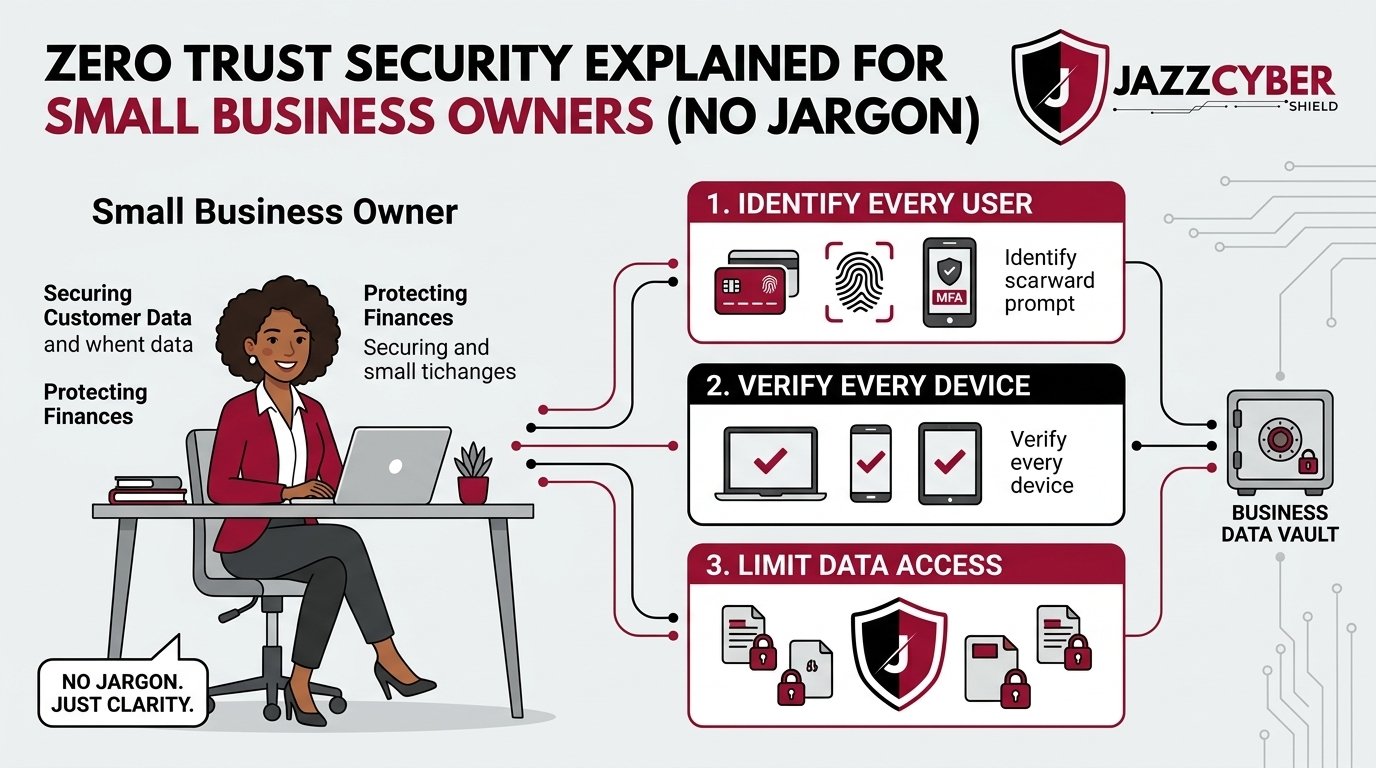
Your Business Is Already a Target — Here’s What to Do About It
If you’ve heard the term Zero Trust Security and moved on because it sounded like enterprise buzzword soup — stop. This matters for your business right now.
A hacker doesn’t need to break down the front door. They just need one employee to click the wrong email, one weak password, one device on your network they didn’t know about. Small businesses are getting hit every single day. And most of them had no idea they were vulnerable — until it was too late.
Zero Trust Security isn’t a product you buy off a shelf. It’s a way of thinking about your network. And once you understand it, you’ll wonder how you ever ran a business without it.
This guide breaks it all down — plain English, no jargon, real examples.
Table of Contents
The Scale of Cyber Threats for Small Businesses in 2026
Let’s get the numbers out of the way fast — because they’re alarming.
According to the Verizon Data Breach Investigations Report (opens in new tab), 43% of all cyberattacks target small businesses. Of those, 60% go out of business within six months of a major breach. That’s not a statistic from a decade ago. That’s happening right now.
The average cost of a data breach for a small business hit $4.45 million in 2023, according to IBM Security’s Cost of a Data Breach Report (opens in new tab). You don’t have to lose $4 million to go under — even $200,000 in recovery costs, legal fees, and lost customers can kill a small operation.
⚠️ ALERT: The CISA (Cybersecurity and Infrastructure Security Agency) (opens in new tab) confirms that over 80% of successful breaches involve compromised credentials — a username and password. Zero Trust Security is specifically designed to stop exactly this kind of attack.
The threat isn’t theoretical. It’s Tuesday morning and someone just got your employee’s login from a phishing email. What happens next depends entirely on your security architecture.
What Is Zero Trust Security?
The old model of network security worked like a castle. Big walls outside, trusted everything inside. If you made it past the firewall, you were “in” — and the network trusted you like a friend.
Zero Trust Security throws that model in the trash.
The entire philosophy is built on three words: never trust, always verify.
It doesn’t matter if a user is inside your office, on your Wi-Fi, or logging in remotely. Zero Trust assumes that every device, every user, and every connection could be compromised. So every single access request gets verified — every time.
Traditional Security Model:
[Internet] → [Firewall] → [Trusted Internal Network]
                              ↓
                   Everyone inside = trusted

Zero Trust Security Model:
[Internet] → [Identity Check] → [Device Check] → [Access Policy]
                                                        ↓
                              Only verified users get only what they need
That’s it. That’s the whole idea. You verify identity. You check the device. You grant the minimum access required. You log everything.
🔴 WARNING: If your business has a flat network where any logged-in employee can access everything — payroll, customer data, servers, all of it — you’re one stolen password away from total exposure. Zero Trust Security eliminates this risk by design.
The NIST Zero Trust Architecture guidelines (opens in new tab) define the formal framework, but the core concept is simple enough for any business owner to act on today.
The Old Way vs. The Zero Trust Way
Here’s a side-by-side comparison. No fluff — just facts.
| Factor | Traditional Security | Zero Trust Security |
|---|---|---|
| Default assumption | “Trust but verify” | “Never trust, always verify” |
| Network access | Wide open once inside | Segmented, role-based |
| Remote workers | VPN = full access | Verified per session |
| Breach containment | Attacker moves freely | Lateral movement blocked |
| Password breach impact | Catastrophic | Limited to one segment |
| Device checks | Rarely enforced | Required every time |
| Visibility | Limited logging | Full audit trail |
| Cost to implement | Lower upfront | Moderate — pays off fast |
The difference in a real breach scenario is night and day.
With a traditional setup, one stolen login can give an attacker access to your entire network. They move quietly from folder to folder, machine to machine, until they own everything.
With Zero Trust Security in place, that same stolen login hits a wall. The attacker might get into one application. They can’t pivot. They can’t escalate. Your damage radius just shrank from catastrophic to manageable.
How Zero Trust Security Works in a Small Business
You don’t need a 500-person IT department to implement Zero Trust Security. Here’s how it actually looks in a real small business.
Step 1: Identity Verification Every user logs in with multi-factor authentication (MFA). Username + password + a code to their phone. No exceptions. Even the owner.
Step 2: Device Verification Before granting access, the system checks whether the device is company-approved, up to date, and not compromised. Personal phones and random laptops get blocked or isolated.
Step 3: Least Privilege Access Your bookkeeper can access accounting software. That’s it. They don’t need access to your CRM, your server files, or your security cameras. Zero Trust enforces this automatically.
Step 4: Network Segmentation Your network gets split into zones. Guest Wi-Fi. Employee devices. Point-of-sale systems. Security cameras. IoT devices. Each zone is isolated. A breach in one doesn’t spread to others.
⚠️ ALERT: Most small business networks are completely flat — one network, everything on it. This is the single biggest security mistake we see. Learn how VLANs can segment your network and take your first step toward Zero Trust.
Step 5: Continuous Monitoring Zero Trust doesn’t just check identity at login. It keeps watching. Unusual behavior triggers alerts. Accounts get locked automatically if something looks off.
The Hardware That Makes Zero Trust Security Possible
Zero Trust Security is a strategy. But strategy needs tools. Here’s the hardware that enforces it.
Next-Generation Firewalls (NGFWs) This is the backbone. A basic firewall checks where traffic is coming from. A next-generation firewall checks what the traffic is, who sent it, and whether that behavior is normal. Brands like Fortinet, SonicWall, WatchGuard, and Cisco build NGFWs specifically for businesses your size.
If you’re ready to enforce Zero Trust at the network level, browse our firewall collection to find the right fit for your business size and budget.
Managed Network Switches You can’t segment your network without intelligent switches that enforce those segments. Cisco and HPE Aruba switches support VLAN tagging and access control lists — both critical for Zero Trust network architecture.
Secure Access Points Your Wi-Fi is a massive attack surface. Enterprise-grade access points from brands like HPE Aruba enforce per-user authentication and isolate traffic by policy.
Identity and Access Management (IAM) Software like Microsoft Entra (formerly Azure AD) or Cisco Duo handles the identity verification layer — MFA, device compliance checks, and conditional access policies.
The right combination of these tools creates a Zero Trust environment that’s actually enforced — not just a policy document on a shelf.
If you’re building out your network stack, explore our Fortinet firewall options — Fortinet’s FortiGate series is one of the most widely deployed Zero Trust enforcement platforms for SMBs.
Common Zero Trust Myths Small Business Owners Believe
Let’s kill these fast.
“Zero Trust is only for big companies.” Wrong. SMBs are the most targeted, most underprepared, and most likely to go under after a breach. Zero Trust scales down. You don’t need enterprise infrastructure — you need smart architecture.
“We have a VPN, we’re fine.” A VPN encrypts traffic. It doesn’t verify identity, check device health, or limit what a user can access once connected. VPNs are one piece of the puzzle — not the whole solution.
“We already have a firewall.” Do you have a basic firewall from 2019 that passes traffic without inspecting it? That’s not Zero Trust. That’s a locked front door with an unlocked window.
“This will cost us a fortune.” The cost of implementation is a fraction of the average breach cost. Fortinet, SonicWall, and WatchGuard all make SMB-grade Zero Trust hardware that fits real small business budgets.
“Our employees will hate it.” MFA adds about 10 seconds to a login. Network segmentation is invisible to users. The friction is minimal. The protection is substantial.
Step-by-Step: How to Start Implementing Zero Trust
You don’t flip a switch and have Zero Trust overnight. Here’s a realistic roadmap.
- Audit your current setup — Map every device on your network. You can’t protect what you don’t know exists. Check your router settings that need immediate attention as a starting point.
- Enable MFA everywhere — Email, remote access, cloud tools. Do this today. It’s free on most platforms and stops the majority of credential attacks cold.
- Segment your network — Create separate VLANs for employees, guests, IoT devices, and point-of-sale systems. Don’t let them talk to each other unless absolutely necessary.
- Upgrade to a next-generation firewall — Basic firewalls don’t do deep packet inspection, application control, or behavioral analysis. An NGFW does all three.
- Enforce least privilege — Review what every user account can access. Remove access that isn’t actively needed. This is uncomfortable but essential.
- Upgrade your Wi-Fi encryption — If you’re still running WPA2, understand the difference between WPA2 and WPA3 and upgrade immediately.
- Set up logging and alerting — Zero Trust requires visibility. Configure your firewall and switch logs. Set alerts for anomalous behavior.
- Train your team — Technology can’t fix a person clicking a phishing link. Quarterly security awareness training is non-negotiable.
- Review and repeat — Zero Trust is a continuous process, not a one-time project. Review access policies quarterly.
✅ Quick Reference Checklist
Print this. Post it. Work through it.
ZERO TRUST SECURITY — SMB IMPLEMENTATION CHECKLIST

IDENTITY & ACCESS
[ ] Multi-factor authentication enabled on all accounts
[ ] Unique passwords for every system (use a password manager)
[ ] Admin accounts separate from daily-use accounts
[ ] Former employee accounts deleted within 24 hours of departure
[ ] Least privilege enforced — users access only what they need

NETWORK SEGMENTATION
[ ] Guest Wi-Fi isolated from internal network
[ ] IoT devices (cameras, printers, smart devices) on separate VLAN
[ ] Point-of-sale systems on isolated network segment
[ ] Employee devices separated from servers

HARDWARE & FIRMWARE
[ ] Next-generation firewall deployed and configured
[ ] All firmware updated (router, switches, access points, firewall)
[ ] WPA3 encryption enabled on Wi-Fi
[ ] Default passwords changed on all devices

MONITORING & RESPONSE
[ ] Logging enabled on firewall and switches
[ ] Alerts configured for unusual login behavior
[ ] Incident response plan documented
[ ] Offsite backups running and tested

TRAINING
[ ] All employees trained on phishing recognition
[ ] Security awareness refresher scheduled quarterly
[ ] Clear process for reporting suspicious emails
Frequently Asked Questions
Q: Do I need to be a tech expert to implement Zero Trust Security? A: No. The core concepts — MFA, network segmentation, least privilege — can be set up with the right hardware and a basic understanding of your network. Many managed IT providers specialize in SMB Zero Trust deployments. The hardware does the heavy lifting once it’s configured.
Q: How much does Zero Trust Security cost for a small business? A: It varies by size, but a realistic starting point for a 10–50 person business is $1,500–$5,000 for hardware (NGFW + managed switch + enterprise access points), plus ongoing software licensing for identity management tools. Compare that against the average $4.45 million breach cost — the ROI is clear.
Q: Can I implement Zero Trust if my team works remotely? A: Yes — in fact, Zero Trust was built for exactly this scenario. Remote work breaks the old castle-and-moat model entirely. Zero Trust verifies identity and device health regardless of where the user is connecting from, making it ideal for hybrid and remote teams.
Q: What’s the single most important first step? A: Enable multi-factor authentication on everything. It’s free, it takes an afternoon to set up, and it blocks the vast majority of credential-based attacks. Don’t wait on anything else — do this today.
Q: Is Zero Trust Security required by law for small businesses? A: Not universally — but if you handle healthcare data (HIPAA), payment card data (PCI DSS), or work with federal agencies (CMMC), you have regulatory requirements that Zero Trust directly addresses. The CISA Zero Trust Maturity Model (opens in new tab) is the US government’s official framework, and it’s worth reading even if you’re not federally regulated.
Conclusion
Zero Trust Security isn’t a luxury for enterprise companies with unlimited budgets. It’s a practical, scalable framework that any small business can adopt — piece by piece, starting today.
The threat landscape in 2026 doesn’t care how small your company is. Attackers use automated tools that scan millions of networks looking for the same vulnerabilities. Flat networks. Weak passwords. No MFA. Outdated firmware. If you have any of those, you’re a target.
The good news? Zero Trust works. It limits breach radius, slows attackers, and gives you visibility into your own network. And you don’t have to build it all at once — start with MFA and network segmentation, add a next-generation firewall, and build from there.
Your business is worth protecting. Start with the right firewall and build your Zero Trust architecture today.
Related Reading
- Why Small Businesses Close After a Cyberattack — And How to Survive
- VLAN Setup for Your Business Network in 2026
- Router Settings You Must Change Right Now
- The Hidden Danger of Public Wi-Fi in 2026
- WPA2 vs WPA3: What’s the Real Difference?

