



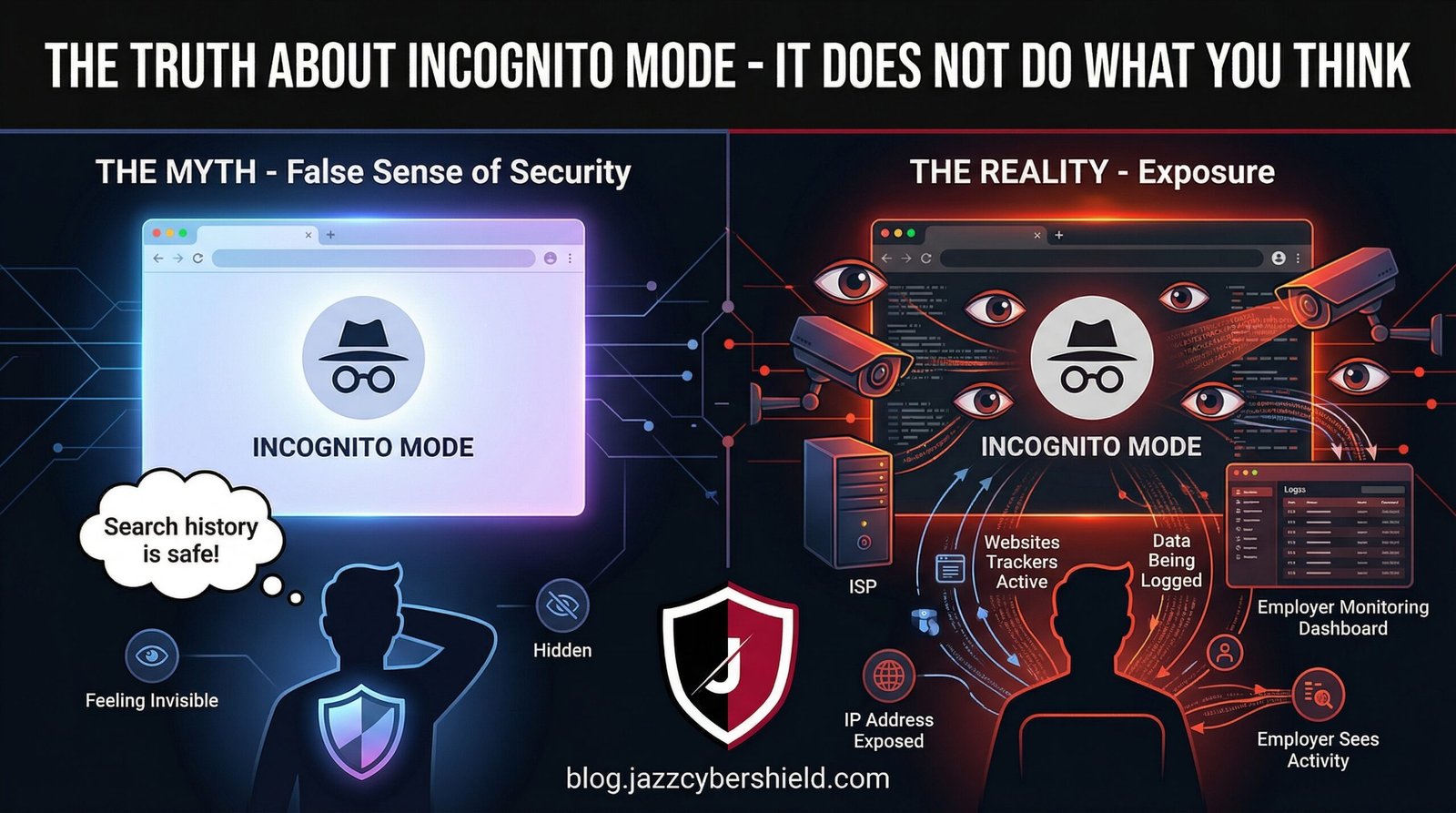
You open an incognito window, and suddenly you’re invisible online. At least, that’s what 73% of Americans believe according to 2026 privacy surveys. The reality? Incognito mode offers far less protection than you think — and in some cases, it protects you from almost nothing at all.
Whether you’re researching sensitive medical conditions, shopping for surprise gifts, or trying to keep your browsing habits private from your employer, understanding what incognito mode actually does (and doesn’t do) is critical for real online privacy in 2026. This guide breaks down the technical truth, exposes common myths, and shows you what you actually need to stay private.
Table of Contents
What Incognito Mode Actually Does
Incognito mode — called Private Browsing in Firefox, InPrivate in Edge, and Private Window in Safari — is a browser feature that creates a temporary browsing session isolated from your main browser profile. Here’s what it actually accomplishes:
1. Deletes Local Browsing History After Closing
When you close an incognito window, the browser deletes:
- Browsing history: The list of sites you visited
- Cookies: Small files websites store on your device
- Site data: Local storage, cache, and form data
- Information entered in forms: Auto-fill data for that session
This means someone sitting at your computer after you close incognito won’t see where you went — unless they have network-level monitoring tools.
2. Prevents Cross-Session Tracking (Partially)
Without cookies persisting between sessions, websites can’t easily track you across multiple visits using traditional methods. That shopping cart you abandoned won’t follow you around the internet — at least not through cookie-based retargeting.
3. Isolates Login Sessions
You can log into two different Gmail accounts simultaneously — one in regular mode, one in incognito — without conflicts. This is actually one of the most legitimate use cases for incognito mode.
4. Disables Browser Extensions (Usually)
Most browsers disable extensions in incognito mode by default, preventing potentially malicious or leaky add-ons from accessing your private session.
The key distinction: Incognito mode is designed to protect your privacy from other users of your device. It was never designed to protect you from websites, your ISP, your employer, or government surveillance.
What Incognito Mode Does NOT Do (The Critical Gaps)
Here’s where the dangerous misconceptions begin. Incognito mode does nothing to protect you from the entities that actually matter for online privacy:
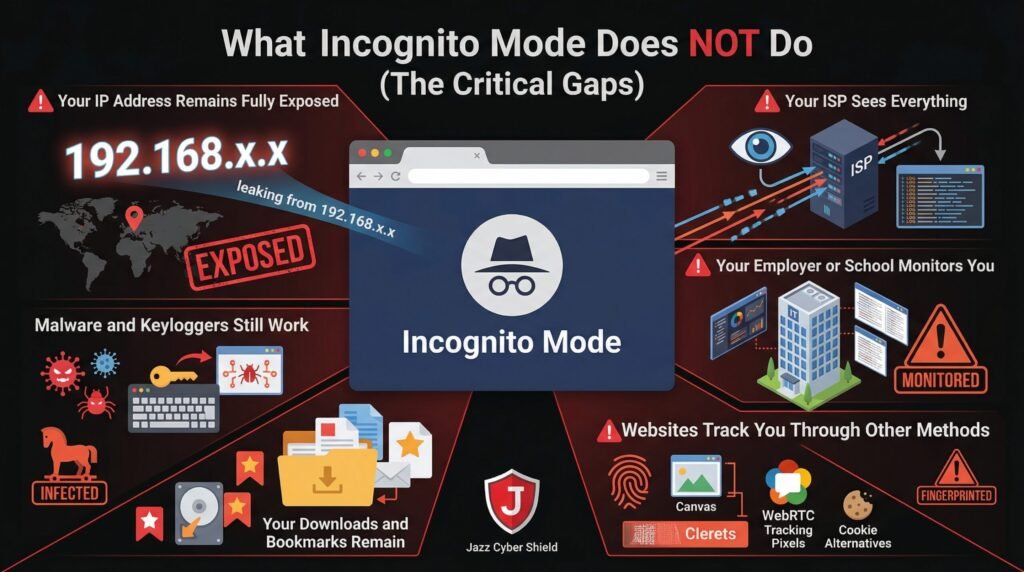
Your IP Address Remains Fully Exposed
Incognito mode does not hide your IP address. Websites see exactly where you’re connecting from — your city, your ISP, and a unique identifier that can be used to track you across sessions. Your IP address is like your digital home address, and incognito mode broadcasts it loudly.
Your ISP Sees Everything
Internet Service Provider logs every website you visit in incognito mode. They can see:
- The exact URLs you access
- The time and duration of visits
- The amount of data transferred
- The unencrypted content of non-HTTPS sites
In the United States, ISPs can legally sell this browsing data to advertisers. Incognito mode changes nothing about this reality. For actual protection from ISP surveillance, you need a VPN that encrypts your traffic.
Your Employer or School Monitors You
If you’re on a corporate or educational network, incognito mode is transparent to network administrators. They see every site you visit through:
- DNS logging: Every domain you look up
- Proxy inspection: Full URL monitoring
- SSL inspection: Decrypted content on corporate devices
- Network flow analysis: Traffic patterns and timing
Using incognito mode at work to bypass company policy isn’t just ineffective — it’s often grounds for termination when discovered.
Websites Track You Through Other Methods
Even without cookies, websites use sophisticated tracking techniques:
- Browser fingerprinting: Unique characteristics of your browser setup
- Canvas fingerprinting: Rendering differences in HTML5 canvas elements
- WebRTC leaks: Real IP exposure through browser communication protocols
- E-tag tracking: Cache-based tracking mechanisms
- HSTS fingerprinting: Security policy tracking
A 2025 study found that 94% of websites could uniquely identify returning visitors even in incognito mode using fingerprinting techniques.
Your Downloads and Bookmarks Remain
Files you download while in incognito mode stay on your computer. Bookmarks you create persist. If you save a password when prompted, it may still sync to your Google or Firefox account depending on settings.
Malware and Keyloggers Still Work
Incognito mode doesn’t protect against malware installed on your system. Keyloggers record every keystroke regardless of browser mode. Screen capture software sees everything you do. Remote access trojans give attackers full visibility.
Who Can Still See Your Incognito Browsing
Understanding your threat model means knowing who can see your activity despite incognito mode:Table
| Entity | What They See | Protection Level |
|---|---|---|
| Other device users | Nothing (after close) | ✅ Protected |
| Websites you visit | Your IP, fingerprint, behavior | ❌ Fully visible |
| Your ISP | All domains, timing, data volume | ❌ Fully visible |
| Employer/School | All traffic, often decrypted content | ❌ Fully visible |
| Government agencies | Same as ISP + legal intercepts | ❌ Fully visible |
| Public Wi-Fi operators | All unencrypted traffic, metadata | ❌ Fully visible |
| Network hackers | DNS queries, unencrypted data | ❌ Vulnerable |
The pattern is clear: incognito mode protects you from the least threatening observers (people with physical device access) while leaving you exposed to the most threatening observers (network-level adversaries with sophisticated monitoring capabilities).
Incognito Mode vs. VPN: What’s the Real Difference
This is where privacy discussions often get confused. Incognito mode and VPNs serve completely different purposes, yet many users believe they’re interchangeable.Table
| Feature | Incognito Mode | VPN (Virtual Private Network) |
|---|---|---|
| Hides browsing history locally | ✅ Yes | ❌ No (that’s your browser’s job) |
| Hides IP address from websites | ❌ No | ✅ Yes |
| Encrypts traffic from ISP | ❌ No | ✅ Yes |
| Protects on public Wi-Fi | ❌ No | ✅ Yes |
| Prevents browser fingerprinting | ❌ No | ⚠️ Partial (depends on VPN) |
| Bypasses geo-restrictions | ❌ No | ✅ Yes |
| Prevents employer monitoring | ❌ No | ⚠️ Partial (if personal device) |
| Cost | Free | Paid service required |
The critical insight: Incognito mode handles local privacy (who uses your device). VPNs handle network privacy (who monitors your connection). For comprehensive protection, you need both — plus additional tools for complete anonymity.
For a deep dive into how VPNs actually protect you (and their limitations), read our guide on Does a VPN Actually Hide You From Your ISP? The Honest Answer.
When Should You Actually Use Incognito Mode
Despite its limitations, incognito mode has legitimate use cases:
1. Multi-Account Management
Logging into multiple accounts on the same service simultaneously without conflicts. This is the most common legitimate use.
2. Temporary Session Isolation
Researching sensitive topics on a shared family computer where you don’t want suggestions or history to appear for other users.
3. Bypassing Paywalls (Sometimes)
Some news sites limit free articles based on cookies. Incognito mode resets these counters — though many sites now track by IP address or require registration.
4. Testing Websites
Developers and marketers use incognito mode to see how sites appear to new visitors without personalized content or cached data.
5. Avoiding Personalized Search Results
Google tailors search results based on your history. Incognito mode shows more “neutral” results — though location and IP-based personalization still apply.
What incognito mode should NEVER be used for:
- Illegal activities (you will be caught)
- Bypassing serious workplace monitoring (you will be caught)
- Protecting sensitive communications from sophisticated adversaries
- Hiding from law enforcement investigations
Real Privacy Tools: What to Use Instead of Incognito
If incognito mode doesn’t provide real privacy, what does? Here’s the layered security approach that actually works in 2026:
Layer 1: VPN (Essential)
A VPN with a kill switch encrypts all traffic between your device and a remote server, hiding your activity from ISPs and network observers. Choose providers with independently audited no-logs policies — many “free” VPNs actually increase your risk. We exposed the worst offenders in our report on VPNs Caught Lying About No-Log Policies.
Layer 2: Privacy-Focused Browsers
Replace Chrome with:
- Firefox with privacy hardening
- Brave with built-in ad/tracker blocking
- Tor Browser for maximum anonymity (slower but far more private)
Layer 3: Hardware-Level Security
For serious privacy, your network infrastructure matters. A Next-Generation Firewall (NGFW) provides:
- Deep packet inspection to detect tracking attempts
- DNS filtering to block known tracking domains
- VPN termination for secure remote access
- Network segmentation to isolate browsing activity
Enterprise-grade solutions from SonicWall, Fortinet, and Cisco — available at Jazz Cyber Shield — provide protection that browser settings cannot match.
Layer 4: Search Engine Alternatives
- DuckDuckGo: No search history tracking
- Startpage: Google results without the tracking
- Brave Search: Independent index with privacy focus
Layer 5: Browser Extensions (Use Carefully)
- uBlock Origin: Blocks ads and trackers
- Privacy Badger: Learns and blocks trackers automatically
- HTTPS Everywhere: Forces encrypted connections
- Decentraleyes: Prevents CDN tracking
Warning: Each extension increases your browser’s fingerprint uniqueness. Use sparingly and test at coveryourtracks.eff.org.
Browser Fingerprinting: How You’re Tracked Even in Incognito
The most sophisticated tracking method renders incognito mode nearly useless. Browser fingerprinting collects dozens of data points about your browser configuration:
- Screen resolution and color depth
- Installed fonts and plugins
- Canvas and WebGL rendering characteristics
- Timezone and language settings
- Hardware capabilities (CPU cores, memory)
- Audio processing signatures
When combined, these create a unique “fingerprint” that identifies you across sessions, browsers, and even incognito mode. A 2026 study found that 99.5% of browsers were uniquely identifiable using fingerprinting techniques.
Protection strategies:
- Use Tor Browser (standardized fingerprint across all users)
- Install CanvasBlocker or similar extensions
- Disable JavaScript (breaks many sites but stops most fingerprinting)
- Use virtual machines for sensitive browsing
Incognito Mode Legal Cases and Privacy Scandals
The gap between public perception and technical reality has created legal consequences:
Google’s $5 Billion Lawsuit (Ongoing)
In 2020, Google faced a $5 billion class-action lawsuit alleging that Chrome’s incognito mode misled users into believing their browsing was private. The lawsuit claims Google continued tracking users through Google Analytics, Ad Manager, and other tools while marketing incognito as “private.”
Internal Google emails revealed employees joking that incognito mode should be renamed due to confusion about its actual protections. The case is ongoing as of 2026, with potential settlements requiring Google to clarify incognito’s limitations.
Corporate Espionage Cases
Multiple employees have been fired or prosecuted for using incognito mode to access inappropriate content at work, mistakenly believing they were invisible to IT monitoring. Courts have consistently ruled that employers have the right to monitor all network traffic, regardless of browser mode.
Criminal Investigations
Law enforcement routinely recovers “private” browsing data through:
- DNS cache: Even after closing incognito, systems may retain domain lookups
- Network logs: ISPs and employers maintain comprehensive records
- RAM forensics: Unencrypted browsing data persists in memory until overwritten
- Cloud sync: Bookmarks, passwords, or form data may sync despite incognito settings
How to Actually Browse Privately in 2026
For users in the USA, Canada, UK, and worldwide who need real privacy, here’s the complete protocol:
Basic Privacy (Hide from ISP and Local Networks)
- Subscribe to a reputable VPN with kill switch (not free)
- Use Firefox or Brave with uBlock Origin
- Switch to DuckDuckGo for search
- Enable DNS-over-HTTPS (DoH) in browser settings
Enhanced Privacy (Resist Tracking and Fingerprinting)
- All basic steps above
- Use Tor Browser for sensitive searches
- Disable third-party cookies and JavaScript by default
- Use separate browser profiles for different activities
- Consider a dedicated privacy device (Raspberry Pi with Pi-hole)
Maximum Privacy (Journalists, Activists, High-Value Targets)
- Use Tails OS (amnesic incognito live system) booted from USB
- Connect only through Tor network
- Use public Wi-Fi without cameras (or use mobile hotspot)
- Separate devices for sensitive vs. routine activities
- Physical security and operational security protocols
For Business Networks
Organizations serious about employee privacy and security should deploy:
- Network-wide VPN termination on enterprise firewalls
- DNS filtering to block tracking and malicious domains
- Network segmentation to isolate browsing traffic
- Zero Trust architecture assuming breach and verifying every access
Jazz Cyber Shield provides SonicWall, Fortinet, and Cisco solutions that implement these protections at the network level — protecting all users regardless of their browser settings.
Frequently Asked Questions
Q1: Does incognito mode hide my IP address?
No. Incognito mode does not hide your IP address. Websites, your ISP, and network observers see your real IP address exactly the same as in regular browsing mode. Only a VPN or Tor hides your IP address.
Q2: Can my employer see what I browse in incognito mode?
Yes. If you’re on a corporate network, your employer can see every website you visit in incognito mode through DNS logs, proxy servers, and network monitoring tools. Many employers also deploy SSL inspection on company devices, allowing them to see the full content of HTTPS sites. Incognito mode provides zero protection against employer monitoring.
Q3: Does incognito mode protect me on public Wi-Fi?
No. Incognito mode does not encrypt your traffic. On public Wi-Fi, hackers can intercept your data using tools like Wireshark or Evil Twin attacks. You need a VPN to encrypt traffic on public networks. See our VPN Kill Switch guide for complete protection strategies.
Q4: Can Google track me in incognito mode?
Yes. Google can and does track incognito users through:
- Google Analytics on websites you visit
- Google Ad Manager display ads
- Signed-in Google services (if you log in)
- IP address and browser fingerprinting
The ongoing $5 billion lawsuit against Google specifically addresses this tracking despite incognito marketing.
Q5: Is incognito mode completely useless?
No, but it’s severely limited. Incognito mode is useful for:
- Preventing local browsing history storage
- Managing multiple account logins
- Temporary session isolation on shared devices
It is not useful for:
- Hiding from websites or trackers
- Protecting from ISP or employer monitoring
- Securing public Wi-Fi connections
- Anonymous browsing
Q6: What’s better than incognito mode for privacy?
For real privacy, use:
- VPN to hide traffic from ISP and network observers
- Privacy browsers like Firefox, Brave, or Tor
- Private search engines like DuckDuckGo
- Hardware firewalls for network-level protection
- Browser extensions that block trackers and fingerprinting
For enterprise environments, Next-Generation Firewalls provide comprehensive protection that individual browser settings cannot achieve.
Q7: Can incognito browsing be recovered forensically?
Yes. Even after closing incognito windows, forensic investigators can recover:
- DNS cache entries
- RAM dumps containing unencrypted page content
- Network logs from routers, ISPs, or employers
- Swap file data on hard drives
- Cloud sync data that may have transmitted despite incognito settings
Incognito mode is not a forensic countermeasure.
Q8: Why do browsers offer incognito mode if it’s not private?
Incognito mode serves legitimate purposes: multi-account management, temporary session isolation, and shared computer privacy. The problem is marketing and user education — browsers present incognito as “private browsing” when it’s actually “local privacy only.” This creates dangerous misconceptions about actual protection levels.
Q9: Do I need a firewall if I use incognito mode?
Absolutely. Incognito mode operates at the browser level and provides no network protection. A hardware firewall protects your entire network from external threats, monitors traffic for suspicious patterns, and can enforce VPN usage across all devices. For businesses, firewalls are mandatory compliance requirements, not optional add-ons.
Q10: Where can I buy enterprise privacy and security solutions in the USA and worldwide?
Jazz Cyber Shield provides enterprise-grade firewalls, VPN solutions, network security hardware, and privacy infrastructure to businesses and professionals across the United States, Canada, Europe, and worldwide. Our team specializes in building comprehensive privacy architectures that go far beyond browser settings.
Final Verdict: Incognito Mode Is a Privacy Mirage
Incognito mode is the digital equivalent of cleaning your room by shoving everything under the bed — it looks clean until someone actually looks. It protects you from the most trivial threats (other device users) while leaving you exposed to the most serious threats (network surveillance, tracking, and sophisticated adversaries).
The hard truth: If your privacy model relies on incognito mode, you have no meaningful privacy.
Real protection requires defense in depth: encrypted connections through VPNs, privacy-hardened browsers, network-level security through enterprise firewalls, and informed awareness of what tools actually accomplish. For home users, this means a quality VPN and browser hardening. For businesses, this means NGFW deployment, network segmentation, and comprehensive security policies.
Don’t let the illusion of incognito mode create a false sense of security. Your browsing is being monitored, tracked, and logged by multiple entities — incognito mode changes none of that. Take actual steps to protect your privacy, or accept that your digital life is an open book.
Have questions about building real privacy protections for your home or business? Drop them in the comments below — our cybersecurity team responds to every question. For enterprise privacy solutions and network security hardware, visit Jazz Cyber Shield.


This really hit home for me— I used to think incognito mode meant total privacy, but now I understand it’s more about hiding my local history than protecting me from ISPs or employers. Thanks for breaking down what actually happens when we think we’re being private online.
Thanks for breaking down the misconceptions around incognito mode—it’s so easy to assume you’re anonymous online when you’re not. It’s a wake-up call for anyone who thinks their browsing history disappearing means their digital footprint vanishes too. The reality is, true privacy requires a more comprehensive approach, and this article does a great job highlighting that.
This post really hits home regarding the false sense of security many of us feel with Incognito mode, especially when ISPs and employers still track our activity. It’s a crucial realization that local history deletion doesn’t equate to true anonymity on the broader web. Understanding these limitations is the first real step toward actually securing digital privacy.