



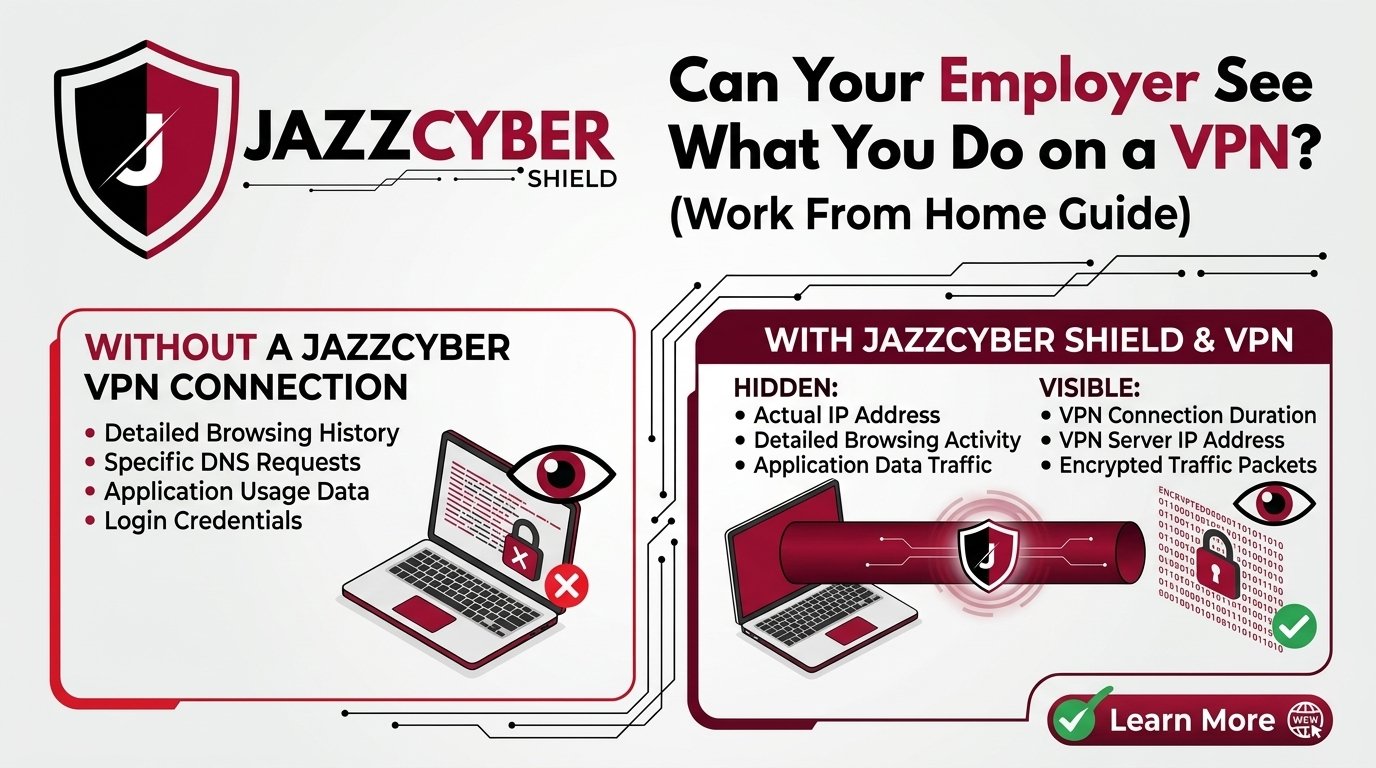
Are you working from home and wondering: can my employer see what I do on a VPN? This is one of the most searched cybersecurity questions in the USA in 2026 — and the answer might surprise you. Whether you’re using a company-issued firewall or a personal VPN, your online activity may not be as private as you think.
In this comprehensive work from home VPN guide, we break down exactly what your employer can and cannot see, how VPNs actually work, and how to protect your personal privacy while staying compliant with company policies.
What Is a VPN and How Does It Work?
A Virtual Private Network (VPN) creates an encrypted tunnel between your device and a remote server. All your internet traffic is routed through this tunnel, masking your real IP address and encrypting data from prying eyes. But here’s the key question: whose eyes are we talking about?
- Company VPN: Provided and managed by your employer — gives them full visibility into your traffic.
- Personal VPN: A third-party service you pay for — designed to protect your privacy from ISPs, hackers, and surveillance.
If you want to deeply understand how VPNs handle logging and transparency, check out our detailed exposé on VPNs caught lying about their no-log policy.
Can Your Employer See Your Internet Activity on a Work VPN?
If your employer provides the VPN and you connect to it while working from home, the short answer is: YES — your employer can see your internet activity.
Here’s exactly what your employer (or their IT department) may be able to monitor when you’re connected to a corporate VPN:
- Websites you visit — Every domain you access is logged in network traffic records
- Time spent on sites — Duration of visits to specific websites or apps
- Bandwidth usage — How much data you’re uploading and downloading
- Applications you use — VoIP calls, video conferencing, file transfers
- Login attempts — Failed or successful logins to company resources
- Email and messaging metadata — Timestamps, recipients (not necessarily content if encrypted)
Corporate networks are typically secured and monitored using enterprise-grade business firewalls such as SonicWall firewalls and SSL VPN license firewalls that log all traffic. These are the same tools companies use to enforce acceptable use policies and detect insider threats.
What Does Deep Packet Inspection (DPI) Mean for Remote Workers?
Deep Packet Inspection (DPI) is a technique used by corporate firewalls and network monitoring tools to analyze the actual content of data packets. When your company uses DPI on their VPN infrastructure, they can potentially see unencrypted website content, DNS queries, and application-layer protocols. This is why network security experts always advise remote workers to assume that all activity on a company VPN is visible to IT administrators. For a deeper understanding, see our guide on AI-powered firewalls vs human-managed security.
Can Your Employer See What You Do on a Personal VPN?
Scenario 1: Personal VPN on a Company Device
If your employer has installed monitoring software (endpoint security agents, MDM profiles, keyloggers) on your company laptop or phone, a personal VPN will NOT fully protect you. The monitoring software operates at the operating system level — below the VPN — so it can capture screenshots, keystrokes, application usage logs, files accessed, and browser history at the device level.
Scenario 2: Personal VPN on a Personal Device (Home Network)
If you’re using your own device on your home network with a personal VPN, and you are NOT connected to your company’s VPN, then your employer generally cannot see your internet activity. However, they may still track work application usage (Microsoft Teams, Slack, Zoom activity logs), login timestamps through company cloud services, and files synced to company cloud storage.
Want to know if your ISP is also watching? Read our detailed post: Does a VPN Actually Hide You From Your ISP? The Honest Answer (2026).
Employer Monitoring Laws in the USA (2026 Update)
In the United States, employer monitoring of company devices and networks is generally legal, especially when employees are informed through acceptable use policies. The Electronic Communications Privacy Act (ECPA) allows employers to monitor employee communications on company systems with prior notice. States like California, New York, and Connecticut have stricter employee privacy protections. Always review your company’s Acceptable Use Policy (AUP) and remote work agreement to understand what data your employer collects.
What Can Your Employer See on Wi-Fi vs VPN?
| Connection Type | Employer Can See | Privacy Level |
|---|---|---|
| Company Wi-Fi (No VPN) | All traffic, websites, content | Very Low |
| Company VPN | All traffic routed through VPN tunnel | Low (full employer visibility) |
| Personal VPN on Company Device | Device-level activity via endpoint agents | Medium |
| Personal VPN on Personal Device | Work app activity, login metadata | High |
| Home Wi-Fi (No VPN, Personal Device) | Work cloud app activity only | Medium-High |
For more on securing your home network, read our guide on How to Setup a Completely Secure Home Network From Scratch (2026 Guide).
How to Protect Your Privacy While Working From Home
1. Separate Work and Personal Devices
The most effective way to protect your personal privacy is to never use company devices for personal activities. Keep work and personal tasks strictly separated. This ensures that any company monitoring software on your work device has zero visibility into your personal life.
2. Use a Quality Personal VPN for Personal Browsing
A paid personal VPN on your personal device is far more trustworthy than free options. Learn the real differences in our guide on Free VPN vs Paid VPN: What They’re NOT Telling You.
3. Secure Your Home Router
Your home router is the gateway to your entire network. Make sure it’s properly secured. Our experts recommend reviewing your router settings you must change right now and understanding the difference between Mesh WiFi vs Traditional Router security.
4. Upgrade to WPA3 Security on Your Wi-Fi
If your router is still running WPA2, it’s time to upgrade. Read our comparison of WPA2 vs WPA3: Is Your Home Wi-Fi Secure? to understand the security improvements WPA3 brings to remote work environments.
5. Deploy a Business-Grade Firewall for Your Home Office
For professionals who work with sensitive data, investing in a home office firewall is becoming standard practice. Jazz Cyber Shield offers enterprise-grade firewalls for business and home office use, including:
- SonicWall Security Firewall (01-SSC-0211) — Enterprise-grade protection at an affordable price
- SSL VPN License Firewall (01-SSC-8630) — Perfect for remote workers who need encrypted VPN tunnels
- Security Controller (01-SSC-8631) — Centralized management for small home office networks
6. Protect Your Network with Managed Switches
For home offices with multiple devices, a managed network switch adds an extra layer of control. Jazz Cyber Shield carries top-tier options including the Cisco WS-C2960 48-Port Managed Network Switch and the Cisco Meraki Go Router Firewall Plus with VPN — an excellent all-in-one solution for remote workers needing cloud-managed security with built-in VPN support.
Does Using a VPN Protect You From Your Employer? The Honest Truth
- A VPN protects you from: ISP surveillance, public Wi-Fi snooping, man-in-the-middle attacks, geolocation tracking
- A VPN does NOT protect you from: Employer-installed endpoint monitoring software, company VPN logging, device-level keyloggers, application-level activity tracking in work tools
The most important rule: Never assume privacy on a company device or company VPN.
Recent Topics in Work From Home Cybersecurity (2026)
- How to Know If Your WiFi Password Has Been Stolen (2026)
- 5 VPNs That Were Caught Lying About Their No-Log Policy
- 7 Router Settings You Must Change Right Now
- AI-Powered Firewalls vs Human Managed Security: What Will Lead in 2026?
- Does a VPN Actually Hide You From Your ISP? (2026)
- Why Aruba Networks Is the Secret Weapon for Modern Businesses in 2026
Best Products for Work From Home Network Security
At Jazz Cyber Shield, we specialize in enterprise-grade IT hardware and cybersecurity solutions. Here are our top recommended products for remote workers in 2026:
- SonicWall 01-SSC-0211 Security Firewall — Industry-leading threat prevention
- SonicWall 01-SSC-8630 SSL VPN License Firewall — Built for encrypted remote access
- SonicWall 01-SSC-1741 Security Firewall — Scalable protection for growing teams
- Cisco WS-C2960-48TC-L 48-Port Managed Switch — Reliable layer 2 switching
Browse our complete range of business firewalls and network switches at Jazz Cyber Shield — your trusted one-stop destination for IT security hardware and network protection equipment.
Frequently Asked Questions (FAQ)
Can my employer see my browsing history if I use a VPN?
If you’re connected to your employer’s VPN, yes — your employer’s network administrators can see your browsing history and internet activity. The company VPN routes all your traffic through their servers, where it can be logged and monitored. If you’re using a personal VPN on your own device and not connected to the corporate VPN, your employer generally cannot see your personal browsing.
Can my company track me if I work from home?
Yes. Many companies use endpoint monitoring software on company devices, corporate VPN logging, activity tracking within work applications (Teams, Slack, Jira), login timestamps, and file access logs in cloud storage. The extent of monitoring depends on your company’s policies.
Does a VPN hide my activity from my employer?
A personal VPN can hide your internet activity from your ISP and general internet surveillance, but it does NOT hide your activity from your employer if: (1) you are connected to a company VPN, (2) your employer has installed monitoring software on your device, or (3) your activity is tracked within company applications.
Can my employer see my VPN traffic at home?
If you connect through your employer’s VPN, they can see all traffic that passes through it. If you use a personal VPN at home on your own device while NOT connected to the company VPN, your employer cannot see your VPN traffic. However, activity within company applications and cloud services is always visible to your employer.
Is it illegal for employers to monitor employees working from home?
In the United States, employer monitoring of company-owned devices and networks is generally legal, especially when employees are notified through company policies. Some states like California, New York, and Connecticut have additional employee notification requirements. Always review your employment contract and company IT policy for specific details.
What is the best VPN for working from home in 2026?
The best VPN for working from home depends on your needs. For corporate remote access, company-provided VPN solutions with enterprise firewalls offer the most security. For personal privacy, reputable paid VPN services with verified no-log policies are recommended. Read our comparison of free vs paid VPN services to make an informed decision.
Can IT see what I do on my personal phone on company Wi-Fi?
Yes. When you connect your personal phone to company Wi-Fi, network administrators can see the websites and domains you visit, bandwidth usage, and potentially the content of unencrypted traffic. Using a personal VPN on your phone while connected to company Wi-Fi can provide additional privacy. For secure personal browsing at work, always use mobile data instead.
How do I know if my employer installed monitoring software on my laptop?
Common signs include: unusual CPU or RAM usage, processes you don’t recognize in Task Manager, corporate MDM profiles in device settings, pre-installed VPN clients you didn’t set up, and screen recording applications listed under startup programs. Remember: monitoring software on a company device is typically legal and disclosed in your employment terms.
About Jazz Cyber Shield: We are a trusted ICT solutions provider offering premium firewalls, network switches, storage devices, and cybersecurity hardware for businesses and home offices. Visit jazzcybershield.com to explore our complete product catalog, or read more cybersecurity tips on our cybersecurity blog.

