



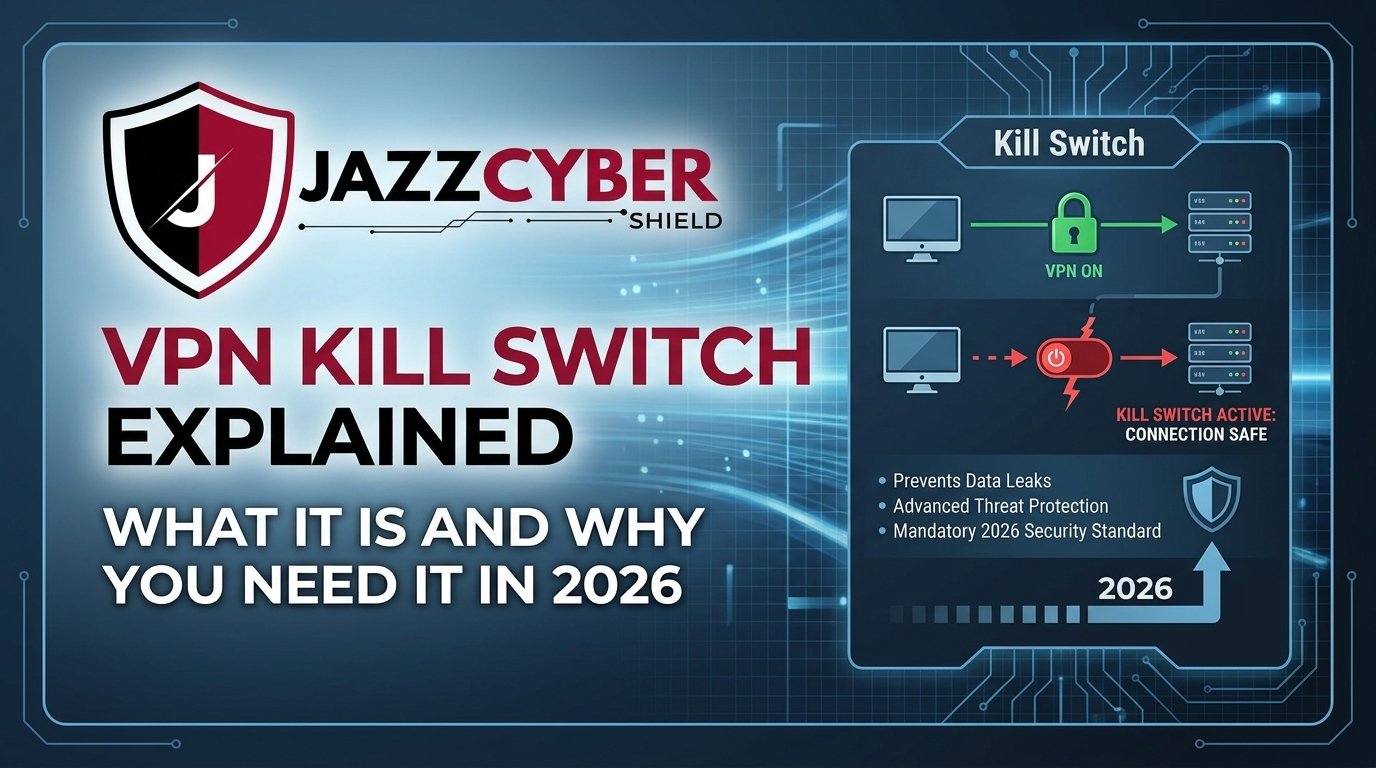
If your VPN connection drops for even one second, your real IP address is exposed — and everything you thought was private is suddenly visible. That’s exactly the problem a VPN Kill Switch solves. In this comprehensive guide, we break down what a VPN kill switch is, how it works, why it matters for users in the USA, Canada, and Europe, and how to make sure your network hardware is ready to support it.
Whether you’re a home user, a remote worker, or running a business network, this guide is built for you.
What Is a VPN Kill Switch?
A VPN Kill Switch (also called a network lock or internet kill switch) is a security feature built into VPN software that automatically cuts your internet connection if your VPN tunnel drops unexpectedly. Instead of letting your real IP address “leak” to websites, ISPs, or governments, the kill switch blocks all outgoing traffic until the VPN connection is safely restored.
Think of it as a fail-safe circuit breaker for your privacy. The moment your VPN fails, the kill switch trips — and your internet traffic stops completely until protection is re-established.
This is especially critical for:
- Journalists and activists in restrictive regions
- Remote workers handling confidential business data
- Torrenting users who must stay anonymous
- Business networks using SSL VPN licenses
- Anyone relying on a VPN for daily privacy in the USA, Canada, UK, or EU
How Does a VPN Kill Switch Work?
Understanding the mechanics of a VPN Kill Switch helps you use it more effectively. There are two types of kill switches:
1. System-Level Kill Switch
This operates at the operating system level and monitors the VPN connection status continuously. If the tunnel drops, it immediately blocks all network interfaces — no traffic leaves your device. This works even if the VPN app crashes or is closed.
2. App-Level Kill Switch
This is built into the VPN application itself and only blocks specific apps (like your browser or torrent client) from accessing the internet when the VPN goes down. It’s less comprehensive than the system-level version.
Here’s what happens step-by-step:
- You connect to a VPN server — your traffic is encrypted and routed securely.
- The VPN connection drops due to server issues, network instability, or ISP throttling.
- Without a kill switch: Your device silently falls back to your real IP — your identity is exposed.
- With a kill switch: All internet traffic is immediately blocked until the VPN reconnects.
- Once the VPN tunnel is restored, traffic resumes automatically.
This cycle happens in milliseconds — and without a kill switch, you’d never even know the leak occurred.
Why Do VPN Connections Drop?
Even the best VPN services experience connection drops. Common reasons include:
- Unstable internet connections — Wi-Fi drops, ISP outages, or switching networks
- Firewall rules blocking VPN protocols
- Server overload on the VPN provider’s end
- Protocol switching (e.g., auto-switching from OpenVPN to WireGuard)
- Power-saving features on laptops and mobile devices
- ISP throttling of VPN traffic, especially common in the US and EU
For users relying on SonicWall firewalls or enterprise-grade firewalls to manage VPN tunnels at the network level, connection stability depends heavily on the quality of your hardware and configuration.
Why You Absolutely Need a VPN Kill Switch in 2026
The digital privacy landscape in 2026 is more hostile than ever. Here’s why a VPN kill switch is no longer optional:
🔐 1. ISP Data Logging Laws (USA, Canada, EU)
In the United States, ISPs are legally permitted to collect and sell your browsing data. In Canada, Bill C-26 has introduced stricter cybersecurity requirements. Across the EU, GDPR protects consumer data — but ISPs still log metadata. A single unprotected connection moment can expose your browsing history permanently.
🔐 2. Public Wi-Fi Vulnerabilities
Whether you’re at a café in London, a co-working space in Toronto, or an airport in New York, public Wi-Fi is a hacker’s playground. A VPN kill switch ensures that if your VPN drops while on public Wi-Fi, your traffic doesn’t revert to the unsecured network.
🔐 3. Remote Work & Business Data
Companies in North America and Europe have employees working from home, hotels, and shared offices. If their VPN drops mid-session and there’s no kill switch, sensitive corporate data — client records, financial files, internal communications — could be exposed to ISPs or network sniffers.
For business-grade protection, solutions like the 01-SSC-8630 SSL VPN License Firewall from SonicWall provide enterprise-level VPN traffic management, including always-on tunnel features that work alongside software kill switches.
🔐 4. Bypass Geo-Restrictions Safely
Millions of users in Europe and North America use VPNs to access streaming content, bypass geographic censorship, or access region-locked services. A VPN kill switch ensures that if the connection drops, you don’t accidentally reveal your actual location.
🔐 5. Cryptocurrency & Financial Privacy
Crypto traders and DeFi users in the USA and UK use VPNs to hide their trading activity. A connection drop without a kill switch means your exchange logins and wallet activity are linked to your real IP — a serious security risk.
VPN Kill Switch vs. Firewall: What’s the Difference?
Many users confuse VPN kill switches with firewall protection. Here’s a clear breakdown:
| Feature | VPN Kill Switch | Firewall |
|---|---|---|
| Primary Purpose | Stops internet if VPN drops | Filters incoming/outgoing traffic |
| Location | VPN software/OS level | Hardware or software layer |
| Automatic Action | Yes — blocks traffic instantly | Rule-based — requires configuration |
| Works Without VPN? | No | Yes |
| Best Used With | VPN software | Network infrastructure |
The ideal security setup combines both: a VPN with a kill switch AND a robust hardware firewall like the ones available at Jazz Cyber Shield. Together, they create multiple layers of protection — software-level privacy and hardware-level traffic filtering.
You can explore our full range of SonicWall firewalls and Fortinet security appliances designed for businesses managing VPN-heavy environments.
How to Enable a VPN Kill Switch (Platform Guide)
On Windows
Open your VPN app settings. Navigate to “Advanced” or “Connection” settings. Toggle on “Kill Switch” or “Network Lock”. Some apps also allow you to select specific apps to block (app-level kill switch).
On macOS
Most macOS VPN apps include kill switch under Preferences > Connection. For system-level control, some VPN providers use macOS’s built-in packet filter (pf) rules.
On Android
Go to Settings > Network & Internet > Advanced > VPN. Enable “Always-on VPN” and toggle “Block connections without VPN” — this is Android’s native kill switch. Many VPN apps also include their own kill switch in-app.
On iOS/iPhone
iOS does not have a native kill switch for all third-party VPNs. However, enabling “Connect On Demand” through an IKEv2/IPsec configuration profile provides similar functionality. Many premium VPN apps include a proprietary solution.
On Linux
Kill switch on Linux is typically configured using iptables or nftables rules to block all traffic except through the VPN interface (tun0). This requires manual configuration but offers the most granular control.
On Routers
For users who run a VPN directly on their router — common in home networks and small businesses — a router-level kill switch ensures every device on the network is protected. This is best paired with enterprise-grade routers from trusted brands.
What Happens If a Kill Switch Fails?
Kill switches, like all software, can have bugs. Known failure scenarios include:
- IPv6 leaks — If your VPN only routes IPv4 traffic, IPv6 may leak your real address even with the kill switch on.
- DNS leaks — Your DNS queries may still go to your ISP’s servers instead of the VPN’s DNS.
- WebRTC leaks — Browsers like Chrome can expose your real IP via WebRTC, bypassing the kill switch.
- App crashes — If the kill switch is app-level and the VPN app crashes, traffic may momentarily resume on your real IP.
How to test your kill switch:
- Connect to your VPN and visit a site like ipleak.net or dnsleaktest.com.
- Manually disconnect your internet briefly and observe if traffic halts completely.
- Check your DNS requests for leaks.
For serious professionals who need to confirm zero data leaks, hardware-based solutions such as dedicated SonicWall security firewalls provide network-level VPN policy enforcement that supplements software kill switches.
Also, be sure to read our related blog post Free VPN vs Paid VPN: What They’re NOT Telling You — a deep dive into why free VPNs often have broken or missing kill switch features.
Best VPN Kill Switch Features to Look For in 2026
When choosing a VPN with a reliable kill switch, look for these critical features:
- System-Wide Kill Switch — Must block ALL traffic, not just specific apps, when the VPN drops.
- Always-On VPN — Prevents any internet activity before the VPN is connected.
- IPv6 Leak Protection — Ensures IPv6 traffic is also routed through the tunnel or blocked.
- DNS Leak Protection — All DNS queries must go through the encrypted VPN tunnel.
- Split Tunneling Compatibility — Should allow specific apps to bypass the VPN while the kill switch remains active for others.
- Auto-Reconnect — The VPN should automatically reconnect without user intervention after a drop.
- Multi-Protocol Support — OpenVPN, WireGuard, IKEv2 — your VPN should support all major protocols so it can switch without dropping.
VPN Kill Switch for Businesses: Why Enterprise Networks Need It Most
For businesses operating in the USA, Canada, UK, Germany, France, and across Europe, the regulatory and financial consequences of a VPN leak can be devastating. GDPR violations in the EU can result in fines up to 4% of annual global turnover. In the USA, data breach exposure carries legal liability under state-specific laws (CCPA in California, SHIELD Act in New York, etc.).
Enterprise networks should combine VPN kill switch policies with:
- Next-Generation Firewalls (NGFW) — to inspect and filter VPN traffic at the hardware level
- SSL VPN licenses — for scalable, encrypted remote access
- Network Access Control (NAC) — to enforce kill switch policies across all endpoints
At Jazz Cyber Shield, we supply businesses with enterprise-grade firewalls, SonicWall products, and Fortinet appliances that support robust VPN management with always-on security policies.
The 01-SSC-8630 SSL VPN License is particularly popular with businesses that need scalable remote access without compromising security. The 01-SSC-8631 Security Controller pairs well with it for centralized policy management across branch offices.
Common Misconceptions About VPN Kill Switches
Myth #1: “My VPN is always connected, so I don’t need a kill switch.”
VPN connections drop unpredictably — even on stable connections. You need the kill switch as a backup, not a primary tool.
Myth #2: “A firewall replaces the kill switch.”
A firewall and a VPN kill switch serve different purposes. A hardware firewall filters traffic by rules; a kill switch acts as an emergency stop when your VPN fails. You need both.
Myth #3: “Kill switches slow down my internet.”
Modern kill switch implementations add virtually zero latency. The performance impact is negligible compared to the security benefit.
Myth #4: “Free VPNs have the same kill switch as paid ones.”
This is false. As detailed in our blog post 5 VPNs That Were Caught Lying About Their No-Log Policy, many free VPN providers either have broken kill switches or no kill switch at all — leaving users completely exposed when the tunnel drops.
Myth #5: “Mobile devices don’t need a kill switch.”
Mobile devices switch between Wi-Fi and cellular networks constantly — making them more vulnerable to VPN drops, not less. A kill switch is arguably more important on mobile.
GEO-Specific VPN Kill Switch Considerations
🇺🇸 United States
US-based users face significant ISP surveillance and are subject to NSA data collection programs. A kill switch is essential for anyone using a VPN to protect their browsing from their ISP. Combined with a business-grade firewall, organizations can enforce VPN-always policies across their entire corporate network.
🇨🇦 Canada
Canada’s Bill C-26 (Cybersecurity Act) puts more scrutiny on critical infrastructure operators. Businesses in Canada should treat VPN kill switches as part of their mandatory security controls. Cisco and Fortinet hardware — available through Jazz Cyber Shield — supports policy-based VPN enforcement.
🇬🇧 🇩🇪 🇫🇷 Europe
GDPR compliance across the EU makes data leak prevention legally required in many business contexts. A single VPN drop that exposes personal data could trigger a GDPR notification obligation. European businesses should pair software kill switches with hardware firewall solutions and Cisco networking equipment for multilayer protection.
📌 Recent Topics You Should Read Next
- 🔴 5 VPNs That Were Caught Lying About Their No-Log Policy (2026 Truth Exposed) — Find out which VPN providers hide the truth about their logging practices and whether their kill switches even work.
- 🔵 Free VPN vs Paid VPN: What They’re NOT Telling You — A brutally honest comparison of free vs. paid VPN services, including kill switch reliability, data logging, and performance benchmarks.
- 🟢 Can Your Neighbor Legally Point a Security Camera at Your Property? — Privacy doesn’t stop at your VPN. Understand your physical surveillance rights in the US, Canada, and UK.
- 🟡 PoE Cameras vs WiFi Cameras: Which Should You Buy in 2026? — A complete hardware comparison for businesses building physical security infrastructure alongside digital VPN protection.
🛒 Recommended Products for VPN-Grade Network Security
Building a secure network infrastructure that complements your VPN kill switch strategy? Check out these top products from Jazz Cyber Shield:
| Product | Use Case | Link |
|---|---|---|
| 01-SSC-8630 SSL VPN License | Enterprise SSL VPN with scalable tunnels | View Product |
| 01-SSC-8631 Security Controller | Centralized VPN policy management | View Product |
| 01-SSC-0211 Security Firewall | Network-level VPN traffic filtering | View Product |
| SonicWall Firewalls Collection | Full range of SonicWall NGFW for VPN | Shop SonicWall |
| Fortinet Security Appliances | Enterprise Fortinet firewalls for VPN | Shop Fortinet |
| Cisco Networking Solutions | Cisco routers and switches for VPN infra | Shop Cisco |
| Business Routers | VPN-compatible routers for all sizes | Shop Routers |
Conclusion
A VPN Kill Switch is not a luxury feature — it’s a mandatory component of a serious privacy and security setup in 2026. Whether you’re a consumer protecting personal data, a remote worker safeguarding corporate files, or a business managing compliance under GDPR, CCPA, or Canadian cybersecurity law, a kill switch is your last line of defense against accidental IP exposure.
But software alone isn’t enough. Pairing your VPN kill switch with enterprise-grade hardware — like the firewalls, SonicWall SSL VPN licenses, and Cisco networking equipment available at Jazz Cyber Shield — creates the multilayer security architecture that modern threats demand.
Don’t wait for a VPN leak to discover you needed a kill switch. Enable it today, test it regularly, and back it up with the right network hardware.
❓ Frequently Asked Questions (FAQ)
Q1: What is a VPN Kill Switch?
A VPN Kill Switch is a security feature that automatically disconnects your device from the internet if your VPN connection drops unexpectedly. It prevents your real IP address and unencrypted data from being exposed during a VPN connection failure.
Q2: Is a VPN Kill Switch necessary?
Yes — especially in 2026. ISPs in the USA, Canada, and UK log traffic, and hackers actively exploit VPN drops on public networks. Without a kill switch, a brief VPN disconnect exposes your real identity and data instantly.
Q3: Does a VPN Kill Switch slow down internet speed?
No. A VPN kill switch only activates when the VPN drops — it does not interfere with normal VPN traffic. There is negligible performance impact during regular operation.
Q4: What’s the difference between a system-level and app-level kill switch?
A system-level kill switch blocks ALL internet traffic on your device when the VPN drops. An app-level kill switch only blocks specific apps (like your browser or torrent client). System-level is more secure and recommended for most users.
Q5: Can I use a VPN Kill Switch on my smartphone?
Yes. Android has a native kill switch under Settings > Network & Internet > VPN (enable “Block connections without VPN”). On iOS, many VPN apps include a proprietary kill switch, although Apple’s native implementation is limited compared to Android.
Q6: Does a hardware firewall replace the need for a VPN Kill Switch?
No — they serve different functions. A hardware firewall filters and controls network traffic based on rules. A VPN kill switch is specifically designed to block traffic when the VPN tunnel fails. Both are needed for complete protection.
Q7: Do free VPNs have a reliable Kill Switch?
Rarely. As exposed in our article 5 VPNs That Were Caught Lying About Their No-Log Policy, most free VPN services either have no kill switch, a broken one, or one that can be bypassed. Always use a reputable paid VPN service.
Q8: How do I test if my VPN Kill Switch is working?
Connect to your VPN, visit ipleak.net to confirm your VPN IP is showing. Then simulate a VPN drop (disconnect your network briefly or manually kill the VPN app). Check whether your internet stops completely — if it does, your kill switch is working. If traffic continues on your real IP, it is not functioning correctly.
Q9: What VPN protocol works best with a Kill Switch?
WireGuard and OpenVPN offer the most reliable kill switch compatibility. IKEv2 is fast and stable but can have issues on network switches. Most premium VPNs allow you to choose your protocol — WireGuard is recommended for 2026 due to its stability and minimal reconnect times.
Q10: Where can I buy enterprise-grade VPN hardware in the USA, Canada, and Europe?
Jazz Cyber Shield ships enterprise networking and security hardware including SonicWall firewalls, Fortinet appliances, Cisco equipment, and SSL VPN licenses to businesses and individuals across North America and Europe.
Published by Jazz Cyber Shield Blog — Your trusted source for cybersecurity insights, network security tips, and IT hardware reviews. Explore our full store at jazzcybershield.com for firewalls, routers, access points, and more.


This post really underscores a privacy risk most people overlook—just a momentary VPN drop can expose sensitive data. A Kill Switch seems like a simple but critical safeguard, and it makes me rethink how seriously I should take even brief connection interruptions.