



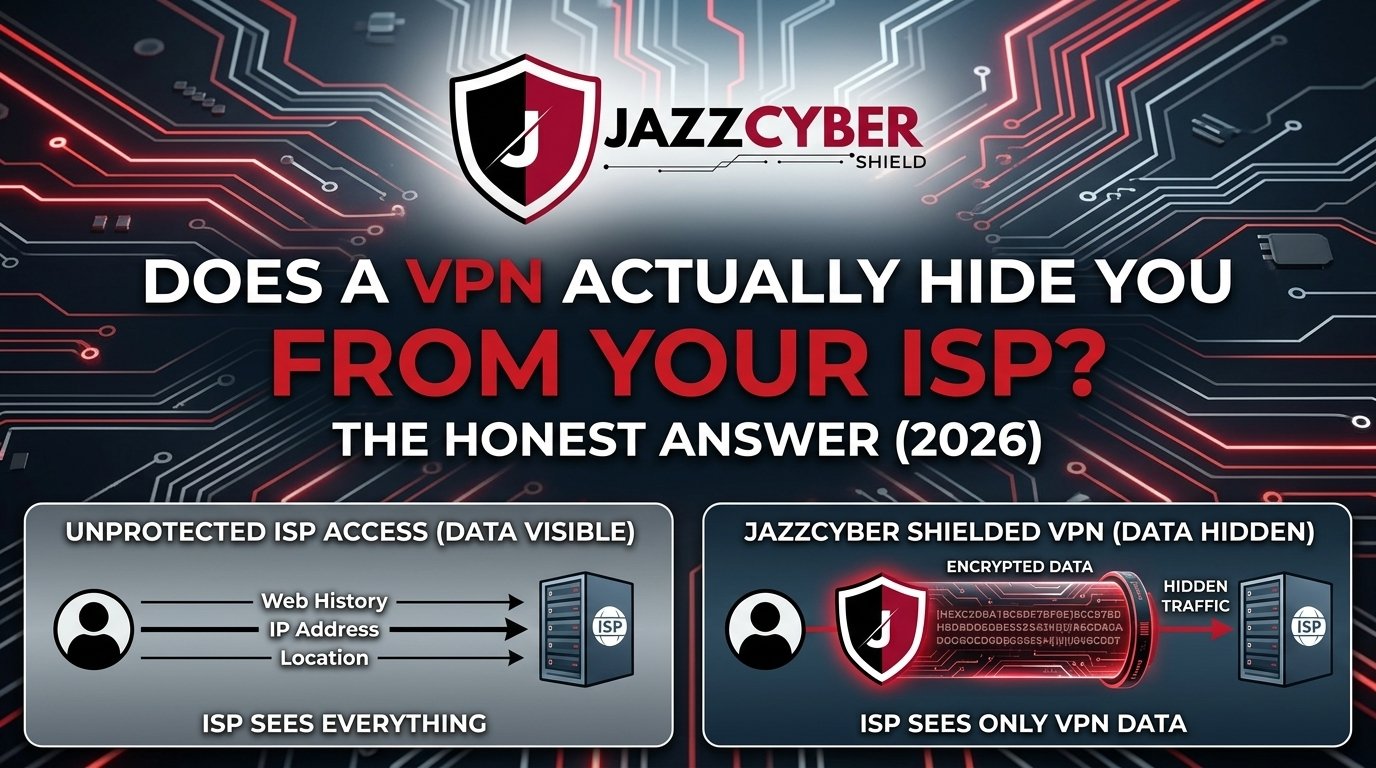
If you’ve ever searched “does a VPN hide you from your ISP,” you’re not alone. Millions of people use VPNs every day assuming they’re invisible online — but the truth is more nuanced, and sometimes a little unsettling. In this in-depth guide, we break down exactly what a VPN hides from your Internet Service Provider (ISP), what it doesn’t, and what you actually need to stay private online in 2026.
What Does a VPN Actually Do to Your Internet Traffic?
A VPN (Virtual Private Network) creates an encrypted tunnel between your device and a VPN server. When you connect through a VPN, all your internet traffic is routed through that server before reaching its destination. This means the websites you visit see the VPN server’s IP address — not your real one.
But the real question millions of people are asking is: does that also hide your activity from your ISP?
The short answer is yes — but only partially. Let’s break down what exactly gets hidden.
What a VPN Hides From Your ISP
1. Your Browsing Activity and Website Visits
Without a VPN, your ISP can see every website you visit, every search you make, and every URL you type. This is because all your DNS requests and HTTP traffic pass through your ISP’s servers.
When you enable a VPN, your ISP can no longer see which specific websites you’re visiting. Your traffic appears as encrypted data going to a single IP address — the VPN server. This is the most significant protection a VPN provides against ISP surveillance.
2. Your DNS Queries
DNS (Domain Name System) queries are like a phonebook lookup — every time you visit a website, your device asks a DNS server to translate the domain name into an IP address. Without a VPN, these queries typically go through your ISP’s DNS servers, exposing your browsing habits.
A quality VPN routes your DNS queries through its own encrypted DNS servers, meaning your ISP cannot read your DNS lookups. This is one of the most overlooked but important privacy benefits of using a VPN with a no-logs policy.
3. The Content of Your Communications
Any unencrypted data you transmit — messages, form submissions over HTTP, file transfers — is readable by your ISP without a VPN. With a VPN running, all this content is encrypted before it leaves your device, making it unreadable to your ISP even if they intercept it.
4. Your Real IP Address From Third Parties
While your ISP always knows your real IP address, websites and advertisers you interact with will see the VPN server’s IP instead of yours. This significantly reduces fingerprinting and targeted tracking from ad networks.
What a VPN Does NOT Hide From Your ISP
Here’s where most VPN marketing gets dishonest. Despite what some advertisements claim, a VPN does not make you completely invisible to your ISP. Here’s what your ISP can still see:
1. The Fact That You’re Using a VPN
This is perhaps the most important thing people miss. Your ISP can always see that you are connected to a VPN server. They can see the IP address of the VPN server you’re using, the amount of data you’re transferring, and the timestamps of your connections. While they can’t see what you’re doing, they know that you’re using a VPN — and in some countries, that alone can raise red flags.
2. The Amount of Data You Transfer
VPNs hide content, not volume. Your ISP can still see exactly how much bandwidth you’re consuming. If you’re downloading 50GB in a single session, your ISP knows — they just can’t see what files you downloaded.
3. Connection Timestamps
Your ISP logs when you connect to the internet and for how long. A VPN doesn’t change that. They’ll see you connected at 10:00 PM and stayed online until 2:00 AM — they just won’t know what you were doing during that time.
4. Your Real IP Address (Always)
Your ISP assigns your IP address. They will always know your real IP address. This is a fundamental reality of how internet infrastructure works. A VPN hides your IP from websites — but never from your ISP itself.
5. VPN Traffic Can Be Throttled or Flagged
Many ISPs engage in traffic shaping — slowing down or throttling certain types of traffic. Since ISPs can identify VPN protocols (like OpenVPN or WireGuard), they can throttle your VPN connection even without knowing what you’re doing with it.
The Technical Reality: How ISPs See Your VPN Traffic
When you connect to a VPN, here’s exactly what your ISP sees in their logs:
- Source IP: Your real home IP address (always visible)
- Destination IP: The VPN server’s IP address
- Protocol: They can often identify VPN protocols (WireGuard, OpenVPN, etc.)
- Data volume: Total bytes transferred
- Connection duration: Start time and end time
- Port numbers: Can reveal the VPN protocol being used
What they cannot see:
- The actual websites you visit
- The content of your messages or files
- Your DNS queries (if using VPN’s DNS)
- The specific URLs you access
Understanding this distinction is critical for anyone serious about network security and online privacy.
Does a VPN Hide You From ISP Throttling?
This is one of the most practically useful benefits of a VPN that most people overlook. Many ISPs throttle bandwidth for specific services — Netflix, YouTube, torrenting, gaming — once they detect the type of traffic.
Because a VPN encrypts your traffic, your ISP cannot identify what type of service you’re using. They see encrypted data going to a VPN server — nothing more. This means a VPN effectively hides your activity from ISP throttling algorithms.
If you’ve noticed your streaming suddenly speeds up after connecting to a VPN, this is exactly why. Your ISP could no longer identify and throttle that traffic stream.
Free VPN vs Paid VPN: What Your ISP Sees Either Way
Whether you use a free or paid VPN, the basic principle is the same — your ISP sees encrypted traffic going to a VPN server. However, there are critical differences in how your actual privacy holds up:
Free VPNs often compensate for their lack of subscription revenue by logging and selling your data. Ironically, the very tool you’re using to hide your activity may be collecting and selling more of your data than your ISP ever would. The encryption is present, but your activity is being recorded at the VPN server level and monetized. We covered this in detail in our article on Free VPN vs Paid VPN: What They’re NOT Telling You.
Paid VPNs with independently audited no-logs policies (like NordVPN, Mullvad, or ProtonVPN) genuinely cannot hand over your browsing data to authorities or ISPs because they don’t store it. The encryption AND the no-logs policy together create true privacy.
Key takeaway: A VPN hides your traffic from your ISP, but it just shifts the trust to your VPN provider. Choose your VPN provider more carefully than your ISP.
VPN + Firewall: The Complete Privacy Stack for 2026
A VPN alone is not a complete cybersecurity solution. For truly comprehensive network protection, cybersecurity professionals recommend pairing your VPN with a dedicated hardware firewall. Here’s why:
A VPN encrypts your outgoing traffic and hides your activity from your ISP. A hardware firewall monitors all traffic coming into and going out of your network in real time, blocking malicious packets, enforcing access controls, and logging threats at the network level.
At Jazz Cyber Shield, we offer enterprise-grade firewall security solutions from the world’s most trusted brands. If you’re serious about protecting your network from both ISP surveillance and external cyber threats, a layered security approach is the right path.
Recommended Hardware Firewall Solutions for Network Privacy
- SonicWall TZ270 Firewall – Ideal for small businesses and home offices that need enterprise-grade deep packet inspection without a massive budget. Pairs excellently with a VPN setup to create a complete privacy layer.
- Fortinet Firewalls – Fortinet’s FortiGate series is the gold standard for organizations that need high-throughput VPN termination combined with next-generation firewall capabilities. If you need to run a corporate VPN server on-premises, FortiGate delivers.
- WatchGuard Firewalls – WatchGuard’s Firebox series includes built-in VPN client management, making it one of the most practical all-in-one solutions for small-to-medium businesses looking to manage VPN access alongside threat detection.
- Browse All Firewalls – Explore our complete range of hardware firewalls for every budget and use case.
Does HTTPS Change What Your ISP Sees?
Yes — even without a VPN, HTTPS (the padlock icon in your browser) encrypts the content of your communications between your browser and the website server. But there’s a critical limitation: HTTPS does not hide which websites you visit.
Your ISP can still see the domain names of every site you access through a process called SNI (Server Name Indication) — a part of the TLS handshake that is unencrypted by default. This means even on HTTPS sites, your ISP knows you visited “example.com” — they just can’t read what you did there.
A VPN solves this gap by encrypting the SNI information as well, meaning your ISP cannot see the domains you’re visiting. This is the critical difference between HTTPS-alone and VPN+HTTPS protection.
For deeper insight into how encryption layers work at the Wi-Fi level, read our guide on WPA2 vs WPA3: Is Your Home Wi-Fi Secure?
ISP Data Logging Laws: What Are ISPs Actually Allowed to Do?
Understanding your legal privacy landscape is just as important as the technical side. Here’s a brief overview of ISP data retention laws by region in 2026:
United States: ISPs are not required by federal law to delete browsing data and have historically sold anonymized browsing data to advertisers. The FCC under different administrations has changed rules multiple times, but as of 2026, ISPs retain significant latitude in data collection and monetization.
European Union: Under GDPR and the ePrivacy Directive, ISPs must have a legal basis for processing your data and must inform users. Data retention periods are limited, but law enforcement agencies can access data under specific legal orders.
United Kingdom: The Investigatory Powers Act (IPA) requires ISPs to retain connection data (not content) for up to 12 months and provide access to intelligence agencies without a warrant in many circumstances.
Pakistan & South Asia: ISPs operate under government directives that can require data retention and access. Using a VPN with a no-logs policy based in a privacy-respecting jurisdiction provides meaningful protection.
Regardless of your location, a VPN adds a layer of protection against ISP data logging — but it is not a legal shield against government subpoenas directed at your VPN provider.
VPN Protocols Explained: Which One Hides You Best From ISPs?
Not all VPN protocols offer the same level of obfuscation from ISPs:
WireGuard is the fastest modern VPN protocol and provides excellent encryption, but it uses a fixed UDP port (51820) that ISPs can easily identify as VPN traffic. Your activity is hidden, but the VPN usage itself is obvious.
OpenVPN with obfsproxy or Stunnel wraps VPN traffic inside a layer that mimics regular HTTPS traffic. ISPs using Deep Packet Inspection (DPI) will have a much harder time identifying and throttling this connection.
SSTP (SSL-based) runs over port 443 — the same port as regular HTTPS — making it nearly indistinguishable from normal web browsing to an ISP using basic traffic analysis.
IKEv2/IPsec is excellent for mobile connections and reconnects quickly after network drops, though it’s more identifiable as VPN traffic than obfuscated protocols.
For maximum stealth from ISPs — especially in countries with heavy internet censorship — choose a VPN that offers obfuscation mode (also called “stealth mode” or “camouflage mode”).
Network Segmentation as an Additional Privacy Layer
Beyond VPNs, one of the most underappreciated privacy tools for home and business networks is proper network segmentation using VLANs (Virtual Local Area Networks). By separating your IoT devices, personal computers, and work devices onto different VLANs, you limit what any single compromised device can expose.
Learn more about this strategy in our detailed guide: What Is a VLAN and Why Every Home Network Needs One in 2026.
For the physical infrastructure to support proper segmentation, Jazz Cyber Shield offers a complete range of network switches designed for both home and enterprise environments.
AI-Powered Threats and Why Your VPN May Not Be Enough in 2026
One of the most recent developments in the cybersecurity landscape is the emergence of AI-powered threat detection and AI-assisted attacks. In 2026, simply running a VPN is no longer sufficient against sophisticated adversaries.
Modern ISPs and state-level actors are beginning to use AI-driven traffic analysis that can profile users based on connection patterns, timing, and data volume — even without decrypting the actual content. This is known as traffic correlation analysis and represents an emerging threat to VPN privacy.
The solution is a multi-layered approach combining VPNs, hardware firewalls, endpoint protection, and intelligent threat detection. We explored this topic in depth in: AI-Powered Firewalls vs Human Managed Security: What Will Lead in 2026?
For businesses that need to stay ahead of these threats, Jazz Cyber Shield provides enterprise firewall solutions from Fortinet and WatchGuard that integrate AI-powered threat intelligence directly into the network perimeter.
Recent Topics in VPN and Online Privacy (2026)
Here are the most relevant developments shaping VPN and ISP privacy in 2026:
WireGuard Adoption Surge — Most major VPN providers have now fully migrated to WireGuard as their default protocol, offering faster speeds with AES-256-equivalent security. ISPs are responding with more sophisticated VPN detection methods.
ISP-Level DNS Encryption Expansion — Several major ISPs have begun offering encrypted DNS (DoH/DoT) as a feature, but with a catch: it routes through the ISP’s own servers, giving them full visibility while providing users a false sense of privacy.
AI Traffic Correlation Attacks — Government agencies and advanced persistent threats (APTs) are increasingly using machine-learning-based traffic analysis to de-anonymize VPN users even without breaking encryption. This is the most significant emerging threat to VPN privacy in 2026.
VPN Kill Switch is Now Mandatory — Top VPN providers now make kill switches a standard default feature, ensuring your real IP is never exposed even if the VPN connection drops unexpectedly.
Router-Level VPN Solutions Growing — More users and businesses are configuring VPNs directly on their routers rather than individual devices, providing network-wide protection. This requires a router or firewall capable of VPN termination — like those available in our Fortinet firewall collection.
The Honest Summary: What a VPN Really Does for Your ISP Privacy
| What Your ISP Can See | Without VPN | With VPN |
|---|---|---|
| Websites you visit | ✅ Yes | ❌ No |
| DNS queries | ✅ Yes | ❌ No (if VPN DNS) |
| Content of messages | ✅ Yes (HTTP) | ❌ No |
| That you’re using a VPN | N/A | ✅ Yes, always |
| Your real IP address | ✅ Yes | ✅ Yes (always) |
| Amount of data transferred | ✅ Yes | ✅ Yes |
| Connection timestamps | ✅ Yes | ✅ Yes |
| VPN protocol used | N/A | ✅ Often yes |
Final Verdict: Is a VPN Worth It for ISP Privacy?
Absolutely yes — with realistic expectations.
A VPN is one of the single most effective tools for preventing your ISP from building a detailed profile of your browsing activity. It encrypts your traffic, hides your DNS queries, prevents ISP throttling for specific services, and masks your IP from the websites you visit.
But a VPN is not a cloak of invisibility. Your ISP always knows your real IP, knows you’re using a VPN, knows how much data you transfer, and knows when you’re online. And the privacy protection of a VPN is only as strong as the integrity of your VPN provider’s no-logs policy.
For complete network security that extends beyond what a VPN alone can provide, Jazz Cyber Shield recommends pairing your VPN with a trusted hardware firewall solution — whether you’re a home user, small business, or enterprise. Browse our full range of SonicWall, Fortinet, and WatchGuard solutions at Jazz Cyber Shield.
Frequently Asked Questions (FAQ)
Does a VPN completely hide my browsing from my ISP?
A VPN hides the specific websites you visit and the content of your traffic from your ISP by encrypting it. However, your ISP can always see that you are connected to a VPN, the IP address of the VPN server, how much data you’re using, and when you’re online. It is not complete invisibility, but it is a significant and meaningful layer of privacy.
Can my ISP tell I’m using a VPN?
Yes. Your ISP can always tell you’re using a VPN because your traffic goes to a known VPN server IP address and uses a recognizable VPN protocol. What they cannot tell is what you are doing through that VPN connection.
Does a VPN protect me from ISP throttling?
Yes, effectively. When you’re connected to a VPN, your ISP cannot identify the type of traffic you’re generating (streaming, gaming, downloading), which means they cannot selectively throttle specific services. Many users experience noticeably faster streaming speeds when using a VPN for this exact reason.
Does a free VPN hide me from my ISP the same as a paid one?
Technically, the encryption mechanism is the same — your ISP sees encrypted traffic either way. The critical difference is what the VPN provider does with your data on their end. Free VPNs frequently log and sell your browsing data to third parties, meaning you’ve simply shifted your privacy problem from your ISP to a less regulated third party.
What else do I need besides a VPN for full network privacy?
A complete privacy setup should include: a no-logs VPN with audited privacy policy, an encrypted DNS provider (or one built into your VPN), a hardware firewall like SonicWall or Fortinet for deep packet inspection and threat blocking, HTTPS enforcement on all browsing, and network segmentation via VLANs.
Can the government force my ISP to reveal my VPN activity?
Governments can compel ISPs to share what they can see — which is that you were connected to a VPN and how much data you transferred. They cannot compel your ISP to reveal what you did through the VPN, as that data is encrypted. However, if they subpoena your VPN provider and that provider keeps logs, that data could be accessed. A truly no-logs VPN provider with servers in a privacy-friendly jurisdiction is your best protection.
Does a VPN hide my IP address from my ISP?
No. Your ISP assigns your IP address and always knows it — that’s a fundamental part of how internet connectivity works. A VPN hides your IP address from the websites and services you visit, not from your ISP.
What is the best VPN for hiding from ISP surveillance in 2026?
The best VPN choices in 2026 for ISP privacy combine strong encryption (WireGuard or OpenVPN), an independently audited no-logs policy, obfuscation/stealth mode for DPI bypass, and servers in privacy-respecting jurisdictions. For corporate environments, on-premises VPN servers managed through a Fortinet or WatchGuard firewall provide the most control over your VPN data.
Is a VPN enough to protect my business network from cyber threats?
No. A VPN secures the communication tunnel between your employees and your network, but it does not protect against malware, ransomware, phishing, or threats that enter through other vectors. Businesses need a dedicated hardware firewall for comprehensive protection. Explore Jazz Cyber Shield’s full range at jazzcybershield.com.
How does a VPN relate to firewall protection?
A VPN and a firewall serve different but complementary purposes. A VPN encrypts your outgoing traffic and hides your activity from your ISP. A firewall monitors and controls traffic entering and leaving your network, blocking unauthorized access, threats, and malicious packets. Together, they form the foundation of a proper cybersecurity stack — whether for home use or enterprise networks.
This article was written by the cybersecurity team at Jazz Cyber Shield Blog — your trusted source for network security insights, product reviews, and IT infrastructure guidance. For hardware firewall solutions, enterprise networking equipment, and cybersecurity hardware, visit jazzcybershield.com.


This breakdown really clarified how a VPN works behind the scenes—especially the part about what your ISP can and can’t see. It’s a bit of a reality check, but also helpful for understanding the actual limits of online privacy. Thanks for the clear, honest take on something so often oversimplified.