



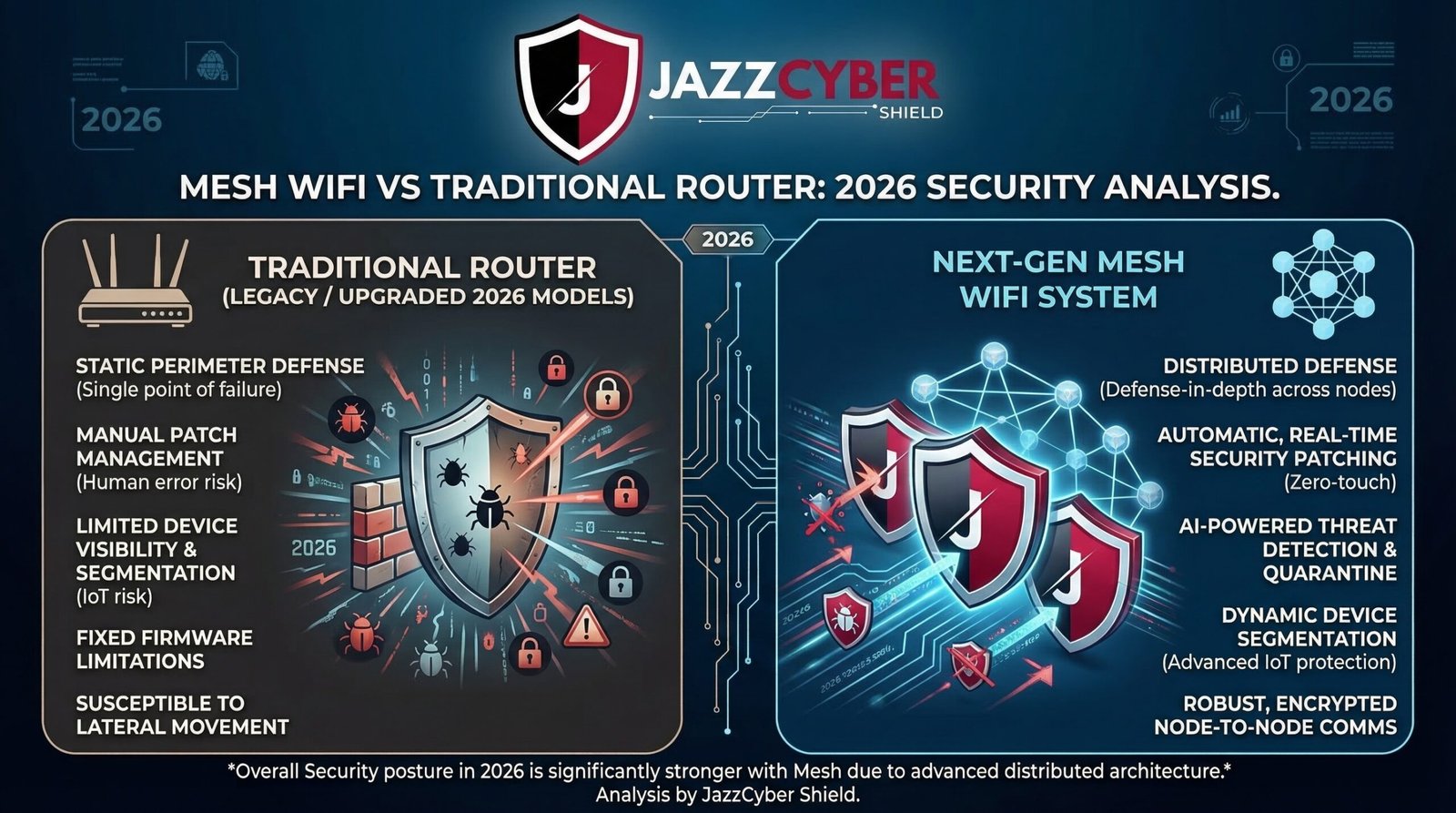
When it comes to protecting your home or office network, the hardware you choose matters just as much as the software. Most people focus entirely on antivirus tools and VPNs — but ignore the very device that controls every single byte of their internet traffic: the router.
In 2026, the debate between mesh WiFi systems and traditional routers is no longer just about speed and coverage. It is a critical network security decision. Whether you are a homeowner with a dozen smart devices, a remote worker handling sensitive data, or a small business owner protecting customer records, choosing the wrong setup could leave your entire network exposed.
This in-depth guide compares mesh WiFi and traditional routers across every major security dimension so you can make the right call.
What Is a Traditional Router?
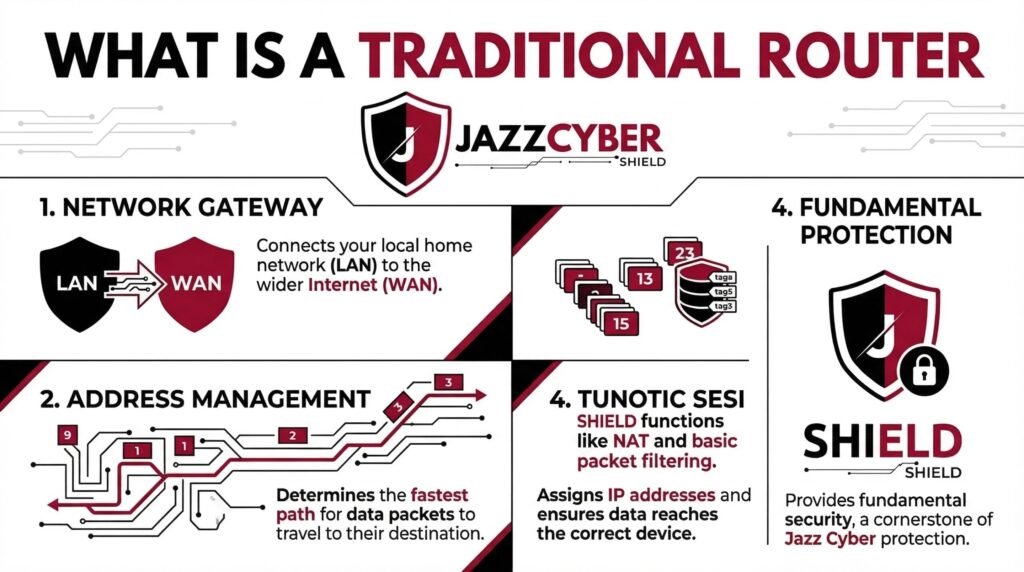
A traditional router is a single-device networking solution that connects your modem to your local devices via a single wireless broadcast point. It handles all routing, firewall, and wireless access from one centralized unit.
Common examples include:
- TP-Link Archer series
- ASUS RT series
- Netgear Nighthawk
- Cisco RV series (small business)
Traditional routers have been the backbone of home and small office networking for decades. They offer deep configuration options, strong firewall controls, and are managed from a single admin interface.
What Is a Mesh WiFi System?
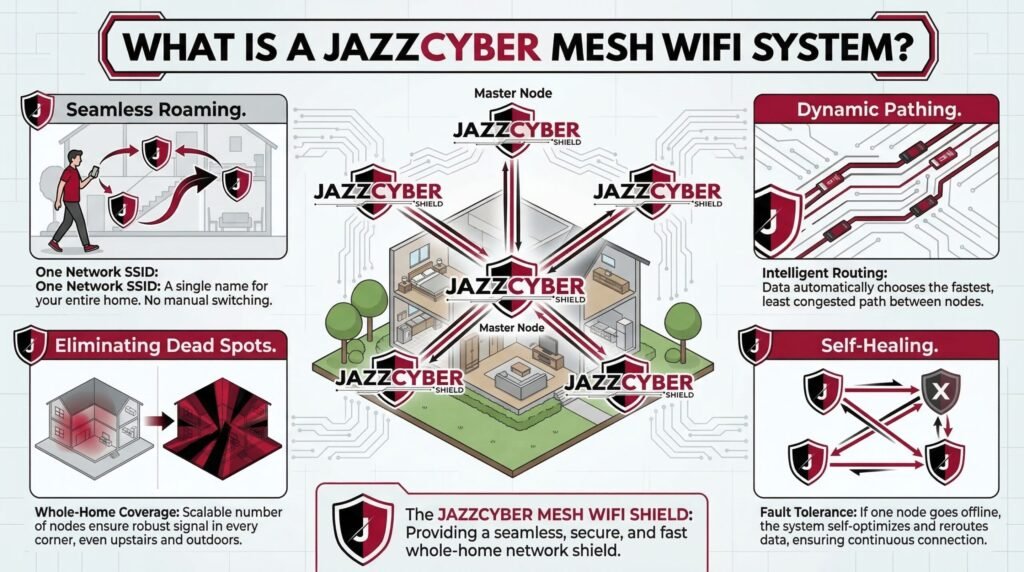
A mesh WiFi system uses multiple nodes — a primary router plus one or more satellite units — to blanket your entire space with seamless wireless coverage. All nodes communicate with each other over a dedicated backhaul channel, eliminating dead zones.
Popular mesh systems include:
- Google Nest WiFi Pro
- Eero Pro 6E
- Netgear Orbi
- TP-Link Deco
Mesh systems are increasingly popular in larger homes and multi-floor offices. However, their distributed architecture introduces a completely different security profile compared to traditional routers.
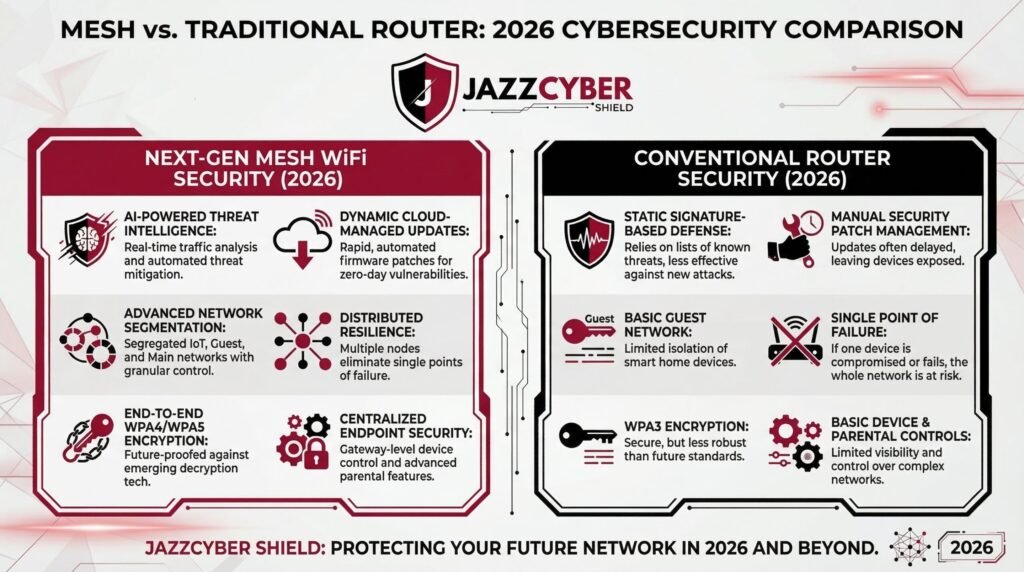
Mesh WiFi vs Traditional Router: Security Comparison (Full Breakdown)
1. Attack Surface: How Many Points Can Be Compromised?
This is the single most important security difference between the two systems.
Traditional Router: A traditional router has one attack surface — the router itself. If it is secured properly, your entire network benefits. One device to update, one admin panel to lock down, one set of firewall rules to configure.
Mesh WiFi: A mesh system has multiple attack surfaces — every single node is a potential entry point. If one satellite node is compromised (whether through a firmware vulnerability, physical access, or weak admin credentials), an attacker can potentially pivot to the rest of the network.
Security Verdict: Traditional Router wins. Fewer entry points means a smaller attack surface.
2. Firmware Updates: Who Patches Faster?
Outdated firmware is the number one cause of router-based breaches. Unpatched vulnerabilities in networking hardware are routinely exploited by botnets and cybercriminals.
Traditional Router: Firmware updates on traditional routers are often manual. Most users never update them, leaving devices exposed for months or even years after patches are released. This is one of the most common security failures in home networking — and one you should fix immediately. If you have not reviewed your router’s configuration in a while, our guide on the 7 router security settings you must change right now covers the exact steps to harden it.
Mesh WiFi: Mesh systems from vendors like Eero, Google Nest, and TP-Link Deco push automatic updates to all nodes simultaneously. This is a significant security advantage. The moment a CVE is patched, every node in your network is updated without any action on your part.
Security Verdict: Mesh WiFi wins. Automatic, centralized updates across all nodes dramatically reduce the window of vulnerability.
3. Encryption Standards: WPA3 Support
Encryption is the foundation of wireless security. The shift from WPA2 to WPA3 closes several critical attack vectors including KRACK attacks, brute-force password cracking, and offline dictionary attacks.
Traditional Router: Older traditional routers often only support WPA2. While WPA2 is still acceptable with a strong password, it is vulnerable to PMKID attacks and brute-force offline cracking. Newer high-end traditional routers (released 2021 and onward) do support WPA3, but adoption has been slow.
Mesh WiFi: Most modern mesh systems — particularly Eero Pro 6E, Google Nest WiFi Pro, and Netgear Orbi RBK863S — ship with WPA3 enabled by default across all nodes. This is a meaningful security upgrade, particularly for networks with many IoT and smart home devices.
If you have already upgraded to a WiFi 6 router or mesh system, make sure you review our detailed breakdown of WiFi 6 router security settings you must configure in 2026 to ensure WPA3 is properly enabled and SAE (Simultaneous Authentication of Equals) is active.
Security Verdict: Mesh WiFi wins — for modern systems. Both can support WPA3, but mesh vendors enable it by default far more consistently.
4. Guest Network and Network Segmentation
Separating trusted devices (laptops, phones) from untrusted devices (smart TVs, IoT sensors, guest users) is a core security best practice. Without segmentation, a compromised smart bulb can become a pivot point to your file server.
Traditional Router: High-end traditional routers support guest networks and, in more advanced cases, VLANs. However, VLAN configuration on consumer routers typically requires technical knowledge. If you want to understand why network segmentation matters and how to set it up, our guide on what is a VLAN and why every home network needs one in 2026 explains it step-by-step.
Mesh WiFi: Most mesh systems offer simple guest network creation through a mobile app. Some advanced systems like Eero Pro and Netgear Orbi support IoT-specific network isolation. However, enterprise-grade VLAN support is limited on consumer mesh systems.
Security Verdict: Tie with edge to Traditional Router — for advanced users who need deep VLAN and firewall control. Mesh wins for ease of guest network setup.
5. Centralized vs. Distributed Management
Traditional Router: A single web-based admin panel (typically accessed at 192.168.1.1 or 192.168.0.1) controls all settings. This is both a strength and a weakness. It is easy to lock down, but if credentials are compromised, the attacker has full control.
Mesh WiFi: Mesh systems are primarily managed through cloud-connected mobile apps. This introduces a new attack vector: the cloud account itself. If your Eero or Google account credentials are stolen, an attacker could potentially modify your mesh network settings remotely. Always enable multi-factor authentication on the account linked to your mesh system.
Security Verdict: Traditional Router wins — for offline/local management without cloud dependency.
6. Parental Controls and DNS Filtering
Mesh WiFi: Consumer mesh systems like Eero (with Eero Plus) and Google Nest offer built-in DNS filtering, content filtering, and parental controls at the network level. This blocks malicious domains before a connection is even established — a powerful layer of protection.
Traditional Router: Some advanced traditional routers support custom DNS (like Cloudflare 1.1.1.1 or Quad9 9.9.9.9) for basic malware domain blocking. For full DNS-level filtering, you typically need to integrate a separate Pi-hole or configure manual DNS-over-HTTPS settings.
Security Verdict: Mesh WiFi wins — for built-in DNS-level threat filtering on consumer-grade systems.
7. Physical Security Risks
Traditional Router: One device to physically secure. Place it in a locked equipment room or secured area and the risk is minimal.
Mesh WiFi: Every node is a potential physical target. A satellite node placed in a hallway, garage, or near a door could be physically tampered with. An attacker with physical access to a node can attempt a factory reset and introduce a rogue node. Always place mesh nodes in secure, non-accessible areas.
Security Verdict: Traditional Router wins — fewer physical points of exposure.
8. Enterprise Security Features
For businesses requiring advanced threat protection, firewall inspection, intrusion detection, and VPN passthrough, consumer mesh systems — and even most consumer traditional routers — fall significantly short.
Enterprise-grade networking security requires dedicated hardware such as:
- Next-generation firewalls (NGFW) for deep packet inspection
- Managed network switches for VLAN enforcement and port security
- Enterprise wireless access points with role-based access control
If your business handles sensitive data, you need to go beyond consumer WiFi entirely. Explore our range of enterprise-grade firewalls — including Fortinet, SonicWall, and WatchGuard — designed specifically for networks where security is non-negotiable. For distributed wireless coverage without sacrificing security control, browse our professional-grade wireless access points built for business environments.
Security Summary: Head-to-Head Scorecard
| Security Factor | Traditional Router | Mesh WiFi |
|---|---|---|
| Attack Surface | ✅ Smaller (1 device) | ⚠️ Larger (multiple nodes) |
| Firmware Updates | ⚠️ Manual | ✅ Automatic |
| WPA3 Support | ⚠️ Varies by model | ✅ Standard on modern systems |
| Network Segmentation | ✅ VLAN-capable | ⚠️ Limited on consumer systems |
| Local Management | ✅ No cloud dependency | ⚠️ Cloud-dependent |
| DNS Filtering | ⚠️ Manual setup | ✅ Built-in on premium systems |
| Physical Security | ✅ Single point | ⚠️ Multiple points |
| Enterprise Features | ✅ More configurable | ❌ Limited |
Overall Score: Traditional Router: 5 | Mesh WiFi: 4
So Which Is More Secure?
The honest answer: it depends on your threat model, technical expertise, and use case.
Choose a Traditional Router if:
- You are technically proficient and want granular firewall and VLAN control
- You want zero cloud dependency for your network management
- You are running a small business that needs deeper security configuration
- You want a smaller attack surface and simpler physical security
Choose Mesh WiFi if:
- You prioritize automatic firmware updates (which most users never do manually)
- You have a large home or office and need seamless roaming coverage
- You want WPA3 and DNS filtering out of the box with no configuration
- Your household includes non-technical users who need ease of management
For businesses and professionals with serious security requirements: Neither consumer mesh nor consumer routers are sufficient. You need purpose-built networking hardware for cybersecurity — including next-generation firewalls, managed switches, and enterprise access points that support role-based policies, intrusion prevention, and centralized monitoring.
5 Security Steps Every Router (Mesh or Traditional) Needs Right Now
Regardless of which system you choose, these five steps apply universally:
- Change the default admin credentials immediately. Default usernames and passwords are publicly documented and actively exploited by botnets.
- Enable WPA3 (or WPA2-AES at minimum). Never use WEP or WPA-TKIP — these are broken.
- Disable WPS (WiFi Protected Setup). It has known PIN brute-force vulnerabilities.
- Create a separate guest or IoT network. Never put smart home devices on the same network as your computers and phones.
- Update firmware regularly. If your system does not auto-update, set a monthly calendar reminder.
Final Verdict
Mesh WiFi and traditional routers both have legitimate security strengths — and both have real weaknesses. Mesh WiFi wins on ease of security maintenance (automatic updates, WPA3 by default, built-in DNS filtering). Traditional routers win on control and reduced attack surface for technically skilled users.
The worst security outcome is not choosing one over the other — it is neglecting configuration entirely. A fully hardened traditional router beats a default-configured mesh system every time.
If you are serious about network security, start with the right hardware. Browse our full range of enterprise firewalls, managed switches, and access points to build a network that is designed to stay secure from the ground up.
Q: Is mesh WiFi less secure than a traditional router?
Not inherently. Mesh systems offer excellent automatic update systems and modern encryption. However, their distributed nature increases the physical and logical attack surface compared to a single traditional router.
Q: Can mesh WiFi be hacked?
Yes. Every network device can be exploited if not properly secured. Key risks include compromised cloud accounts, physical node tampering, and unpatched firmware — though modern mesh systems auto-update to address the latter.
Q: What is the most secure router for home use in 2026?
Look for WPA3 support, automatic firmware updates, built-in DNS filtering, and guest network isolation. For advanced users, routers running open-source firmware (OpenWrt) with proper firewall configuration offer the highest level of customization and security.
Q: Do I need a firewall if I have a mesh router?
A consumer mesh router includes basic NAT-based firewall functionality, but it is not a substitute for a dedicated next-generation firewall — especially for businesses handling sensitive data.


wish you all the best
Every day is a new beginning
Good a blog toper