


🔍 Network Breach & Hack Detector
Our free network security tools are designed specifically for IT professionals, network admins, and cybersecurity engineers across Pakistan and beyond. Furthermore, these tools help you instantly analyze password strength and validate SSL certificates. In addition, you can plan IP subnets and calculate enterprise storage requirements without any software. Moreover, all of these network security tools run entirely in your browser for maximum convenience. Therefore, there is no need to install anything on your computer. Additionally, Jazz Cyber Shield provides these network security tools as part of our ongoing commitment to cybersecurity education. Consequently, IT professionals at Cisco, Fortinet, and Aruba rely on our toolkit daily. However, if you need more advanced features, our team is always available. Finally, for more cybersecurity guides and networking resources, visit our Networking Blog or explore our Security Resources.
Password Strength Analyzer
Enterprise-grade password security check
- 8+ Characters
- Uppercase (A-Z)
- Lowercase (a-z)
- Number (0-9)
- Symbol (!@#$)
SSL Certificate Validator
Verify any website’s security certificate instantly
Enterprise Storage Calculator
Calculate Seagate storage requirements for your use case
Personal
Home & Small Office
Business
SMB & Corporate
Enterprise
Data Center
IP Subnet Calculator
Professional network addressing and subnetting analysis
| Network Address | – |
| Subnet Mask | – |
| Wildcard Mask | – |
| First Usable Host | – |
| Last Usable Host | – |
| Broadcast Address | – |
| Total Hosts | – |
| Usable Hosts | – |
| IP Class | – |
| Binary Mask | – |
Enterprise Firewall Comparison
Fortinet · Cisco · SonicWall · WatchGuard — side by side
| Feature | Fortinet FortiGate | Cisco Secure FW | SonicWall | WatchGuard |
|---|---|---|---|---|
| 🏆 Best For | AI Security & Performance | Cisco Ecosystem | Budget SMB | MSPs |
| 💰 Entry Price | ~$1,140 (FG-40F) | ~$1,620 (ASA 5506-X) | ~$900 (TZ370) | ~$1,500 (T25) |
| ⚡ Performance | ★★★★★ | ★★★★☆ | ★★★☆☆ | ★★★☆☆ |
| 🛡️ Threat Prevention | ✓ AI FortiGuard | ✓ Talos Intel | ~ Capture ATP | ~ Basic |
| ☁️ Cloud Mgmt | ✓ FortiCloud | ✓ Meraki | ✗ Limited | ✓ WG Cloud |
| 🔐 VPN | ✓ SSL/IPsec | ✓ AnyConnect | ✓ SSL VPN | ✓ AuthPoint |
| 📊 SD-WAN | ✓ Native | ✓ Cisco SDWAN | ~ Basic | ~ Basic |
| 🔧 Ease of Use | ★★★★☆ | ★★★☆☆ | ★★★★☆ | ★★★★★ |
🚀 Fortinet FortiGate
- Models: FG-40F → FG-7000
- Throughput: Up to 1 Tbps+
- Key Tech: FortiASIC, FortiGuard AI
- Licensing: Bundle or à la carte
- Support: FortiCare 24/7
- Cons: Complex licensing, CVE history
☁️ Cisco Secure Firewall
- Models: ASA 5506-X → FP 9300
- Throughput: Up to 1.5 Tbps
- Key Tech: Talos, Firepower
- Licensing: Smart Licensing
- Support: Cisco SmartNet
- Cons: High cost, learning curve
💰 SonicWall TZ/NSa
- Models: TZ270 → NSa 6700
- Throughput: Up to 40 Gbps
- Key Tech: Capture ATP, DPI-SSL
- Licensing: Essential/Advanced
- Support: SonicWall 24/7
- Cons: Slow patches, security concerns
🎯 WatchGuard Firebox
- Models: T15 → M590
- Throughput: Up to 19 Gbps
- Key Tech: Dimension, AuthPoint
- Licensing: Total Security Suite
- Support: Standard 24/7
- Cons: Less advanced threat depth
Choose Fortinet If:
- Need best-in-class performance
- AI-driven threat detection is priority
- Scaling to large enterprise networks
- Want native SD-WAN integration
- Budget allows premium security
Choose Cisco If:
- Already invested in Cisco ecosystem
- Need Meraki cloud simplicity
- Require ISE/NAC integration
- Want Talos threat intelligence
- Stability > cutting-edge features
Choose SonicWall If:
- Tight SMB budget constraints
- Simple retail/branch deployment
- Basic security requirements
- Need quick, easy setup
- Price/performance ratio is key
Choose WatchGuard If:
- You are an MSP or MSSP
- Need multi-tenant management
- Want zero-touch deployment
- AuthPoint MFA is important
- Managing many small branch sites
🏆 Jazz Cyber Shield Recommendation
Enterprise (250+ users): FortiGate 200F+ or Cisco Firepower 2100
Mid-Market (50–250 users): FortiGate 60F–80F or Cisco Meraki MX84
Small Business (<50 users): SonicWall TZ370 or WatchGuard T35
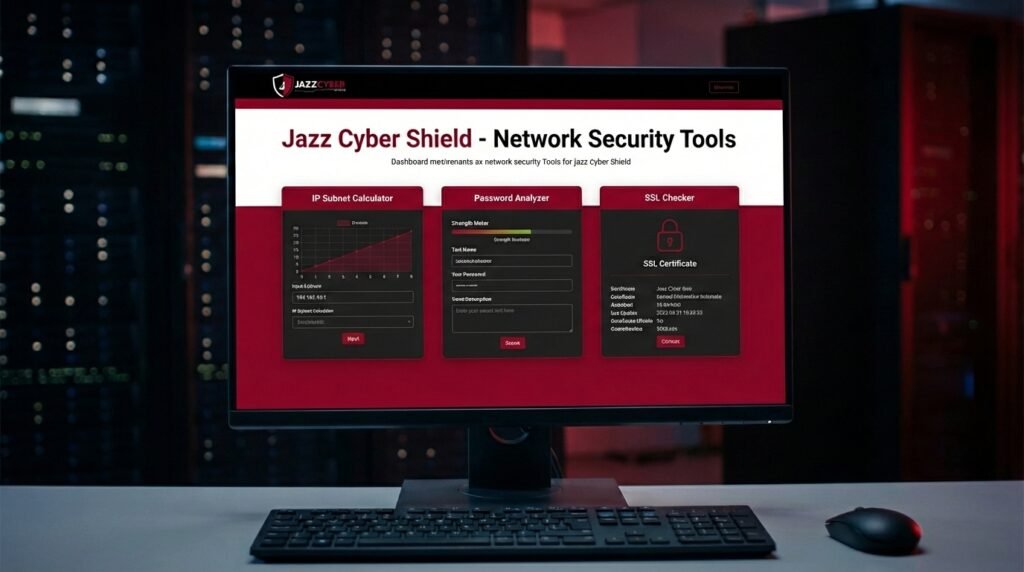
Network Security Tools Overview — Jazz Cyber Shield provides four essential network security tools on this page. First, the Password Strength Analyzer evaluates your password quality in real time. Second, the SSL Certificate Checker validates website security instantly. Third, the Enterprise Storage Calculator helps you plan Seagate storage needs. Fourth, the IP Subnet Calculator assists network engineers with subnetting. Therefore, whether you are a junior IT technician or a senior network engineer, these tools will significantly improve your workflow. As a result, your security assessments become faster and more accurate.
Why Use Our Network Security Tools? — Although many paid tools exist for network security analysis, our toolkit is completely free. Specifically, our network security tools are optimized for professionals working with Cisco, Fortinet, Aruba, and Seagate products. In contrast to complex enterprise software, our tools require no login or registration. Instead, simply visit the page and start using them immediately. Additionally, the tools are mobile-friendly and work on all devices. Because of this, network admins can use them on-site or in the field. To summarize, our network security tools save time, reduce costs, and improve accuracy for IT teams of all sizes.
How to Use the Password Strength Analyzer — First, navigate to the Password tab above. Then, type or paste your password into the input field. Consequently, the tool will instantly display your password strength rating. Furthermore, each requirement — such as uppercase letters, numbers, and special characters — will be highlighted as you type. In particular, the color-coded strength bar helps you quickly assess password quality. Therefore, if your password is rated “Weak,” you should create a stronger one immediately. Specifically, aim for at least 12 characters including a mix of letters, numbers, and symbols. As a result, your accounts will be significantly more secure.
How to Validate SSL Certificates — To begin, click the SSL Check tab at the top of the toolkit. Subsequently, enter the domain name you wish to validate in the input field. For instance, you can type “example.com” without the https prefix. Next, click the “Validate” button to start the scan. While the scan runs, a loading animation will appear briefly. Afterward, the results will show whether the SSL certificate is valid, expired, or missing. In addition, the tool displays the certificate issuer, expiry date, and encryption protocol. Therefore, this is especially useful for web administrators and cybersecurity professionals. Nevertheless, remember that this tool provides a simulation for educational purposes.
Enterprise Storage Calculator Guide — To use the storage calculator effectively, first select your storage tier: Personal, Business, or Enterprise. Subsequently, adjust the sliders to indicate how many photos, hours of 4K video, and gigabytes of documents you need to store. As a result, the recommended Seagate storage solution will be displayed on the right panel. Moreover, the tool calculates total storage requirements in both GB and TB. Additionally, business and enterprise users will see specific recommendations for RAID configurations and data redundancy. Therefore, this tool is ideal for planning new server deployments or upgrading existing storage infrastructure. Ultimately, Jazz Cyber Shield is an authorized Seagate reseller, so contact us for competitive pricing on all recommended products.